UnityWebGL LoadingTest
1.3.0

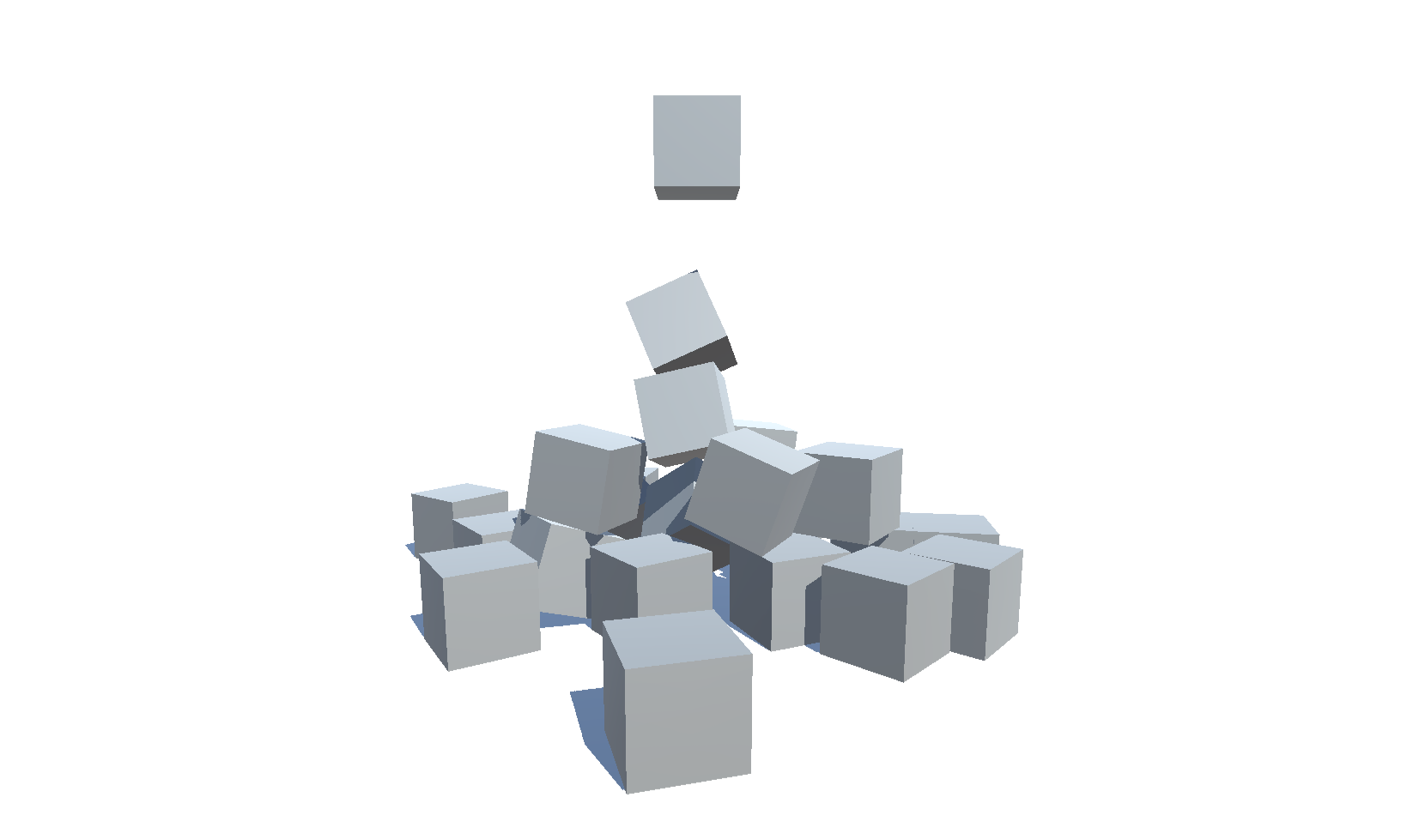
Tester la taille et le temps de chargement de l'Unity pour différentes versions (2018.4 - 6000.0) et paramètres
| Version | Taille | Lien |
|---|---|---|
| 6000.0.25F1 | 3,32 MB | https://deml.io/experiments/unity-webgl/6000.0.25f1-webgl2 |
| 2023.2.20f1 | 3,23 Mb | https://deml.io/experiments/unity-webgl/2023.2.20f1-webgl2 |
| 2023.1.20f1 | 3,14 MB | https://deml.io/experiments/unity-webgl/2023.1.20f1-webgl2 |
| 2022.3.50f1 | 3,12 MB | https://deml.io/experiments/unity-webgl/2022.3.50f1-webgl2 |
| 2021.3.45f1 | 2,78 MB | https://deml.io/experiments/unity-webgl/2021.3.45f1-webgl2 |
| 2020.3.48f1 | 2,96 MB | https://deml.io/experiments/unity-webgl/2020.3.48f1-webgl2 |
| Version | Taille | Lien |
|---|---|---|
| 6000.0.25F1 | 2,92 MB | https://deml.io/experiments/unity-webgl/6000.0.25f1-minsize-webgl2 |
| 2023.2.20f1 | 2,85 Mb | https://deml.io/experiments/unity-webgl/2023.2.20f1-minsize-webgl2 |
| 2023.1.20f1 | 2,72 MB | https://deml.io/experiments/unity-webgl/2023.1.20f1-minsize-webgl2 |
| 2022.3.50f1 | 2,69 MB | https://deml.io/experiments/unity-webgl/2022.3.50f1-minsize-webgl1 |
| 2021.3.45f1 | 2,74 MB | https://deml.io/experiments/unity-webgl/2021.3.45f1-minsize-webgl1 |
| 2020.3.48f1 | 2,48 MB | https://deml.io/experiments/unity-webgl/2020.3.48f1-minsize-webgl1 |
| Version | Taille | Lien |
|---|---|---|
| 6000.0.25F1 | 7,82 Mb | https://deml.io/experiments/unity-webgl/6000.0.25f1-urp-webgl2 |
| 2023.2.20f1 | 6,87 MB | https://deml.io/experiments/unity-webgl/2023.2.20f1-urp-webgl2 |
| 2023.1.20f1 | 6,25 Mo | https://deml.io/experiments/unity-webgl/2023.1.20f1-urp-webgl2 |
| 2022.3.50f1 | 5,92 MB | https://deml.io/experiments/unity-webgl/2022.3.50f1-urp-webgl2 |
| 2021.3.45f1 | 6,31 MB | https://deml.io/experiments/unity-webgl/2021.3.45f1-urp-webgl2 |
| 2020.3.48f1 | 5,60 Mb | https://deml.io/experiments/unity-webgl/2020.3.48f1-urp-webgl2 |
| Version | Taille | Lien |
|---|---|---|
| 6000.0.25F1 | 6,05 MB | https://deml.io/experiments/unity-webgl/6000.0.25f1-urp-minsize-webgl2 |
| 2023.2.20f1 | 5,30 Mb | https://deml.io/experiments/unity-webgl/2023.2.20f1-urp-minsize-webgl2 |
| 2023.1.20f1 | 5,71 MB | https://deml.io/experiments/unity-webgl/2023.1.20f1-urp-minsize-webgl2 |
| 2022.3.50f1 | 4,65 MB | https://deml.io/experiments/unity-webgl/2022.3.50f1-urp-minsize-webgl1 |
| 2021.3.45f1 | 6,11 Mb | https://deml.io/experiments/unity-webgl/2021.3.45f1-urp-minsize-webgl1 |
| 2020.3.48f1 | 4,86 MB | https://deml.io/experiments/unity-webgl/2020.3.48f1-urp-minsize-webgl1 |
| Plate-forme | Chrome | Incendier | Bord | Safari | Internet Explorer |
|---|---|---|---|---|---|
| Windows 10 | ✔️ | ✔️ | ✔️ | ➖ | |
| Linux | ✔️ | ✔️ | ✔️ | ➖ | ➖ |
| Mac | ✔️ | ✔️ | ✔️ | ✔️ | ➖ |
| Androïde | ✔️ | ✔️ | ✔️ | ➖ | ➖ |
| ios | ✔️ | ✔️ | ✔️ | ✔️ | ➖ |
| Android Smart TV | ✔️ | ➖ | ➖ | ➖ | ➖ |
✔️ : Soutenu |
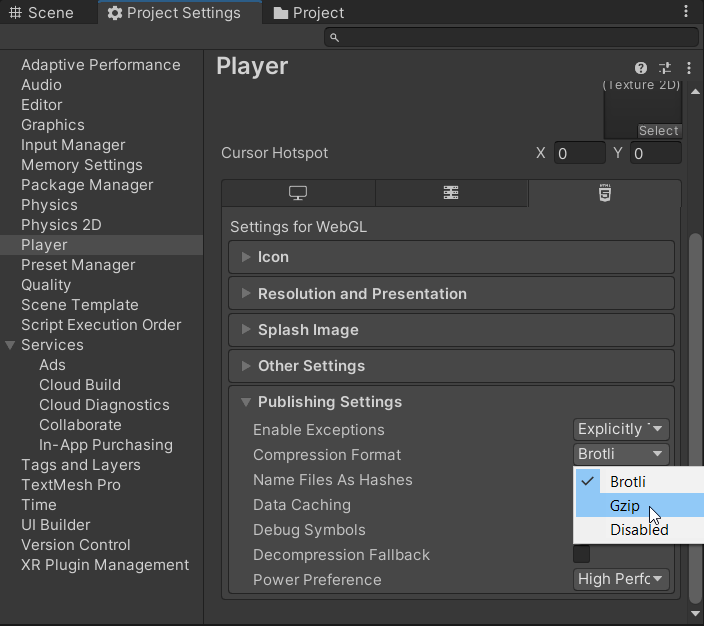
An error occurred running the Unity content on this page. See you browser JavaScript console for more info. The error: Script error. - Avec iOS 16.2 et Firefox 108, je n'ai plus pu reproduire ce problème le 2019.4. Unable to parse Build/WEBGL.framework.js.br! This can happen if build compression was enabled but web server hosting the content was misconfigured to not serve the file with HTTP Response Header "Content-Encoding: br" present. Check browser Console and Devtools Network tab to debug.
 Shader error in 'Hidden/Universal/CoreBlit': invalid subscript 'positionCS' at
UnityWebGL-LoadingTest/Library/PackageCache/[email protected]/Runtime/Utilities/Blit.hlsl(92) (on gles)
Compiling Vertex program with DISABLE_TEXTURE2D_X_ARRAY
Platform defines: SHADER_API_DESKTOP UNITY_COLORSPACE_GAMMA UNITY_ENABLE_DETAIL_NORMALMAP UNITY_LIGHTMAP_RGBM_ENCODING UNITY_PBS_USE_BRDF1 UNITY_SPECCUBE_BLENDING UNITY_SPECCUBE_BOX_PROJECTION UNITY_USE_DITHER_MASK_FOR_ALPHABLENDED_SHADOWS
Disabled keywords: BLIT_SINGLE_SLICE SHADER_API_GLES30 UNITY_ASTC_NORMALMAP_ENCODING UNITY_ENABLE_NATIVE_SHADOW_LOOKUPS UNITY_ENABLE_REFLECTION_BUFFERS UNITY_FRAMEBUFFER_FETCH_AVAILABLE UNITY_HALF_PRECISION_FRAGMENT_SHADER_REGISTERS UNITY_HARDWARE_TIER1 UNITY_HARDWARE_TIER2 UNITY_HARDWARE_TIER3 UNITY_LIGHTMAP_DLDR_ENCODING UNITY_LIGHTMAP_FULL_HDR UNITY_LIGHT_PROBE_PROXY_VOLUME UNITY_METAL_SHADOWS_USE_POINT_FILTERING UNITY_NO_DXT5nm UNITY_NO_FULL_STANDARD_SHADER UNITY_NO_SCREENSPACE_SHADOWS UNITY_PBS_USE_BRDF2 UNITY_PBS_USE_BRDF3 UNITY_PRETRANSFORM_TO_DISPLAY_ORIENTATION UNITY_UNIFIED_SHADER_PRECISION_MODEL UNITY_VIRTUAL_TEXTURING


Shader error in 'Hidden/kMotion/CameraMotionVectors': SV_VertexID semantic is not supported on GLES 2.0 at line 11 (on gles)

Compiling Subshader: 0, Pass: , Vertex program with <no keywords>
Platform defines: SHADER_API_DESKTOP UNITY_COLORSPACE_GAMMA UNITY_ENABLE_DETAIL_NORMALMAP UNITY_LIGHTMAP_RGBM_ENCODING UNITY_PBS_USE_BRDF1 UNITY_SPECCUBE_BLENDING UNITY_SPECCUBE_BOX_PROJECTION UNITY_USE_DITHER_MASK_FOR_ALPHABLENDED_SHADOWS
Disabled keywords: SHADER_API_GLES30 UNITY_ASTC_NORMALMAP_ENCODING UNITY_ENABLE_NATIVE_SHADOW_LOOKUPS UNITY_ENABLE_REFLECTION_BUFFERS UNITY_FRAMEBUFFER_FETCH_AVAILABLE UNITY_HALF_PRECISION_FRAGMENT_SHADER_REGISTERS UNITY_HARDWARE_TIER1 UNITY_HARDWARE_TIER2 UNITY_HARDWARE_TIER3 UNITY_LIGHTMAP_DLDR_ENCODING UNITY_LIGHTMAP_FULL_HDR UNITY_LIGHT_PROBE_PROXY_VOLUME UNITY_METAL_SHADOWS_USE_POINT_FILTERING UNITY_NO_DXT5nm UNITY_NO_FULL_STANDARD_SHADER UNITY_NO_SCREENSPACE_SHADOWS UNITY_PBS_USE_BRDF2 UNITY_PBS_USE_BRDF3 UNITY_PRETRANSFORM_TO_DISPLAY_ORIENTATION UNITY_UNIFIED_SHADER_PRECISION_MODEL UNITY_VIRTUAL_TEXTURING
 Texture creation failed. 'ShadowAuto' is not supported for Render usage on this platform. Use 'SystemInfo.IsFormatSupported' C# API to check format support.

NullReferenceException: Object reference not set to an instance of an object.
Tools/Build WebGL/minsizeSizeNoneMaster Cette fonctionnalité a été ajoutée 2021-11-21 et n'est prise en charge que par les versions à partir de cette date
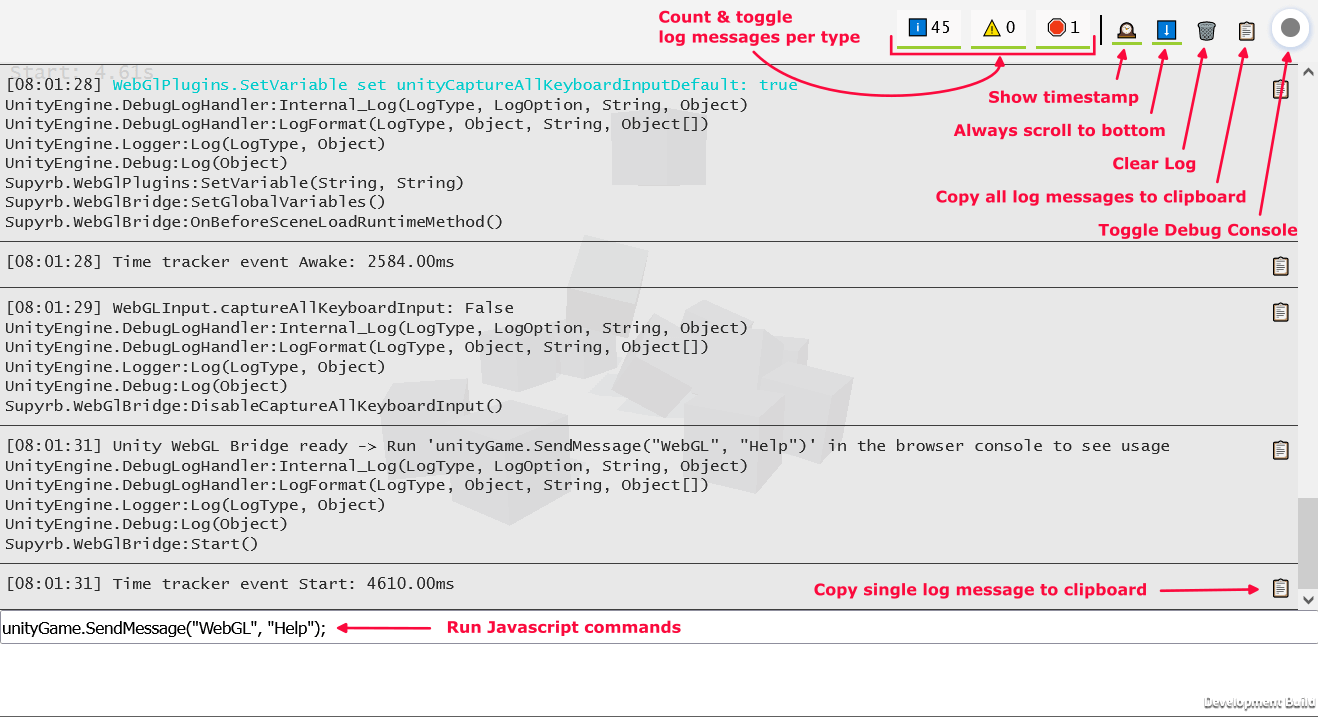
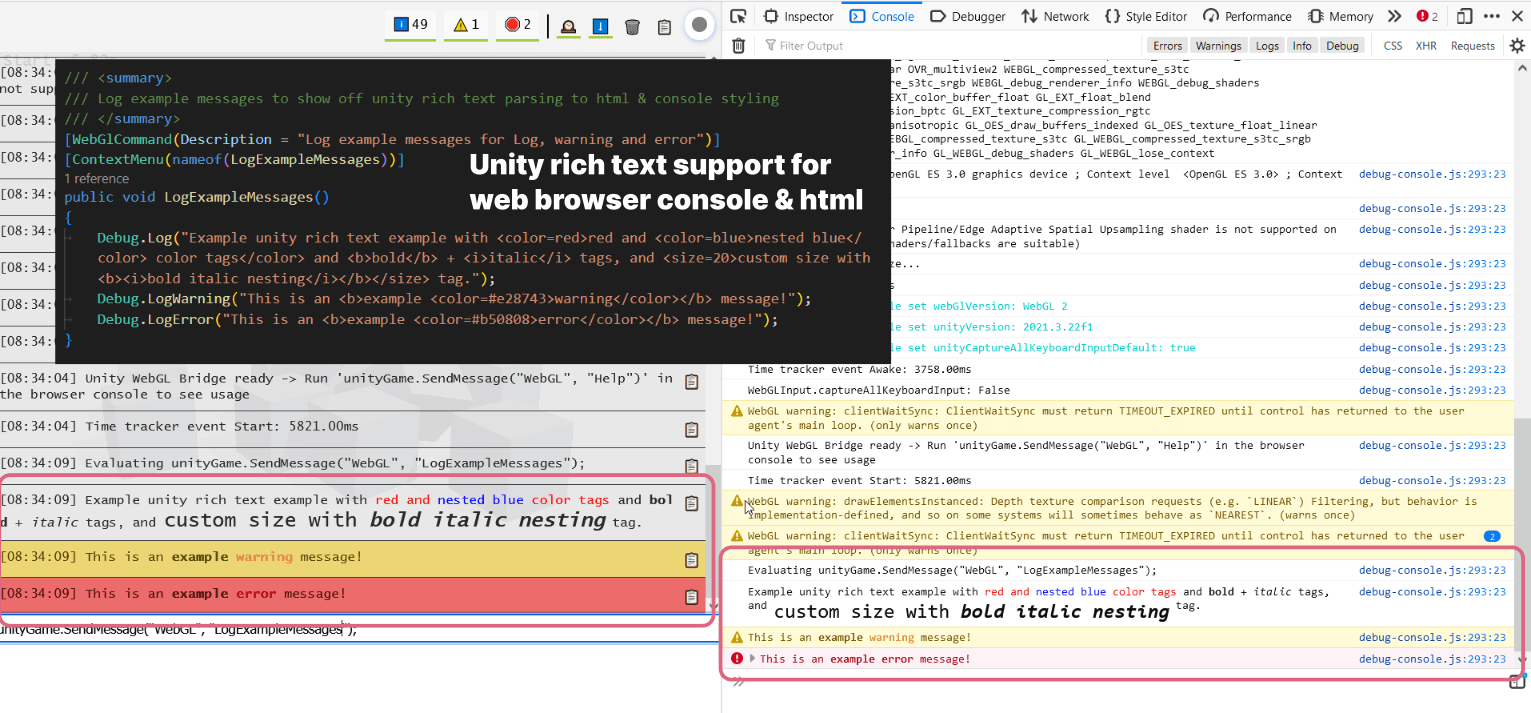
Le script WebGlBridge ajoute un GameObject facile à accéder qui peut être appelé à partir de la console du navigateur via unityGame.SendMessage("WebGL", "COMMAND_NAME",PARAMETER)
Actuellement, les commandes suivantes sont disponibles:
 runUnityCommand ( "AllocateByteArrayMemory" , int mb ) ; - > Allocate memory to test memory usage and limits
runUnityCommand ( "CheckOnlineStatus" ) ; - > Check if browser is online
runUnityCommand ( "CopyToClipboard" , "string text" ) ; - > Copy text to clipboard
runUnityCommand ( "DeleteAllPlayerPrefs" ) ; - > PlayerPrefs . DeleteAll
runUnityCommand ( "DisableCaptureAllKeyboardInput" ) ; - > Disable unity from consuming all keyboard input
runUnityCommand ( "EnableCaptureAllKeyboardInput" ) ; - > Enable unity from consuming all keyboard input
runUnityCommand ( "LogExampleMessages" ) ; - > Log example messages for Log , warning and error
runUnityCommand ( "LogMemory" ) ; - > Logs the current memory
runUnityCommand ( "LogMessage" , "string message" ) ; - > Log a custom message
runUnityCommand ( "LogShaderCompilation" , int enabled ) ; - > GraphicsSettings . logWhenShaderIsCompiled
runUnityCommand ( "LogTextureSupport" ) ; - > Log supported and unsupported texture formats
runUnityCommand ( "LogUserAgent" ) ; - > Log User Agent and isMobileDevice
runUnityCommand ( "ReleaseByteArrayMemory" ) ; - > Release all allocated byte array memory
runUnityCommand ( "SaveScreenshot" ) ; - > Save current screen as PNG
runUnityCommand ( "SaveScreenshotSuperSize" , int superSize ) ; - > Save current screen as PNG with variable super size
runUnityCommand ( "SetApplicationRunInBackground" , int runInBackground ) ; - > Application . runInBackground
runUnityCommand ( "SetApplicationTargetFrameRate" , int targetFrameRate ) ; - > Application . targetFrameRate
runUnityCommand ( "SetTimeFixedDeltaTime" , float fixedDeltaTime ) ; - > Time . fixedDeltaTime
runUnityCommand ( "SetTimeTimeScale" , float timeScale ) ; - > Time . timeScale
runUnityCommand ( "ThrowDictionaryException" ) ; - > Throw a dictionary key not found exception
runUnityCommand ( "ToggleInfoPanel" ) ; - > Toggle develop ui visibility of InfoPanel
runUnityCommand ( "TriggerGarbageCollection" ) ; - > Trigger garbage collection
runUnityCommand ( "UnloadUnusedAssets" ) ; - > Resources . UnloadUnusedAssets runUnityCommand ( "AddSpawner" ) ; - > Add a spawner
runUnityCommand ( "PauseSpawning" ) ; - > Pause spawning of cubes
runUnityCommand ( "RemoveSpawner" ) ; - > Remove a spawner
runUnityCommand ( "ResumeSpawning" ) ; - > Resume spawning of cubes runUnityCommand ( "Help" ) ; - > Log all available commands Ce référentiel prend en charge l'intégration continue via Game.ci. Il existe des scripts pour créer une licence Unity, construire le projet et mettre à niveau le projet.
Le flux de travail des actions GitHub principal est release.yml. Du côté unité, un script de build personnalisé sur la base de Game.ci's BuildScript est utilisé: buildScript.cs. Ce script prend en charge la définition de différentes logiques de construction via des balises GIT via la syntaxe suivante: UNITY_VERSION - TAG1 - TAG2 ... Exemple: 2022.2.0f1-urp-webgl2
Les balises suivantes sont prises en charge:
minsize : Définissez l'optimisation du code sur la taille et ne prend pas en charge les exceptionsdebug : construire une construction de développement avec des symboles de débogage intégrés et une trace complète de pilewebgl1 : construire pour webgl1webgl2 : construire pour webgl2 Pour la mise à niveau d'unité Unity-Unity.yml est utilisé. Il peut être déclenché par les actions GitHub manuellement en définissant la branche pour mettre à niveau et quelques paramètres supplémentaires 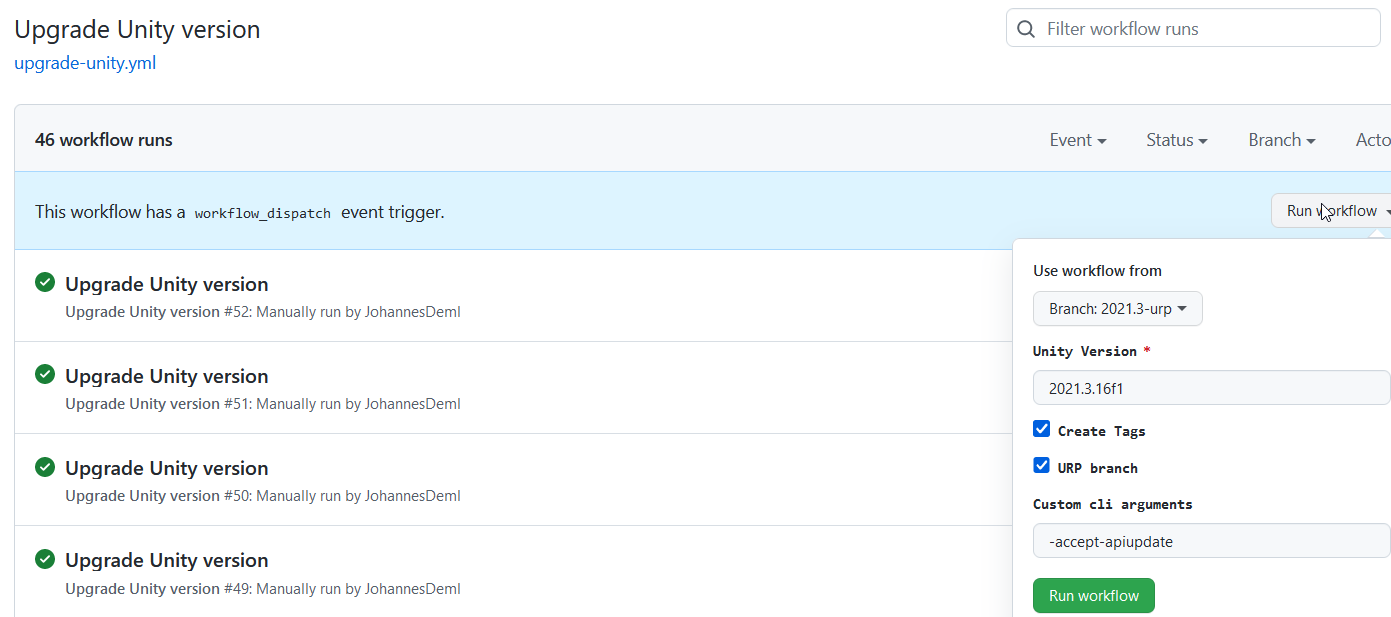 Il créera une demande de traction avec la version Unity nouvellement définie ainsi que les balises pour déclencher des versions automatiques. De plus, tous les packages sont mis à jour vers leur dernière version, voir également UnityPackagescripts.cs.
Vous pouvez trouver une liste de toutes les versions en direct avec leurs tailles ici: https://deml.io/experiments/unity-webgl/







