UnityWebGL LoadingTest
1.3.0

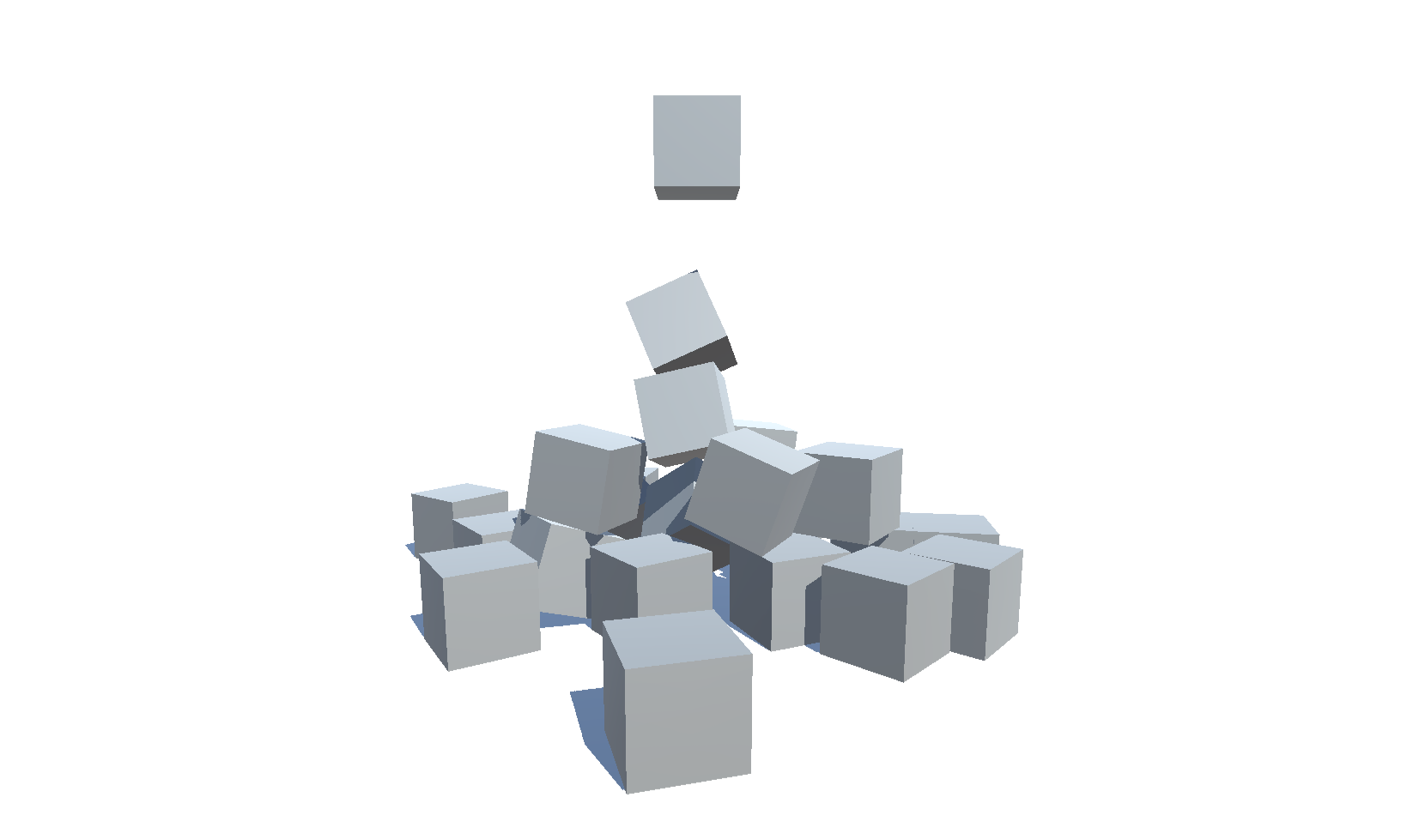
Testen Sie die WebGL -Größe und die Ladezeit von Unity für verschiedene Versionen (2018.4 - 6000.0) und Einstellungen
| Version | Größe | Link |
|---|---|---|
| 6000.0.25f1 | 3,32 MB | https://deml.io/experiments/unity-webgl/6000.0.25f1-webgl2 |
| 2023.2.20f1 | 3,23 MB | https://deml.io/experiments/unity-webgl/2023.2.20f1-webgl2 |
| 2023.1.20f1 | 3.14 MB | https://deml.io/experiments/unity-webgl/2023.1.20f1-webgl2 |
| 2022.3.50f1 | 3,12 MB | https://deml.io/experiments/unity-webgl/2022.3.50f1-webgl2 |
| 2021.3.45f1 | 2,78 MB | https://deml.io/experiments/unity-webgl/2021.3.45f1-webgl2 |
| 2020.3.48f1 | 2,96 MB | https://deml.io/experiments/unity-webgl/2020.3.48f1-webgl2 |
| Version | Größe | Link |
|---|---|---|
| 6000.0.25f1 | 2,92 MB | https://deml.io/experiments/unity-webgl/6000.0.25f1-minsize-webgl2 |
| 2023.2.20f1 | 2,85 MB | https://deml.io/experiments/unity-webgl/2023.2.20f1-minsize-webgl2 |
| 2023.1.20f1 | 2,72 MB | https://deml.io/experiments/unity-webgl/2023.1.20f1-minsize-webgl2 |
| 2022.3.50f1 | 2,69 MB | https://deml.io/experiments/unity-webgl/2022.3.50f1-minsize-webgl1 |
| 2021.3.45f1 | 2,74 MB | https://deml.io/experiments/unity-webgl/2021.3.45f1-minsize-webgl1 |
| 2020.3.48f1 | 2,48 MB | https://deml.io/experiments/unity-webgl/2020.3.48f1-minsize-webgl1 |
| Version | Größe | Link |
|---|---|---|
| 6000.0.25f1 | 7,82 MB | https://deml.io/experiments/unity-webgl/6000.0.25f1-urp-webgl2 |
| 2023.2.20f1 | 6,87 MB | https://deml.io/experiments/unity-webgl/2023.2.20f1-urp-webgl2 |
| 2023.1.20f1 | 6,25 MB | https://deml.io/experiments/unity-webgl/2023.1.20f1-urp-webgl2 |
| 2022.3.50f1 | 5,92 MB | https://deml.io/experiments/unity-webgl/2022.3.50f1-urp-webgl2 |
| 2021.3.45f1 | 6,31 MB | https://deml.io/experiments/unity-webgl/2021.3.45f1-urp-webgl2 |
| 2020.3.48f1 | 5,60 MB | https://deml.io/experiments/unity-webgl/2020.3.48f1-urp-webgl2 |
| Version | Größe | Link |
|---|---|---|
| 6000.0.25f1 | 6,05 MB | https://deml.io/experiments/unity-webgl/6000.0.25f1-urp-minsize-webgl2 |
| 2023.2.20f1 | 5,30 MB | https://deml.io/experiments/unity-webgl/2023.2.20f1-urp-minsize-webgl2 |
| 2023.1.20f1 | 5,71 MB | https://deml.io/experiments/unity-webgl/2023.1.20f1-urp-minsize-webgl2 |
| 2022.3.50f1 | 4,65 MB | https://deml.io/experiments/unity-webgl/2022.3.50f1-urp-minsize-webgl1 |
| 2021.3.45f1 | 6.11 MB | https://deml.io/experiments/unity-webgl/2021.3.45f1-urp-minsize-webgl1 |
| 2020.3.48f1 | 4,86 MB | https://deml.io/experiments/unity-webgl/2020.3.48f1-urp-minsize-webgl1 |
| Plattform | Chrom | Firefox | Rand | Safari | Internet Explorer |
|---|---|---|---|---|---|
| Windows 10 | ✔️ | ✔️ | ✔️ | ➖ | |
| Linux | ✔️ | ✔️ | ✔️ | ➖ | ➖ |
| MAC | ✔️ | ✔️ | ✔️ | ✔️ | ➖ |
| Android | ✔️ | ✔️ | ✔️ | ➖ | ➖ |
| iOS | ✔️ | ✔️ | ✔️ | ✔️ | ➖ |
| Android Smart TV | ✔️ | ➖ | ➖ | ➖ | ➖ |
✔️ : unterstützt |
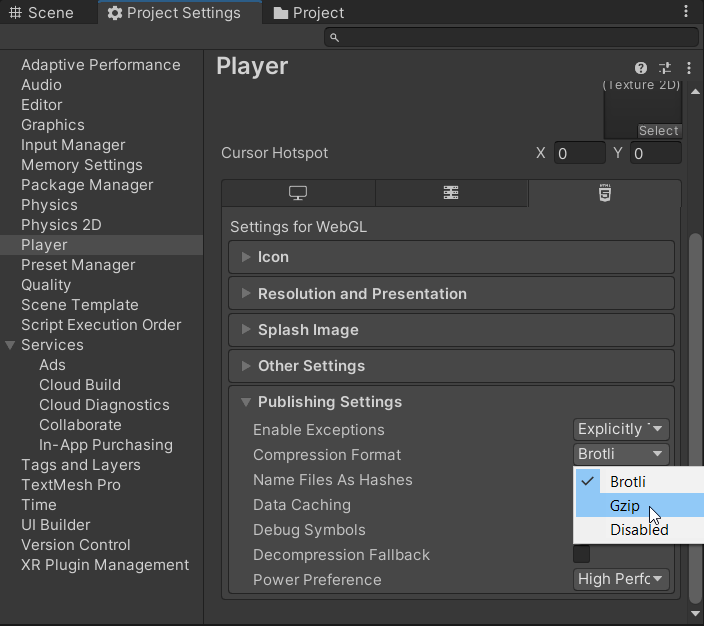
An error occurred running the Unity content on this page. See you browser JavaScript console for more info. The error: Script error. - Mit iOS 16.2 und Firefox 108 konnte ich dieses Problem im Jahr 2019 nicht mehr reproduzieren. Unable to parse Build/WEBGL.framework.js.br! This can happen if build compression was enabled but web server hosting the content was misconfigured to not serve the file with HTTP Response Header "Content-Encoding: br" present. Check browser Console and Devtools Network tab to debug.
 Shader error in 'Hidden/Universal/CoreBlit': invalid subscript 'positionCS' at
UnityWebGL-LoadingTest/Library/PackageCache/[email protected]/Runtime/Utilities/Blit.hlsl(92) (on gles)
Compiling Vertex program with DISABLE_TEXTURE2D_X_ARRAY
Platform defines: SHADER_API_DESKTOP UNITY_COLORSPACE_GAMMA UNITY_ENABLE_DETAIL_NORMALMAP UNITY_LIGHTMAP_RGBM_ENCODING UNITY_PBS_USE_BRDF1 UNITY_SPECCUBE_BLENDING UNITY_SPECCUBE_BOX_PROJECTION UNITY_USE_DITHER_MASK_FOR_ALPHABLENDED_SHADOWS
Disabled keywords: BLIT_SINGLE_SLICE SHADER_API_GLES30 UNITY_ASTC_NORMALMAP_ENCODING UNITY_ENABLE_NATIVE_SHADOW_LOOKUPS UNITY_ENABLE_REFLECTION_BUFFERS UNITY_FRAMEBUFFER_FETCH_AVAILABLE UNITY_HALF_PRECISION_FRAGMENT_SHADER_REGISTERS UNITY_HARDWARE_TIER1 UNITY_HARDWARE_TIER2 UNITY_HARDWARE_TIER3 UNITY_LIGHTMAP_DLDR_ENCODING UNITY_LIGHTMAP_FULL_HDR UNITY_LIGHT_PROBE_PROXY_VOLUME UNITY_METAL_SHADOWS_USE_POINT_FILTERING UNITY_NO_DXT5nm UNITY_NO_FULL_STANDARD_SHADER UNITY_NO_SCREENSPACE_SHADOWS UNITY_PBS_USE_BRDF2 UNITY_PBS_USE_BRDF3 UNITY_PRETRANSFORM_TO_DISPLAY_ORIENTATION UNITY_UNIFIED_SHADER_PRECISION_MODEL UNITY_VIRTUAL_TEXTURING


Shader error in 'Hidden/kMotion/CameraMotionVectors': SV_VertexID semantic is not supported on GLES 2.0 at line 11 (on gles)

Compiling Subshader: 0, Pass: , Vertex program with <no keywords>
Platform defines: SHADER_API_DESKTOP UNITY_COLORSPACE_GAMMA UNITY_ENABLE_DETAIL_NORMALMAP UNITY_LIGHTMAP_RGBM_ENCODING UNITY_PBS_USE_BRDF1 UNITY_SPECCUBE_BLENDING UNITY_SPECCUBE_BOX_PROJECTION UNITY_USE_DITHER_MASK_FOR_ALPHABLENDED_SHADOWS
Disabled keywords: SHADER_API_GLES30 UNITY_ASTC_NORMALMAP_ENCODING UNITY_ENABLE_NATIVE_SHADOW_LOOKUPS UNITY_ENABLE_REFLECTION_BUFFERS UNITY_FRAMEBUFFER_FETCH_AVAILABLE UNITY_HALF_PRECISION_FRAGMENT_SHADER_REGISTERS UNITY_HARDWARE_TIER1 UNITY_HARDWARE_TIER2 UNITY_HARDWARE_TIER3 UNITY_LIGHTMAP_DLDR_ENCODING UNITY_LIGHTMAP_FULL_HDR UNITY_LIGHT_PROBE_PROXY_VOLUME UNITY_METAL_SHADOWS_USE_POINT_FILTERING UNITY_NO_DXT5nm UNITY_NO_FULL_STANDARD_SHADER UNITY_NO_SCREENSPACE_SHADOWS UNITY_PBS_USE_BRDF2 UNITY_PBS_USE_BRDF3 UNITY_PRETRANSFORM_TO_DISPLAY_ORIENTATION UNITY_UNIFIED_SHADER_PRECISION_MODEL UNITY_VIRTUAL_TEXTURING
 Texture creation failed. 'ShadowAuto' is not supported for Render usage on this platform. Use 'SystemInfo.IsFormatSupported' C# API to check format support.

NullReferenceException: Object reference not set to an instance of an object.
Tools/Build WebGL/minsizeSizeNoneMaster Diese Funktionalität wurde 2021-11-21 hinzugefügt und wird nur durch Veröffentlichungen zu diesem Zeitpunkt unterstützt
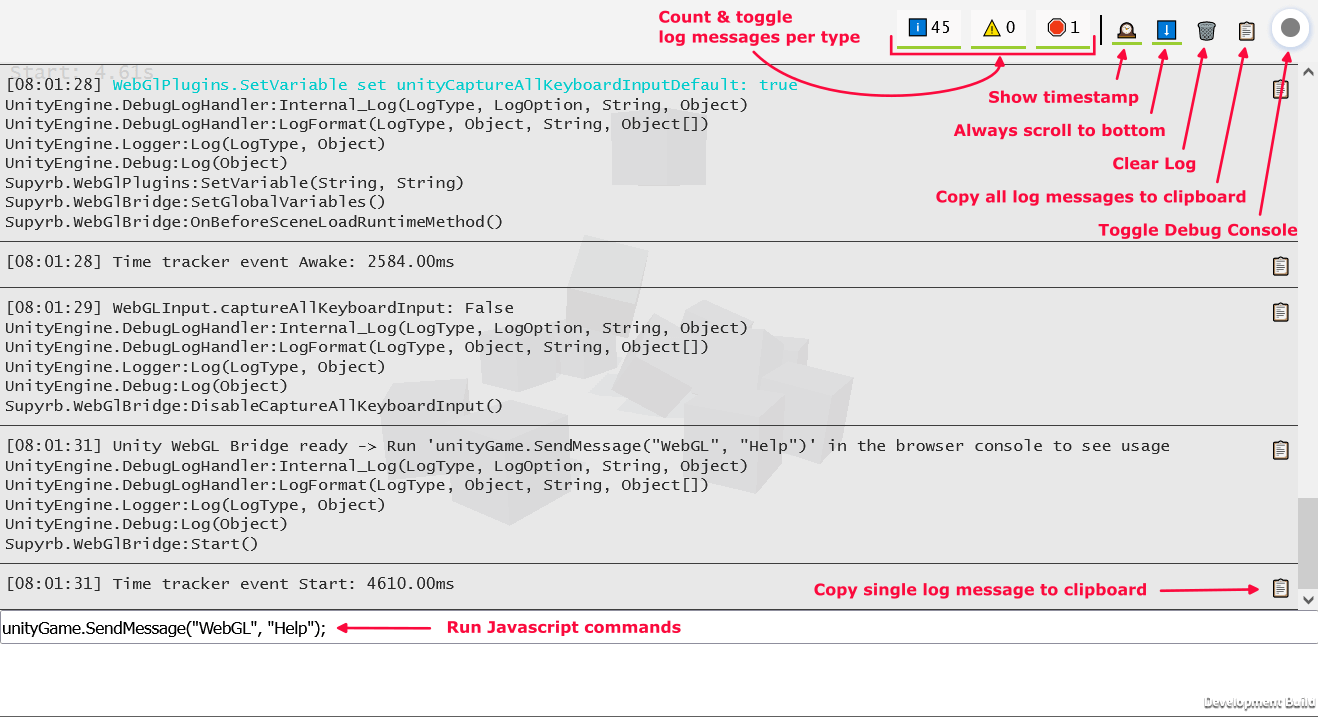
Das Skript WebGlBridge fügt ein leicht zugänglicher GameObject hinzu, das über die Browserkonsole über unityGame.SendMessage("WebGL", "COMMAND_NAME",PARAMETER) aufgerufen werden kann.
Derzeit sind die folgenden Befehle verfügbar:
 runUnityCommand ( "AllocateByteArrayMemory" , int mb ) ; - > Allocate memory to test memory usage and limits
runUnityCommand ( "CheckOnlineStatus" ) ; - > Check if browser is online
runUnityCommand ( "CopyToClipboard" , "string text" ) ; - > Copy text to clipboard
runUnityCommand ( "DeleteAllPlayerPrefs" ) ; - > PlayerPrefs . DeleteAll
runUnityCommand ( "DisableCaptureAllKeyboardInput" ) ; - > Disable unity from consuming all keyboard input
runUnityCommand ( "EnableCaptureAllKeyboardInput" ) ; - > Enable unity from consuming all keyboard input
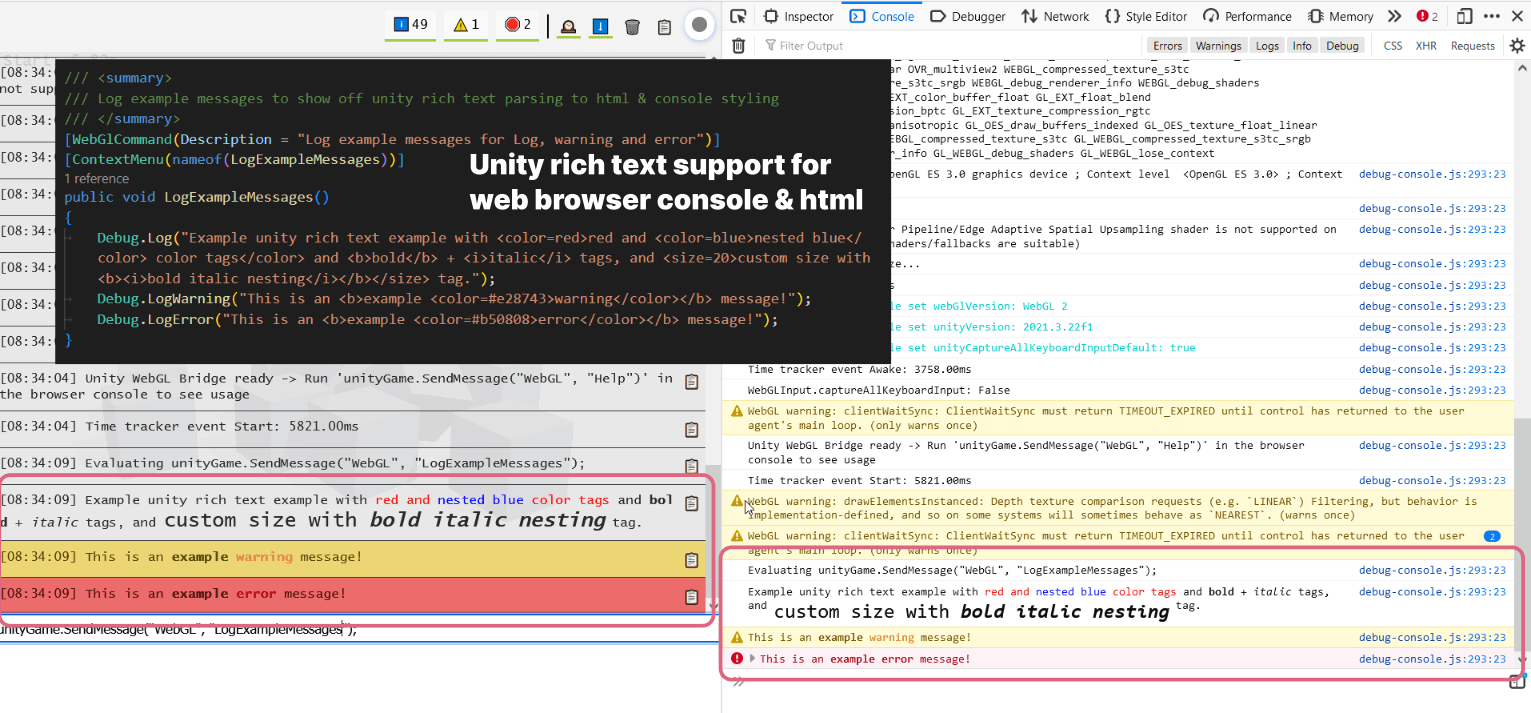
runUnityCommand ( "LogExampleMessages" ) ; - > Log example messages for Log , warning and error
runUnityCommand ( "LogMemory" ) ; - > Logs the current memory
runUnityCommand ( "LogMessage" , "string message" ) ; - > Log a custom message
runUnityCommand ( "LogShaderCompilation" , int enabled ) ; - > GraphicsSettings . logWhenShaderIsCompiled
runUnityCommand ( "LogTextureSupport" ) ; - > Log supported and unsupported texture formats
runUnityCommand ( "LogUserAgent" ) ; - > Log User Agent and isMobileDevice
runUnityCommand ( "ReleaseByteArrayMemory" ) ; - > Release all allocated byte array memory
runUnityCommand ( "SaveScreenshot" ) ; - > Save current screen as PNG
runUnityCommand ( "SaveScreenshotSuperSize" , int superSize ) ; - > Save current screen as PNG with variable super size
runUnityCommand ( "SetApplicationRunInBackground" , int runInBackground ) ; - > Application . runInBackground
runUnityCommand ( "SetApplicationTargetFrameRate" , int targetFrameRate ) ; - > Application . targetFrameRate
runUnityCommand ( "SetTimeFixedDeltaTime" , float fixedDeltaTime ) ; - > Time . fixedDeltaTime
runUnityCommand ( "SetTimeTimeScale" , float timeScale ) ; - > Time . timeScale
runUnityCommand ( "ThrowDictionaryException" ) ; - > Throw a dictionary key not found exception
runUnityCommand ( "ToggleInfoPanel" ) ; - > Toggle develop ui visibility of InfoPanel
runUnityCommand ( "TriggerGarbageCollection" ) ; - > Trigger garbage collection
runUnityCommand ( "UnloadUnusedAssets" ) ; - > Resources . UnloadUnusedAssets runUnityCommand ( "AddSpawner" ) ; - > Add a spawner
runUnityCommand ( "PauseSpawning" ) ; - > Pause spawning of cubes
runUnityCommand ( "RemoveSpawner" ) ; - > Remove a spawner
runUnityCommand ( "ResumeSpawning" ) ; - > Resume spawning of cubes runUnityCommand ( "Help" ) ; - > Log all available commands Dieses Repository unterstützt die kontinuierliche Integration über Game.ci. Es gibt Skripte zum Erstellen einer Unity -Lizenz, zum Aufbau des Projekts und zur Aktualisierung des Projekts.
Der Workflow für Github -Aktionen ist Release.yml. Auf der Unity -Seite wird ein benutzerdefiniertes Build -Skript auf der Grundlage von Game.ci verwendet: Buildscript.cs. Dieses Skript unterstützt das Definieren verschiedener Build -Logik durch Git -Tags über die folgende Syntax: UNITY_VERSION - TAG1 - TAG2 ... Beispiel: 2022.2.0f1-urp-webgl2
Die folgenden Tags werden unterstützt:
minsize : Setzen Sie die Codeoptimierung auf Größe und und unterstützen Sie keine Ausnahmendebug : Erstellen Sie einen Entwicklungsbau mit eingebetteten Debug -Symbolen und einer vollständigen Stapelspurwebgl1 : Erstellen Sie für WebGl1webgl2 : Erstellen Sie für WebGl2 Zur Aktualisierung von Unity upgrade-unity.yml wird verwendet. Es kann durch GitHub -Aktionen manuell ausgelöst werden, indem der Zweig auf Upgrade und einige zusätzliche Einstellungen definiert werden 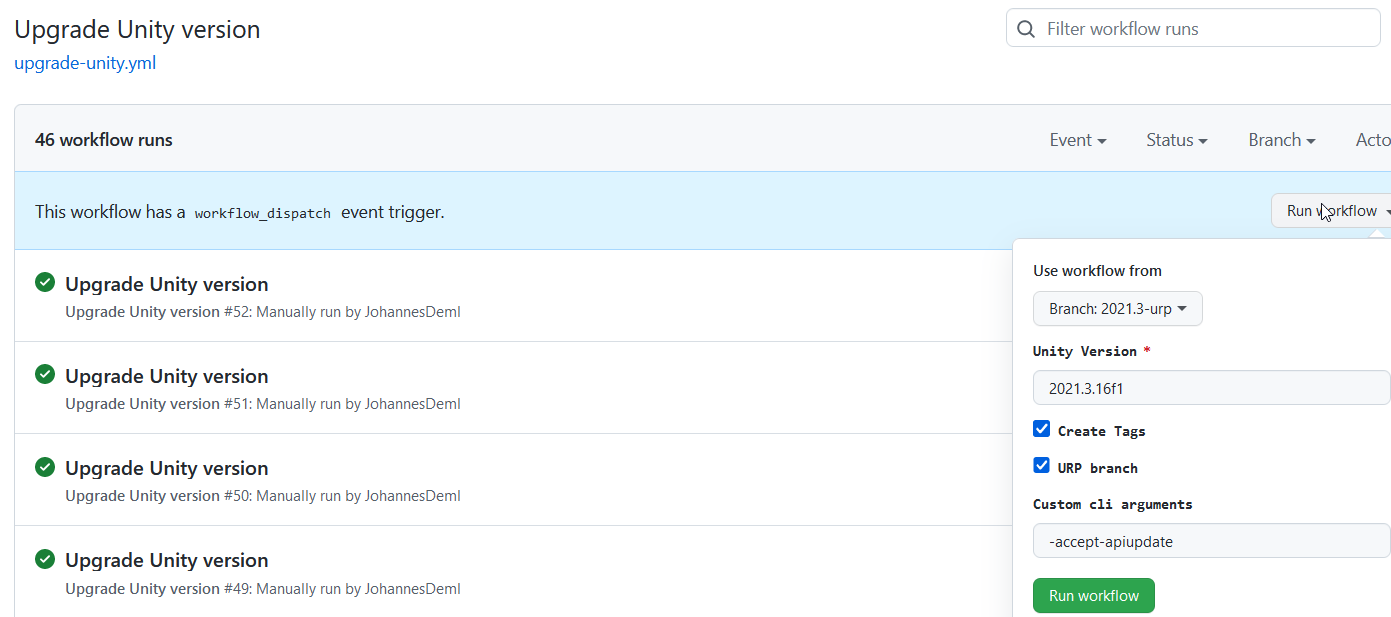 Mit der neu definierten Unity -Version werden eine Pull -Anfrage zusammen mit Tags erstellt, um automatische Builds auszulösen. Darüber hinaus werden alle Pakete auf ihre neueste Version aktualisiert, siehe auch UnityPackagescripts.cs.
Sie finden eine Liste aller Live-Builds mit ihren Größen hier: https://deml.io/experiments/unity-webgl/







