UnityWebGL LoadingTest
1.3.0

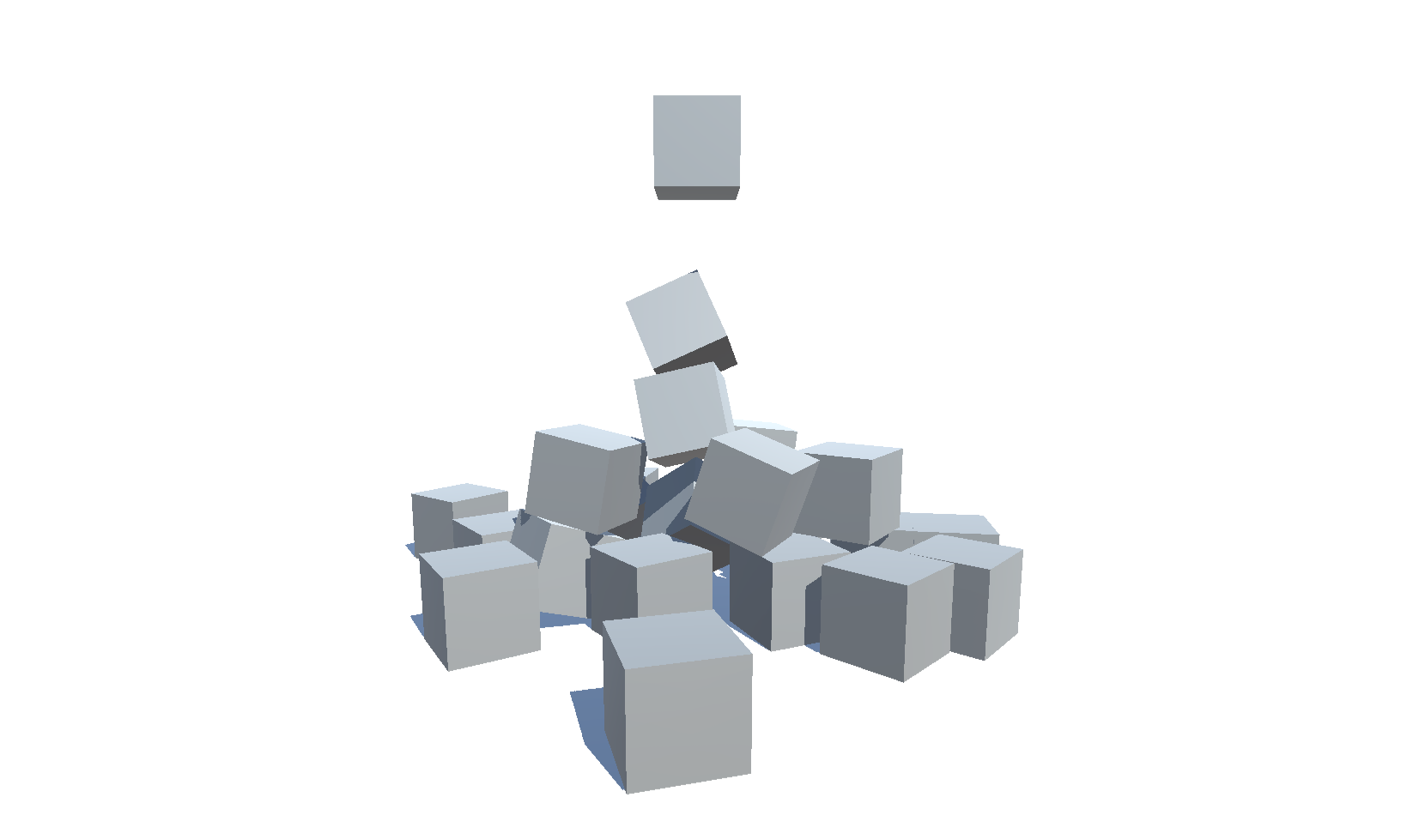
Prueba del tamaño de WebGL de Unity y el tiempo de carga para diferentes versiones (2018.4 - 6000.0) y la configuración
| Versión | Tamaño | Enlace |
|---|---|---|
| 6000.0.25F1 | 3.32 MB | https://deml.io/experiments/unity-webgl/6000.0.25f1-webgl2 |
| 2023.2.20f1 | 3.23 MB | https://deml.io/experiments/unity-webgl/2023.2.20f1-webgl2 |
| 2023.1.20f1 | 3.14 MB | https://deml.io/experiments/unity-webgl/2023.1.20f1-webgl2 |
| 2022.3.50f1 | 3.12 MB | https://deml.io/experiments/unity-webgl/2022.3.50f1-webgl2 |
| 2021.3.45f1 | 2.78 MB | https://deml.io/experiments/unity-webgl/2021.3.45f1-webgl2 |
| 2020.3.48f1 | 2.96 MB | https://deml.io/experiments/unity-webgl/2020.3.48f1-webgl2 |
| Versión | Tamaño | Enlace |
|---|---|---|
| 6000.0.25F1 | 2.92 MB | https://deml.io/experiments/unity-webgl/6000.0.25f1-minsize-webgl2 |
| 2023.2.20f1 | 2.85 MB | https://deml.io/experiments/unity-webgl/2023.2.20f1-minsize-webgl2 |
| 2023.1.20f1 | 2.72 MB | https://deml.io/experiments/unity-webgl/2023.1.20f1-minsize-webgl2 |
| 2022.3.50f1 | 2.69 MB | https://deml.io/experiments/unity-webgl/2022.3.50f1-minsize-webgl1 |
| 2021.3.45f1 | 2.74 MB | https://deml.io/experiments/unity-webgl/2021.3.45f1-minsize-webgl1 |
| 2020.3.48f1 | 2.48 MB | https://deml.io/experiments/unity-webgl/2020.3.48f1-minsize-webgl1 |
| Versión | Tamaño | Enlace |
|---|---|---|
| 6000.0.25F1 | 7.82 MB | https://deml.io/experiments/unity-webgl/6000.0.25f1-URP-WEBGL2 |
| 2023.2.20f1 | 6.87 MB | https://deml.io/experiments/unity-webgl/2023.2.20f1-URP-webgl2 |
| 2023.1.20f1 | 6.25 MB | https://deml.io/experiments/unity-webgl/2023.1.20f1-URP-webgl2 |
| 2022.3.50f1 | 5.92 MB | https://deml.io/experiments/unity-webgl/2022.3.50f1-URP-webgl2 |
| 2021.3.45f1 | 6.31 MB | https://deml.io/experiments/unity-webgl/2021.3.45f1-URP-webgl2 |
| 2020.3.48f1 | 5.60 MB | https://deml.io/experiments/unity-webgl/2020.3.48f1-URP-webgl2 |
| Versión | Tamaño | Enlace |
|---|---|---|
| 6000.0.25F1 | 6.05 MB | https://deml.io/experiments/unity-webgl/6000.0.25f1-URP-Minsize-webgl2 |
| 2023.2.20f1 | 5.30 MB | https://deml.io/experiments/unity-webgl/2023.2.20f1-URP-minsize-webgl2 |
| 2023.1.20f1 | 5.71 MB | https://deml.io/experiments/unity-webgl/2023.1.20f1-URP-Minsize-webgl2 |
| 2022.3.50f1 | 4.65 MB | https://deml.io/experiments/unity-webgl/2022.3.50f1-URP-Minsize-webgl1 |
| 2021.3.45f1 | 6.11 MB | https://deml.io/experiments/unity-webgl/2021.3.45f1-URP-Minsize-webgl1 |
| 2020.3.48f1 | 4.86 MB | https://deml.io/experiments/unity-webgl/2020.3.48f1-URP-Minsize-webgl1 |
| Plataforma | Cromo | Firefox | Borde | Safari | Explorador de Internet |
|---|---|---|---|---|---|
| Windows 10 | ✔️ | ✔️ | ✔️ | ➖ | |
| Linux | ✔️ | ✔️ | ✔️ | ➖ | ➖ |
| Impermeable | ✔️ | ✔️ | ✔️ | ✔️ | ➖ |
| Androide | ✔️ | ✔️ | ✔️ | ➖ | ➖ |
| iOS | ✔️ | ✔️ | ✔️ | ✔️ | ➖ |
| Android Smart TV | ✔️ | ➖ | ➖ | ➖ | ➖ |
✔️ : compatible |
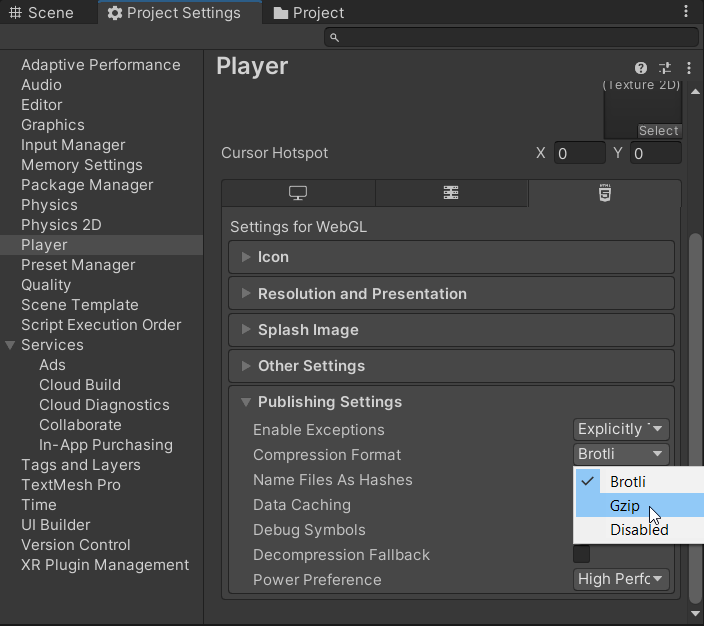
An error occurred running the Unity content on this page. See you browser JavaScript console for more info. The error: Script error. - Con iOS 16.2 y Firefox 108 ya no pude reproducir este problema en 2019.4. Unable to parse Build/WEBGL.framework.js.br! This can happen if build compression was enabled but web server hosting the content was misconfigured to not serve the file with HTTP Response Header "Content-Encoding: br" present. Check browser Console and Devtools Network tab to debug.
 Shader error in 'Hidden/Universal/CoreBlit': invalid subscript 'positionCS' at
UnityWebGL-LoadingTest/Library/PackageCache/[email protected]/Runtime/Utilities/Blit.hlsl(92) (on gles)
Compiling Vertex program with DISABLE_TEXTURE2D_X_ARRAY
Platform defines: SHADER_API_DESKTOP UNITY_COLORSPACE_GAMMA UNITY_ENABLE_DETAIL_NORMALMAP UNITY_LIGHTMAP_RGBM_ENCODING UNITY_PBS_USE_BRDF1 UNITY_SPECCUBE_BLENDING UNITY_SPECCUBE_BOX_PROJECTION UNITY_USE_DITHER_MASK_FOR_ALPHABLENDED_SHADOWS
Disabled keywords: BLIT_SINGLE_SLICE SHADER_API_GLES30 UNITY_ASTC_NORMALMAP_ENCODING UNITY_ENABLE_NATIVE_SHADOW_LOOKUPS UNITY_ENABLE_REFLECTION_BUFFERS UNITY_FRAMEBUFFER_FETCH_AVAILABLE UNITY_HALF_PRECISION_FRAGMENT_SHADER_REGISTERS UNITY_HARDWARE_TIER1 UNITY_HARDWARE_TIER2 UNITY_HARDWARE_TIER3 UNITY_LIGHTMAP_DLDR_ENCODING UNITY_LIGHTMAP_FULL_HDR UNITY_LIGHT_PROBE_PROXY_VOLUME UNITY_METAL_SHADOWS_USE_POINT_FILTERING UNITY_NO_DXT5nm UNITY_NO_FULL_STANDARD_SHADER UNITY_NO_SCREENSPACE_SHADOWS UNITY_PBS_USE_BRDF2 UNITY_PBS_USE_BRDF3 UNITY_PRETRANSFORM_TO_DISPLAY_ORIENTATION UNITY_UNIFIED_SHADER_PRECISION_MODEL UNITY_VIRTUAL_TEXTURING


Shader error in 'Hidden/kMotion/CameraMotionVectors': SV_VertexID semantic is not supported on GLES 2.0 at line 11 (on gles)

Compiling Subshader: 0, Pass: , Vertex program with <no keywords>
Platform defines: SHADER_API_DESKTOP UNITY_COLORSPACE_GAMMA UNITY_ENABLE_DETAIL_NORMALMAP UNITY_LIGHTMAP_RGBM_ENCODING UNITY_PBS_USE_BRDF1 UNITY_SPECCUBE_BLENDING UNITY_SPECCUBE_BOX_PROJECTION UNITY_USE_DITHER_MASK_FOR_ALPHABLENDED_SHADOWS
Disabled keywords: SHADER_API_GLES30 UNITY_ASTC_NORMALMAP_ENCODING UNITY_ENABLE_NATIVE_SHADOW_LOOKUPS UNITY_ENABLE_REFLECTION_BUFFERS UNITY_FRAMEBUFFER_FETCH_AVAILABLE UNITY_HALF_PRECISION_FRAGMENT_SHADER_REGISTERS UNITY_HARDWARE_TIER1 UNITY_HARDWARE_TIER2 UNITY_HARDWARE_TIER3 UNITY_LIGHTMAP_DLDR_ENCODING UNITY_LIGHTMAP_FULL_HDR UNITY_LIGHT_PROBE_PROXY_VOLUME UNITY_METAL_SHADOWS_USE_POINT_FILTERING UNITY_NO_DXT5nm UNITY_NO_FULL_STANDARD_SHADER UNITY_NO_SCREENSPACE_SHADOWS UNITY_PBS_USE_BRDF2 UNITY_PBS_USE_BRDF3 UNITY_PRETRANSFORM_TO_DISPLAY_ORIENTATION UNITY_UNIFIED_SHADER_PRECISION_MODEL UNITY_VIRTUAL_TEXTURING
 Texture creation failed. 'ShadowAuto' is not supported for Render usage on this platform. Use 'SystemInfo.IsFormatSupported' C# API to check format support.

NullReferenceException: Object reference not set to an instance of an object.
Tools/Build WebGL/minsizeSizeNoneMaster Esta funcionalidad se agregó 2021-11-21 y solo es compatible con lanzamientos a partir de esa fecha
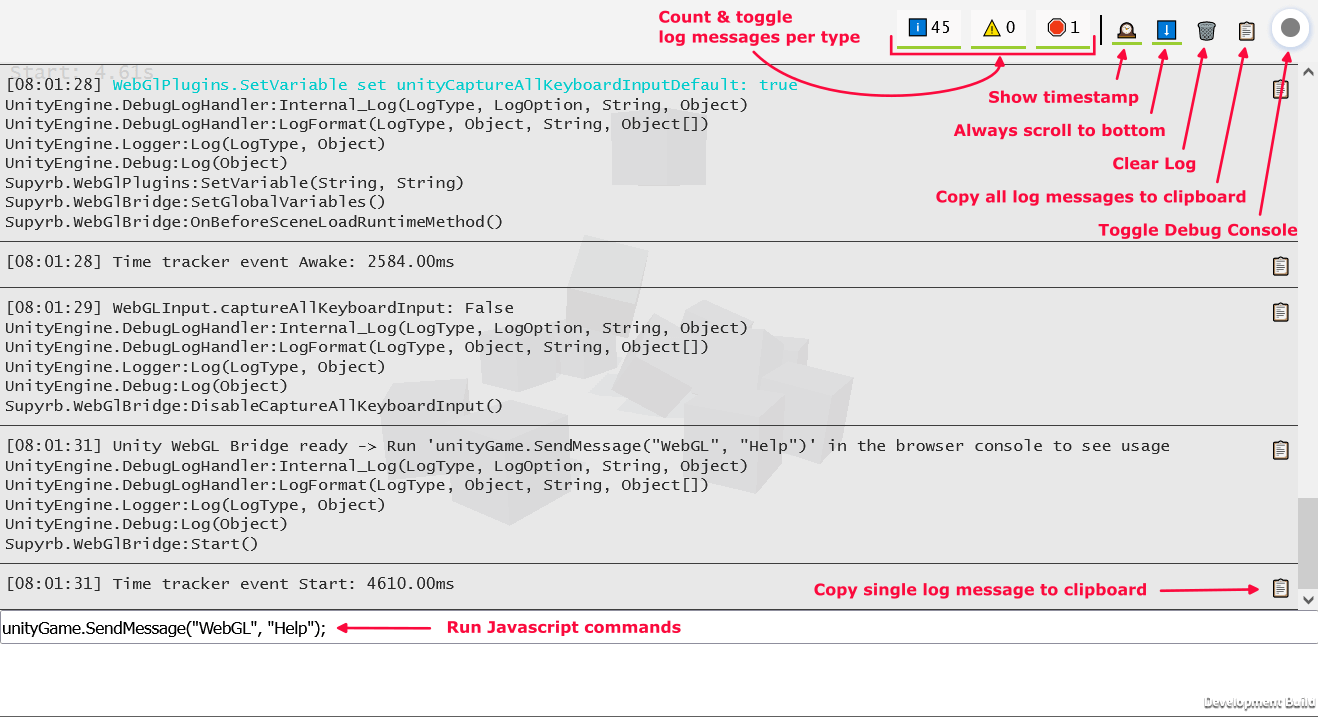
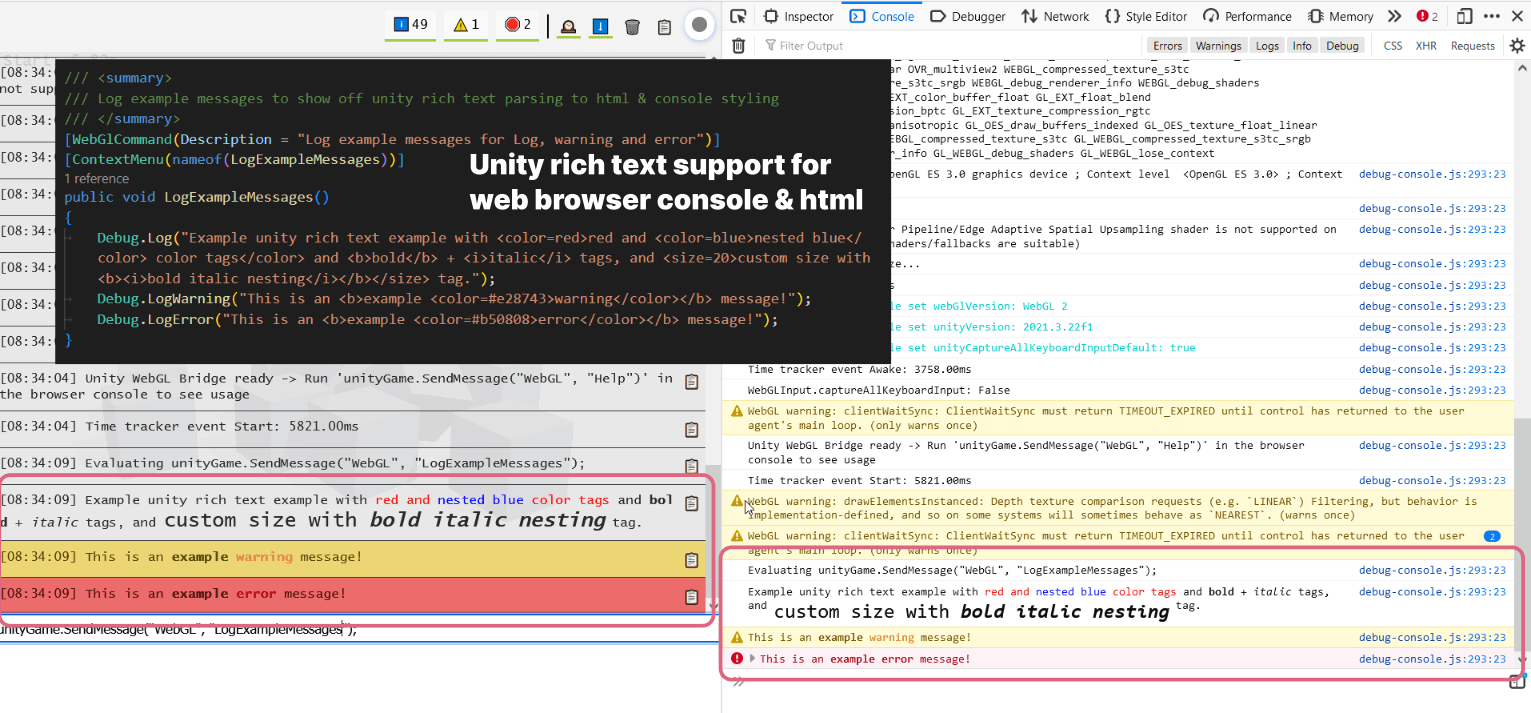
El script WebGlBridge agrega un gameObject de fácil acceso que se puede llamar desde la consola del navegador a través de unityGame.SendMessage("WebGL", "COMMAND_NAME",PARAMETER)
Actualmente están disponibles los siguientes comandos:
 runUnityCommand ( "AllocateByteArrayMemory" , int mb ) ; - > Allocate memory to test memory usage and limits
runUnityCommand ( "CheckOnlineStatus" ) ; - > Check if browser is online
runUnityCommand ( "CopyToClipboard" , "string text" ) ; - > Copy text to clipboard
runUnityCommand ( "DeleteAllPlayerPrefs" ) ; - > PlayerPrefs . DeleteAll
runUnityCommand ( "DisableCaptureAllKeyboardInput" ) ; - > Disable unity from consuming all keyboard input
runUnityCommand ( "EnableCaptureAllKeyboardInput" ) ; - > Enable unity from consuming all keyboard input
runUnityCommand ( "LogExampleMessages" ) ; - > Log example messages for Log , warning and error
runUnityCommand ( "LogMemory" ) ; - > Logs the current memory
runUnityCommand ( "LogMessage" , "string message" ) ; - > Log a custom message
runUnityCommand ( "LogShaderCompilation" , int enabled ) ; - > GraphicsSettings . logWhenShaderIsCompiled
runUnityCommand ( "LogTextureSupport" ) ; - > Log supported and unsupported texture formats
runUnityCommand ( "LogUserAgent" ) ; - > Log User Agent and isMobileDevice
runUnityCommand ( "ReleaseByteArrayMemory" ) ; - > Release all allocated byte array memory
runUnityCommand ( "SaveScreenshot" ) ; - > Save current screen as PNG
runUnityCommand ( "SaveScreenshotSuperSize" , int superSize ) ; - > Save current screen as PNG with variable super size
runUnityCommand ( "SetApplicationRunInBackground" , int runInBackground ) ; - > Application . runInBackground
runUnityCommand ( "SetApplicationTargetFrameRate" , int targetFrameRate ) ; - > Application . targetFrameRate
runUnityCommand ( "SetTimeFixedDeltaTime" , float fixedDeltaTime ) ; - > Time . fixedDeltaTime
runUnityCommand ( "SetTimeTimeScale" , float timeScale ) ; - > Time . timeScale
runUnityCommand ( "ThrowDictionaryException" ) ; - > Throw a dictionary key not found exception
runUnityCommand ( "ToggleInfoPanel" ) ; - > Toggle develop ui visibility of InfoPanel
runUnityCommand ( "TriggerGarbageCollection" ) ; - > Trigger garbage collection
runUnityCommand ( "UnloadUnusedAssets" ) ; - > Resources . UnloadUnusedAssets runUnityCommand ( "AddSpawner" ) ; - > Add a spawner
runUnityCommand ( "PauseSpawning" ) ; - > Pause spawning of cubes
runUnityCommand ( "RemoveSpawner" ) ; - > Remove a spawner
runUnityCommand ( "ResumeSpawning" ) ; - > Resume spawning of cubes runUnityCommand ( "Help" ) ; - > Log all available commands Este repositorio admite la integración continua a través de Game.ci. Hay scripts para crear una licencia de unidad, construir el proyecto y actualizar el proyecto.
El principal flujo de trabajo de GitHub Actions es la liberación.yml. En un lado de la unidad, se utiliza un script de compilación personalizado sobre la base de Game.c's BuildScript: BuildScript.cs. Este script admite la definición de la lógica de compilación diferente a través de etiquetas Git a través de la siguiente sintaxis: UNITY_VERSION - TAG1 - TAG2 ... Ejemplo: 2022.2.0f1-urp-webgl2
Se admiten las siguientes etiquetas:
minsize : establezca la optimización del código al tamaño y no admite excepcionesdebug : construir una construcción de desarrollo con símbolos de depuración integrados y traza de pila completawebgl1 : compilación para WebGL1webgl2 : compilación para WebGL2 Para actualizar la UNITY UNACKADE-UNITY.ML se utiliza. Se puede activar a través de acciones de GitHub manualmente definiendo la rama para actualizar y algunas configuraciones adicionales 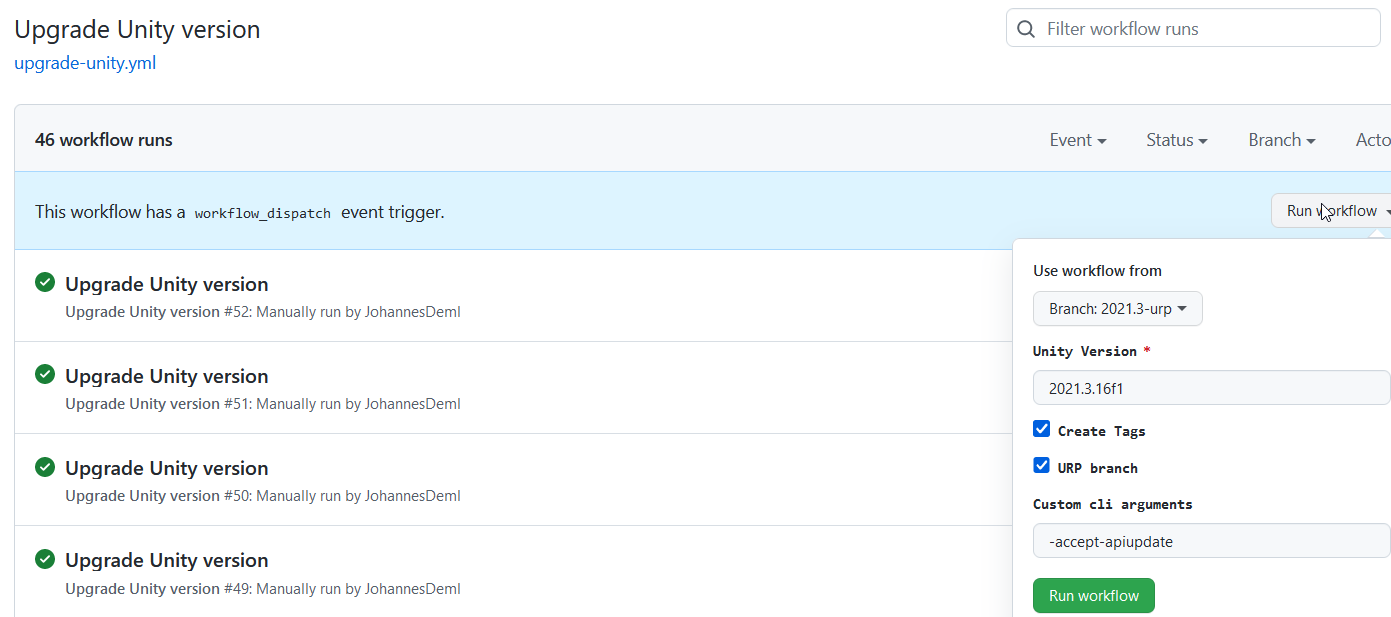 Creará una solicitud de extracción con la versión de Unity recientemente definida junto con las etiquetas para activar compilaciones automáticas. Además, todos los paquetes se actualizan a su última versión, ver también UnityPackagescripts.cs.
Puede encontrar una lista de todas las compilaciones en vivo con sus tamaños aquí: https://deml.io/experiments/unity-webgl/







