fragment
v0.1.18

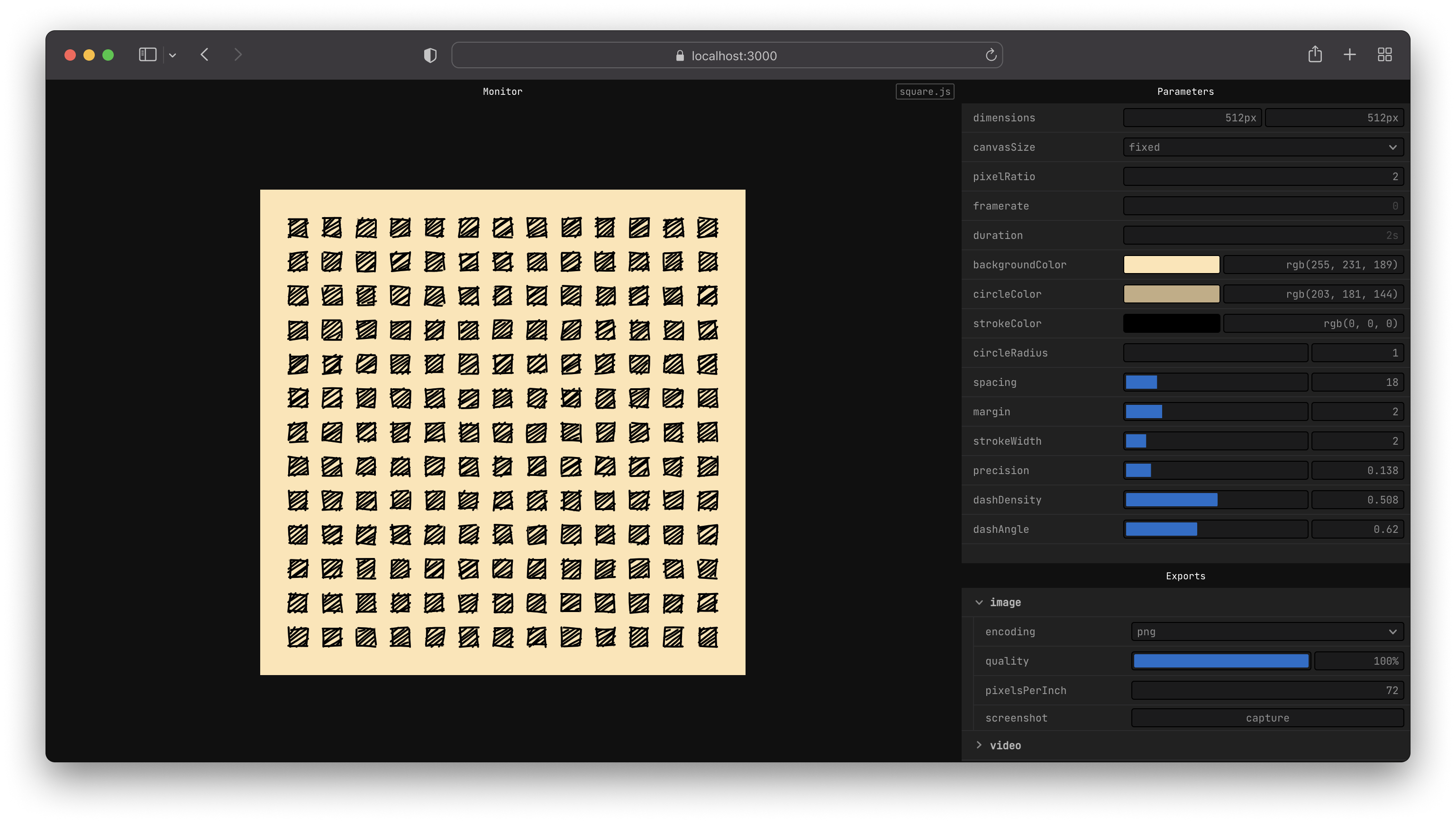
fragment <canvas> 와 함께 작동하는 간단한 API를 제공합니다.
<canvas> 는 이미지 (.png, .webm, .jpg) 또는 비디오 (.mp4, .webm, .gif)로 즉시npx 와 함께 npx fragment-tools sketch.js --new--global 글로벌로 전 세계적으로 설치합니다 npm install fragment-tools --global 이제 명령 줄에서 fragment 실행할 수 있어야합니다.
fragment sketch.js --newnpm install fragment-tools
npx fragment sketch.js --new # create a new directory for your sketches
mkdir sketches
# move into that folder
cd sketches
# create a sketch from a template
npx fragment-tools ./sketch.js --new --template=2d
CLI 문서에서 사용 가능한 플래그 옵션에 대해 자세히 알아보십시오.
이것은 원의 반경에 대한 사용자 정의 컨트롤로 검은 색 배경에 파란색 원을 그리는 스케치의 예입니다.
 export let props = {
  radius : {
    value : 10 ,
    params : {
      min : 4 ,
      max : 30 ,
    } ,
  } ,
} ;

export let update = ( { context , width , height } ) => {
  // draw background
  context . fillStyle = '#000000' ;
  context . fillRect ( 0 , 0 , width , height ) ;

  // draw circle
  const radius = props . radius . value ;

  context . fillStyle = '#0000ff' ;
  context . beginPath ( ) ;
  context . arc ( width * 0.5 , height * 0.5 , radius , 0 , 2 * Math . PI , false ) ;
  context . fill ( ) ;
} ;
시작 가이드를 따라 API 문서 또는 예제를 읽음으로써 자신의 스케치를 작성하는 방법을 알아보십시오.
문제가있는 경우 문제를 재생하는 방법에 대한 세부 정보가 담긴 문제를 제출하십시오.
프로젝트에 대해 논의하려면 트위터에 자유롭게 연락하십시오.
 # clone or fork the project
git clone https://github.com/raphaelameaume/fragment.git

# move to the root of the repository
cd fragment

# run the command line locally
node ./bin/index.js examples/shape-2d.js --dev

# or from your sketch folder
node [path-to-root]/bin/index.js sketch.js --dev
--dev플래그는 개발에 도움이되는 viteinfologlevel 만 가능합니다. 그렇지 않으면 NPM 패키지에서 실행할 때와 동일하게 작동합니다.
또는 NPM에 새로 복제 된 폴더에 fragment 명령을 가리 키도록 지시 할 수 있습니다.
 # at the root of the repo
npm link
당신은 이전과 같이 명령을 할 수 있어야합니다. 이번에는 전 세계적으로 설치된 패키지 대신 저장소를 가리킬 것입니다.
fragment sketch.js
그렇지 않은 경우, fragment-tools 전 세계적으로 먼저 제거하려고 시도하고, fragment 명령을 더 이상 찾을 수 없는지 확인한 다음 Repo의 루트에서 프로젝트를 연결하도록 다시 시도하십시오.
자세한 내용은 License.md를 참조하십시오.







