mXtract
CLI Update

MXTRACT adalah alat berbasis Linux OpenSource yang menganalisis dan membuang memori. Ini dikembangkan sebagai alat pengujian pentrasi, tujuan utamanya adalah memindai memori untuk kunci pribadi, IP, dan kata sandi menggunakan regex. Ingat, hasil Anda hanya sebagus regex Anda.
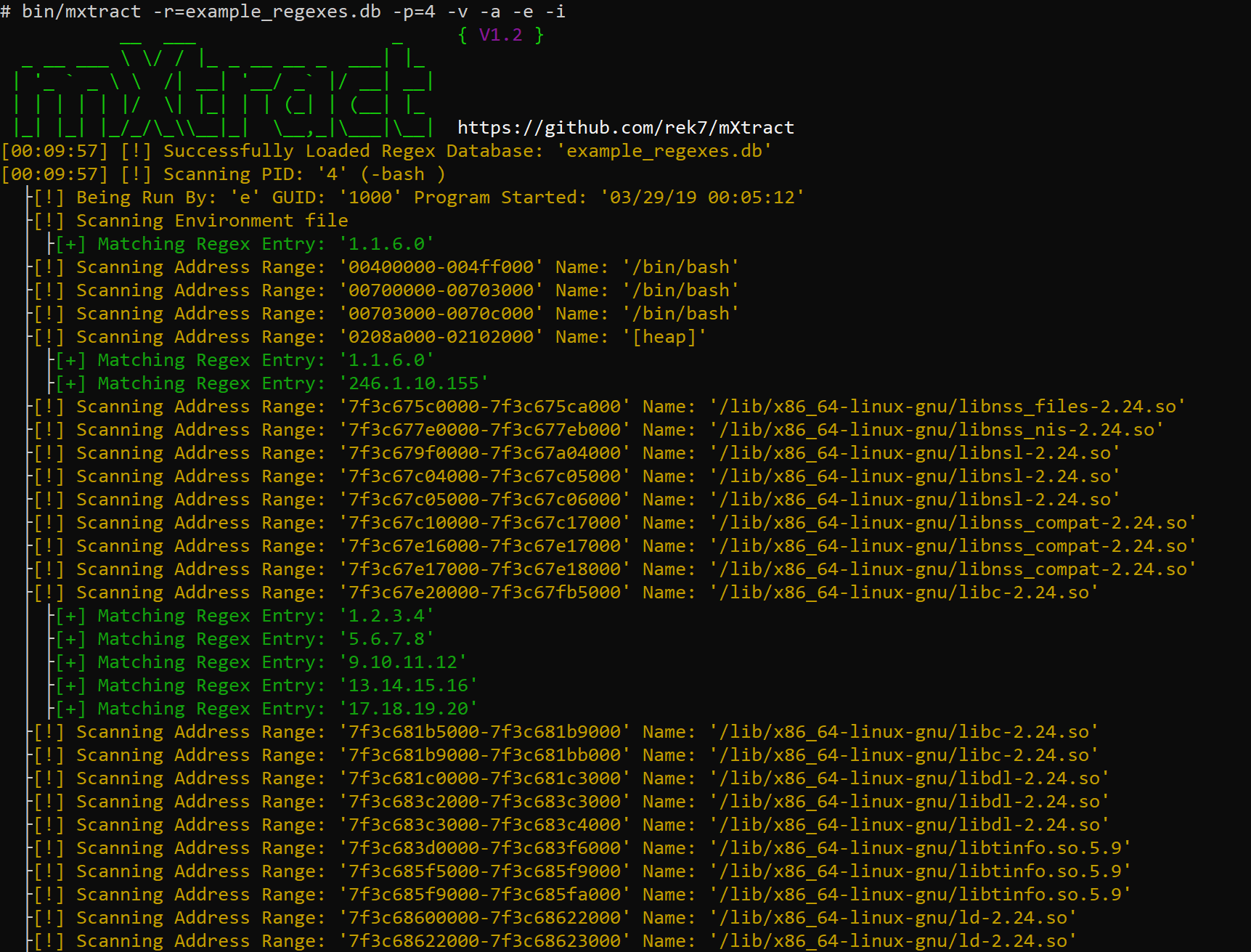
Pindai dengan Verbose dan dengan IP Regex sederhana, memindai setiap segmen data, menampilkan info proses dan memindai file lingkungan.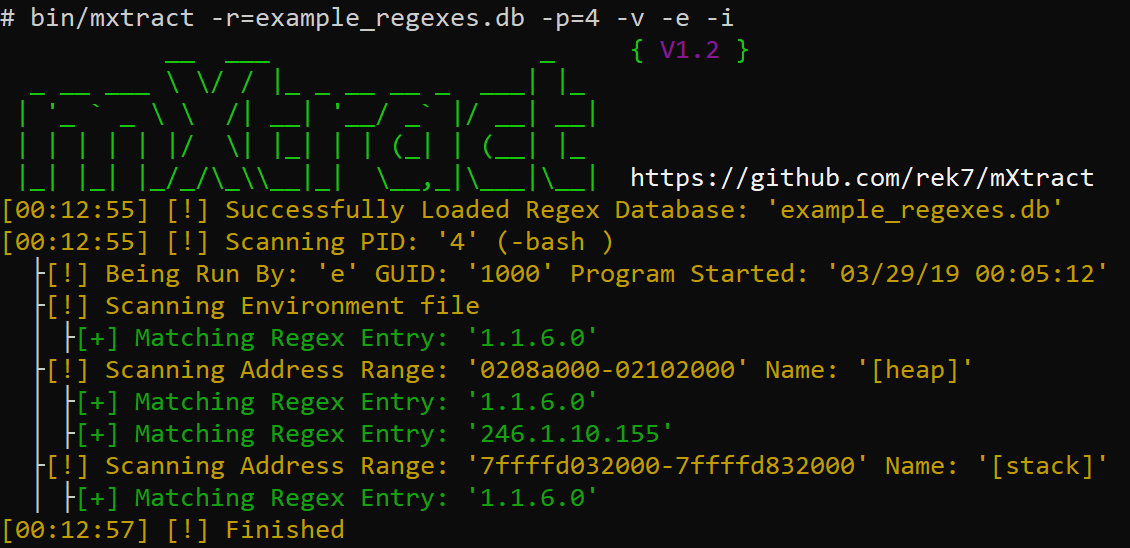
Pindai dengan Verbose dan dengan IP Regex sederhana, hanya memindai tumpukan dan tumpukan, menampilkan info proses dan memindai file lingkungan.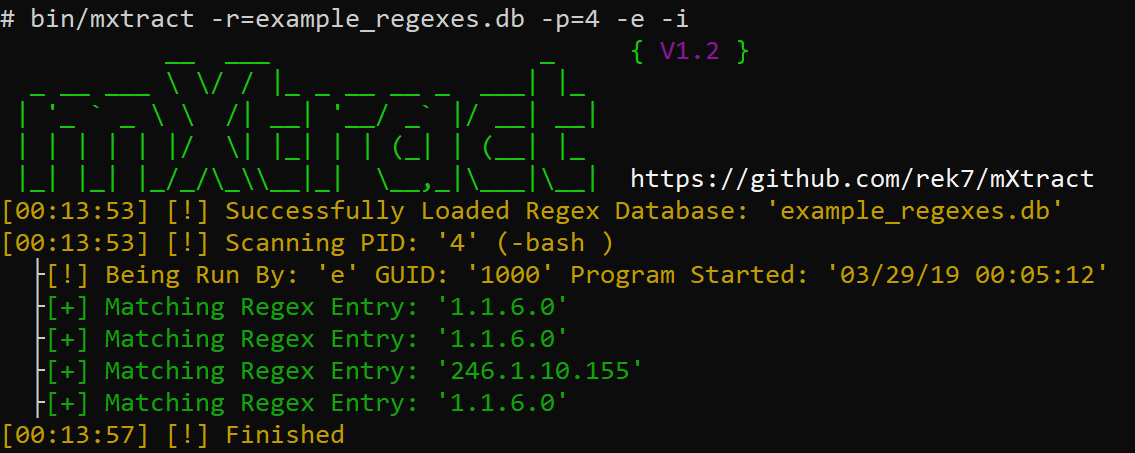
Pindai tanpa verbose, dan dengan IP regex sederhana, menampilkan info proses dan memindai file lingkungan.
Di sebagian besar lingkungan Linux, pengguna dapat mengakses memori proses, ini memungkinkan penyerang untuk memanen kredensial, kunci pribadi, atau apa pun yang tidak boleh dilihat tetapi sedang diproses oleh program dalam teks yang jelas.
git clone https://github.com/rek7/mXtractcd mXtract && sh compile.sh Ini akan membuat Direktori bin/ dan mengkompilasi biner sebagai mxtract .
$ ./mxtract -h
           __  ___                  _     { V1.2 }
  _ __ ___  / / | _ _ __ __ _  ___ | | _
 | ' _ ` _    /| __| ' __/ _ ` | / __ | __ |
 | | | | | | /  | | _ | | | (_ | | (__ | | _
 | _ | | _ | | _/_/ _\ __ | _ |  _ _,_ | _ __ | _ _ |  https://github.com/rek7/mXtract
Usage: ./mxtract [args]
General:
        -v      Enable Verbose Output
        -s      Suppress Banner
        -h      Help
        -c      Suppress Colored Output
Target and Regex:
        -i      Show Detailed Process/User Info
        -a      Scan all Memory Ranges not just Heap/Stack
        -e      Scan Process Environment Files
        -w      Check if Memory Range is Writable
        -r=     Regex Database to Use
        -p=     Specify Single PID to Scan
Output:
        -x      Format Regex Results to XML
        -r      Format Regex Results to an HTML Document
        -wm     Write Raw Memory to File Default Directory is: ' pid/ '
        -wi     Write Process Info to Beginning of File (Used in Conjunction with -wm)
        -wr     Write Regex Output to File (Will Appear in the Output Directory)
        -f=     Regex Results Filename Default is: ' regex_results.txt '
        -d=     Custom Ouput Directory
Either -r= or -wm needed $ ./mxtract -wm -wr -e -i -d=/tmp/output/ -r=example_regexes.db






