hydralit
1.0.14


Le package hydralit est un projet d'emballage et de modèle pour combiner plusieurs applications indépendantes (ou quelque peu dépendantes) dans une application de plusieurs pages.
Actuellement, le projet met en œuvre une application d'hôte HydraApp et chaque application d'enfant doit simplement être une classe dérivant de la classe HydraheadApp et implémentant une méthode simple et simple, exécuter () pour un profit maximal, ou vous pouvez utiliser un décorateur de style Flask sur vos fonctions pour les ajouter directement sous forme de pages rationalisées séparées.
Lorsque vous convertiez les applications existantes, vous pouvez mettre efficacement tout le code existant à l'intérieur de la méthode RUN () et créer une classe de wrapper dérivant de HydraheadApp ou placer un décorateur sur la fonction. Ensuite, vous créez l'application parent comme une instance d'HydraApp, ajoutez-y vos applications enfants (voir Exemple Secure_App.py) et avec seulement quelques lignes de code, tout se réunira comme par magie.
L'hydralit peut être installé à partir de PYPI:
pip install -U hydralit #when we import hydralit, we automatically get all of Streamlit
import hydralit as hy
app = hy . HydraApp ( title = 'Simple Multi-Page App' )
@ app . addapp ()
def my_home ():
hy . info ( 'Hello from app1' )
@ app . addapp ()
def app2 ():
hy . info ( 'Hello from app 2' )
#Run the whole lot, we get navbar, state management and app isolation, all with this tiny amount of work.
app . run ()Cette petite quantité de code crée un menu et des pages qui rendent lorsque la fonction cible est appelée en la sélectionnant dans le menu.
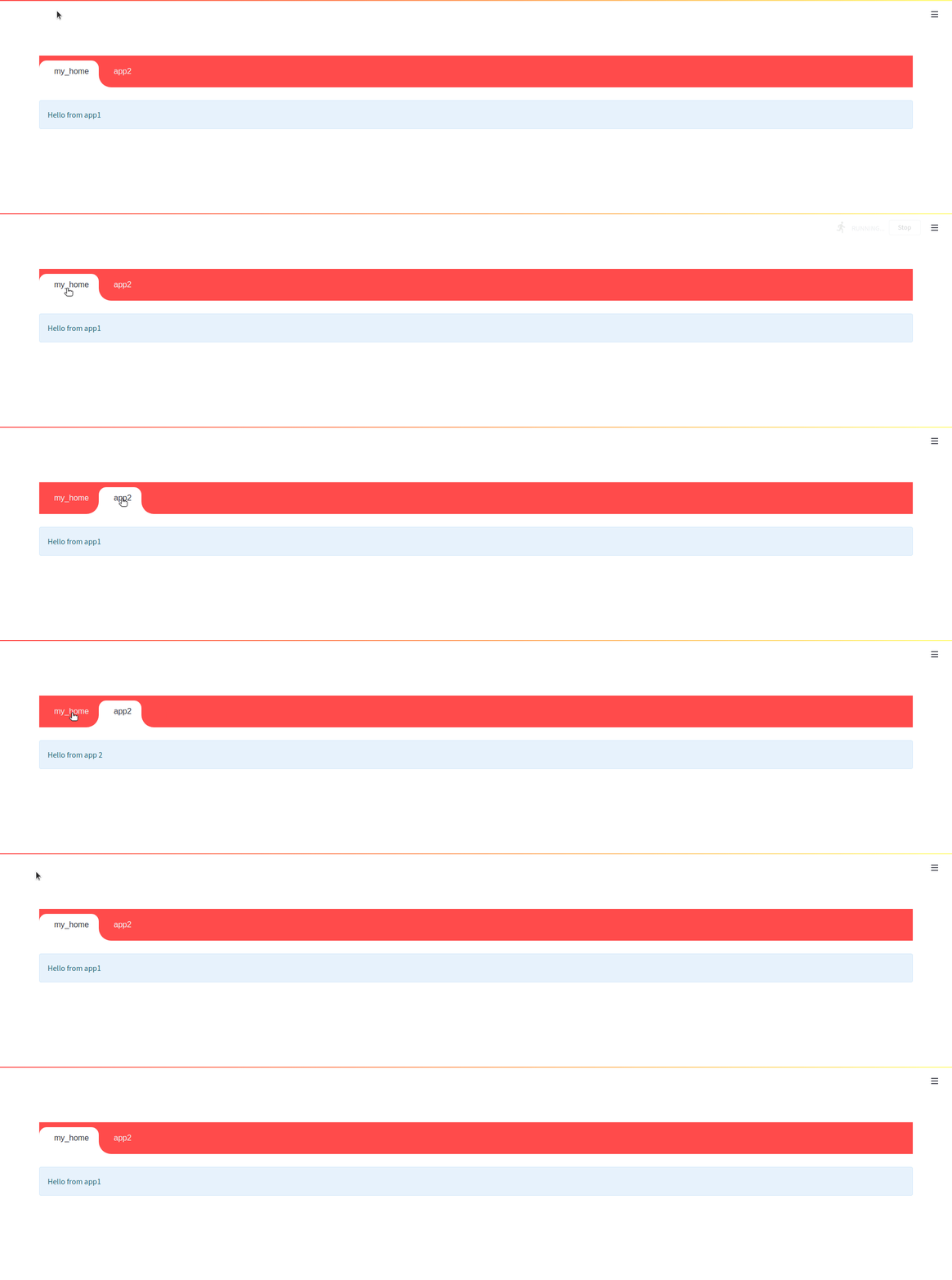


<Br
En raison du modèle d'exécution de rationalisation, la possibilité d'utiliser des liens de navigation interne à partir d'une application Child est un seul coup lors de l'utilisation de la barre navale. Cela signifie que le lien interne redirigera vers l'enfant, mais si une demande de rediffusion de script est effectuée dans l'application enfant (modifiant la valeur d'un widget par exemple), le NAV rebondira vers l'application d'appel. Vous pouvez désactiver la barre navale et le menu NAVE des composants de noyau rationalisé apparaîtra et les liens internes fonctionneront comme prévu.
app = HydraApp ( title = 'Secure Hydralit Data Explorer' , favicon = "?" , hide_streamlit_markers = True , use_navbar = True , navbar_sticky = True )L'hydralit Navbar est entièrement intégré, conscient du thème et animé (vous pouvez le désactiver si vous le souhaitez), ajoutez simplement vos applications d'enfants et allez, le Navbar apparaîtra automatiquement.
Hors de la boîte, vous obtenez un joli chargeur / spinner lors de la navigation entre les applications / pages. Vous pouvez également créer votre propre application de chargeur et personnaliser complètement chaque partie de son apparence et du chargement, créant même différents effets en fonction de l'application cible. Voir le code d'exemple sécurisé hydralit pour voir ce qui est possible.
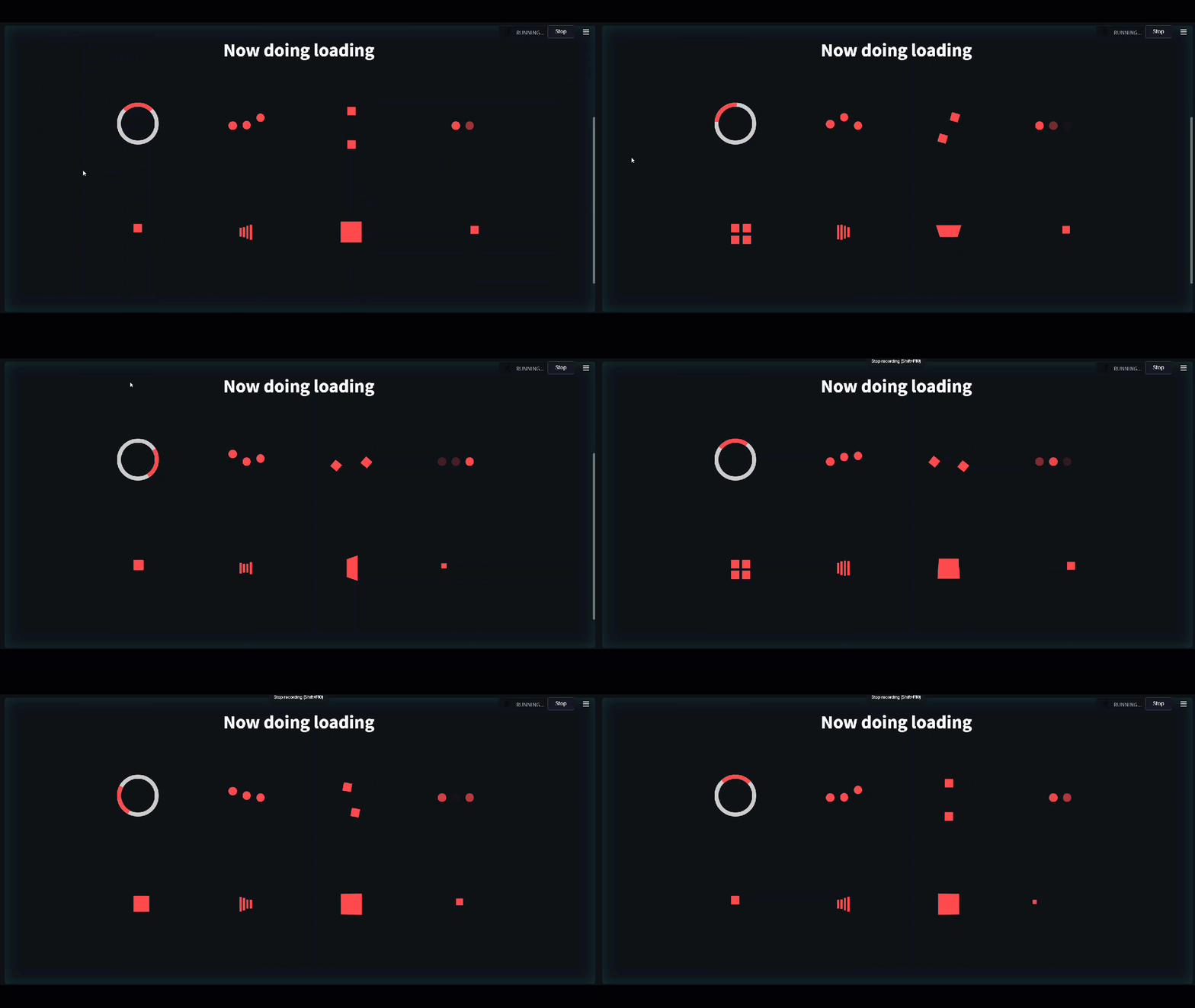
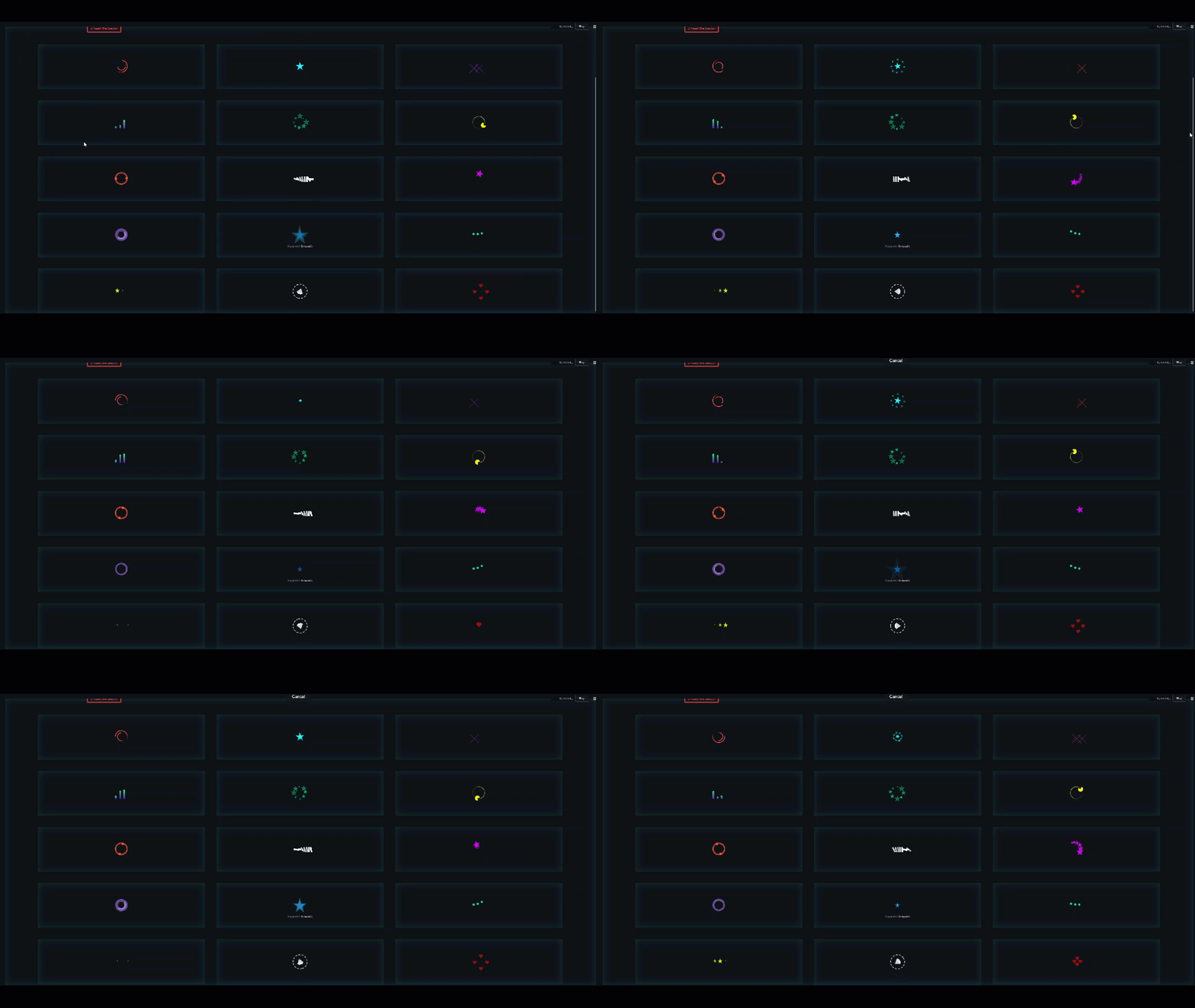
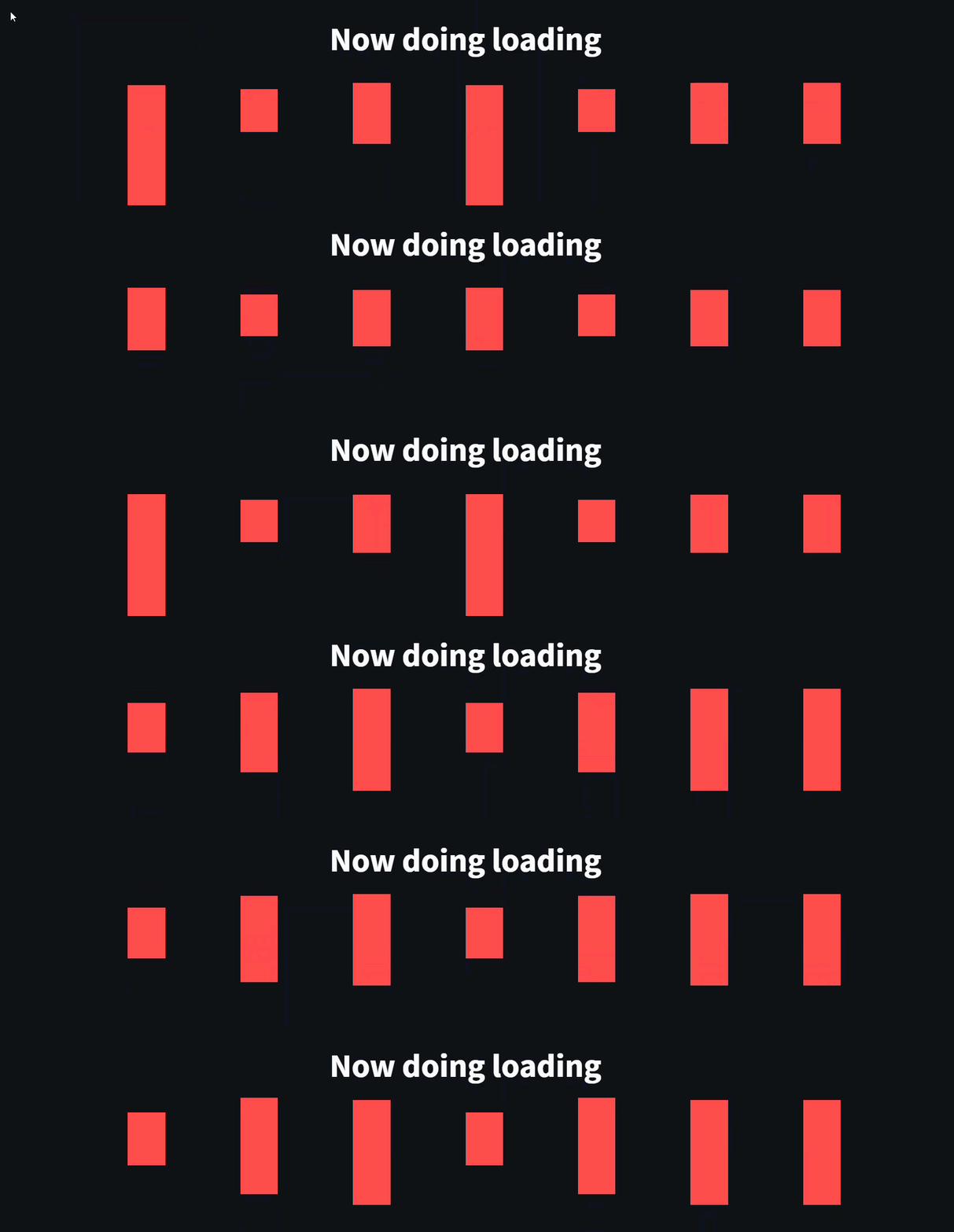
Si vous avez des fonctions et que vous voulez qu'ils fonctionnent comme des pages séparées, vous pouvez rapidement aller avec un décorateur de style Flask sur vos fonctions.
 #when we import hydralit, we automatically get all of Streamlit
import hydralit as hy

app = hy . HydraApp ( title = 'Simple Multi-Page App' )

@ app . addapp ( is_home = True )
def my_home ():
 hy . info ( 'Hello from Home!' )

@ app . addapp ()
def app2 ():
 hy . info ( 'Hello from app 2' )

@ app . addapp ( title = 'The Best' , icon = "?" )
def app3 ():
 hy . info ( 'Hello from app 3, A.K.A, The Best ?' )

#Run the whole lot, we get navbar, state management and app isolation, all with this tiny amount of work.
app . run ()
Cette petite quantité de code crée une belle application personnalisée de plusieurs pages comme ci-dessous.
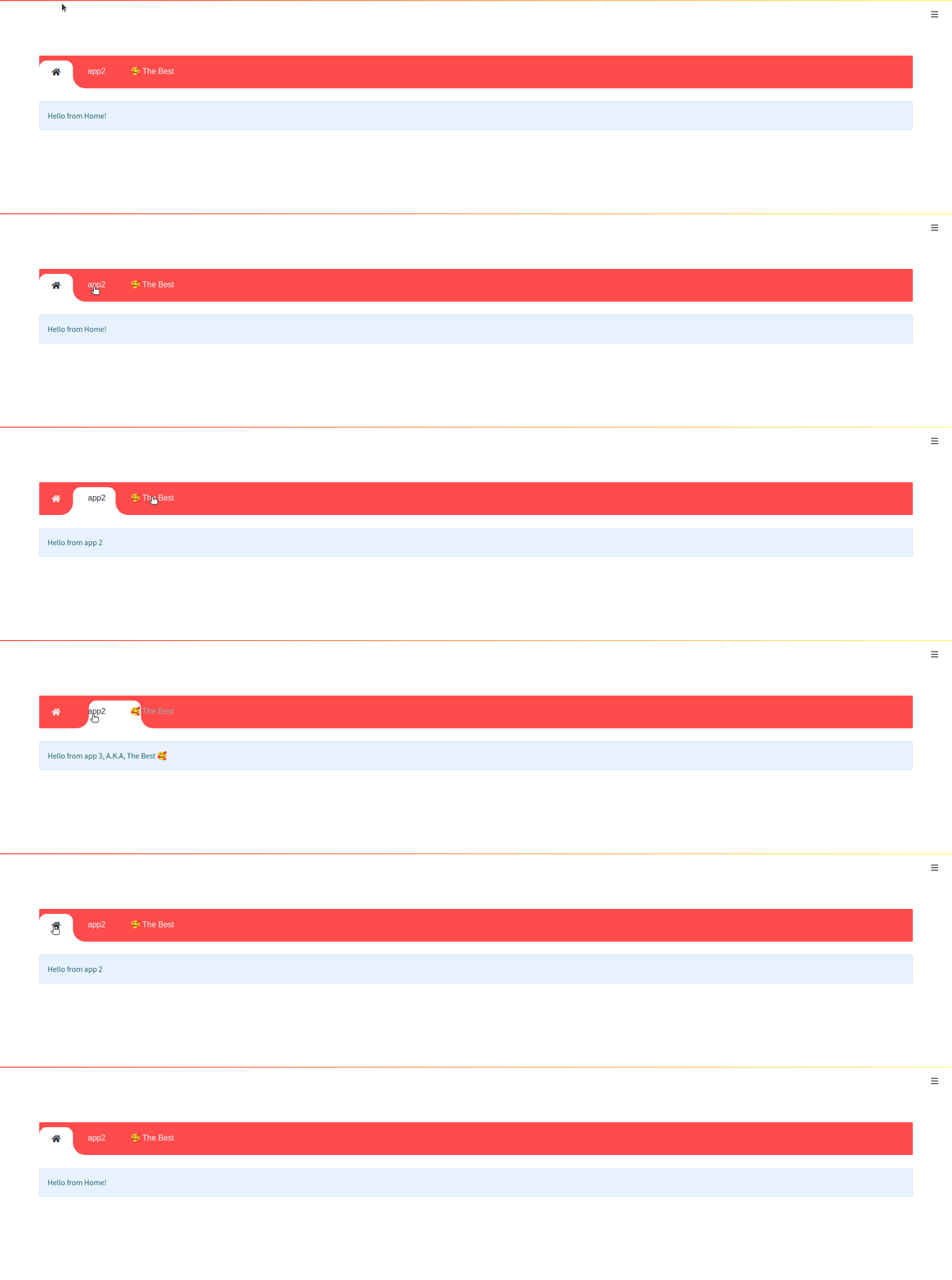
Vous pouvez l'essayer en exécutant les deux échantillons d'applications avec leurs enfants situés dans le référentiel hydralit-exemple.
hydralit_example > pip install -r requirements.txt

hydralit_example > streamlit run secure.appCet exemple de code provient directement de l'exemple de rationalisation Explorer de données
 import streamlit as st
import pandas as pd
import numpy as np

st . title ( 'Uber pickups in NYC' )

DATE_COLUMN = 'date/time'
DATA_URL = ( 'https://s3-us-west-2.amazonaws.com/'
            'streamlit-demo-data/uber-raw-data-sep14.csv.gz' )

@ st . cache
def load_data ( nrows ):
    data = pd . read_csv ( DATA_URL , nrows = nrows )
    lowercase = lambda x : str ( x ). lower ()
    data . rename ( lowercase , axis = 'columns' , inplace = True )
    data [ DATE_COLUMN ] = pd . to_datetime ( data [ DATE_COLUMN ])
    return data

data_load_state = st . text ( 'Loading data...' )
data = load_data ( 10000 )
data_load_state . text ( "Done! (using st.cache)" )

if st . checkbox ( 'Show raw data' ):
    st . subheader ( 'Raw data' )
    st . write ( data )

st . subheader ( 'Number of pickups by hour' )
hist_values = np . histogram ( data [ DATE_COLUMN ]. dt . hour , bins = 24 , range = ( 0 , 24 ))[ 0 ]
st . bar_chart ( hist_values )

# Some number in the range 0-23
hour_to_filter = st . slider ( 'hour' , 0 , 23 , 17 )
filtered_data = data [ data [ DATE_COLUMN ]. dt . hour == hour_to_filter ]

st . subheader ( 'Map of all pickups at %s:00' % hour_to_filter )
st . map ( filtered_data )
Utilisons également une application simple pour combiner avec la démo ci-dessus.
 import streamlit as st
import numpy as np
import pandas as pd
from data . create_data import create_table

def app ():
    st . title ( 'Small Application with a table and chart.' )

    st . write ( "See `apps/simple.py` to know how to use it." )

    st . markdown ( "### Plot" )
    df = create_table ()

    st . line_chart ( df )
Vous pouvez facilement convertir ces applications pour être utilisées dans l'hydralit en enveloppant simplement chacun dans une classe dérivée de HydraheadApp dans l'hydralit et en mettant tout le code dans la méthode RUN ().
Pour l'application de démonstration de rationalisation ci-dessus, cela signifie que tout ce qui est nécessaire est une légère modification, nous créons un fichier sample_app.py et ajouter;
 import streamlit as st
import pandas as pd
import numpy as np

#add an import to Hydralit
from hydralit import HydraHeadApp

#create a wrapper class
class MySampleApp ( HydraHeadApp ):

#wrap all your code in this method and you should be done
    def run ( self ):
        #-------------------existing untouched code------------------------------------------
        st . title ( 'Uber pickups in NYC' )

        DATE_COLUMN = 'date/time'
        DATA_URL = ( 'https://s3-us-west-2.amazonaws.com/'
                    'streamlit-demo-data/uber-raw-data-sep14.csv.gz' )

        @ st . cache
        def load_data ( nrows ):
            data = pd . read_csv ( DATA_URL , nrows = nrows )
            lowercase = lambda x : str ( x ). lower ()
            data . rename ( lowercase , axis = 'columns' , inplace = True )
            data [ DATE_COLUMN ] = pd . to_datetime ( data [ DATE_COLUMN ])
            return data

        data_load_state = st . text ( 'Loading data...' )
        data = load_data ( 10000 )
        data_load_state . text ( "Done! (using st.cache)" )

        if st . checkbox ( 'Show raw data' ):
            st . subheader ( 'Raw data' )
            st . write ( data )

        st . subheader ( 'Number of pickups by hour' )
        hist_values = np . histogram ( data [ DATE_COLUMN ]. dt . hour , bins = 24 , range = ( 0 , 24 ))[ 0 ]
        st . bar_chart ( hist_values )

        # Some number in the range 0-23
        hour_to_filter = st . slider ( 'hour' , 0 , 23 , 17 )
        filtered_data = data [ data [ DATE_COLUMN ]. dt . hour == hour_to_filter ]

        st . subheader ( 'Map of all pickups at %s:00' % hour_to_filter )
        st . map ( filtered_data )
        #-------------------existing untouched code------------------------------------------
Pour l'autre petite application, nous pouvons encore convertir cela très facilement en emballage dans une classe dérivée de HydraheadApp de Hydralit et en mettant tout le code dans la méthode Run (), nous créons un fichier small_app.py et ajouter;
 import streamlit as st
import numpy as np
import pandas as pd
from data . create_data import create_table

#add an import to Hydralit
from hydralit import HydraHeadApp

#create a wrapper class
class MySmallApp ( HydraHeadApp ):

#wrap all your code in this method and you should be done
    def run ( self ):
        #-------------------existing untouched code------------------------------------------
        st . title ( 'Small Application with a table and chart.' )

        st . markdown ( "### Plot" )
        df = create_table ()

        st . line_chart ( df )
Ceux-ci sont maintenant prêts à être utilisés dans une application hydralit. Nous avons juste besoin de créer une application hôte simple qui dérive de la classe HydraApp dans Hydralit, ajouter les enfants et nous avons terminé! Nous créons un fichier host_app.py et ajouter;
 from hydralit import HydraApp
import streamlit as st
from sample_app import MySampleApp
from small_app import MySmallApp


if __name__ == '__main__' :

    #this is the host application, we add children to it and that's it!
    app = HydraApp ( title = 'Sample Hydralit App' , favicon = "?" )

    #add all your application classes here
    app . add_app ( "Small App" , icon = "?" , app = MySmallApp ())
    app . add_app ( "Sample App" , icon = "?" , app = MySampleApp ())

    #run the whole lot
app . run ()Cet exemple super simple est fait de 3 fichiers.
 hydralit sample project
│   host_app.py
│   small_app.py
│   sample_app.py
hydralit sample project > pip install hydralit

hydralit sample project > streamlit run host.appLe code pour une application hôte sécurisée avec une application de connexion est illustré ci-dessous, l'exemple entier est situé dans le référentiel hydralit-exemple.
 from hydralit import HydraApp
import streamlit as st
import apps


if __name__ == '__main__' :
    over_theme = { 'txc_inactive' : '#FFFFFF' }
    #this is the host application, we add children to it and that's it!
    app = HydraApp (
        title = 'Secure Hydralit Data Explorer' ,
        favicon = "?" ,
        hide_streamlit_markers = False ,
        #add a nice banner, this banner has been defined as 5 sections with spacing defined by the banner_spacing array below.
        use_banner_images = [ "./resources/hydra.png" , None ,{ 'header' : "<h1 style='text-align:center;padding: 0px 0px;color:black;font-size:200%;'>Secure Hydralit Explorer</h1><br>" }, None , "./resources/lock.png" ],
        banner_spacing = [ 5 , 30 , 60 , 30 , 5 ],
        use_navbar = True ,
        navbar_sticky = False ,
        navbar_theme = over_theme
    )

    #Home button will be in the middle of the nav list now
    app . add_app ( "Home" , icon = "?" , app = apps . HomeApp ( title = 'Home' ), is_home = True )

    #add all your application classes here
    app . add_app ( "Cheat Sheet" , icon = "" , app = apps . CheatApp ( title = "Cheat Sheet" ))
    app . add_app ( "Sequency Denoising" , icon = "?" , app = apps . WalshApp ( title = "Sequency Denoising" ))
    app . add_app ( "Sequency (Secure)" , icon = "?" , app = apps . WalshAppSecure ( title = "Sequency (Secure)" ))
    app . add_app ( "Solar Mach" , icon = "?️" , app = apps . SolarMach ( title = "Solar Mach" ))
    app . add_app ( "Spacy NLP" , icon = "⌨️" , app = apps . SpacyNLP ( title = "Spacy NLP" ))
    app . add_app ( "Uber Pickups" , icon = "?" , app = apps . UberNYC ( title = "Uber Pickups" ))
    app . add_app ( "Solar Mach" , icon = "?️" , app = apps . SolarMach ( title = "Solar Mach" ))

    #we have added a sign-up app to demonstrate the ability to run an unsecure app
    #only 1 unsecure app is allowed
    app . add_app ( "Signup" , icon = "?️" , app = apps . SignUpApp ( title = 'Signup' ), is_unsecure = True )

    #we want to have secure access for this HydraApp, so we provide a login application
    #optional logout label, can be blank for something nicer!
    app . add_app ( "Login" , apps . LoginApp ( title = 'Login' ), is_login = True )

    #specify a custom loading app for a custom transition between apps, this includes a nice custom spinner
    app . add_loader_app ( apps . MyLoadingApp ( delay = 5 ))
    #app.add_loader_app(apps.QuickLoaderApp())

    #we can inject a method to be called everytime a user logs out
    @ app . logout_callback
    def mylogout_cb ():
        print ( 'I was called from Hydralit at logout!' )

    #we can inject a method to be called everytime a user logs in
    @ app . login_callback
    def mylogin_cb ():
        print ( 'I was called from Hydralit at login!' )

    #if we want to auto login a guest but still have a secure app, we can assign a guest account and go straight in
    app . enable_guest_access ()

    #--------------------------------------------------------------------------------------------------------------------
    #if the menu is looking shit, use some sections
    #check user access level to determine what should be shown on the menu
    user_access_level , username = app . check_access ()

    # If the menu is cluttered, just rearrange it into sections!
    # completely optional, but if you have too many entries, you can make it nicer by using accordian menus
    if user_access_level > 1 :
        complex_nav = {
            'Home' : [ 'Home' ],
            'Intro ?' : [ 'Cheat Sheet' , "Solar Mach" ],
            'Hotstepper ' : [ "Sequency Denoising" , "Sequency (Secure)" ],
            'Clustering' : [ "Uber Pickups" ],
            'NLP' : [ "Spacy NLP" ],
        }
    elif user_access_level == 1 :
        complex_nav = {
            'Home' : [ 'Home' ],
            'Intro ?' : [ 'Cheat Sheet' , "Solar Mach" ],
            'Hotstepper ' : [ "Sequency Denoising" ],
            'Clustering' : [ "Uber Pickups" ],
            'NLP' : [ "Spacy NLP" ],
        }
    else :
        complex_nav = {
            'Home' : [ 'Home' ],
        }


    #and finally just the entire app and all the children.
    app . run ( complex_nav )

    #(DEBUG) print user movements and current login details used by Hydralit
    #---------------------------------------------------------------------
    user_access_level , username = app . check_access ()
    prev_app , curr_app = app . get_nav_transition ()
    print ( prev_app , '- >' , curr_app )
    print ( int ( user_access_level ), '- >' , username )
    #---------------------------------------------------------------------
Vous pouvez l'essayer en exécutant les deux échantillons d'applications avec leurs enfants situés dans le référentiel hydralit-exemple.
hydralit_example > pip install -r requirements.txt

hydralit_example > streamlit run secure.app






