Comment.nvim
v0.8.0 - Stable as a Rock

⚡ البرنامج المساعد الذكي والقوي للتعليق لـ Neovim ⚡
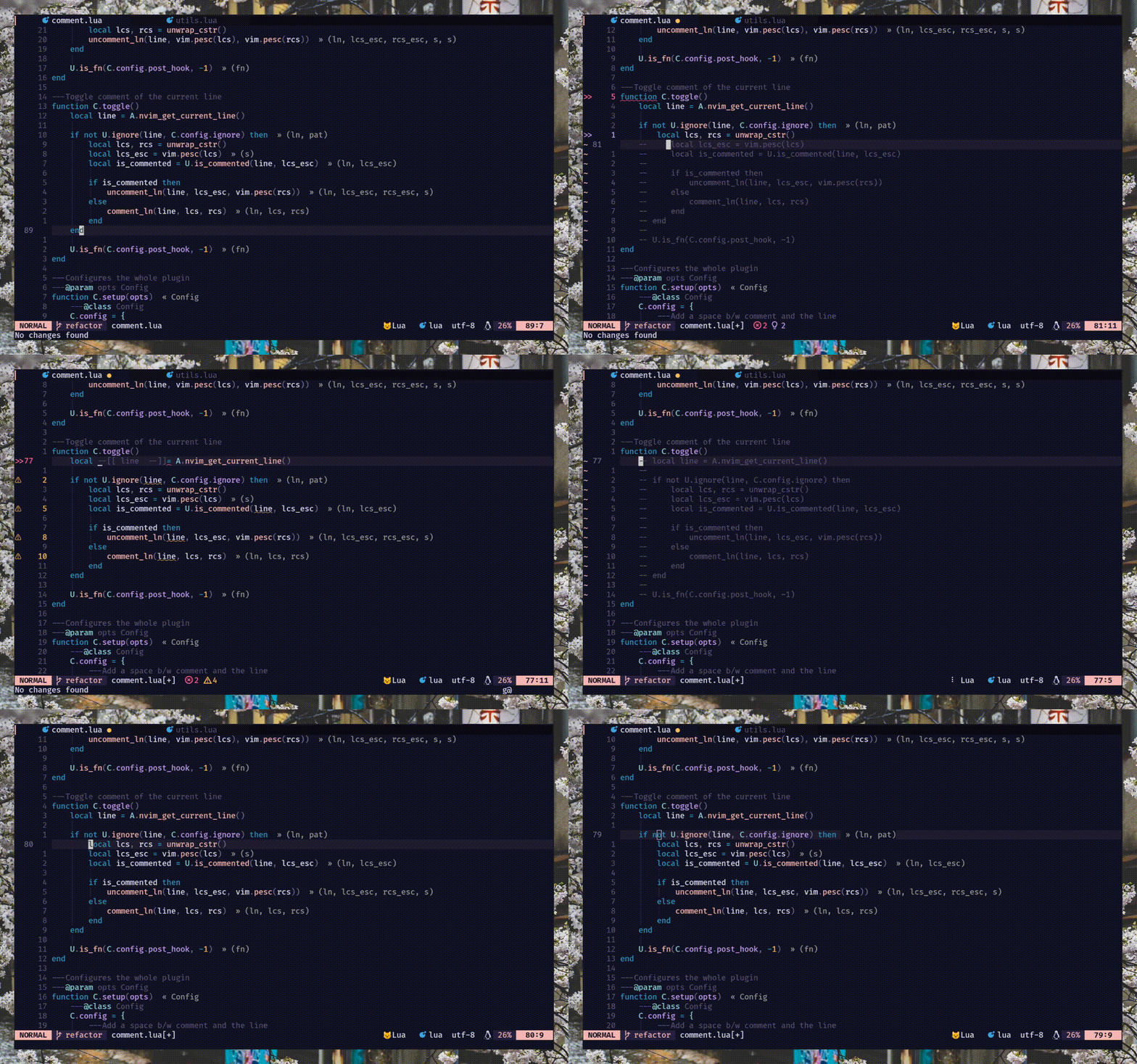
commentstring . اقرأ :h comment.commentstring// ) والكتل ( /* */ ). ) كرر الدعم لـ gcc و gbc والأصدقاء[count]gcc و [count]gbcgcw gc$ ) وحركات أعلى ( gc2j gc4k )gci{ gbat ) -- add this to your lua/plugins.lua, lua/plugins/init.lua, or the file you keep your other plugins:
{
' numToStr/Comment.nvim ' ,
opts = {
-- add any options here
}
}
 use {
    ' numToStr/Comment.nvim ' ,
    config = function ()
        require ( ' Comment ' ). setup ()
    end
}Plug ' numToStr/Comment.nvim '
" Somewhere after plug#end()
lua require ( ' Comment ' ). setup () Comment.nvim يوفر مستندات المساعدة التي يمكن الوصول إليها عن طريق التشغيل :help comment-nvim
تحتاج أولاً إلى استدعاء طريقة setup() لإنشاء التعيينات الافتراضية.
ملاحظة - إذا كنت تواجه تحديد المفاتيح ، لكنها ليست مشكلة في العمل ، فيرجى تجربة هذا
require ( ' Comment ' ). setup () lua << EOF
require ( ' Comment ' ). setup ()
EOF فيما يلي التكوين الافتراضي setup() . إذا كنت ترغب في تجاوز ، فما عليك سوى تعديل الخيار الذي تريده ، فسيتم دمجه مع التكوين الافتراضي. اقرأ :h comment.config لمزيد من المعلومات.
{
    --- Add a space b/w comment and the line
    padding = true ,
    --- Whether the cursor should stay at its position
    sticky = true ,
    --- Lines to be ignored while (un)comment
    ignore = nil ,
    --- LHS of toggle mappings in NORMAL mode
    toggler = {
        --- Line-comment toggle keymap
        line = ' gcc ' ,
        --- Block-comment toggle keymap
        block = ' gbc ' ,
    },
    --- LHS of operator-pending mappings in NORMAL and VISUAL mode
    opleader = {
        --- Line-comment keymap
        line = ' gc ' ,
        --- Block-comment keymap
        block = ' gb ' ,
    },
    --- LHS of extra mappings
    extra = {
        --- Add comment on the line above
        above = ' gcO ' ,
        --- Add comment on the line below
        below = ' gco ' ,
        --- Add comment at the end of line
        eol = ' gcA ' ,
    },
    --- Enable keybindings
    --- NOTE: If given `false` then the plugin won't create any mappings
    mappings = {
        --- Operator-pending mapping; `gcc` `gbc` `gc[count]{motion}` `gb[count]{motion}`
        basic = true ,
        --- Extra mapping; `gco`, `gcO`, `gcA`
        extra = true ,
    },
    --- Function to call before (un)comment
    pre_hook = nil ,
    --- Function to call after (un)comment
    post_hook = nil ,
} عند استدعاء طريقة setup() ، يقوم Comment.nvim بإعداد بعض التعيينات الأساسية التي يمكن استخدامها في الوضع العادي والبصري لتبدأ بسرور التعليق على الأشياء.
يتم تمكين هذه التعيينات بشكل افتراضي. (config: mappings.basic )
 `gcc` - Toggles the current line using linewise comment
`gbc` - Toggles the current line using blockwise comment
`[ count ]gcc` - Toggles the number of line given as a prefix-count using linewise
`[ count ]gbc` - Toggles the number of line given as a prefix-count using blockwise
`gc[ count ]{motion}` - (Op-pending) Toggles the region using linewise comment
`gb[ count ]{motion}` - (Op-pending) Toggles the region using blockwise comment `gc` - Toggles the region using linewise comment
`gb` - Toggles the region using blockwise comment يتم تمكين هذه التعيينات بشكل افتراضي. (config: mappings.extra )
 `gco` - Insert comment to the next line and enters INSERT mode
`gcO` - Insert comment to the previous line and enters INSERT mode
`gcA` - Insert comment to end of the current line and enters INSERT mode# Linewise
`gcw` - Toggle from the current cursor position to the next word
`gc $ ` - Toggle from the current cursor position to the end of line
`gc}` - Toggle until the next blank line
`gc5j` - Toggle 5 lines after the current cursor position
`gc8k` - Toggle 8 lines before the current cursor position
`gcip` - Toggle inside of paragraph
`gca}` - Toggle around curly brackets
# Blockwise
`gb2}` - Toggle until the 2 next blank line
`gbaf` - Toggle comment around a function (w/ LSP/treesitter support)
`gbac` - Toggle comment around a class (w/ LSP/treesitter support) يحتوي هذا المكون الإضافي على دعم الأشجار الأصلي لحساب commentstring التي تعمل مع لغات متعددة (محقونة/مضمنة) مثل Vue أو Markdown. ولكن نظرًا لطبيعة الشجرة المحلية ، فإن هذا التنفيذ له بعض القيود المعروفة.
jsx/tsx . كان تنفيذها معقدًا للغاية. لحالات الاستخدام المسبق ، استخدم NVIM-TS-Context-CommentString. انظر قسم pre_hook للتكامل.
ملاحظة -لا يعتمد هذا المكون الإضافي على NVIM Treesitter ، ولكنه يوصى به من أجل تثبيت محلات جليدي الأشجار بسهولة.
هناك طريقتان خطاف ، أي pre_hook و post_hook والتي يتم استدعاؤها قبل التعليق وبعد التعليق على التوالي. يجب توفير كلاهما أثناء setup() .
pre_hook - استدعاء مع وسيطة ctx (اقرأ :h comment.utils.CommentCtx ) قبل التعليق (un). يمكن إرجاع commentstring اختياريا لاستخدامها في التعليق (UN). {
pre_hook = function ( ctx )
if ctx . range . srow == ctx . range . erow then
-- do something with the current line
else
-- do something with lines range
end
end ,
} يمكنك أيضًا دمج NVIM-TS-Context-CommentString باستخدام pre_hook للتعليق بسهولة على ملفات tsx/jsx .
ملاحظة-
Comment.nvimيدعم بالفعلtreesitterخارج الصندوق لجميع اللغات باستثناءtsx/jsx.
{
    pre_hook = require ( ' ts_context_commentstring.integrations.comment_nvim ' ). create_pre_hook (),
}
post_hook - تسمى هذه الطريقة بعد التعليق (UN). يتلقى نفس الوسيطة ctx (اقرأ :h comment.utils.CommentCtx ) كـ pre_hook . {
post_hook = function ( ctx )
if ctx . range . srow == ctx . range . erow then
-- do something with the current line
else
-- do something with lines range
end
end ,
} يمكن تنفيذ post_hook لتغطية بعض حالات الاستخدام المتخصصة مثل ما يلي:
#if 0 . انظر مثال هنا.pre_hook ) ونقل المؤشر إلى الكتلة التالية (باستخدام post_hook ). انظر هذا.ملاحظة: عند الضغط على
gcوgbوالأصدقاء ، سيتم تبديلcmode(وضع التعليق) داخلpre_hookلأنه عندما يتم استدعاء المسبق ، في تلك اللحظة ، لا نعرف ما إذا كانgcأوgbسيعلقان الخطوط أو تفوقها. لكن لحسن الحظ ، نحن نعرف هذا قبلpost_hookوهذا سيتلقى دائمًا إما التعليق أو حالة عدم التوقف
يمكنك استخدام ignore لتجاهل بعض الخطوط أثناء التعليق/عدم التخلص. يمكن أن يستغرق سلسلة Lua regex أو وظيفة تقوم بإرجاع سلسلة regex ويجب توفيرها أثناء setup() .
ملاحظة: تجاهل فقط يعمل مع التعليق الخطير. هذا حسب التصميم. لأن تجاهل الخطوط في تعليقات الكتلة لا معنى له.
string -- ignores empty lines
ignore = ' ^$ '
-- ignores line that starts with `local` (excluding any leading whitespace)
ignore = ' ^(%s*)local '
-- ignores any lines similar to arrow function
ignore = ' ^const(.*)=(%s?)%((.*)%)(%s?)=> 'function {
ignore = function ()
-- Only ignore empty lines for lua files
if vim . bo . filetype == ' lua ' then
return ' ^$ '
end
end ,
} معظم اللغات/الأنماط التي تتمتع بدعم أصلي للتعليقات عبر commentstring ، ولكن قد يكون هناك نوع filetype غير مدعوم. هناك طريقتان لتمكين التعليق على الأنواع غير المدعومة:
commentstring لهذا النوع من filetype مثل ما يلي. اقرأ :h commentstring لمزيد من المعلومات. vim . bo . commentstring = ' //%s '
-- or
vim . api . nvim_command ( ' set commentstring=//%s ' )commentstring . اقرأ :h comment.ft لمزيد من المعلومات. local ft = require ( ' Comment.ft ' )
-- 1. Using set function
ft
-- Set only line comment
. set ( ' yaml ' , ' #%s ' )
-- Or set both line and block commentstring
. set ( ' javascript ' , { ' //%s ' , ' /*%s*/ ' })
-- 2. Metatable magic
ft . javascript = { ' //%s ' , ' /*%s*/ ' }
ft . yaml = ' #%s '
-- Multiple filetypes
ft ({ ' go ' , ' rust ' }, ft . get ( ' c ' ))
ft ({ ' toml ' , ' graphql ' }, ' #%s ' )نرحب بالعلاقات العامة (العلاقات العامة) لإضافة المزيد من التعليقات داخل المكون الإضافي
هناك طرق متعددة للمساهمة في الإبلاغ/إصلاح الأخطاء ، وطلبات الميزات. يمكنك أيضًا إرسال CommentString إلى هذا البرنامج المساعد من خلال تحديث Ft.lua وإرسال PR.
/**%s*/ (JS) ، ///%s (الصدأ) ---- ------------------
-- This is a header --
---- ------------------




