musiccaps
1.0.0

عرض للبحث الدلالي باستخدام قاعدة بيانات Vector Pinecone ومجموعة بيانات MusicCaps من Google AI.
خطوة من خلال دفتر الملاحظات init-pinecone-index.ipynb
ملحوظات:
YOUR_API_KEY و YOUR_REGION بالقيم الموضحة من علامة تبويب مفاتيح API في وحدة التحكم pinecone. هناك عينة استعلام في نهاية دفتر الملاحظات. استبدل قيمة query لتجربة البحث الدلالي عبر مجموعة بيانات MusicCaps.
 query = 'lively eastern european folk music with strings outdoors'
search_pinecone ( query )
{ 'matches' : [{ 'id' : '5327' ,
'metadata' : { 'aspect_list' : "['romanian folk music', 'live "
"performance', 'instrumental', "
"'accordion', 'upright bass', "
"'acoustic guitar', 'percussion', "
"'fiddle', 'lively', 'upbeat', "
"'joyful']" ,
'audioset_positive_labels' : '/m/0mkg' ,
'author_id' : 9.0 ,
'caption' : 'This is the live performance of a '
'Romanian folk music piece. It is '
'instrumental. There is an accordion '
'playing the leading melody while the '
'fiddle, acoustic guitar and the upright '
'bass play in the background. There is a '
'percussive element in the rhythmic '
'background. The atmosphere is lively '
'and joyful.' ,
'end_s' : 30.0 ,
'is_audioset_eval' : False ,
'is_balanced_subset' : False ,
'start_s' : 20.0 ,
'ytid' : 'xR2p3UED4VU' },
'score' : 0.658422887 ,
'values' : []},
...
],
'namespace' : '' } ستحصل على شعور بالنتائج التي تقرأ حقل caption وإشارة score . ytid هو معرف فيديو YouTube ويحدد start_s نقطة البداية للفيديو ذي الصلة.
streamlit run search-app.py 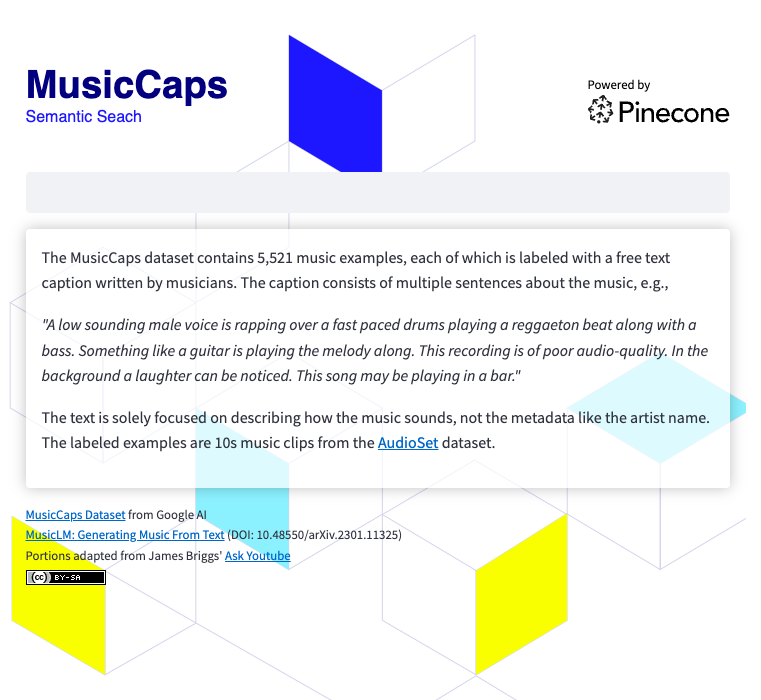
لتشغيل تطبيق البحث ، ستحتاج إلى ذلك
 git clone https://github.com/ben-ogden/musiccaps.git
cd musiccaps
pipenv shell
pipenv install pinecone-client streamlit
streamlit version
...
Streamlit, version 1.22.0
قم بإنشاء ملف أسرار في ~/.streamlit/secrets.toml PINECONE_ENV PINECONE_KEY
PINECONE_KEY = "..." streamlit run search-app.py 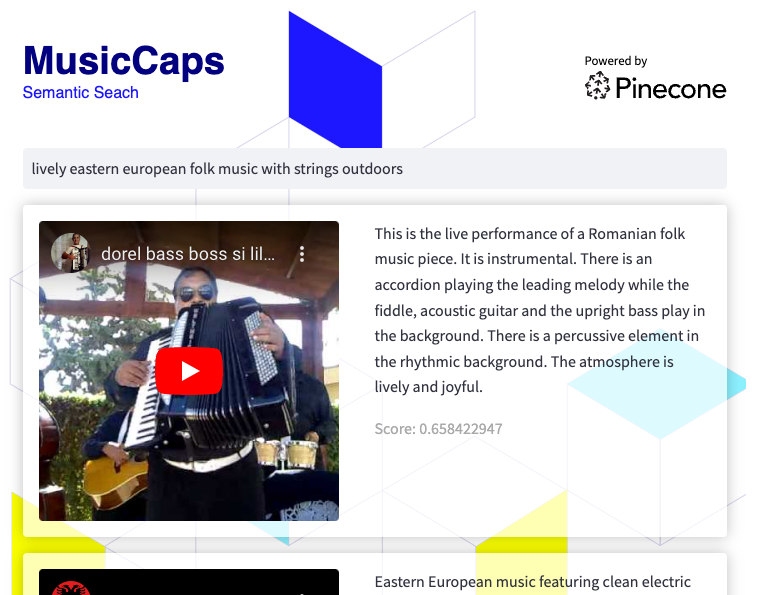
يمكن أن تكون مجموعة البيانات هذه مرشحًا جيدًا لتجربة البحث المختلط أو استخدام تصفية البيانات الوصفية باستخدام القيم في aspect_list metadata ككلمات رئيسية.





