rvc tts webui
1.0.0

這是使用Edge-TTS的文本到語音級別WebUI。
?在線演示
這可以在沒有GPU(但慢)的CPU上運行。
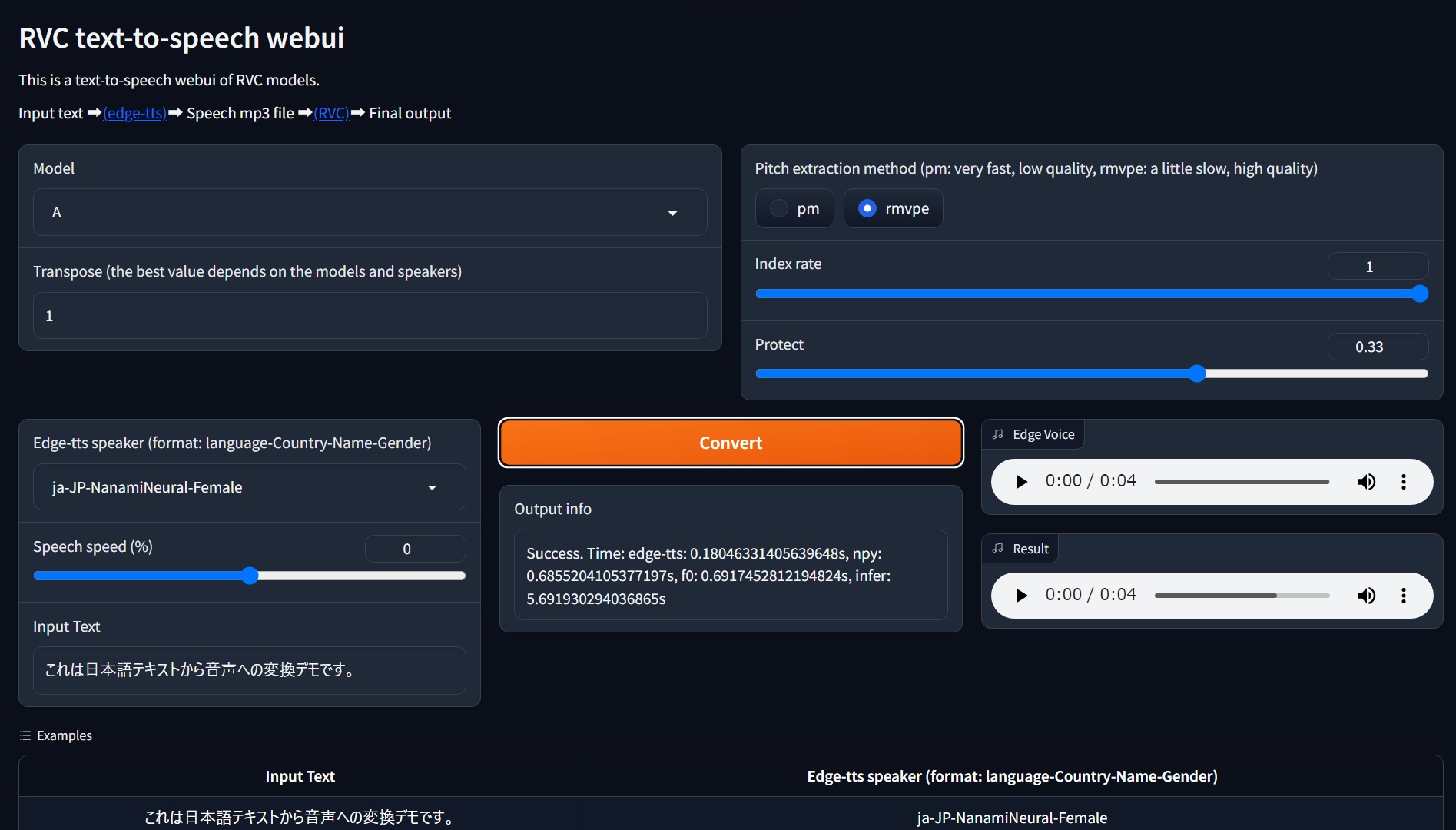
要求:在Windows 11上對Python 3.10進行測試。可能不支持Python 3.11,因此請使用Python 3.10。
git clone https://github.com/litagin02/rvc-tts-webui.git
cd rvc-tts-webui

# Download models in root directory
curl -L -O https://huggingface.co/lj1995/VoiceConversionWebUI/resolve/main/hubert_base.pt
curl -L -O https://huggingface.co/lj1995/VoiceConversionWebUI/resolve/main/rmvpe.pt

# Make virtual environment
python -m venv venv
# Activate venv (for Windows)
venv S cripts a ctivate

# Install PyTorch manually if you want to use NVIDIA GPU (Windows)
# See https://pytorch.org/get-started/locally/ for more details
pip install torch torchvision torchaudio --index-url https://download.pytorch.org/whl/cu118

# Install requirements
pip install -r requirements.txt如下:將RVC型號放在weights/目錄中:
weights
├── model1
│   ├── my_model1.pth
│   └── my_index_file_for_model1.index
└── model2
    ├── my_model2.pth
    └── my_index_file_for_model2.index
...每個模型目錄應完全包含一個.pth文件和最多一個.index文件。目錄名稱用作模型名稱。
看來路徑名中的非ASCII字符似乎會產生faiss錯誤(例如weights/モデル1/index.index ),因此請避免使用它們。
 # Activate venv (for Windows)
venv S cripts a ctivate

python app.pygit pull
venv S cripts a ctivate
pip install -r requirements.txt --upgrade error: Microsoft Visual C++ 14.0 or greater is required. Get it with "Microsoft C++ Build Tools": https://visualstudio.microsoft.com/visual-cpp-build-tools/
[end of output]
note: This error originates from a subprocess, and is likely not a problem with pip.
ERROR: Failed building wheel for fairseq
Failed to build fairseq
ERROR: Could not build wheels for fairseq, which is required to install pyproject.toml-based projects
也許FairSeq需要Microsoft C ++構建工具。下載安裝程序並安裝。







