despell
1.0.1


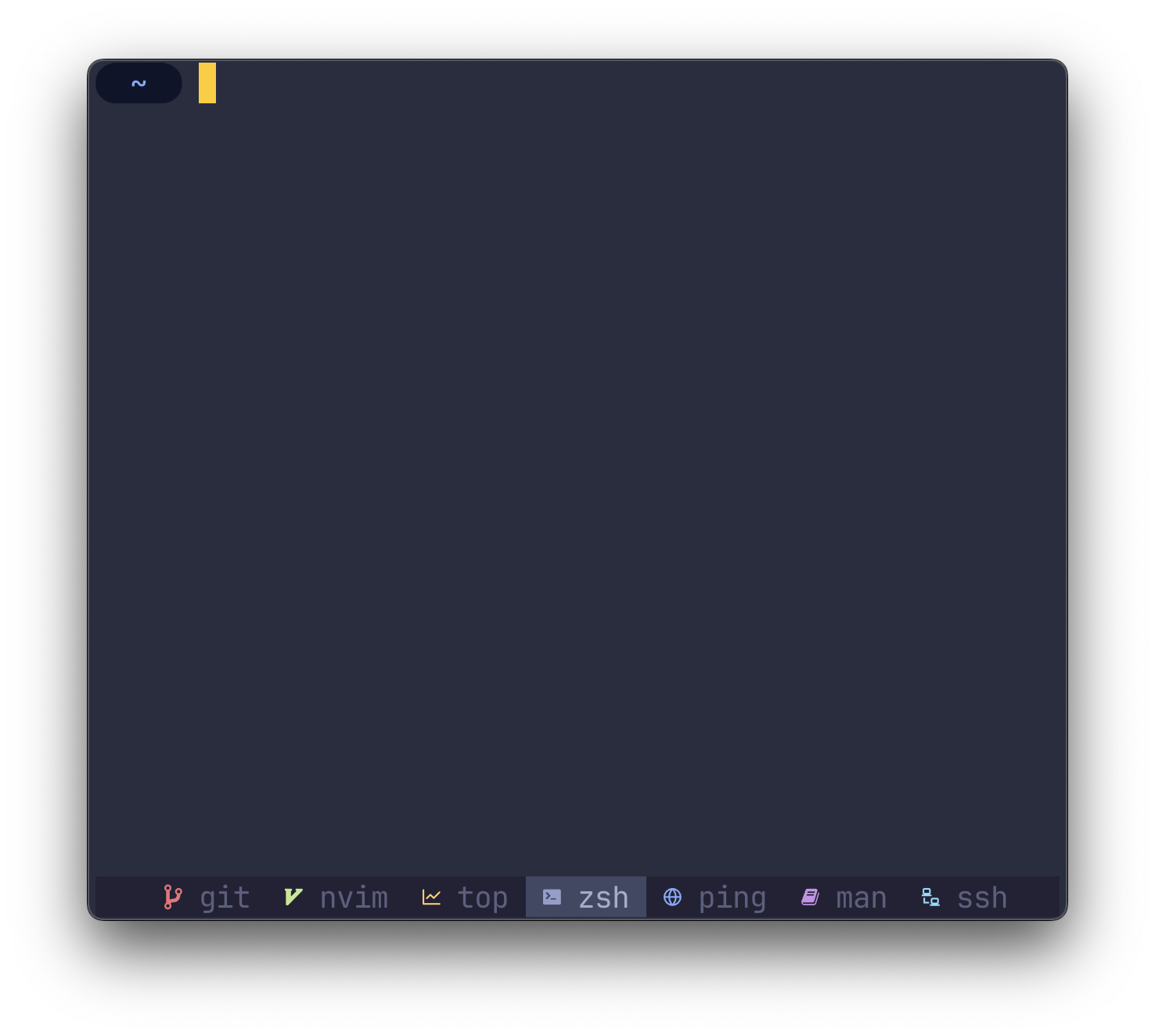
despell MAPS命令在tmux的狀態行中指向圖標
O(1) ) cargo install despell注意確保
$HOME/.cargo/bin在您的PATH環境變量中
despell要求您的終端使用書呆子字體列出的字體。
despell在其核心上將字符串(進程名稱)作為輸入,並將字符串(圖標)作為輸出返回。
要在現有配置中使用despell ,請替換所有出現
#W
和
#(despell #W) #W
在您的~/.tmux.conf中。
如果您還沒有~/.tmux.conf ,請查看以下示例配置以開始。
您可以通過使用屏幕截圖的示例配置開始使用despell 。副本以下副本到您自己的~/.tmux.conf中以開始。
 # Colors
tmux_active_fg= # a6accd
tmux_active_bg= # 414863
tmux_inactive_fg=default
tmux_statusbar_bg= # 232235

# Window status separator
set-window-option -g window-status-separator ' '

# Status bar
set-option -g status-style bg= $tmux_statusbar_bg
set-option -g status-left " "
set-option -g status-right " "

# Justify status bar
set -g status-justify centre

# Active
set-window-option -g window-status-current-format "
#[bg= $tmux_active_bg ] #(despell -c #W)
#[fg= $tmux_active_fg bg= $tmux_active_bg ] #W "

# Inactive
set-window-option -g window-status-format "
#[fg= $tmux_inactive_fg ,bg= $tmux_statusbar_bg ] #(despell -c #W)
#[fg= $tmux_inactive_fg ,dim bg= $tmux_statusbar_bg ] #W "
要中心狀態行而不是左對齊(默認),將以下命令添加到您的~/.tmux.conf :
 # Set alignment
set -g status-justify centre要配置tmux刷新其狀態行的頻率,請在您的~/.tmux.conf :
 # Update the status line every X seconds
set -g status-interval 5要讓despell設置圖標顏色並覆蓋主題設置,請使用-c或--color標誌運行despell :
# (despell -c #W)要使用表情符號代替書呆子字體,請使用-e或--emoji flag運行despell :
# (despell -e #W) 要覆蓋任何默認映射,請使用-u或--custom標誌運行despell 。將config.toml放入~/.config/despell/config.toml中,並與您的自定義映射。
所有字段都是可選的,因此,如果您不使用表情符號,則可以安全地省略TOML的字段。
[ default ]
nerdfont = " ◒ "
color = " none "
emoji = " ? "

[ icons . command1 ]
nerdfont = " ◇ "
color = " blue "
emoji = " "

[ icons . command2 ]
nerdfont = " ❤ "
color = " magenta "
emoji = " ? " 通過打開問題,討論或公關,讓我知道。








