despell
1.0.1


despellマップtmuxのステータスラインのアイコンにコマンド
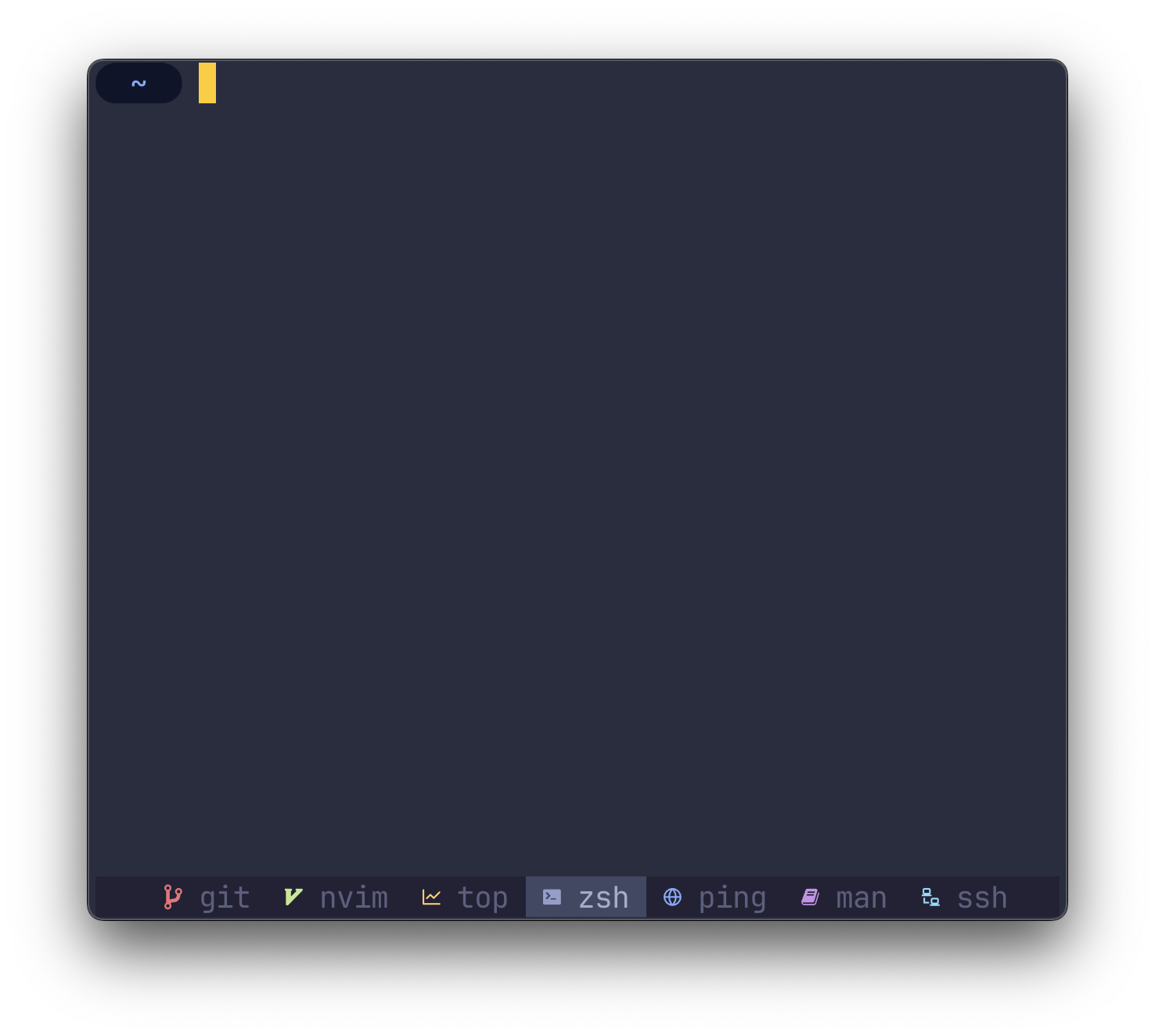
O(1) ) cargo install despell注
$HOME/.cargo/binPATH環境変数にあることを確認してください
despell 、ターミナルにオタクフォントがパッチしたフォントを使用する必要があります。
そのコアでは、 despell文字列(プロセス名)を入力として取り、文字列(アイコン)を出力として返します。
既存の構成でdespellを使用するには、のすべての発生を交換します
#W
と
#(despell #W) #W
~/.tmux.confで。
~/.tmux.confまだ持っていない場合は、以下の例の構成をご覧ください。
スクリーンショットのサンプル構成を使用して、 despellの使用を開始できます。以下の構成を独自の~/.tmux.confにコピーして、開始します。
 # Colors
tmux_active_fg= # a6accd
tmux_active_bg= # 414863
tmux_inactive_fg=default
tmux_statusbar_bg= # 232235

# Window status separator
set-window-option -g window-status-separator ' '

# Status bar
set-option -g status-style bg= $tmux_statusbar_bg
set-option -g status-left " "
set-option -g status-right " "

# Justify status bar
set -g status-justify centre

# Active
set-window-option -g window-status-current-format "
#[bg= $tmux_active_bg ] #(despell -c #W)
#[fg= $tmux_active_fg bg= $tmux_active_bg ] #W "

# Inactive
set-window-option -g window-status-format "
#[fg= $tmux_inactive_fg ,bg= $tmux_statusbar_bg ] #(despell -c #W)
#[fg= $tmux_inactive_fg ,dim bg= $tmux_statusbar_bg ] #W "
左ALIGNEDの代わりにステータス行を中央に配置するには(デフォルト)、 ~/.tmux.confに次のコマンドを追加します。
 # Set alignment
set -g status-justify centretmuxステータスラインを再リッシュする頻度を構成するには、 ~/.tmux.confに次のコマンドを追加します。
 # Update the status line every X seconds
set -g status-interval 5despellアイコンの色を設定し、テーマ設定をオーバーライドできるようにするには、 despell -cまたは--colorフラグで実行します。
# (despell -c #W)オタクフォントの代わりに絵文字を使用するには、 -eまたは--emojiフラグでdespellを実行します。
# (despell -e #W) デフォルトのマッピングのいずれかをオーバーライドするには、 -uまたは--customフラグでdespellを実行します。 config.toml ~/.config/despell/config.tomlに配置します。
すべてのフィールドはオプションであるため、絵文字を使用しない場合は、 TOMLのフィールドを安全に省略できます。
[ default ]
nerdfont = " ◒ "
color = " none "
emoji = " ? "

[ icons . command1 ]
nerdfont = " ◇ "
color = " blue "
emoji = " "

[ icons . command2 ]
nerdfont = " ❤ "
color = " magenta "
emoji = " ? " 問題、ディスカッション、またはPRを開いて私に知らせてください。








