despell
1.0.1


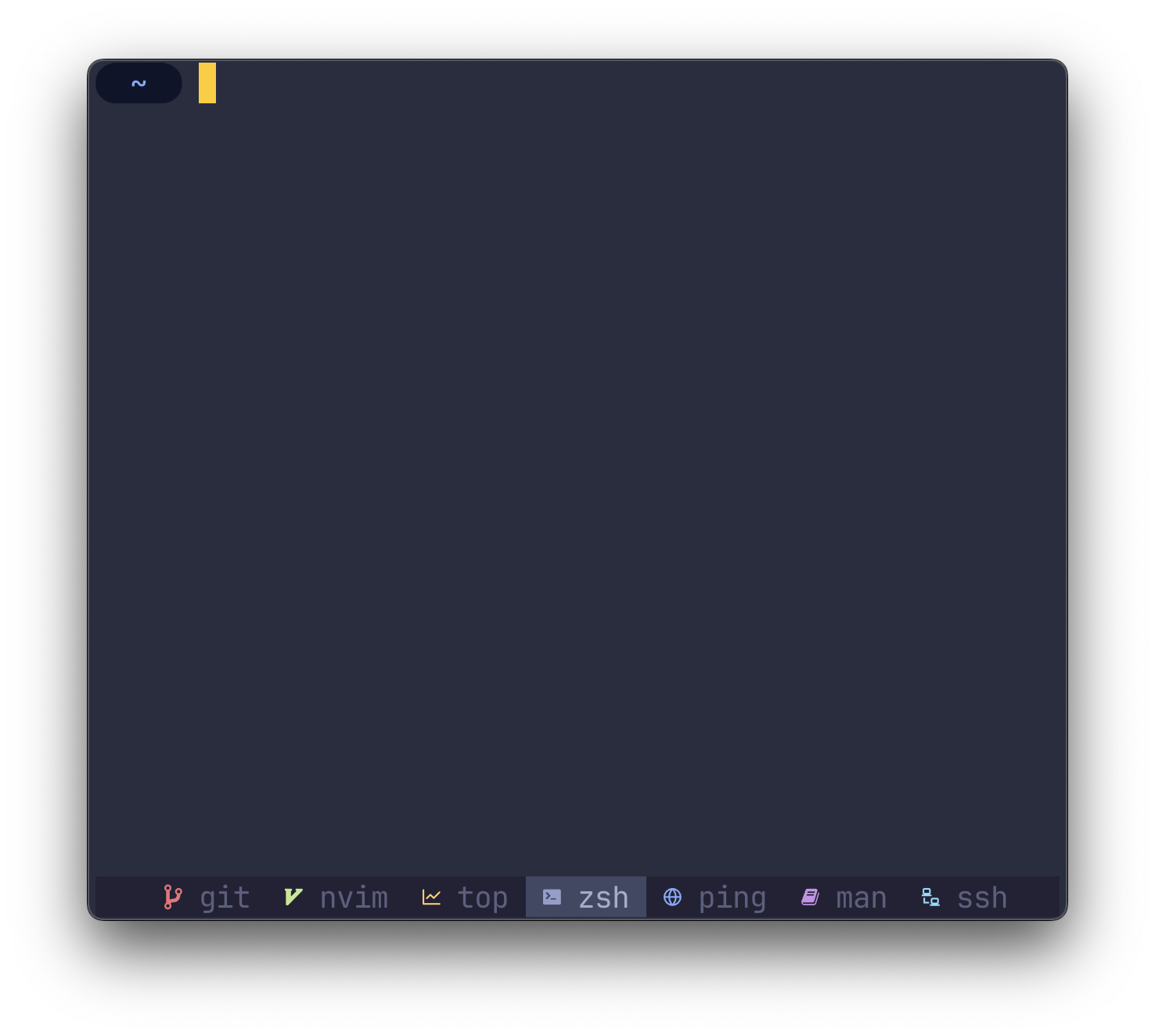
despell MAPS คำสั่งเป็นไอคอนในบรรทัดสถานะของ tmux
O(1) ) cargo install despellหมายเหตุตรวจ สอบให้แน่ใจว่า
$HOME/.cargo/binอยู่ในตัวแปรสภาพแวดล้อมPATHของคุณ
despell ต้องการให้เทอร์มินัลของคุณใช้แบบอักษรแบบอักษร Nerd ที่จับได้
ที่แกนกลางของมัน despell ใช้สตริง (ชื่อกระบวนการ) เป็นอินพุตและส่งคืนสตริง (ไอคอน) เป็นเอาต์พุต
หากต้องการใช้ despell ในการกำหนดค่าที่มีอยู่ของคุณให้แทนที่สิ่งที่เกิดขึ้นทั้งหมด
#W
กับ
#(despell #W) #W
ใน ~/.tmux.conf ของคุณ
หากคุณยังไม่มี ~/.tmux.conf ให้ดูที่ตัวอย่างการกำหนดค่าด้านล่างเพื่อเริ่มต้น
คุณสามารถเริ่มใช้ despell โดยใช้ตัวอย่างการกำหนดค่าจากภาพหน้าจอ สำเนาของการกำหนดค่าด้านล่างลงใน ~/.tmux.conf ของคุณเองเพื่อเริ่มต้นใช้งาน
 # Colors
tmux_active_fg= # a6accd
tmux_active_bg= # 414863
tmux_inactive_fg=default
tmux_statusbar_bg= # 232235

# Window status separator
set-window-option -g window-status-separator ' '

# Status bar
set-option -g status-style bg= $tmux_statusbar_bg
set-option -g status-left " "
set-option -g status-right " "

# Justify status bar
set -g status-justify centre

# Active
set-window-option -g window-status-current-format "
#[bg= $tmux_active_bg ] #(despell -c #W)
#[fg= $tmux_active_fg bg= $tmux_active_bg ] #W "

# Inactive
set-window-option -g window-status-format "
#[fg= $tmux_inactive_fg ,bg= $tmux_statusbar_bg ] #(despell -c #W)
#[fg= $tmux_inactive_fg ,dim bg= $tmux_statusbar_bg ] #W "
หากต้องการจัดกึ่งกลางบรรทัดสถานะแทนการจัดตำแหน่งซ้าย (ค่าเริ่มต้น) ให้เพิ่มคำสั่งต่อไปนี้ใน ~/.tmux.conf ของคุณ:
 # Set alignment
set -g status-justify centre ในการกำหนดค่าความถี่ tmux รีเฟรชบรรทัดสถานะให้เพิ่มคำสั่งต่อไปนี้ใน ~/.tmux.conf ของคุณ:
 # Update the status line every X seconds
set -g status-interval 5 หากต้องการให้ despell ตั้งค่าสีไอคอนและแทนที่การตั้งค่าธีมของคุณให้เรียกใช้ despell ด้วยธง -c หรือ --color :
# (despell -c #W) หากต้องการใช้อิโมจิแทนฟอนต์ nerd ให้เรียกใช้ despell ด้วยธง -e หรือ --emoji :
# (despell -e #W) หากต้องการแทนที่การแมปเริ่มต้นใด ๆ ให้เรียกใช้ despell ด้วยธง -u หรือ --custom วาง config.toml ใน ~/.config/despell/config.toml ด้วยการแมปแบบกำหนดเองของคุณ
ฟิลด์ทั้งหมดเป็นทางเลือกดังนั้นหากคุณไม่ได้ใช้อิโมจิคุณสามารถละเว้นฟิลด์จาก TOML ได้อย่างปลอดภัย
[ default ]
nerdfont = " ◒ "
color = " none "
emoji = " ? "

[ icons . command1 ]
nerdfont = " ◇ "
color = " blue "
emoji = " "

[ icons . command2 ]
nerdfont = " ❤ "
color = " magenta "
emoji = " ? " แจ้งให้เราทราบโดยการเปิดปัญหาการสนทนาหรือการประชาสัมพันธ์








