despell
1.0.1


despell tmux 의 상태 라인에서 아이콘에 명령을 매핑합니다.
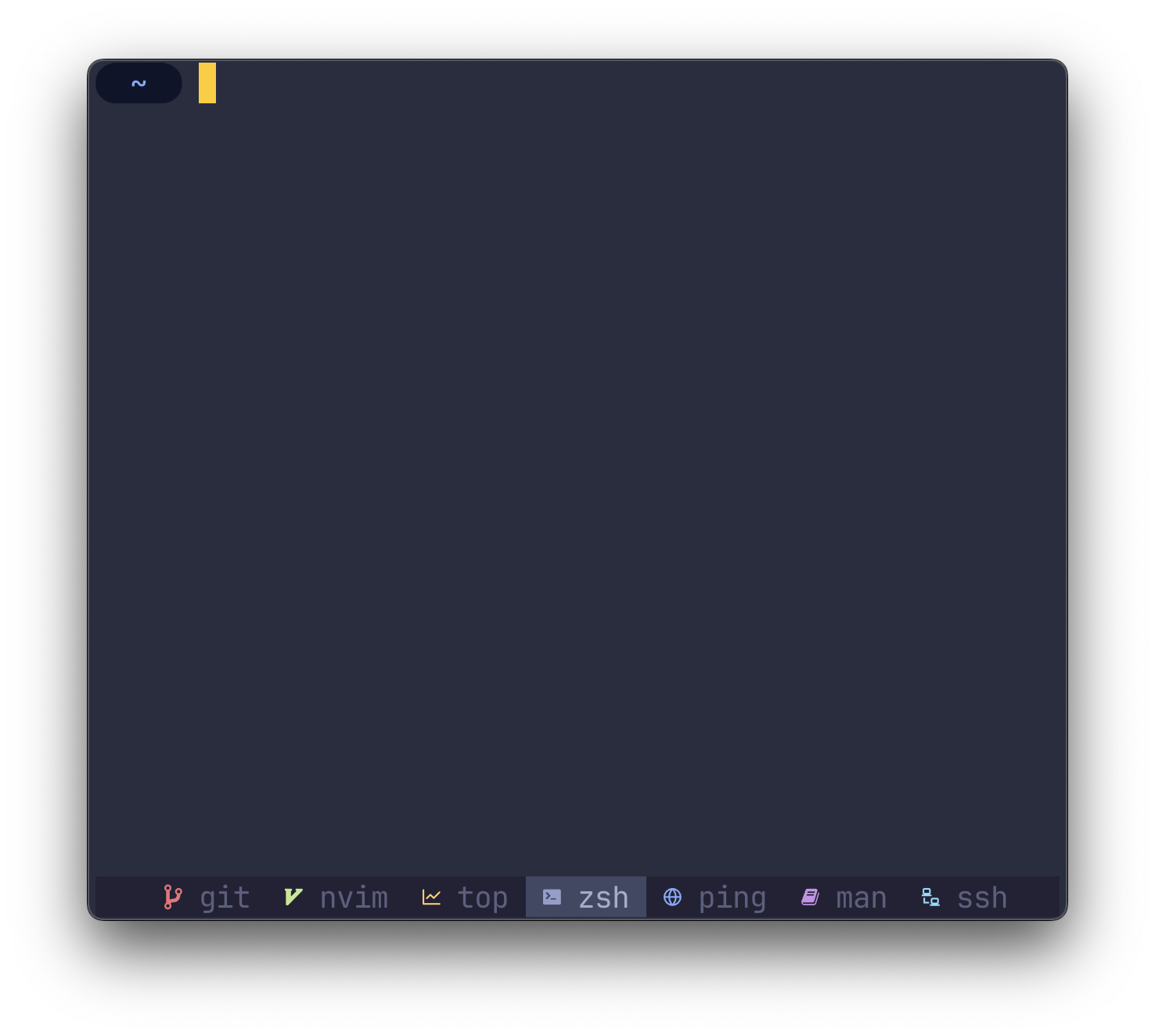
O(1) ) cargo install despell참고
$HOME/.cargo/binPATH환경에 있는지 확인하십시오.
despell 터미널이 괴상한 글꼴을 패치 한 글꼴을 사용하도록 요구합니다.
핵심적으로 despell 문자열 (프로세스 이름)을 입력으로 취하고 출력으로 문자열 (아이콘)을 반환합니다.
기존 구성에서 despell 사용하려면 모든 발생을 교체하십시오.
#W
~와 함께
#(despell #W) #W
당신의 ~/.tmux.conf 에서.
아직 ~/.tmux.conf 가없는 경우 아래의 예제 구성을 살펴보고 시작하십시오.
스크린 샷의 예제 구성을 사용하여 despell 사용해야 할 수 있습니다. 아래 구성을 자신의 ~/.tmux.conf 로 복사하여 시작하려면 시작하십시오.
 # Colors
tmux_active_fg= # a6accd
tmux_active_bg= # 414863
tmux_inactive_fg=default
tmux_statusbar_bg= # 232235

# Window status separator
set-window-option -g window-status-separator ' '

# Status bar
set-option -g status-style bg= $tmux_statusbar_bg
set-option -g status-left " "
set-option -g status-right " "

# Justify status bar
set -g status-justify centre

# Active
set-window-option -g window-status-current-format "
#[bg= $tmux_active_bg ] #(despell -c #W)
#[fg= $tmux_active_fg bg= $tmux_active_bg ] #W "

# Inactive
set-window-option -g window-status-format "
#[fg= $tmux_inactive_fg ,bg= $tmux_statusbar_bg ] #(despell -c #W)
#[fg= $tmux_inactive_fg ,dim bg= $tmux_statusbar_bg ] #W "
왼쪽 정렬 (기본값) 대신 상태 라인을 중심으로하려면 다음 명령을 ~/.tmux.conf 에 추가하십시오.
 # Set alignment
set -g status-justify centre tmux 상태 줄을 새로 고치는 빈도를 구성하려면 ~/.tmux.conf 에 다음 명령을 추가하십시오.
 # Update the status line every X seconds
set -g status-interval 5 despell 아이콘 색상을 설정하고 테마 설정을 무시하려면 -c 또는 --color 플래그로 despell 실행하십시오.
# (despell -c #W) 괴상한 글꼴 대신 이모티콘을 사용하려면 -e 또는 --emoji 플래그로 despell 실행하십시오.
# (despell -e #W) 기본 매핑을 무시하려면 despell -u 또는 --custom 플래그로 실행하십시오. config.toml 사용자 정의 매핑과 함께 ~/.config/despell/config.toml 로 배치하십시오.
모든 필드는 선택 사항이므로 이모티콘을 사용하지 않으면 TOML 에서 필드를 안전하게 생략 할 수 있습니다.
[ default ]
nerdfont = " ◒ "
color = " none "
emoji = " ? "

[ icons . command1 ]
nerdfont = " ◇ "
color = " blue "
emoji = " "

[ icons . command2 ]
nerdfont = " ❤ "
color = " magenta "
emoji = " ? " 문제, 토론 또는 PR을 열어 알려주십시오.








