SAMS
1.0.0

使用實時面部識別系統的智能出勤管理系統的桌面GUI
GUI:
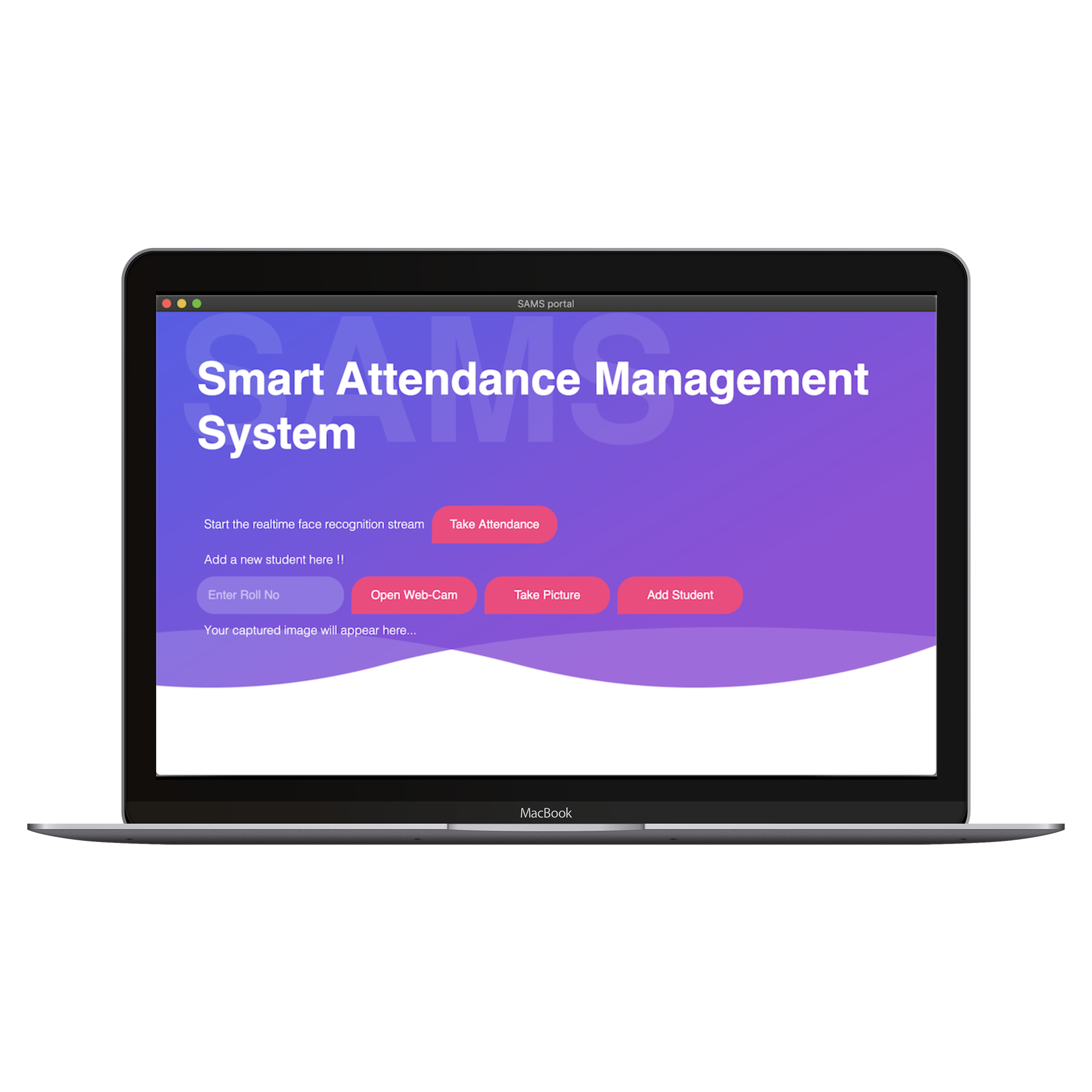
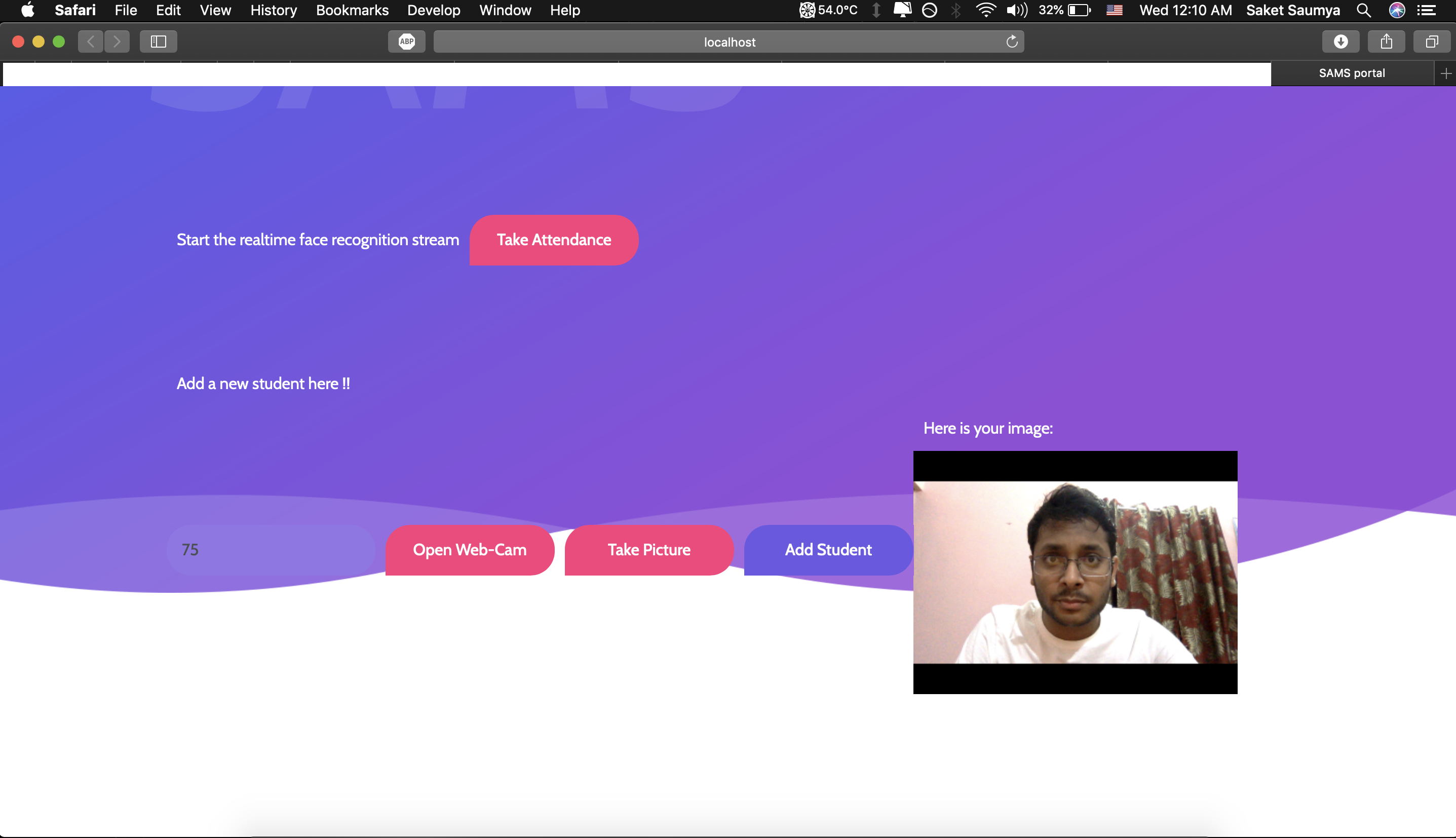
添加新學生:
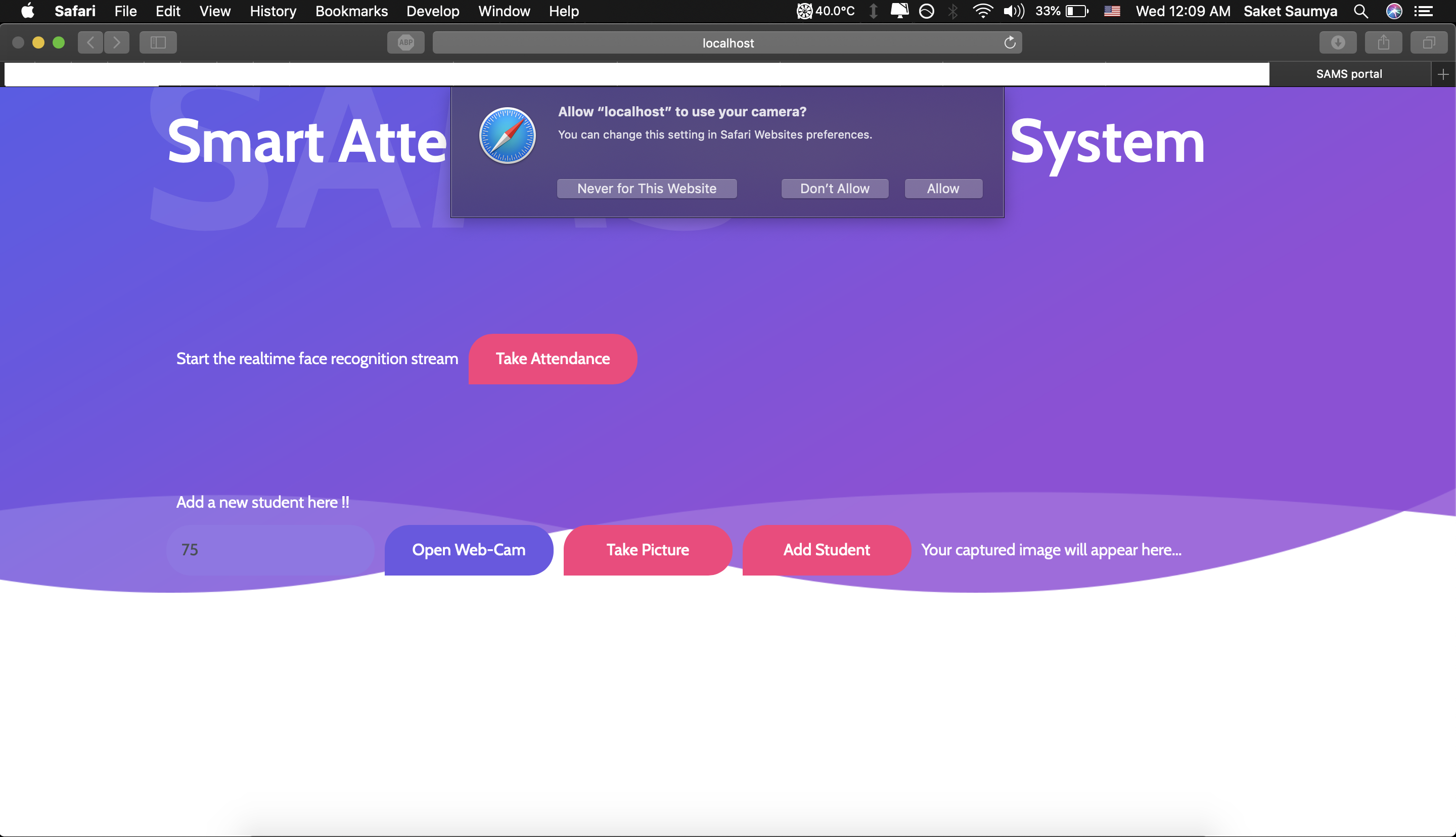 | 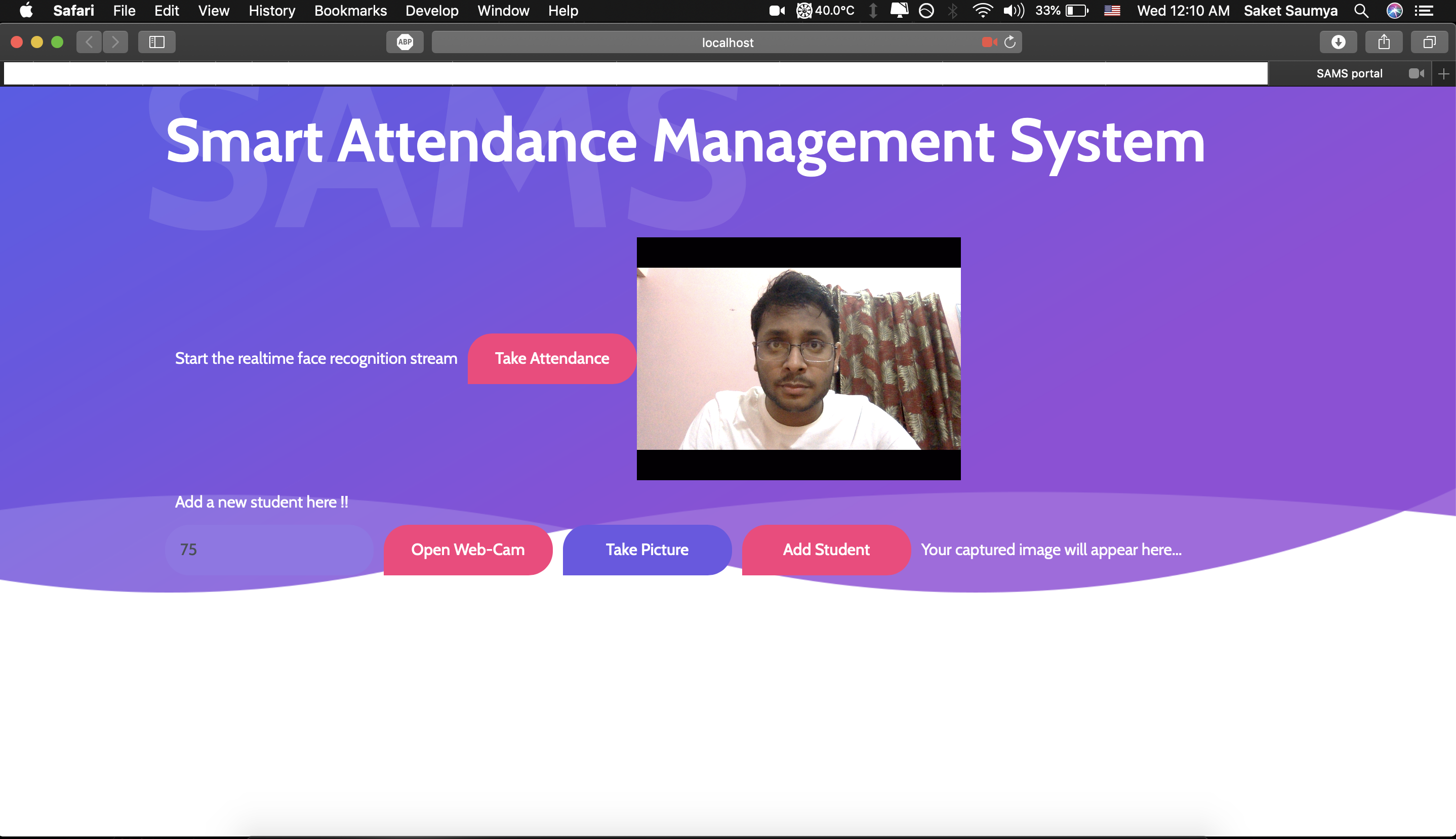 |
|---|---|
| add-1 | add-2 |
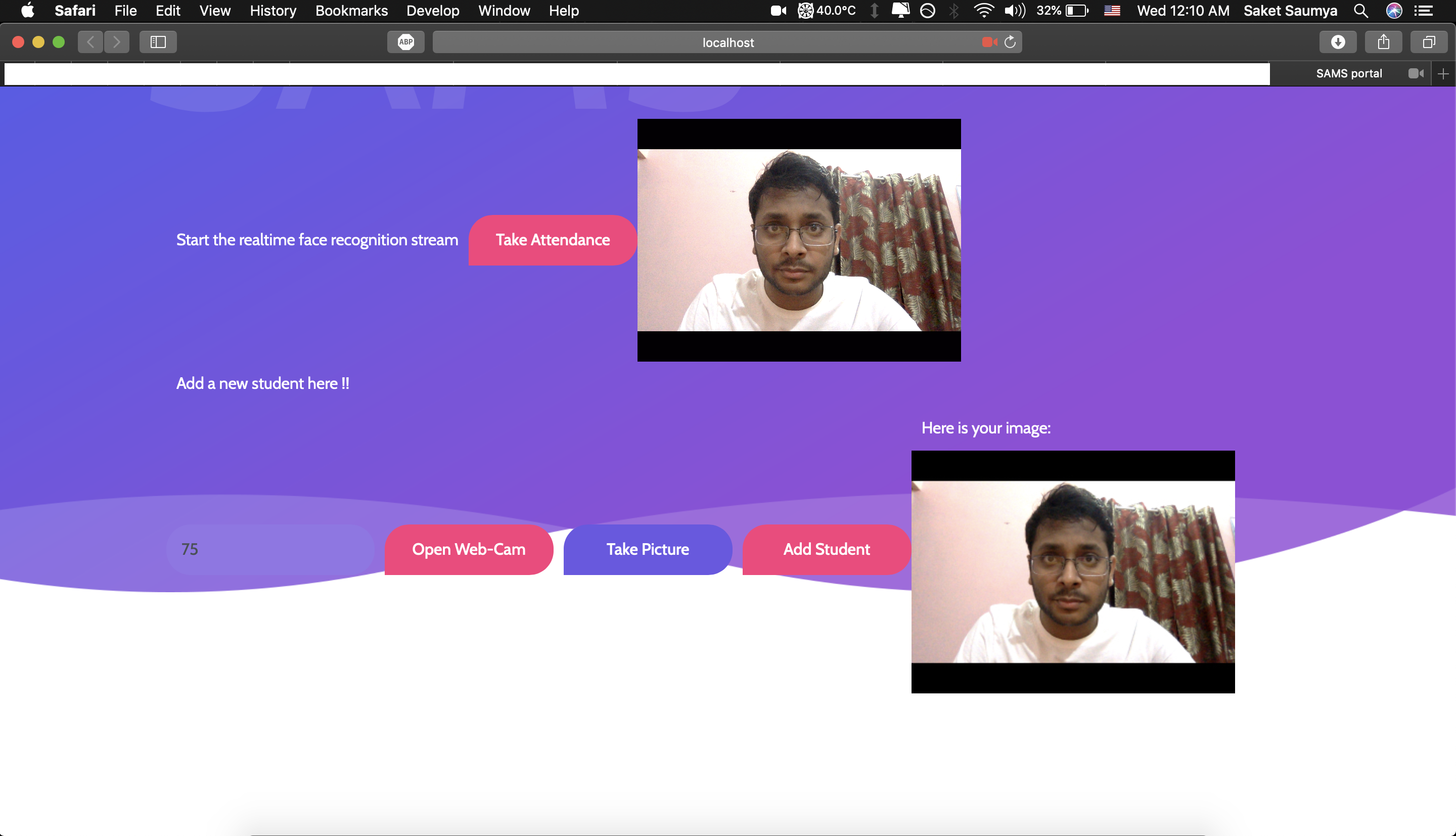 |  |
|---|---|
| 附加3 | 附加4 |
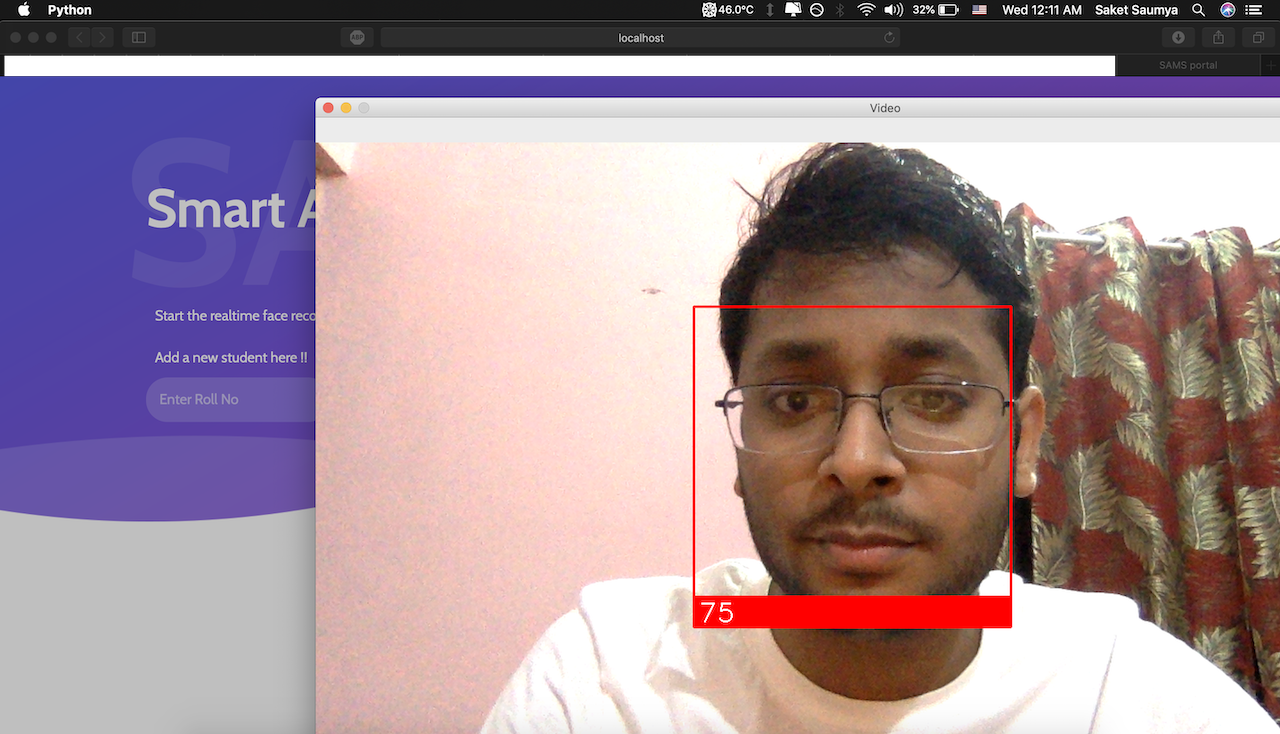
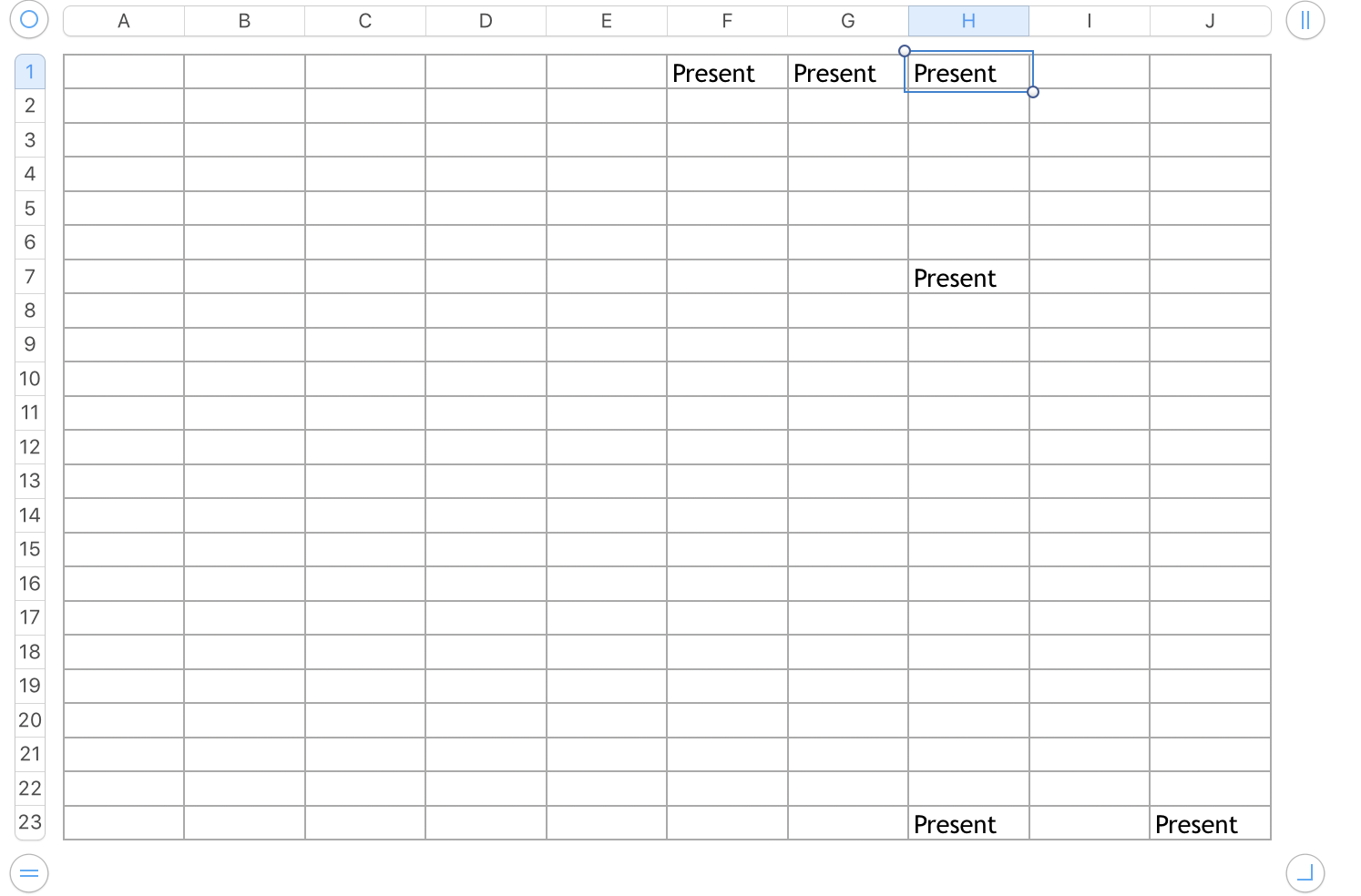
更新學生的出勤率:
 |  |
|---|---|
| 攻擊 | Excel表 |
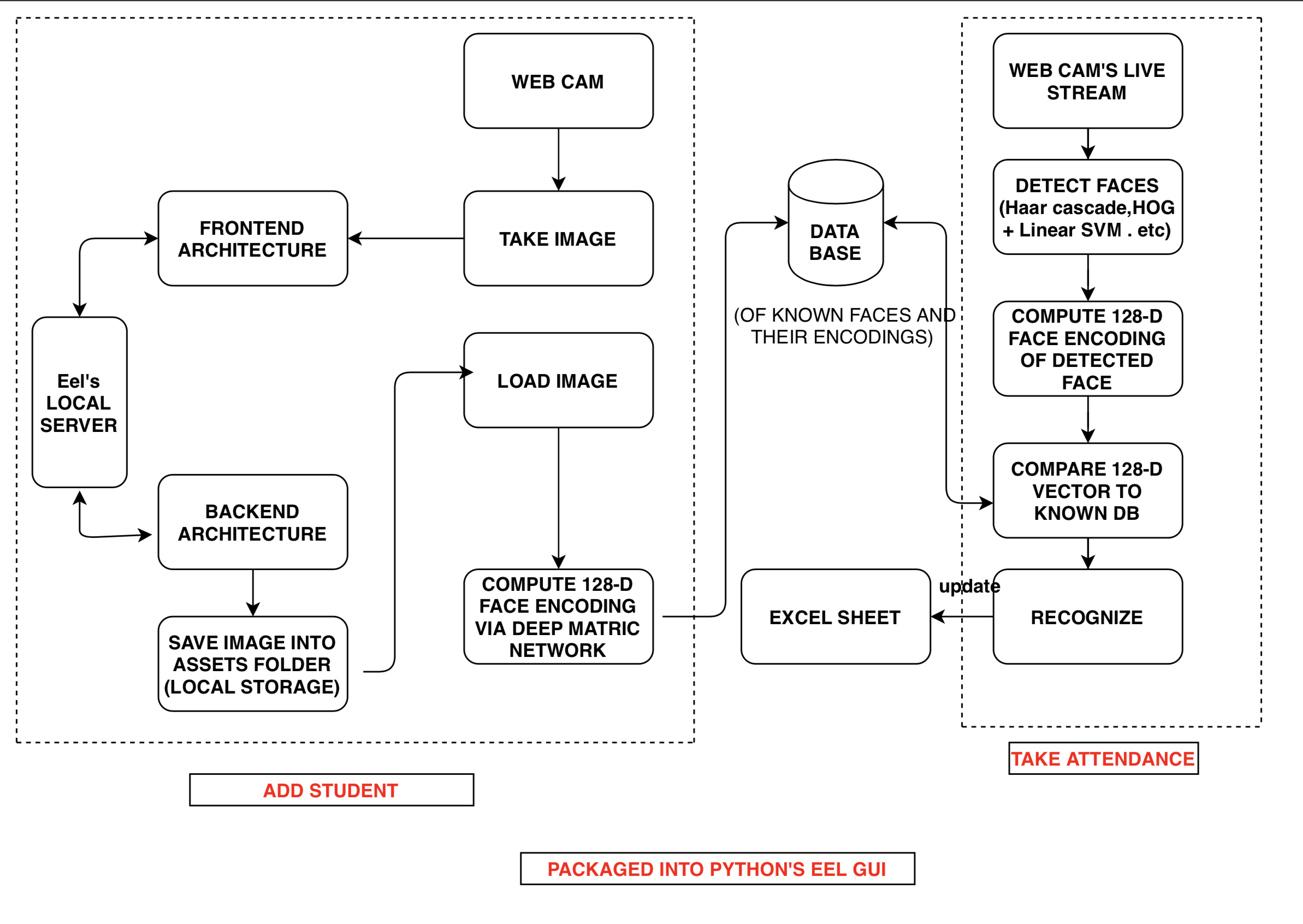
該項目有2個模塊:
第一個,“添加學生”模塊,將新學生添加到系統中。圖像通過網絡攝像頭拍攝。圖像的二進制數據是通過本地服務器從GUI前端體系結構發送到後端體系結構的,該架構負責將文件保存在應用程序所居住的本地目錄(資產)中的“ .jpeg”格式中。然後,所有圖像都從資產文件夾中逐一加載,然後通過Python的OpenCV庫確定其128-D面部編碼。
第二個,“出勤”模塊主要負責實現項目的目標。然後將Excel表相應地更新為已確定面部所需的捲數。
最後,這兩個模塊都已合併在一起,並使用Python的EEL庫將其包裝到可執行的應用程序中,該庫是可執行的跨平台IE UNIX,Linux和Windows如果要求正確安裝了要求並且其路徑已正確指定。該最終系統也可以在Web瀏覽器中使用。
 SAMS App                  # Root Package (ZIP Format)
.
├── Contains
│   ├── Assets            # Images of the new students a/c to roll no captured for training
│   ├── Web               # All the front end files
│   └── attendance.py     # Python code for establishing server and doing OpenCV work
|   └── requirements.txt  # Requirements file
|______________________
克隆回購和安裝要求:
git clone https://github.com/saket13/SAMS
cd path_to_SAMS
pip3 install requirements.txt
修改catting.py文件,並將項目文件的路徑放置:
DIRECTORY_PATH = ' /Users/saket/Downloads/SAMS/ '                             # Put here the PROJECT DIRECTORY PATH
IMAGE_DIRECTORY_PATH = ' /Users/saket/Downloads/SAMS/assets/ ' # Put here the ASSESTS FOLDER PATH 在根模式下運行代碼(OpenCV需要它):
python3 attendance . py ( In Web Browser Mode )註冊新學生後
Press CTRL + C to stop and
run python3 attendance.py again to train new faces
參加出席
Run code in root mode and
Click On ' Take Attendance ' Button 將其完全部署在雲上 - AWS,Azure或GCP
圖像必須直立,只有單臉。也添加側向的選項。
為管理員製作儀表板
歡迎拉動請求。對於重大更改,請先開設一個問題,以討論您想更改的內容。
請確保及時更新測試。
如果您需要任何幫助,則可以與我聯繫。
訪問:-saketsaumya.info
 MIT License

Copyright (c) 2020 Saket Saumya

Permission is hereby granted, free of charge, to any person obtaining a copy
of this software and associated documentation files (the "Software"), to deal
in the Software without restriction, including without limitation the rights
to use, copy, modify, merge, publish, distribute, sublicense, and/or sell
copies of the Software, and to permit persons to whom the Software is
furnished to do so, subject to the following conditions:

The above copyright notice and this permission notice shall be included in all
copies or substantial portions of the Software.

THE SOFTWARE IS PROVIDED "AS IS", WITHOUT WARRANTY OF ANY KIND, EXPRESS OR
IMPLIED, INCLUDING BUT NOT LIMITED TO THE WARRANTIES OF MERCHANTABILITY,
FITNESS FOR A PARTICULAR PURPOSE AND NONINFRINGEMENT. IN NO EVENT SHALL THE
AUTHORS OR COPYRIGHT HOLDERS BE LIABLE FOR ANY CLAIM, DAMAGES OR OTHER
LIABILITY, WHETHER IN AN ACTION OF CONTRACT, TORT OR OTHERWISE, ARISING FROM,
OUT OF OR IN CONNECTION WITH THE SOFTWARE OR THE USE OR OTHER DEALINGS IN THE
SOFTWARE.







