bookmarks manager
1.0.0

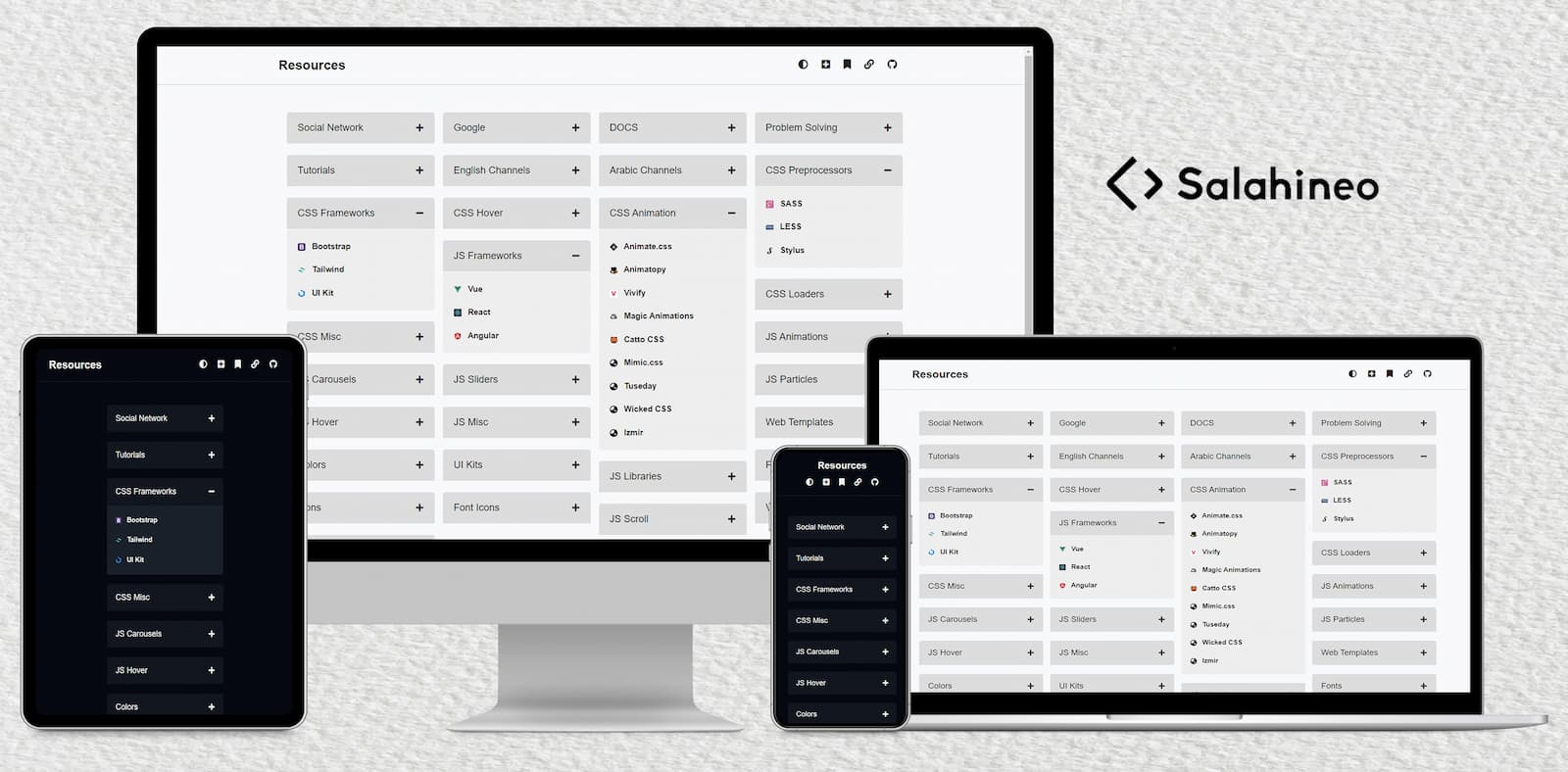
書籤經理集中了所有書籤,為用戶提供了一個單個位置來存儲和檢索鏈接。該項目強調有組織的,輕鬆訪問在線資源。
該項目完全響應,可確保其在所有設備上工作。
按照以下步驟設置並使用XAMPP運行項目。
Fork按鈕來分叉存儲庫。git clone https://github.com/your-username/repo-name.git cd repo-namerepo-name目錄複製到htdocs目錄,通常在Windows或/opt/lampp/htdocs上的C:xampphtdocs上找到。 C:xamppapacheconfextrahttpd-vhosts.conf (windows)或/opt/lampp/etc/extra/httpd-vhosts.conf )。< VirtualHost *:80>
DocumentRoot " C:/xampp/htdocs/repo-name "
ServerName repo-name.local
DirectoryIndex index.html index.php
< Directory "C:/xampp/htdocs/repo-name">
AllowOverride All
Require all granted
</ Directory >
</ VirtualHost >如果您的XAMPP安裝在其他目錄中,請調整文件路徑。
hosts文件中添加repo-name.local的條目:C:WindowsSystem32driversetchosts在具有管理員特權的文本編輯器中。/etc/hosts 。127.0.0.1 repo-name.localrepo-name ),然後選擇utf8_general_ci作為整理。單擊創建。您可以在項目的
sql目錄中找到SQL文件。
在
include/database.php文件中更改數據庫名稱和憑據。
http://repo-name.local (or http://localhost/repo-name if you didn't set up a virtual host).歡迎捐款,並非常感謝!如果您想為此項目做出貢獻,請按照以下步驟操作:
Fork按鈕來分叉存儲庫。git clone https://github.com/your-username/repo-name.gitgit checkout -b feature/your-feature-namegit commit -m " feat: your feature description "git push origin feature/your-feature-name如果您發現我的作品不錯,請考慮給它或分叉以顯示一些❤️。它可以幫助我保持正軌並積極進取。







