ipatool
v2.1.4

ipatool是一種命令行工具,可讓您在應用程序商店上搜索iOS應用程序並下載應用程序包的副本,即IPA文件。
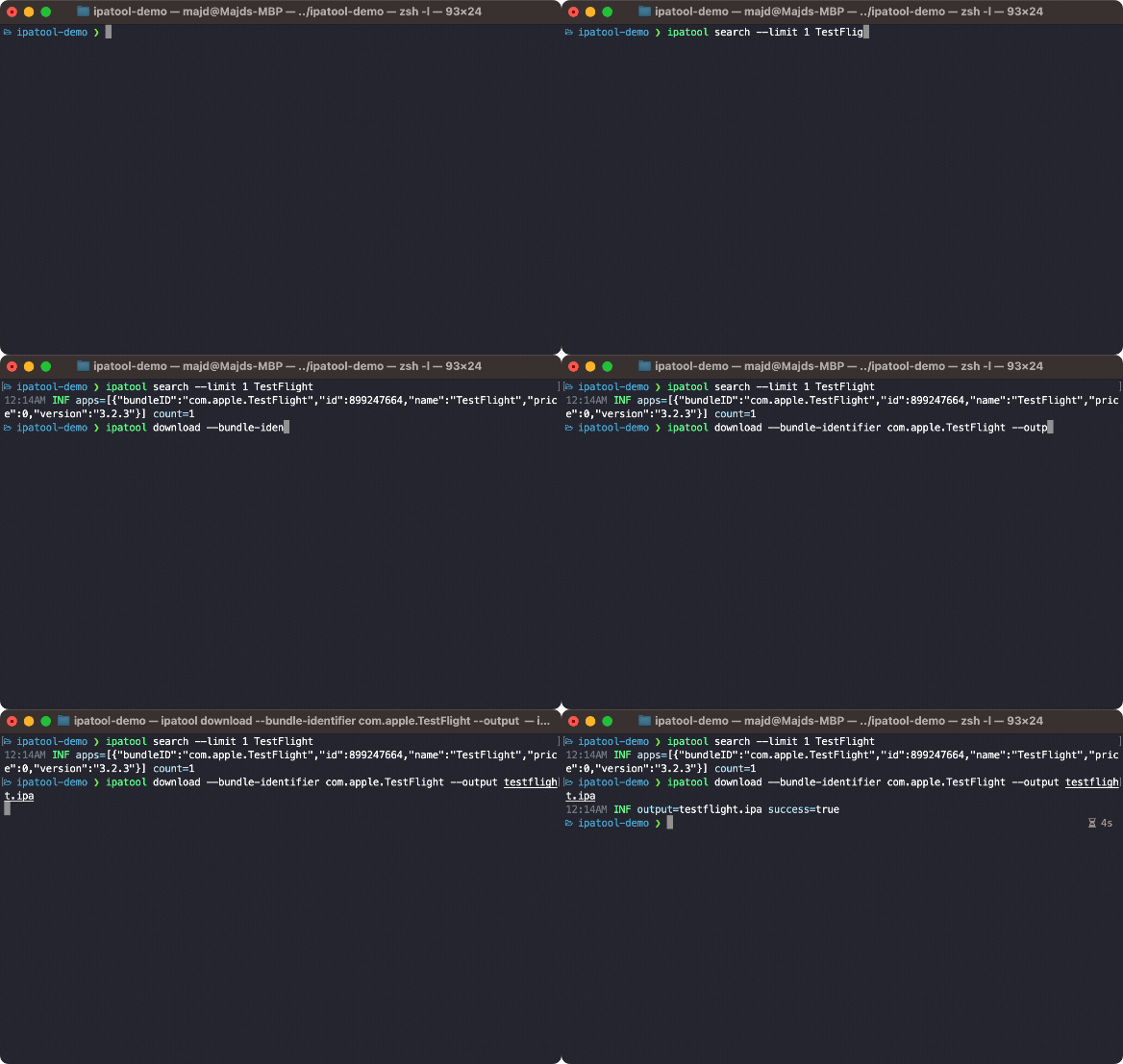
您可以從GitHub版本中獲取最新版本的ipatool 。
您可以使用Homebrew安裝ipatool 。
$ brew tap majd/repo
$ brew install ipatool要使用App Store進行身份驗證,請使用auth命令。
 Authenticate with the App Store

Usage:
  ipatool auth [command]

Available Commands:
  info        Show current account info
  login       Login to the App Store
  revoke      Revoke your App Store credentials

Flags:
  -h, --help   help for auth

Global Flags:
      --format format     sets output format for command; can be 'text', 'json' (default text)
      --non-interactive   run in non-interactive session
      --verbose           enables verbose logs

Use "ipatool auth [command] --help" for more information about a command.
要在App Store上搜索應用程序,請使用search命令。
 Search for iOS apps available on the App Store

Usage:
  ipatool search <term> [flags]

Flags:
  -h, --help        help for search
  -l, --limit int   maximum amount of search results to retrieve (default 5)

Global Flags:
      --format format     sets output format for command; can be 'text', 'json' (default text)
      --non-interactive   run in non-interactive session
      --verbose           enables verbose logs
要獲得應用程序的許可,請使用purchase命令”。
 Obtain a license for the app from the App Store

Usage:
  ipatool purchase [flags]

Flags:
  -b, --bundle-identifier string   Bundle identifier of the target iOS app (required)
  -h, --help                       help for purchase

Global Flags:
      --format format     sets output format for command; can be 'text', 'json' (default text)
      --non-interactive   run in non-interactive session
      --verbose           enables verbose logs
要下載IPA文件的副本,請使用download命令。
 Download (encrypted) iOS app packages from the App Store

Usage:
  ipatool download [flags]

Flags:
  -i, --app-id int                 ID of the target iOS app (required)
  -b, --bundle-identifier string   The bundle identifier of the target iOS app (overrides the app ID)
  -h, --help                       help for download
  -o, --output string              The destination path of the downloaded app package
      --purchase                   Obtain a license for the app if needed

Global Flags:
      --format format                sets output format for command; can be 'text', 'json' (default text)
      --keychain-passphrase string   passphrase for unlocking keychain
      --non-interactive              run in non-interactive session
      --verbose                      enables verbose logs
注意:該工具默認情況下以交互式模式運行。如果在自動化環境中運行,請使用--non-interactive標誌。
可以使用GO工具鏈編譯該工具。
$ go build -o ipatool可以使用以下命令執行單元測試。
$ go generate github.com/majd/ipatool/...
$ go test -v github.com/majd/ipatool/...Ipatool根據MIT許可發布。







