ipatool
v2.1.4

ipatool App Store에서 iOS 앱을 검색하고 IPA 파일로 알려진 앱 패키지의 사본을 다운로드 할 수있는 명령 줄 도구입니다.
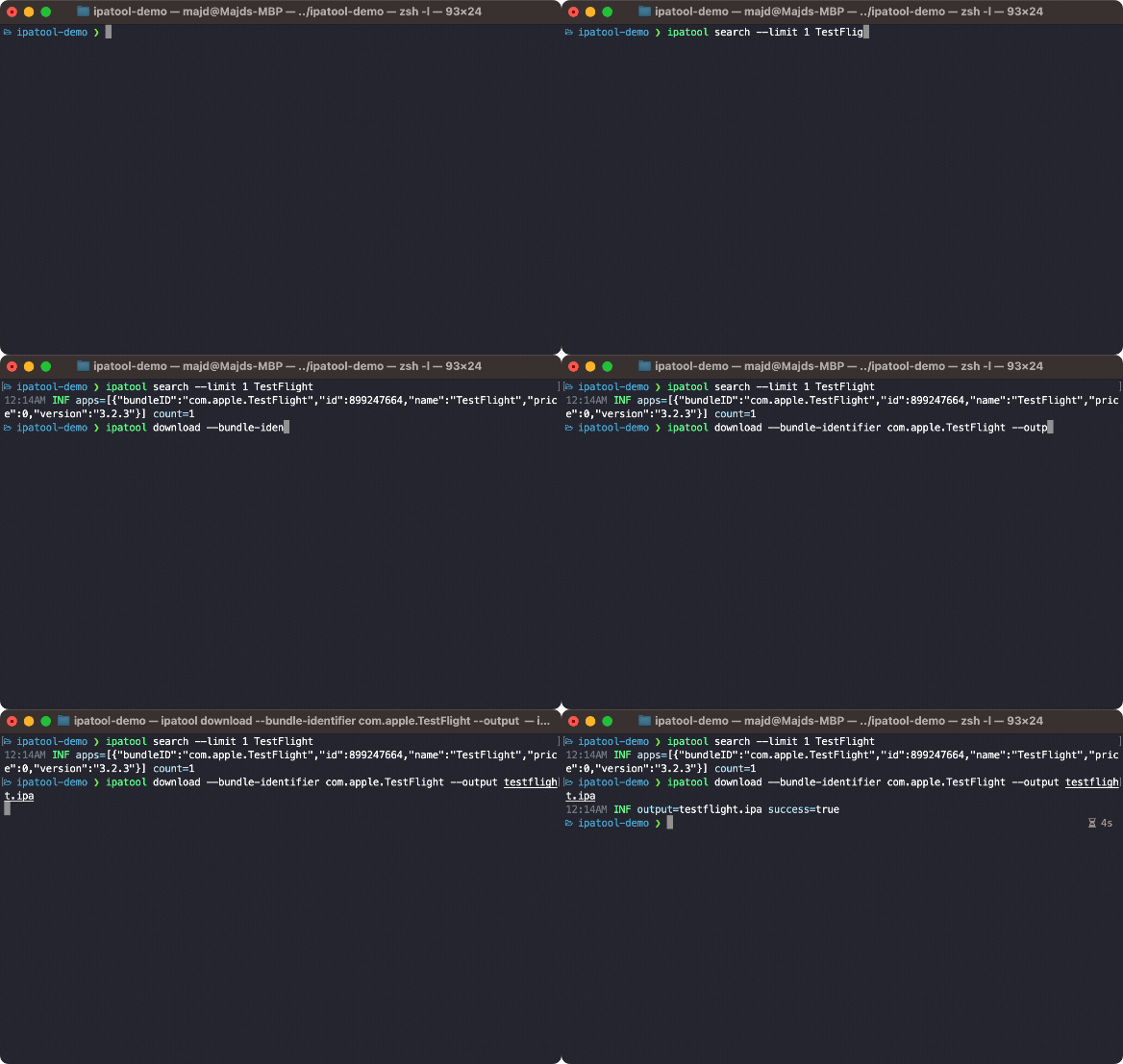
GitHub 릴리스에서 최신 버전의 ipatool 가져올 수 있습니다.
Homebrew를 사용하여 ipatool 설치할 수 있습니다.
$ brew tap majd/repo
$ brew install ipatool App Store에서 인증하려면 auth 명령을 사용하십시오.
 Authenticate with the App Store

Usage:
  ipatool auth [command]

Available Commands:
  info        Show current account info
  login       Login to the App Store
  revoke      Revoke your App Store credentials

Flags:
  -h, --help   help for auth

Global Flags:
      --format format     sets output format for command; can be 'text', 'json' (default text)
      --non-interactive   run in non-interactive session
      --verbose           enables verbose logs

Use "ipatool auth [command] --help" for more information about a command.
App Store에서 앱을 검색하려면 search 명령을 사용하십시오.
 Search for iOS apps available on the App Store

Usage:
  ipatool search <term> [flags]

Flags:
  -h, --help        help for search
  -l, --limit int   maximum amount of search results to retrieve (default 5)

Global Flags:
      --format format     sets output format for command; can be 'text', 'json' (default text)
      --non-interactive   run in non-interactive session
      --verbose           enables verbose logs
앱에 대한 라이센스를 얻으려면 purchase 명령을 사용하십시오.
 Obtain a license for the app from the App Store

Usage:
  ipatool purchase [flags]

Flags:
  -b, --bundle-identifier string   Bundle identifier of the target iOS app (required)
  -h, --help                       help for purchase

Global Flags:
      --format format     sets output format for command; can be 'text', 'json' (default text)
      --non-interactive   run in non-interactive session
      --verbose           enables verbose logs
IPA 파일의 사본을 다운로드하려면 download 명령을 사용하십시오.
 Download (encrypted) iOS app packages from the App Store

Usage:
  ipatool download [flags]

Flags:
  -i, --app-id int                 ID of the target iOS app (required)
  -b, --bundle-identifier string   The bundle identifier of the target iOS app (overrides the app ID)
  -h, --help                       help for download
  -o, --output string              The destination path of the downloaded app package
      --purchase                   Obtain a license for the app if needed

Global Flags:
      --format format                sets output format for command; can be 'text', 'json' (default text)
      --keychain-passphrase string   passphrase for unlocking keychain
      --non-interactive              run in non-interactive session
      --verbose                      enables verbose logs
참고 : 도구는 기본적으로 대화식 모드로 실행됩니다. 자동화 된 환경에서 실행되는 경우 --non-interactive 플래그를 사용하십시오.
GO 툴체인을 사용하여 도구를 컴파일 할 수 있습니다.
$ go build -o ipatool다음 명령으로 단위 테스트를 실행할 수 있습니다.
$ go generate github.com/majd/ipatool/...
$ go test -v github.com/majd/ipatool/...Ipatool은 MIT 라이센스에 따라 릴리스됩니다.







