ipatool
v2.1.4

ipatool est un outil de ligne de commande qui vous permet de rechercher des applications iOS sur l'App Store et de télécharger une copie du package d'application, appelé fichier IPA .
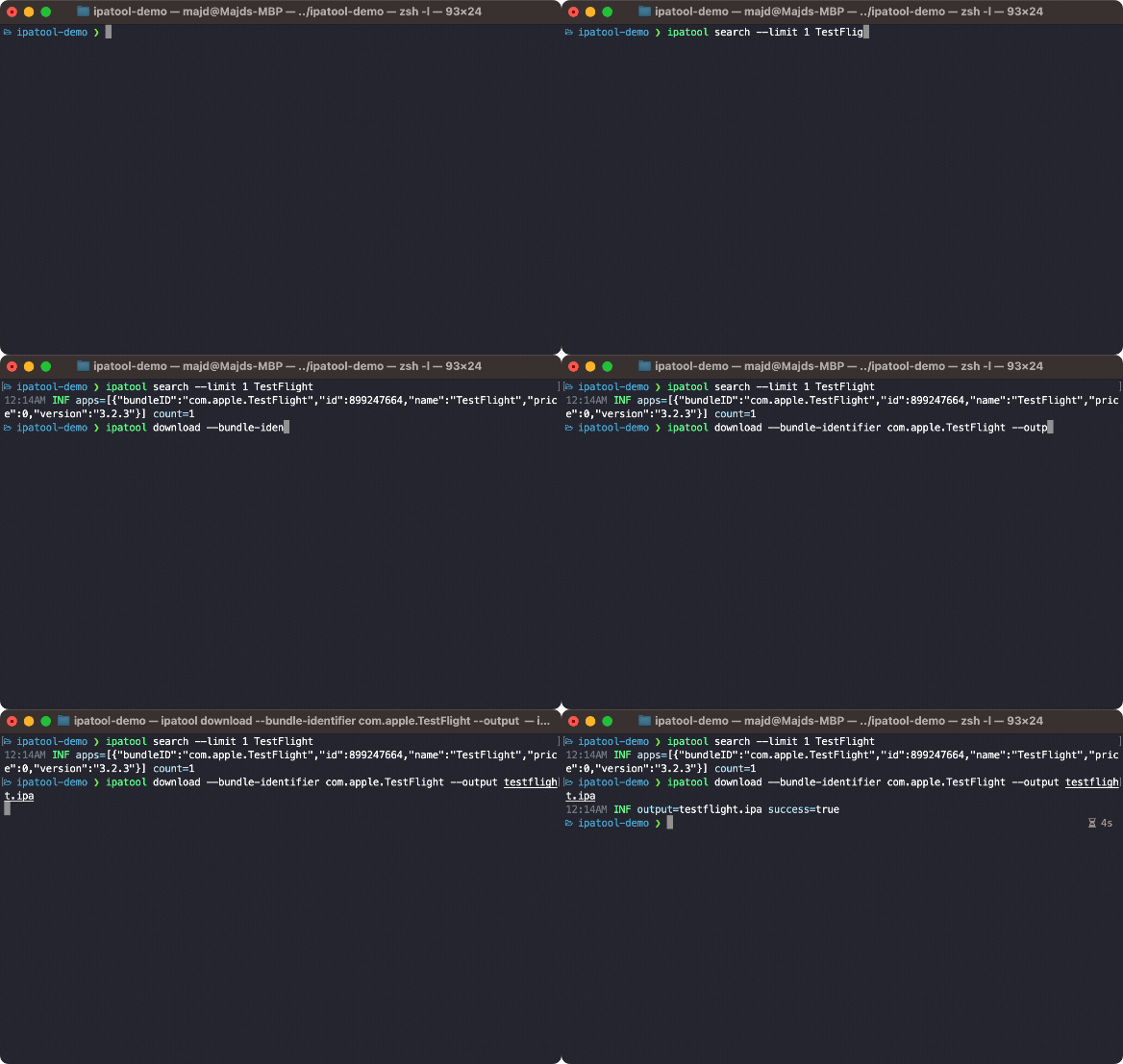
Vous pouvez saisir la dernière version d' ipatool à partir des versions GitHub.
Vous pouvez installer ipatool à l'aide de Homebrew.
$ brew tap majd/repo
$ brew install ipatool Pour authentifier avec l'App Store, utilisez la commande auth .
 Authenticate with the App Store

Usage:
  ipatool auth [command]

Available Commands:
  info        Show current account info
  login       Login to the App Store
  revoke      Revoke your App Store credentials

Flags:
  -h, --help   help for auth

Global Flags:
      --format format     sets output format for command; can be 'text', 'json' (default text)
      --non-interactive   run in non-interactive session
      --verbose           enables verbose logs

Use "ipatool auth [command] --help" for more information about a command.
Pour rechercher des applications sur l'App Store, utilisez la commande search .
 Search for iOS apps available on the App Store

Usage:
  ipatool search <term> [flags]

Flags:
  -h, --help        help for search
  -l, --limit int   maximum amount of search results to retrieve (default 5)

Global Flags:
      --format format     sets output format for command; can be 'text', 'json' (default text)
      --non-interactive   run in non-interactive session
      --verbose           enables verbose logs
Pour obtenir une licence pour une application, utilisez la commande purchase .
 Obtain a license for the app from the App Store

Usage:
  ipatool purchase [flags]

Flags:
  -b, --bundle-identifier string   Bundle identifier of the target iOS app (required)
  -h, --help                       help for purchase

Global Flags:
      --format format     sets output format for command; can be 'text', 'json' (default text)
      --non-interactive   run in non-interactive session
      --verbose           enables verbose logs
Pour télécharger une copie du fichier IPA, utilisez la commande download .
 Download (encrypted) iOS app packages from the App Store

Usage:
  ipatool download [flags]

Flags:
  -i, --app-id int                 ID of the target iOS app (required)
  -b, --bundle-identifier string   The bundle identifier of the target iOS app (overrides the app ID)
  -h, --help                       help for download
  -o, --output string              The destination path of the downloaded app package
      --purchase                   Obtain a license for the app if needed

Global Flags:
      --format format                sets output format for command; can be 'text', 'json' (default text)
      --keychain-passphrase string   passphrase for unlocking keychain
      --non-interactive              run in non-interactive session
      --verbose                      enables verbose logs
Remarque: L'outil s'exécute en mode interactif par défaut. Utilisez l'indicateur --non-interactive si vous exécutez dans un environnement automatisé.
L'outil peut être compilé à l'aide de la chaîne d'outils Go.
$ go build -o ipatoolLes tests unitaires peuvent être exécutés avec les commandes suivantes.
$ go generate github.com/majd/ipatool/...
$ go test -v github.com/majd/ipatool/...Ipatool est publié sous la licence MIT.







