android static analysis plugin
1.0.0

Android Hodgepodge靜態代碼質量檢查工具Gradle插件。 (。>﹏<。)
中文版
project build.gradle dependencies {
com . camnter . gradle . plugin : static - analysis - plugin : 1.0.6
}module build.gradle apply plugin : ' com.camnter.gradle.plugin.static.analysis '您可以無需任何配置。插件會自動生成一組規則。您可以找到自動生成的規則文件。
${project.buildDir}/android-static-analysis/default-rules
只需將依賴項配置添加到要應用的模塊中即可。
module build.gradle apply plugin : ' com.camnter.gradle.plugin.static.analysis '完整默認配置:
androidStaticAnalysis {
    // eg: true or false
    debugAnalysis = false
    // eg: true or false
    releaseAnalysis = true
    pmd {
        // eg: true or false
        enable = true
        // eg: "6.2.0"
        toolVersion = " 6.2.0 "
        // eg: true or false
        ignoreFailures = true
        // eg: ["${project.project.rootDir}/a.xml", "${project.project.rootDir}/b.xml"]
        ruleSets = []
        // eg: "${project.project.rootDir}/c.xml"
        ruleSetFiles = " ${ project.buildDir } /android-static-analysis/default-rules/pmd-ruleset.xml "
    }
    lint {
        // eg: true or false
        enable = true
        // eg: "${project.project.rootDir}/d.xml"
        lintConfig = " ${ project.buildDir } /android-static-analysis/default-rules/lint.xml "
    }
    findBugs {
        // eg: true or false
        enable = true
        // eg: "3.0.1"
        toolVersion = " 3.0.1 "
        // eg: true or false
        ignoreFailures = true
        // "min", "default", "max"
        effort = " max "
        // eg: "${project.project.rootDir}/e.xml"
        excludeFilter =
                " ${ project.buildDir } /android-static-analysis/default-rules/findbugs-filter.xml "
        // eg: "low", "medium", "high"
        reportLevel = " high "
    }
    checkstyle {
        // eg: true or false
        enable = true
        // eg: "8.8"
        toolVersion = " 8.8 "
        // eg: true or false
        ignoreFailures = true
        // eg: "${project.project.rootDir}/f.xml"
        configDir = " ${ project.buildDir } /android-static-analysis/default-rules/checkstyle.xml "
        // eg: 0 - Integer.MAX_VALUE
        maxErrors = 30
        // eg: 0 - Integer.MAX_VALUE
        maxWarnings = 2147483647
        // eg: "${project.project.rootDir}/h.xml"
        suppressionsPath = " ${ project.buildDir } /android-static-analysis/default-rules/checkstyle-suppressions.xml "
    }
}gradle check如果打開配置
androidStaticAnalysis {
    debugAnalysis = true
    releaseAnalysis = true
}
運行以下命令也將執行
gradle assembleDebuggradle assembleReleaseandroidStaticAnalysis {
email{
// whether to send email automatically, default is false
// eg: true or false
send = true
// sender nickname
nickname = ' CaMnter '
// email theme
theme = ' Android static analysis '
// email content
// failure when enclosureType = 'html'
// valid when enclosureType = 'zip'
content = ' Android static analysis '
// the recipient, many separated by ;
// eg: '[email protected];[email protected]'
receivers = ' [email protected] '
// cc, many people separated by ;
// eg: '[email protected];[email protected]'
carbonCopy = ' [email protected] '
// Analyze content, html format or zip format, default html format
// eg: html or zip
enclosureType = ' html '
}
}這只是。
Stmp related configuration在Local.Properties中完成以下配置
asap . smtpHost = company stmp server address
asap . smtpUser = company email
asap . smtpPassword = company email password
Google Mail Stmp Configuration1。在Gmail設置頁面中打開“轉發和pop/imap”。
2。檢查“啟用IMAP ”。
3。打開兩步驗證。
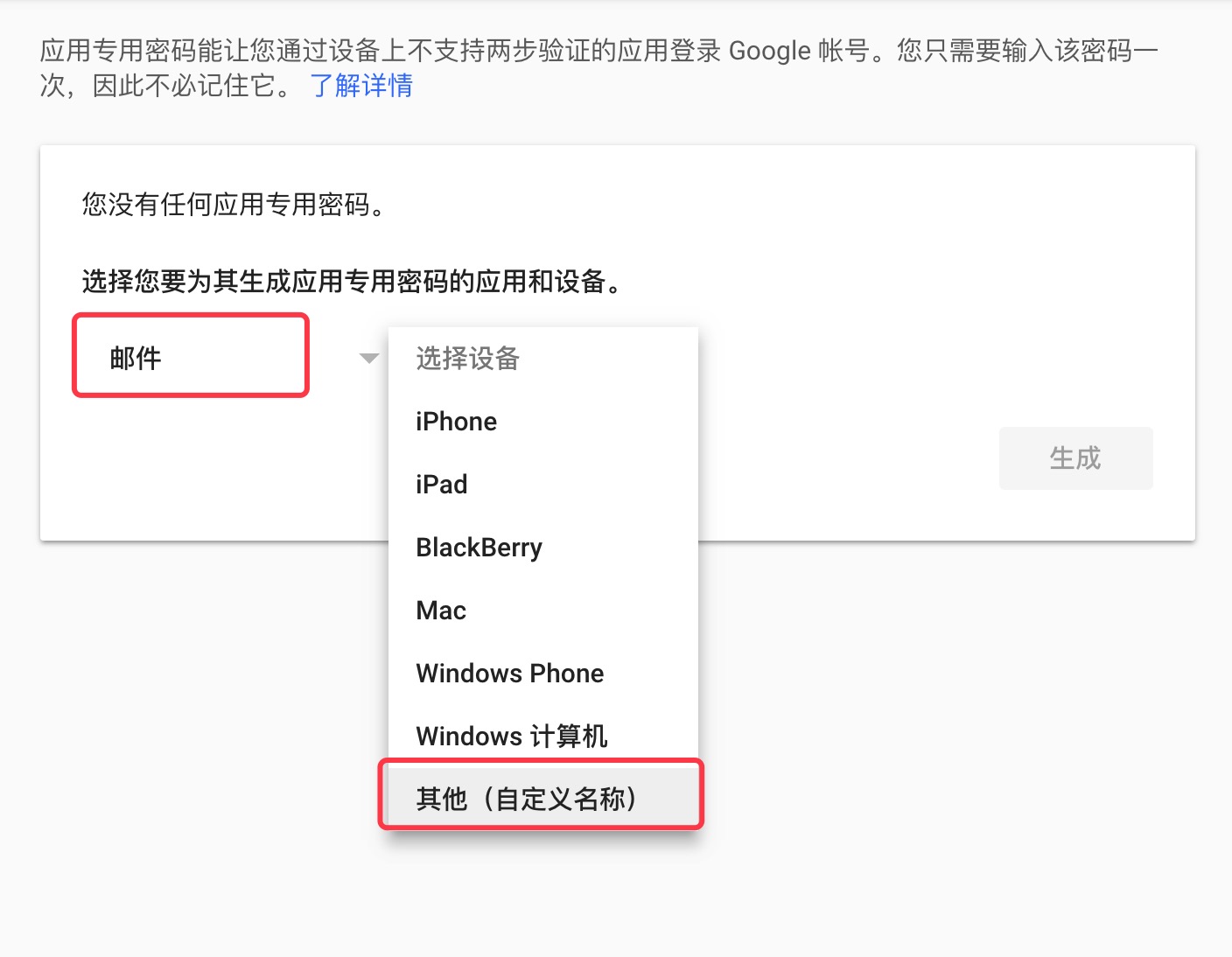
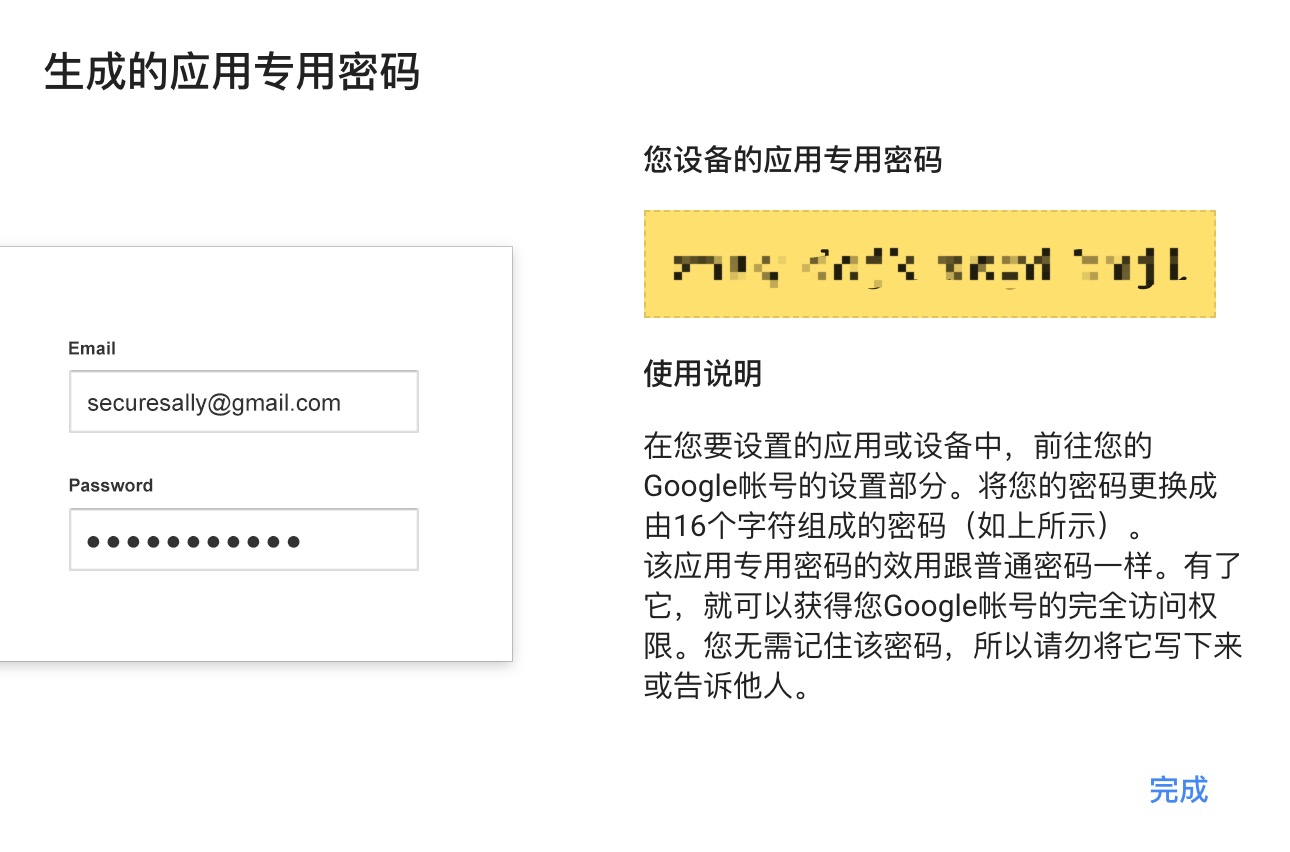
4。創建Gmail應用程序密碼。
Gmail App密碼作為Gmail STMP密碼。
asap . smtpHost = smtp . gmail . com
asap . smtpUser = gmail
asap . smtpPassword = gmail app password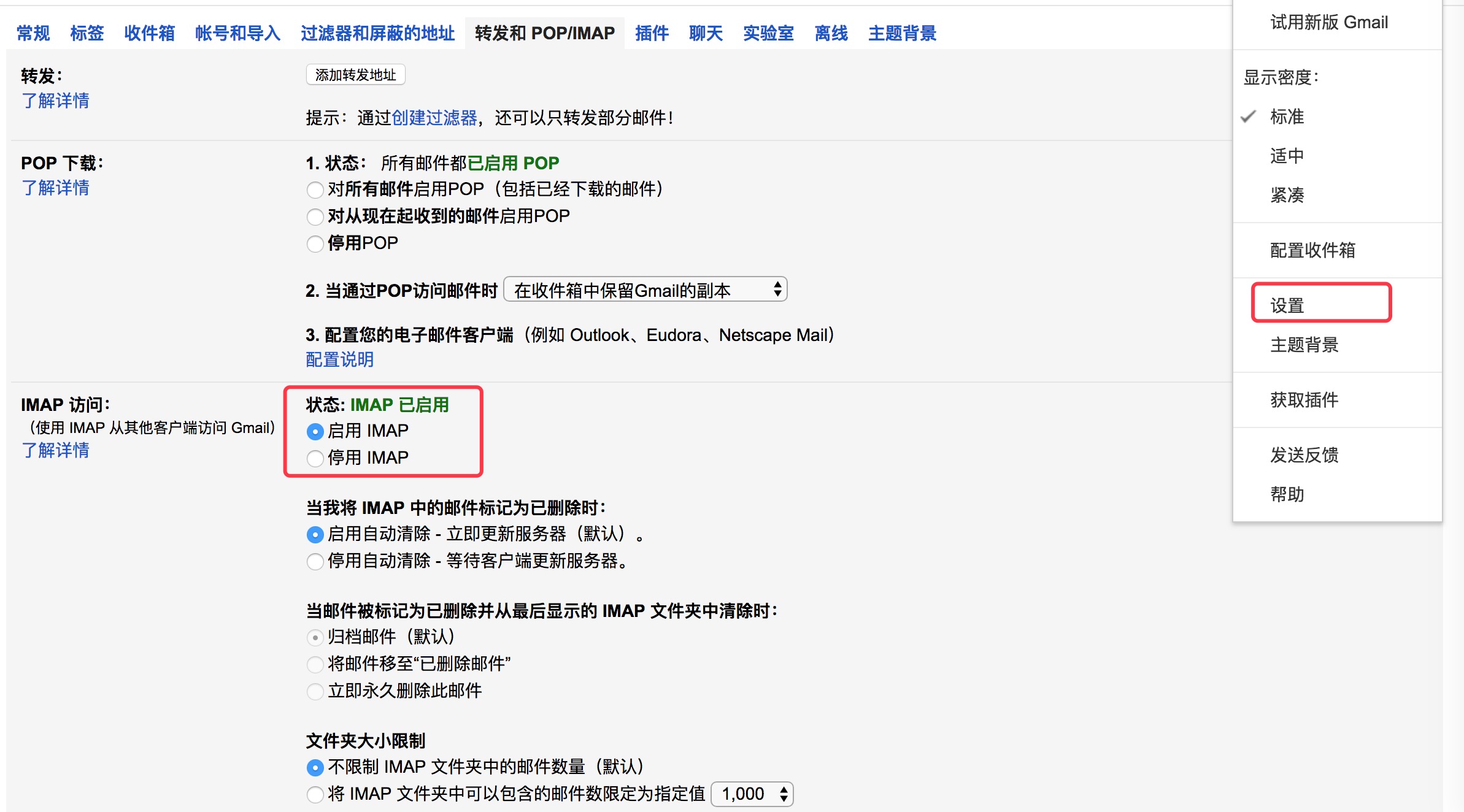
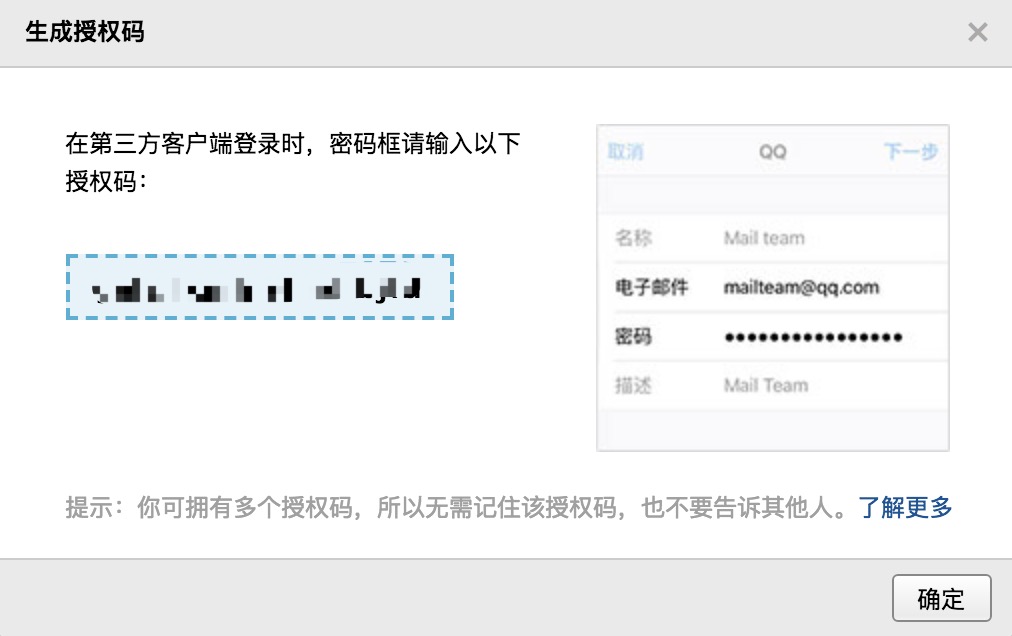
QQ Mail Stmp Configuration1。 QQ郵箱設置頁面,打開“ POP3/SMTP服務”。
2。生成授權代碼。
授權代碼為QQ郵箱STMP密碼。
asap . smtpHost = smtp . qq . com
asap . smtpUser = qq email
asap . smtpPassword = authorization code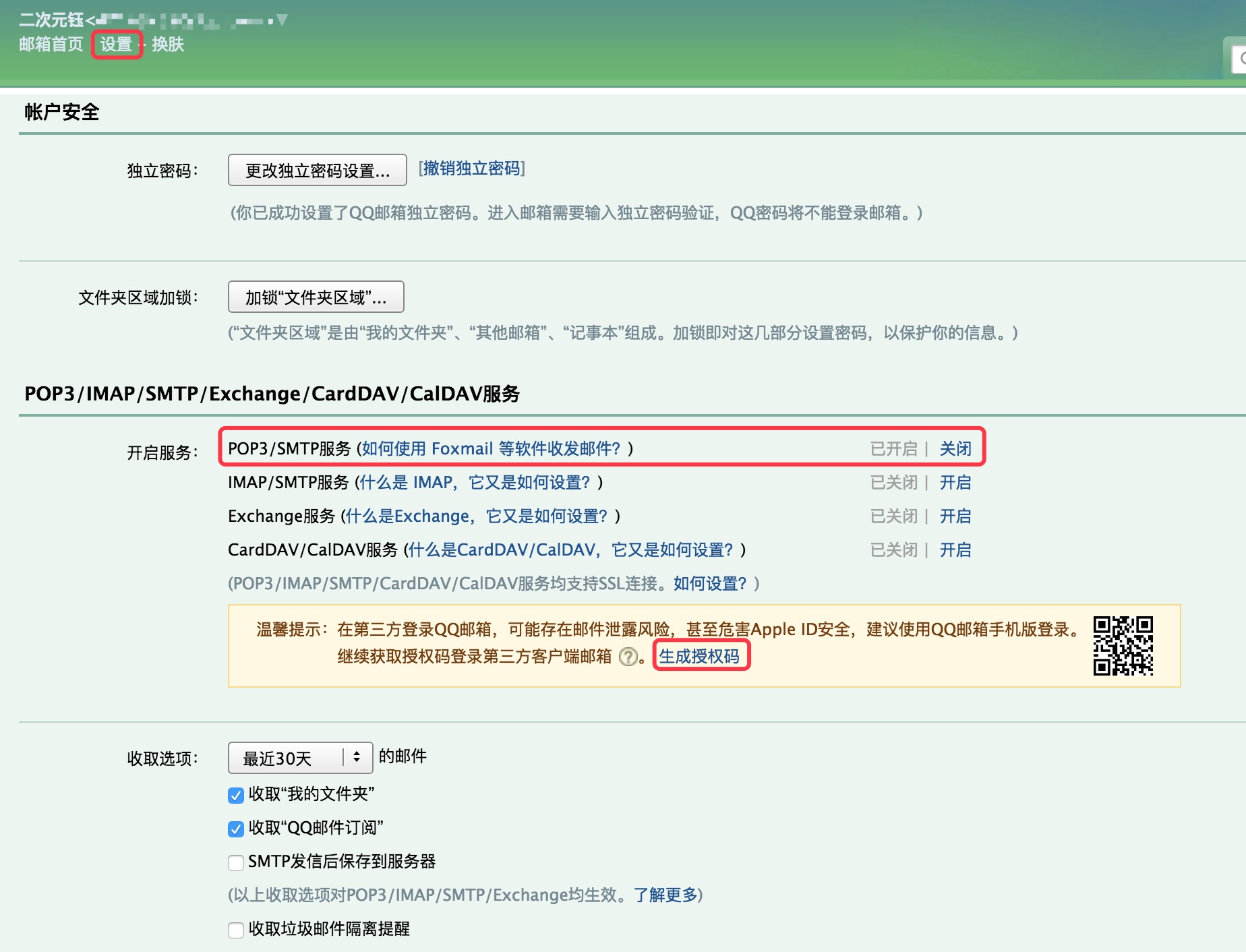
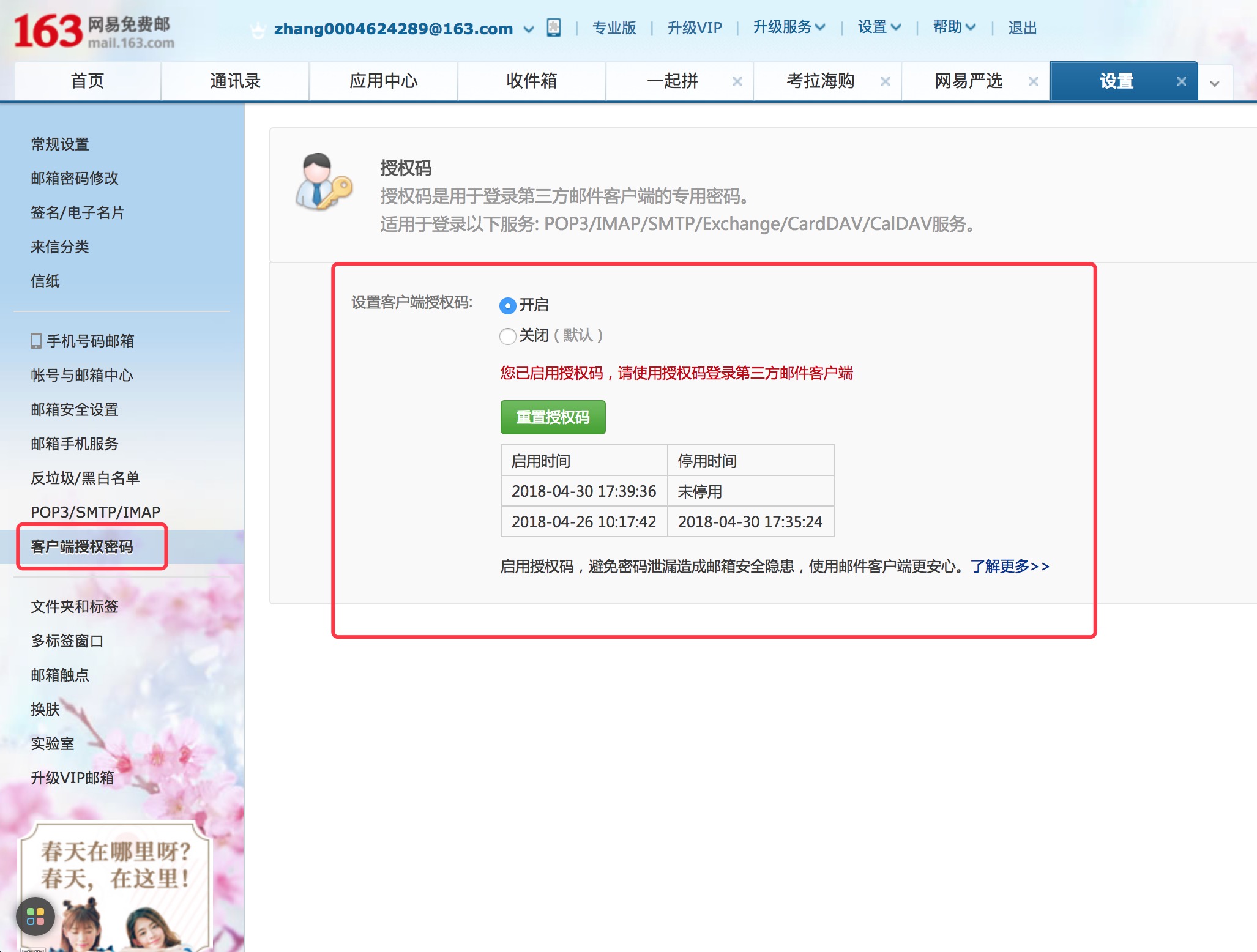
NetEase Email Stmp Configuration1。 NetASE郵箱設置頁面,打開“ POP3/SMTP服務”。
2。設置客戶端授權密碼。
客戶端授權密碼作為NetASE郵箱的STMP密碼。
asap . smtpHost = smtp .163 . com
asap . smtpUser = NetEase mailbox
asap . smtpPassword = Client Authorization Password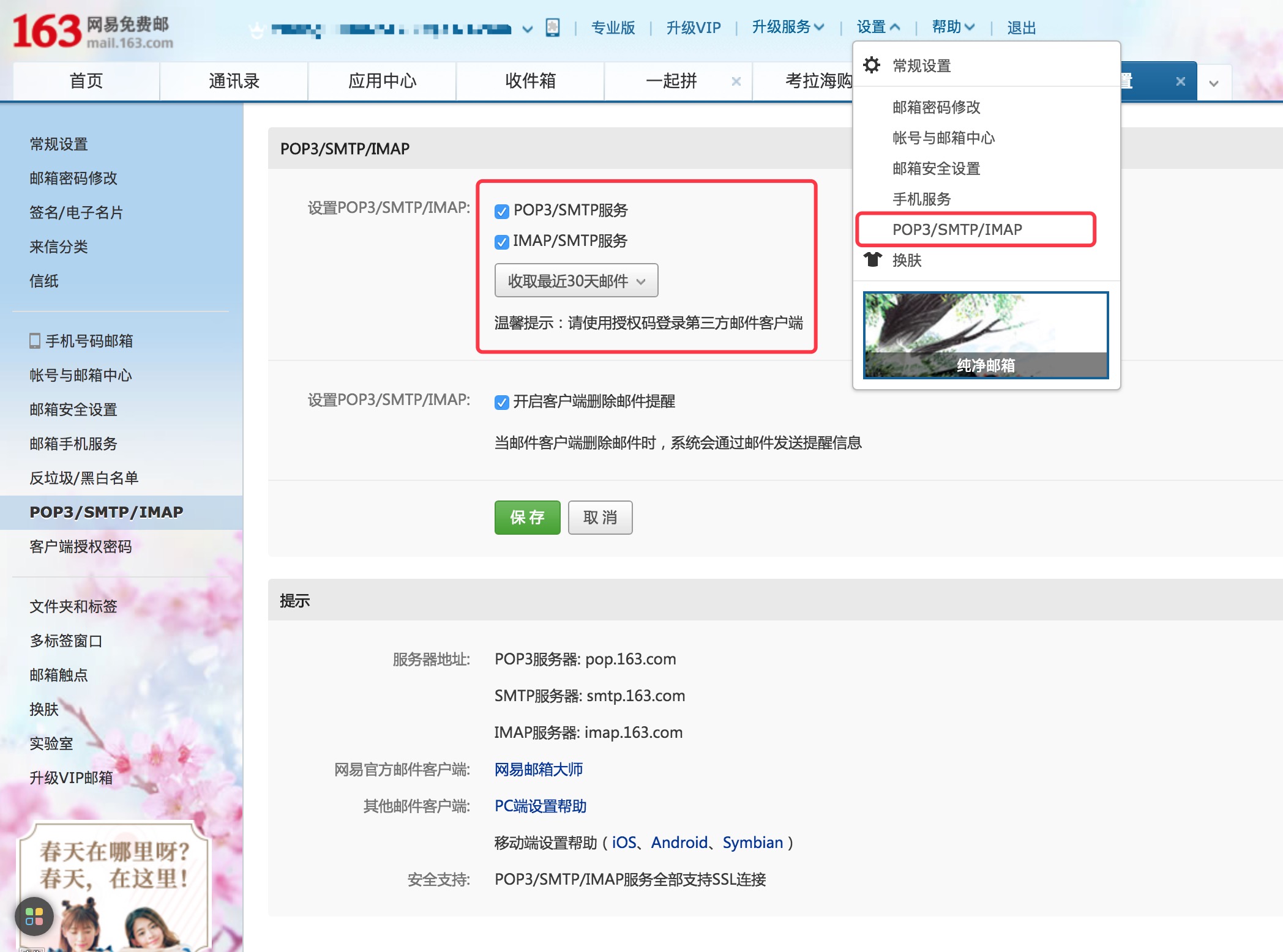
Sina Mail Stmp ConfigurationNINA郵箱設置頁面,打開“ POP3/SMTP服務”。
asap . smtpHost = smtp . sina . com
asap . smtpUser = sina mailbox
asap . smtpPassword = sina mailbox password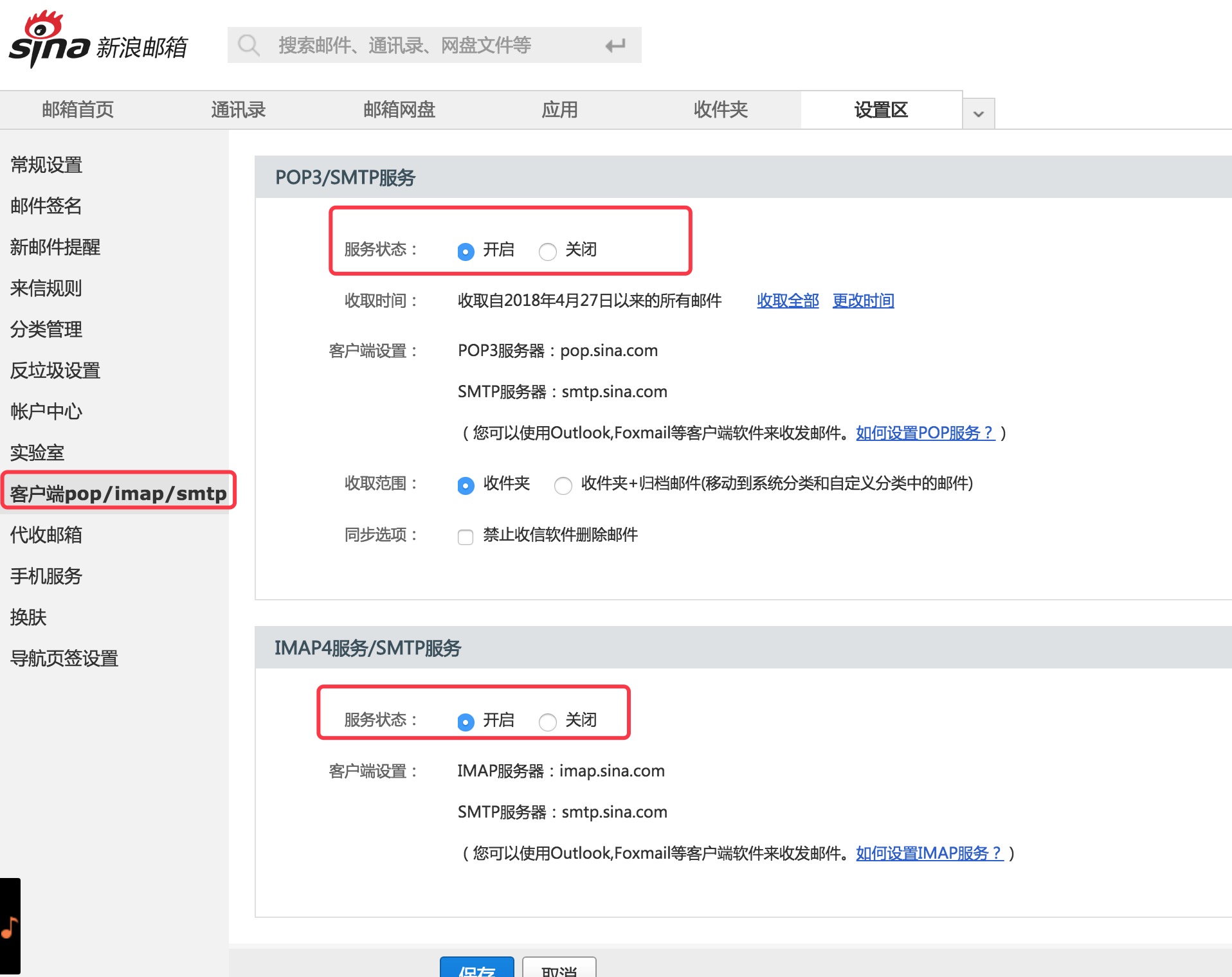
  Copyright (C) 2018 CaMnter [email protected]

  Licensed under the Apache License, Version 2.0 (the "License");
  you may not use this file except in compliance with the License.
  You may obtain a copy of the License at

     http://www.apache.org/licenses/LICENSE-2.0

  Unless required by applicable law or agreed to in writing, software
  distributed under the License is distributed on an "AS IS" BASIS,
  WITHOUT WARRANTIES OR CONDITIONS OF ANY KIND, either express or implied.
  See the License for the specific language governing permissions and
  limitations under the License.







