android static analysis plugin
1.0.0

Android Hodgepodge Kode Statis Kualitas Periksa Plugin Gradle . (。> ﹏ <。)
中文版
project Build.Gradle dependencies {
com . camnter . gradle . plugin : static - analysis - plugin : 1.0.6
}module build.gradle apply plugin : ' com.camnter.gradle.plugin.static.analysis 'Anda dapat melakukannya tanpa konfigurasi apa pun. Plugin secara otomatis menghasilkan seperangkat aturan. Anda dapat menemukan file aturan yang dihasilkan secara otomatis.
${project.buildDir}/android-static-analysis/default-rules
Cukup tambahkan konfigurasi ketergantungan ke modul yang ingin Anda terapkan.
module build.gradle apply plugin : ' com.camnter.gradle.plugin.static.analysis 'Konfigurasi default penuh:
androidStaticAnalysis {
    // eg: true or false
    debugAnalysis = false
    // eg: true or false
    releaseAnalysis = true
    pmd {
        // eg: true or false
        enable = true
        // eg: "6.2.0"
        toolVersion = " 6.2.0 "
        // eg: true or false
        ignoreFailures = true
        // eg: ["${project.project.rootDir}/a.xml", "${project.project.rootDir}/b.xml"]
        ruleSets = []
        // eg: "${project.project.rootDir}/c.xml"
        ruleSetFiles = " ${ project.buildDir } /android-static-analysis/default-rules/pmd-ruleset.xml "
    }
    lint {
        // eg: true or false
        enable = true
        // eg: "${project.project.rootDir}/d.xml"
        lintConfig = " ${ project.buildDir } /android-static-analysis/default-rules/lint.xml "
    }
    findBugs {
        // eg: true or false
        enable = true
        // eg: "3.0.1"
        toolVersion = " 3.0.1 "
        // eg: true or false
        ignoreFailures = true
        // "min", "default", "max"
        effort = " max "
        // eg: "${project.project.rootDir}/e.xml"
        excludeFilter =
                " ${ project.buildDir } /android-static-analysis/default-rules/findbugs-filter.xml "
        // eg: "low", "medium", "high"
        reportLevel = " high "
    }
    checkstyle {
        // eg: true or false
        enable = true
        // eg: "8.8"
        toolVersion = " 8.8 "
        // eg: true or false
        ignoreFailures = true
        // eg: "${project.project.rootDir}/f.xml"
        configDir = " ${ project.buildDir } /android-static-analysis/default-rules/checkstyle.xml "
        // eg: 0 - Integer.MAX_VALUE
        maxErrors = 30
        // eg: 0 - Integer.MAX_VALUE
        maxWarnings = 2147483647
        // eg: "${project.project.rootDir}/h.xml"
        suppressionsPath = " ${ project.buildDir } /android-static-analysis/default-rules/checkstyle-suppressions.xml "
    }
}gradle checkJika Anda membuka konfigurasi
androidStaticAnalysis {
    debugAnalysis = true
    releaseAnalysis = true
}
Jalankan perintah berikut juga akan dieksekusi
gradle assembleDebuggradle assembleReleaseandroidStaticAnalysis {
email{
// whether to send email automatically, default is false
// eg: true or false
send = true
// sender nickname
nickname = ' CaMnter '
// email theme
theme = ' Android static analysis '
// email content
// failure when enclosureType = 'html'
// valid when enclosureType = 'zip'
content = ' Android static analysis '
// the recipient, many separated by ;
// eg: '[email protected];[email protected]'
receivers = ' [email protected] '
// cc, many people separated by ;
// eg: '[email protected];[email protected]'
carbonCopy = ' [email protected] '
// Analyze content, html format or zip format, default html format
// eg: html or zip
enclosureType = ' html '
}
}Ini hanya bagian dari.
Stmp related configurationLengkapi konfigurasi berikut dalam Local.Properties
asap . smtpHost = company stmp server address
asap . smtpUser = company email
asap . smtpPassword = company email password
Google Mail Stmp Configuration1. Buka "Penerusan dan Pop/IMAP" di halaman Pengaturan Gmail.
2. Periksa " Aktifkan IMAP ".
3. Buka verifikasi dua langkah.
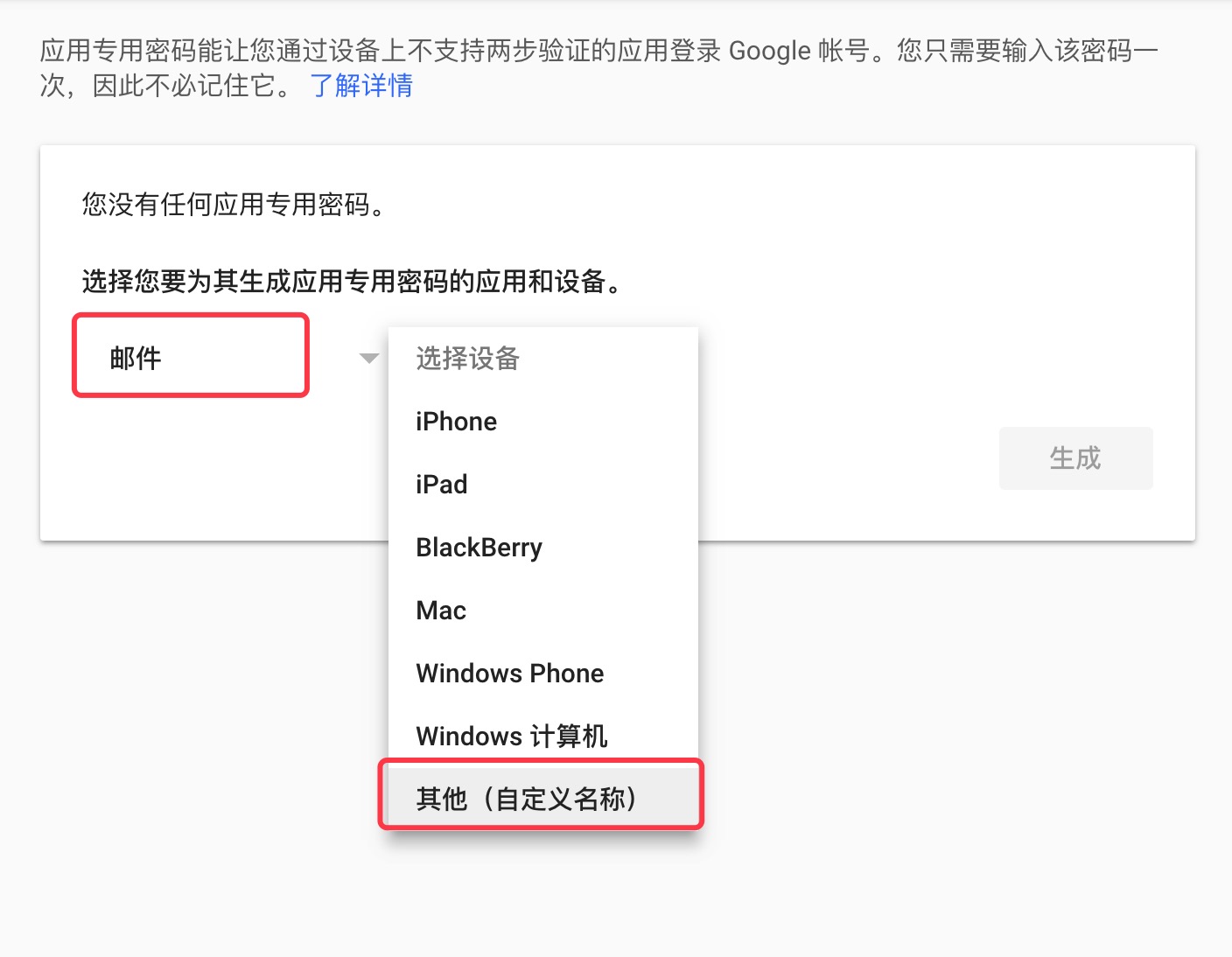
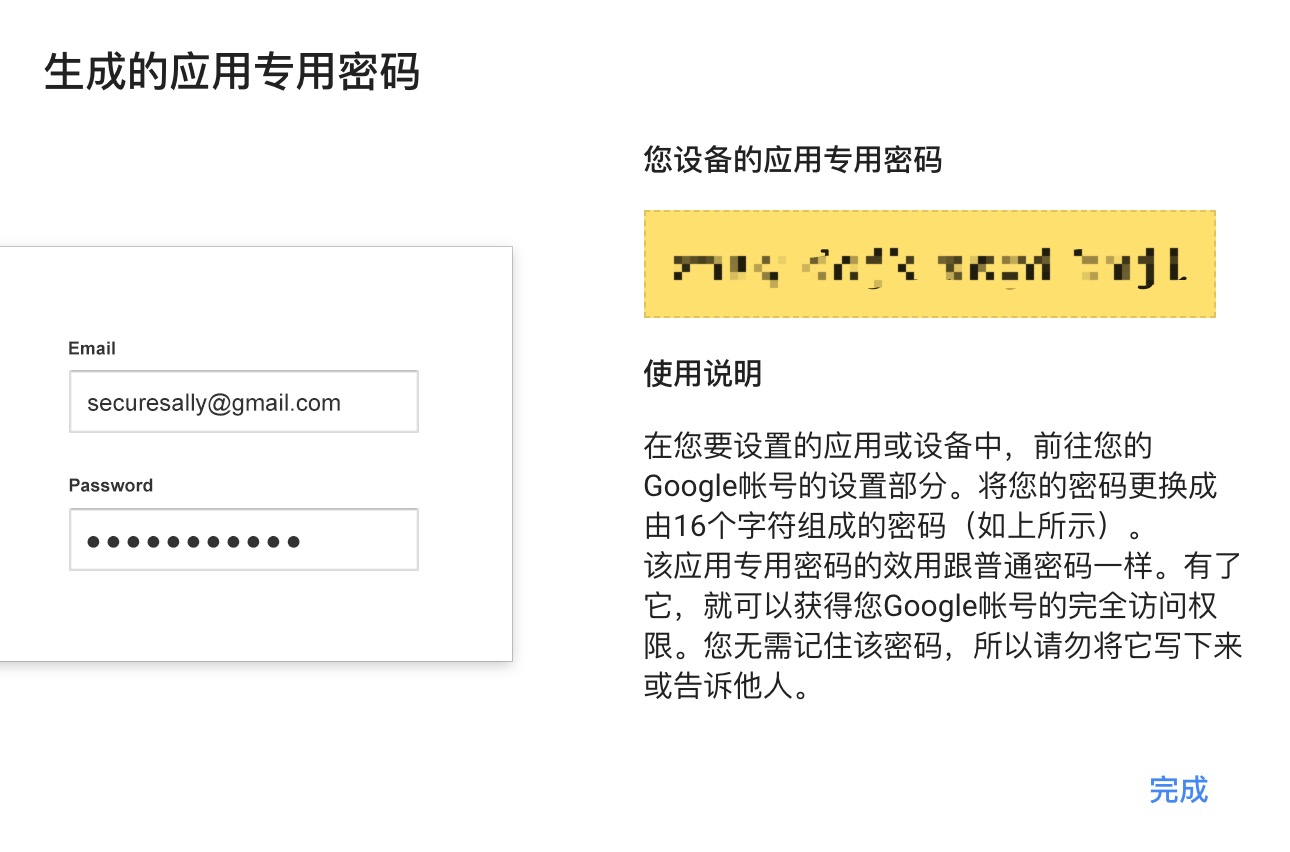
4. Buat Kata Sandi Aplikasi Gmail.
Kata Sandi Aplikasi Gmail Sebagai Kata Sandi STMP Gmail .
asap . smtpHost = smtp . gmail . com
asap . smtpUser = gmail
asap . smtpPassword = gmail app password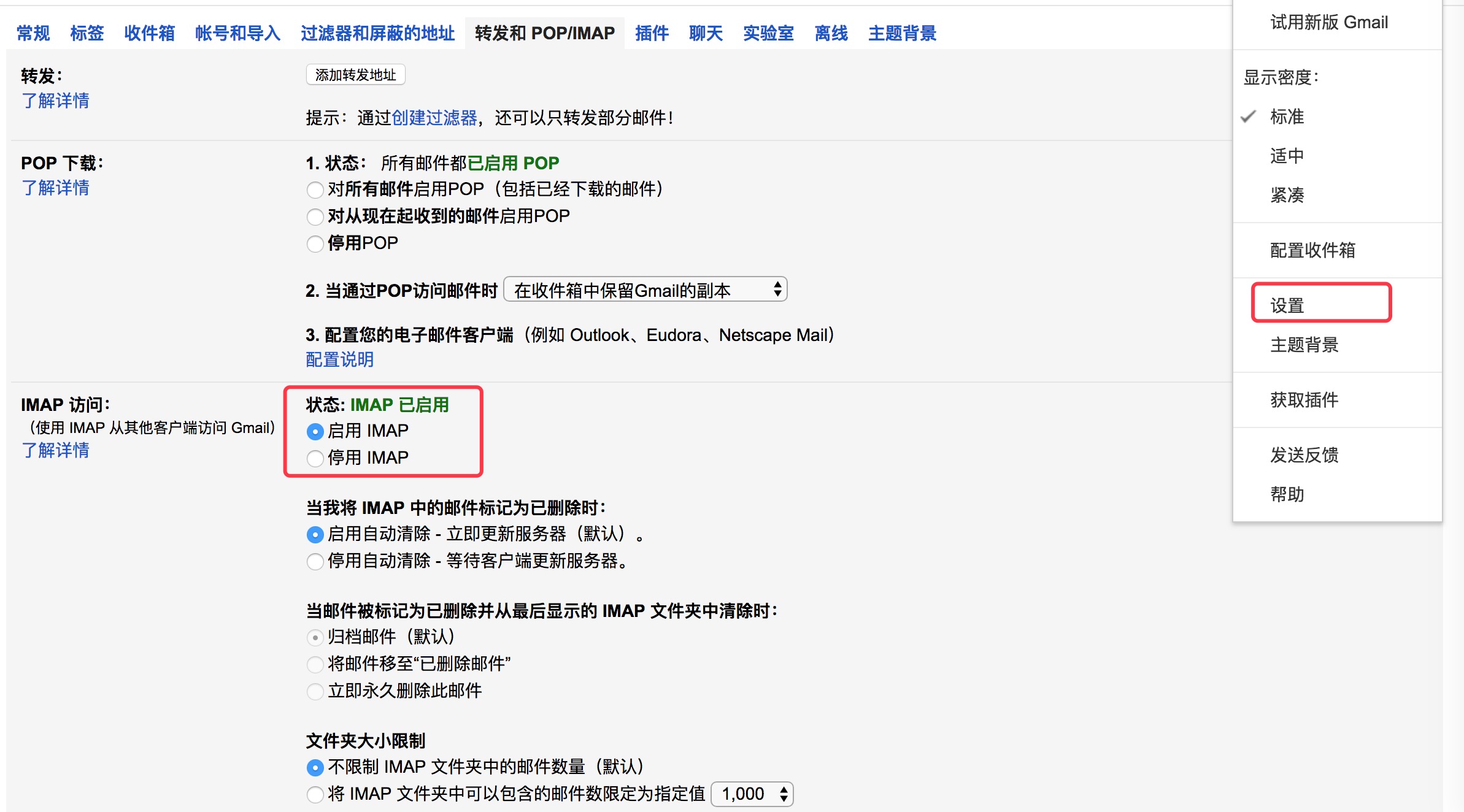
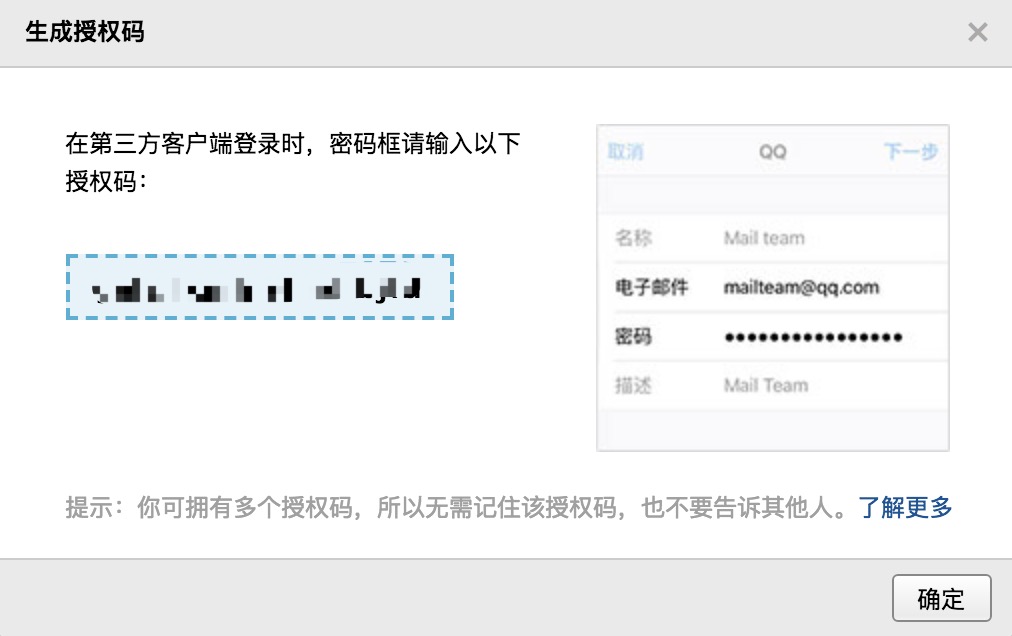
QQ Mail Stmp Configuration1. Halaman Pengaturan Kotak Surat QQ , Buka " Layanan POP3/SMTP ".
2. Hasilkan kode otorisasi.
Kode Otorisasi sebagai Kata Sandi STMP Kotak Surat QQ .
asap . smtpHost = smtp . qq . com
asap . smtpUser = qq email
asap . smtpPassword = authorization code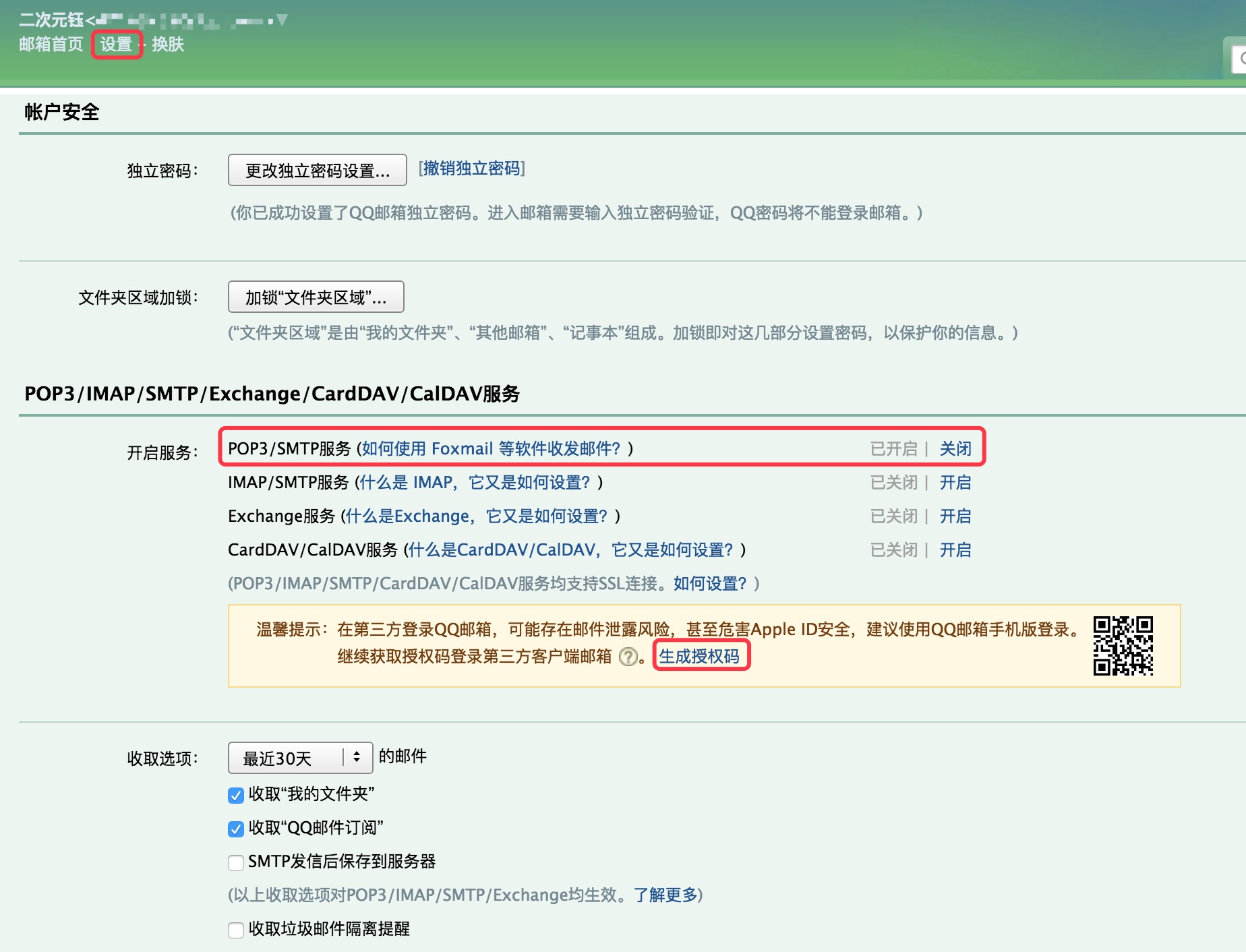
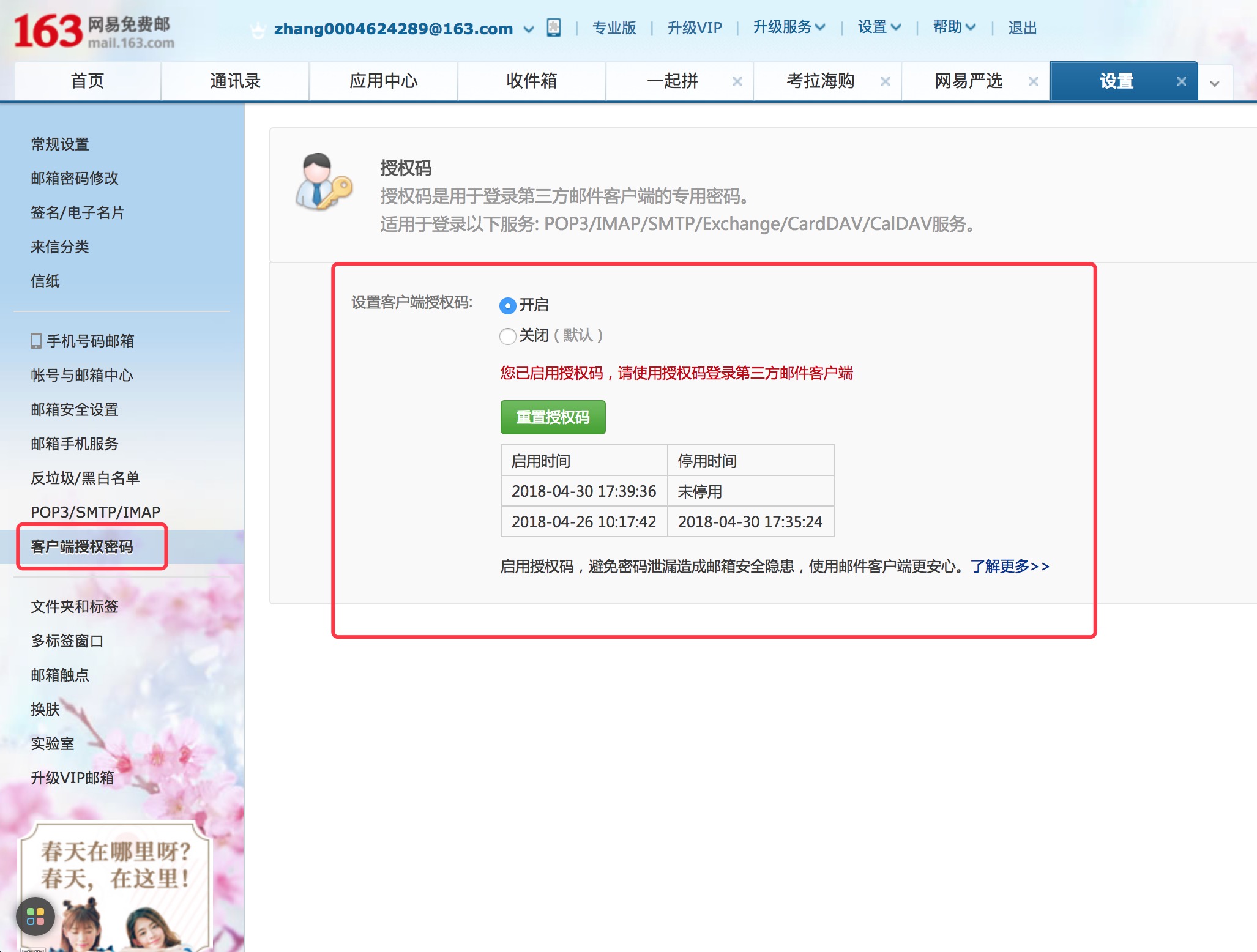
NetEase Email Stmp Configuration1. Halaman Pengaturan Kotak Surat NetEase , buka " Layanan POP3/SMTP ".
2. Setel Kata Sandi Otorisasi Klien .
Kata Sandi Otorisasi Klien sebagai Kata Sandi STMP untuk NetEase Mailbox .
asap . smtpHost = smtp .163 . com
asap . smtpUser = NetEase mailbox
asap . smtpPassword = Client Authorization Password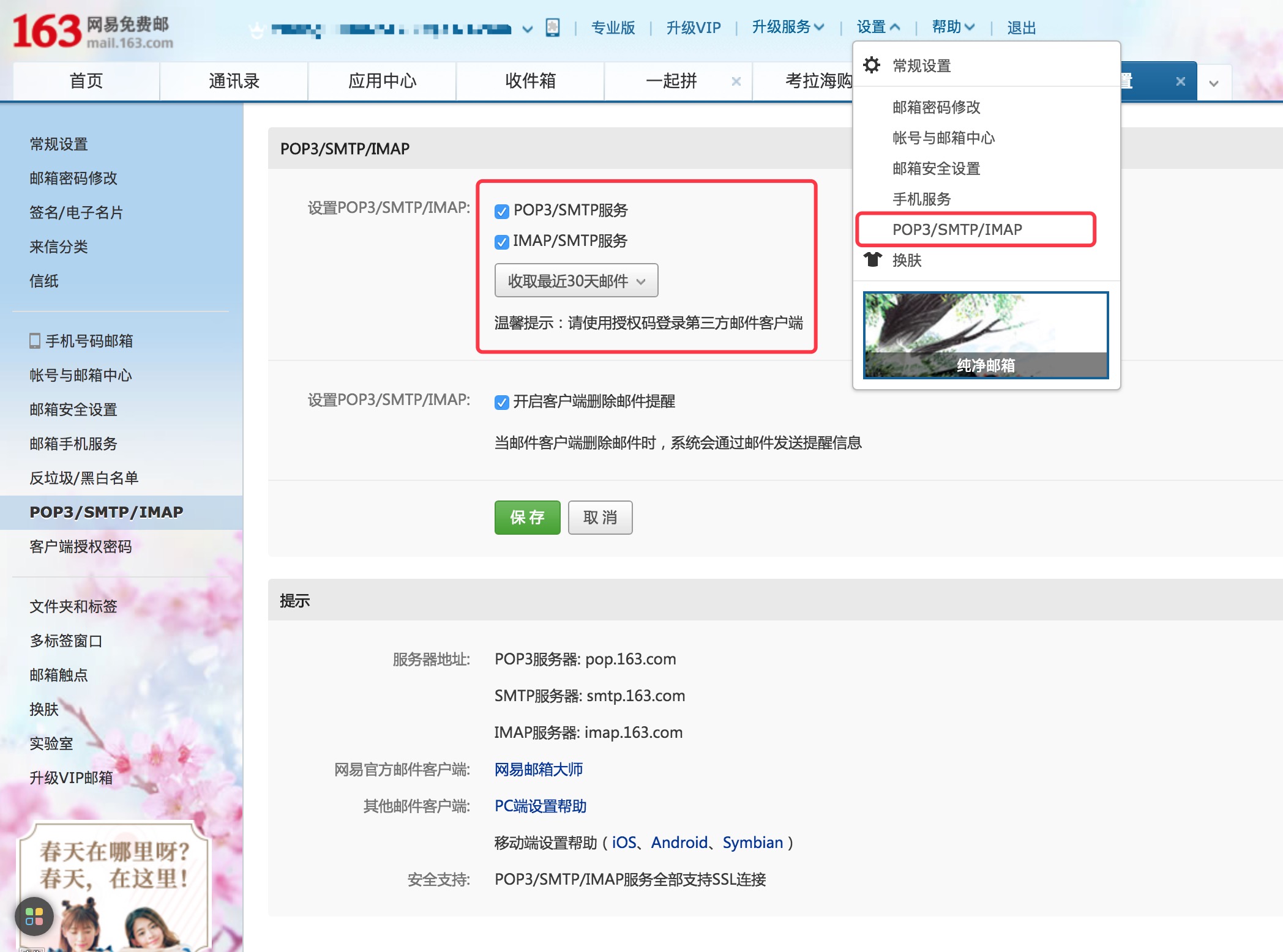
Sina Mail Stmp ConfigurationHalaman Pengaturan Kotak Surat SINA , Buka " Layanan POP3/SMTP ".
asap . smtpHost = smtp . sina . com
asap . smtpUser = sina mailbox
asap . smtpPassword = sina mailbox password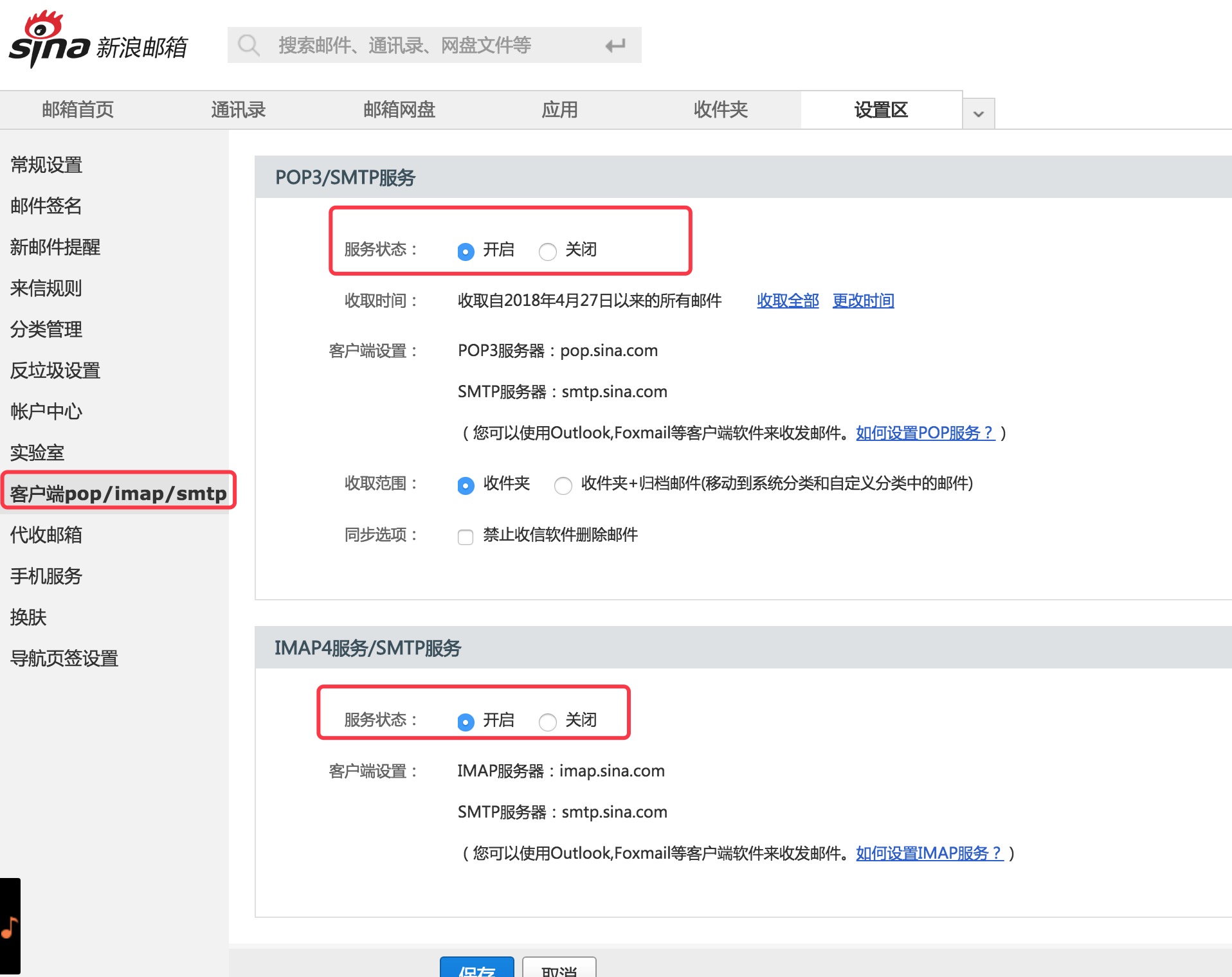
  Copyright (C) 2018 CaMnter [email protected]

  Licensed under the Apache License, Version 2.0 (the "License");
  you may not use this file except in compliance with the License.
  You may obtain a copy of the License at

     http://www.apache.org/licenses/LICENSE-2.0

  Unless required by applicable law or agreed to in writing, software
  distributed under the License is distributed on an "AS IS" BASIS,
  WITHOUT WARRANTIES OR CONDITIONS OF ANY KIND, either express or implied.
  See the License for the specific language governing permissions and
  limitations under the License.







