android static analysis plugin
1.0.0

Android HodgePodge Static Code Quality Check Tool Gradle Plugin . (。> ﹏ <。)
中文版
project Build.gradle dependencies {
com . camnter . gradle . plugin : static - analysis - plugin : 1.0.6
}module Build.gradle apply plugin : ' com.camnter.gradle.plugin.static.analysis 'Sie können ohne Konfiguration verzichten. Plugin generiert automatisch eine Reihe von Regeln. Sie finden die automatisch generierte Regelndatei.
${project.buildDir}/android-static-analysis/default-rules
Fügen Sie einfach die Abhängigkeitskonfiguration dem Modul hinzu, das Sie anwenden möchten.
module Build.gradle apply plugin : ' com.camnter.gradle.plugin.static.analysis 'Vollständige Standardkonfiguration:
androidStaticAnalysis {
    // eg: true or false
    debugAnalysis = false
    // eg: true or false
    releaseAnalysis = true
    pmd {
        // eg: true or false
        enable = true
        // eg: "6.2.0"
        toolVersion = " 6.2.0 "
        // eg: true or false
        ignoreFailures = true
        // eg: ["${project.project.rootDir}/a.xml", "${project.project.rootDir}/b.xml"]
        ruleSets = []
        // eg: "${project.project.rootDir}/c.xml"
        ruleSetFiles = " ${ project.buildDir } /android-static-analysis/default-rules/pmd-ruleset.xml "
    }
    lint {
        // eg: true or false
        enable = true
        // eg: "${project.project.rootDir}/d.xml"
        lintConfig = " ${ project.buildDir } /android-static-analysis/default-rules/lint.xml "
    }
    findBugs {
        // eg: true or false
        enable = true
        // eg: "3.0.1"
        toolVersion = " 3.0.1 "
        // eg: true or false
        ignoreFailures = true
        // "min", "default", "max"
        effort = " max "
        // eg: "${project.project.rootDir}/e.xml"
        excludeFilter =
                " ${ project.buildDir } /android-static-analysis/default-rules/findbugs-filter.xml "
        // eg: "low", "medium", "high"
        reportLevel = " high "
    }
    checkstyle {
        // eg: true or false
        enable = true
        // eg: "8.8"
        toolVersion = " 8.8 "
        // eg: true or false
        ignoreFailures = true
        // eg: "${project.project.rootDir}/f.xml"
        configDir = " ${ project.buildDir } /android-static-analysis/default-rules/checkstyle.xml "
        // eg: 0 - Integer.MAX_VALUE
        maxErrors = 30
        // eg: 0 - Integer.MAX_VALUE
        maxWarnings = 2147483647
        // eg: "${project.project.rootDir}/h.xml"
        suppressionsPath = " ${ project.buildDir } /android-static-analysis/default-rules/checkstyle-suppressions.xml "
    }
}gradle checkWenn Sie die Konfiguration öffnen
androidStaticAnalysis {
    debugAnalysis = true
    releaseAnalysis = true
}
Führen Sie den folgenden Befehl aus, wird ebenfalls ausgeführt
gradle assembleDebuggradle assembleReleaseandroidStaticAnalysis {
email{
// whether to send email automatically, default is false
// eg: true or false
send = true
// sender nickname
nickname = ' CaMnter '
// email theme
theme = ' Android static analysis '
// email content
// failure when enclosureType = 'html'
// valid when enclosureType = 'zip'
content = ' Android static analysis '
// the recipient, many separated by ;
// eg: '[email protected];[email protected]'
receivers = ' [email protected] '
// cc, many people separated by ;
// eg: '[email protected];[email protected]'
carbonCopy = ' [email protected] '
// Analyze content, html format or zip format, default html format
// eg: html or zip
enclosureType = ' html '
}
}Dies ist nur ein Teil von.
Stmp related configurationVervollständigen Sie die folgende Konfiguration innerhalb von lokalen. Properties
asap . smtpHost = company stmp server address
asap . smtpUser = company email
asap . smtpPassword = company email password
Google Mail Stmp Configuration1. Öffnen Sie die Seite "Weiterleitung und Pop/IMAP" auf der Seite Google Mail -Einstellungen.
2. Überprüfen Sie " IMAP aktivieren ".
3. Die zweistufige Überprüfung öffnen.
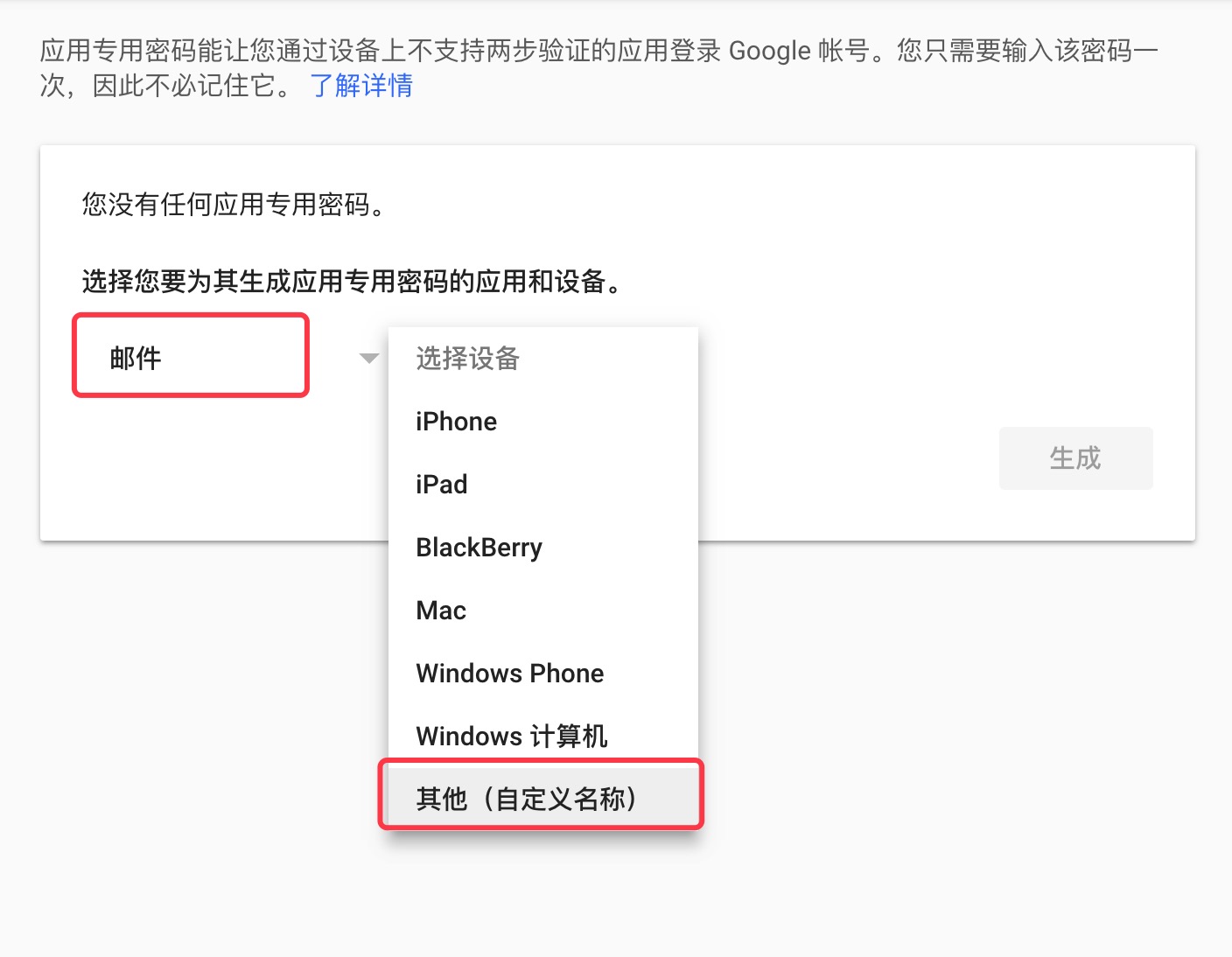
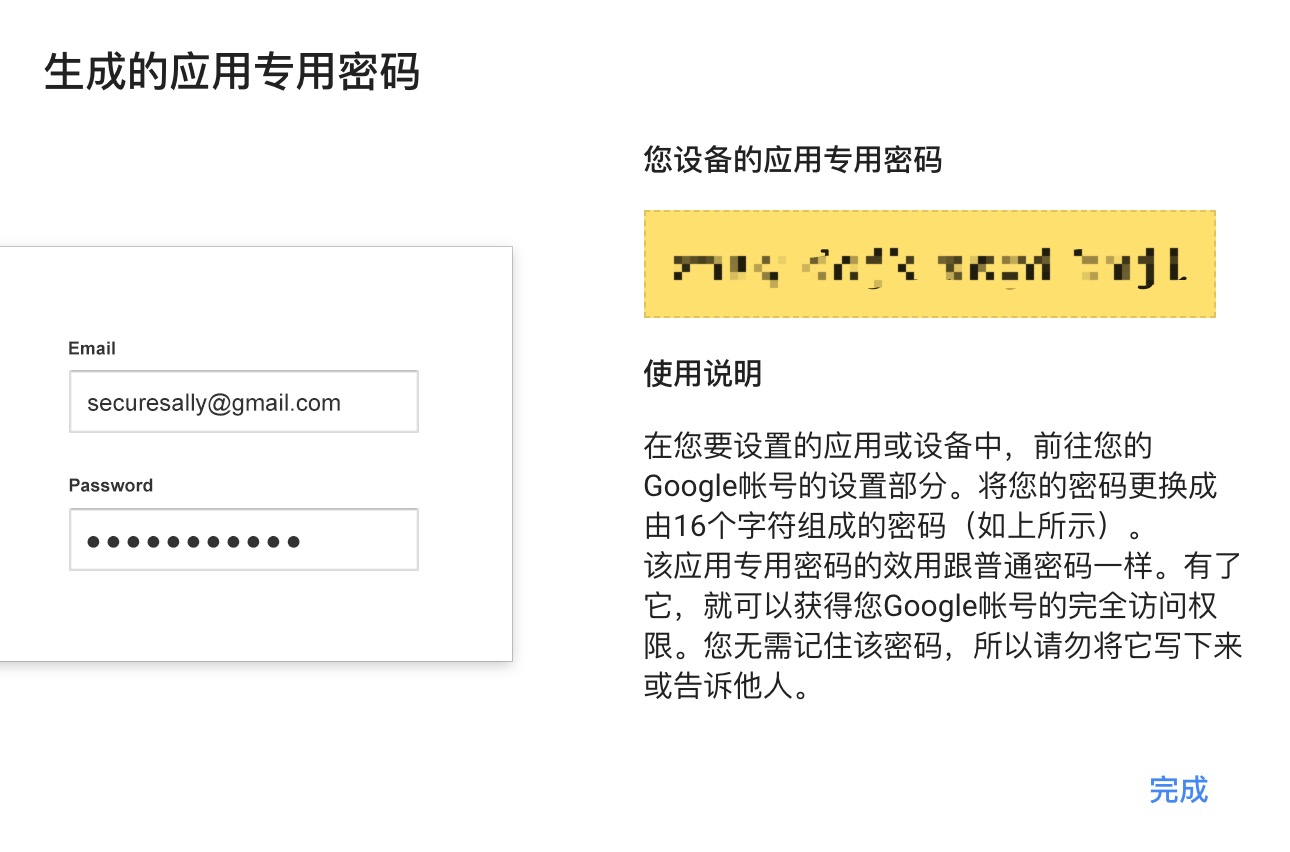
4. Erstellen Sie das Passwort für Google Mail -App.
Google Mail App Passwort als Google Mail STMP -Passwort .
asap . smtpHost = smtp . gmail . com
asap . smtpUser = gmail
asap . smtpPassword = gmail app password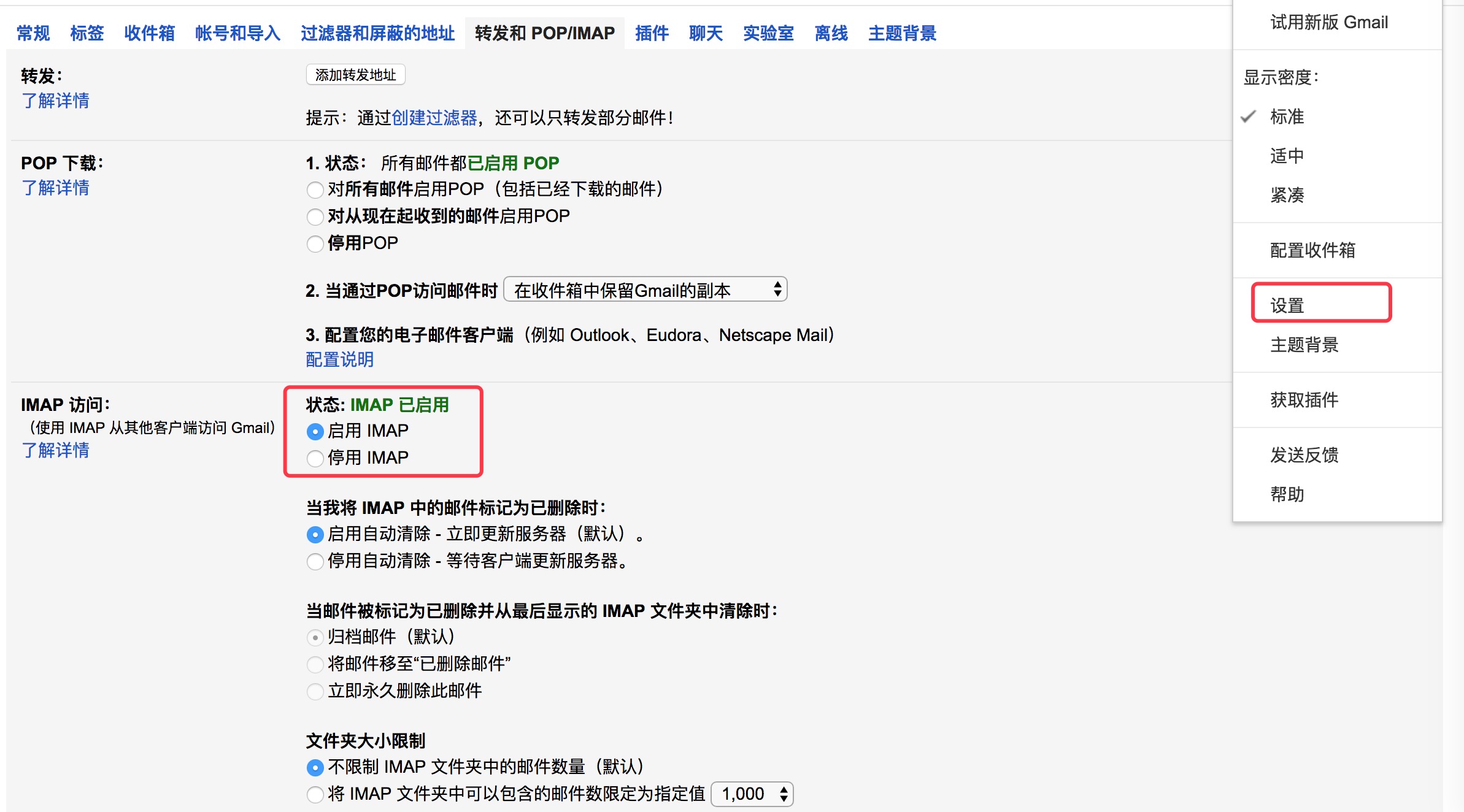
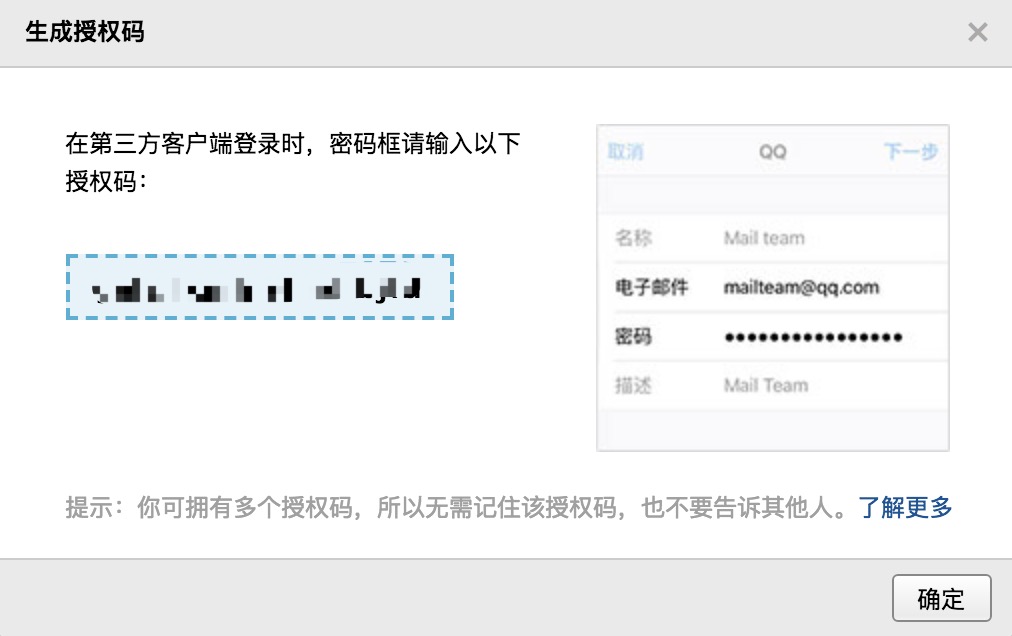
QQ Mail Stmp Configuration1. QQ Mailbox -Einstellungsseite , Öffnen Sie " POP3/SMTP -Dienst ".
2. Generieren Sie einen Autorisierungscode.
Autorisierungscode als QQ Mailbox STMP -Passwort .
asap . smtpHost = smtp . qq . com
asap . smtpUser = qq email
asap . smtpPassword = authorization code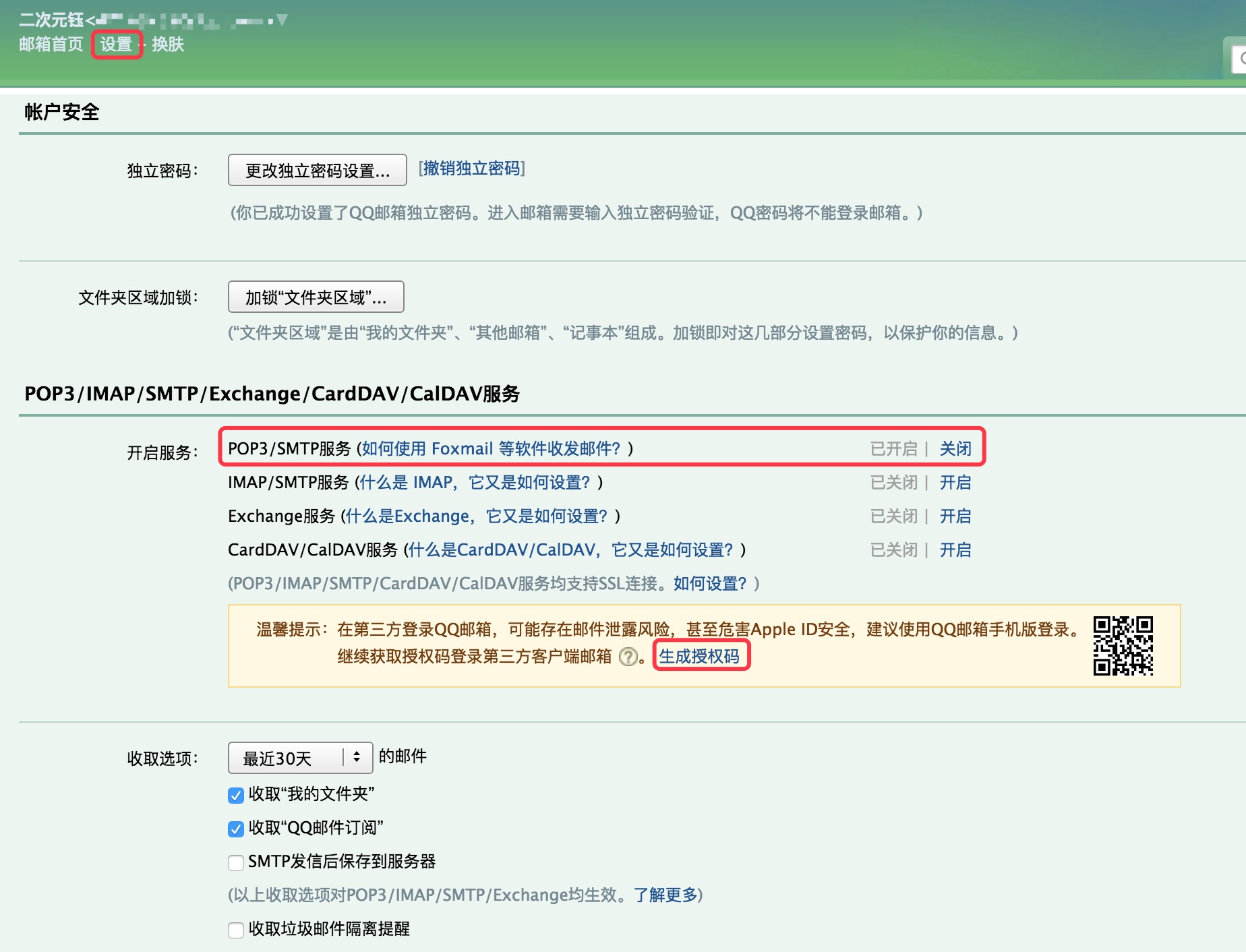
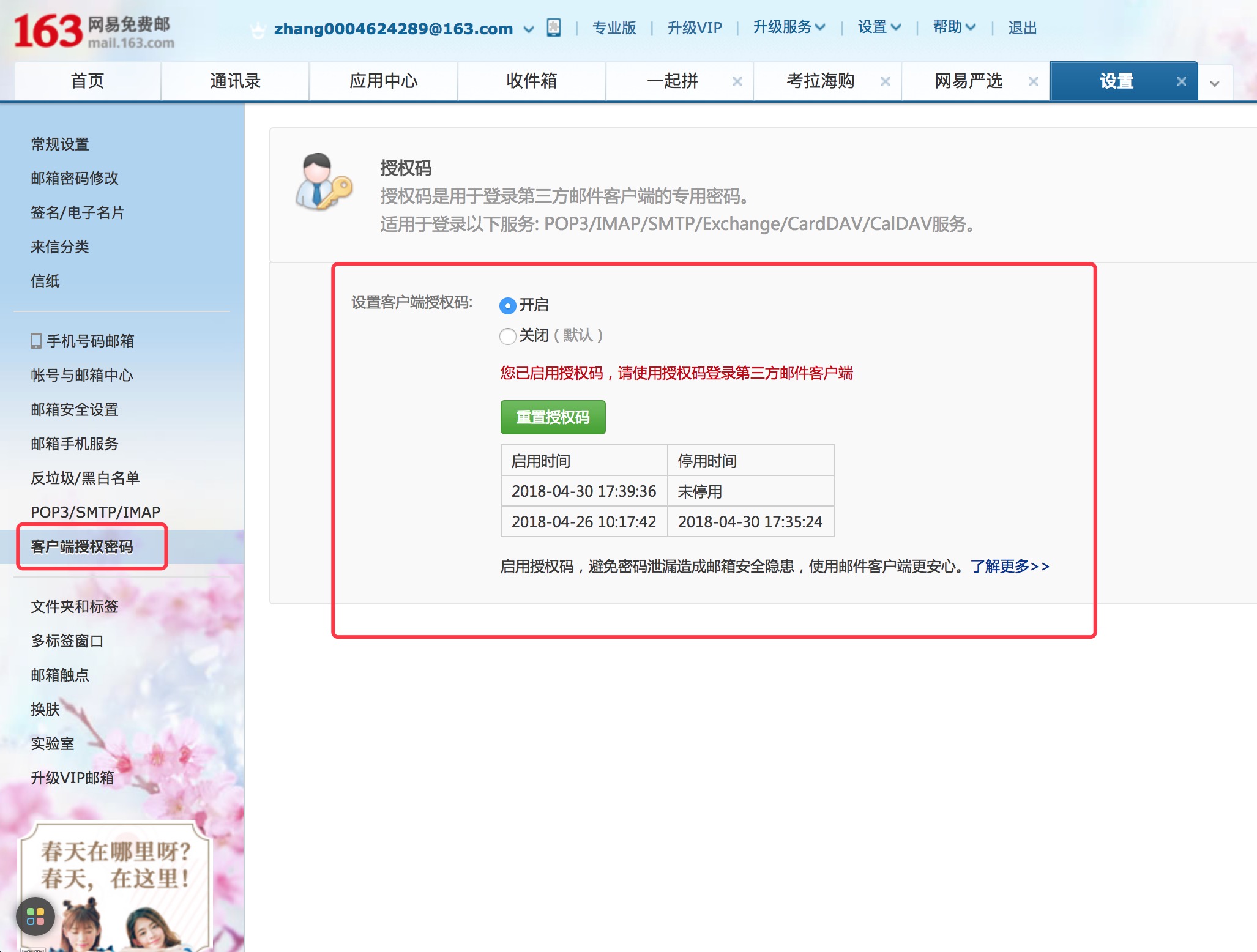
NetEase Email Stmp Configuration1. NetEase -Mailbox -Einstellungsseite, öffnen Sie " POP3/SMTP -Dienst ".
2. Setzen Sie das Passwort des Client -Autorisierungskennworts .
Client -Autorisierungskennwort als STMP -Passwort für NetEase -Mailbox .
asap . smtpHost = smtp .163 . com
asap . smtpUser = NetEase mailbox
asap . smtpPassword = Client Authorization Password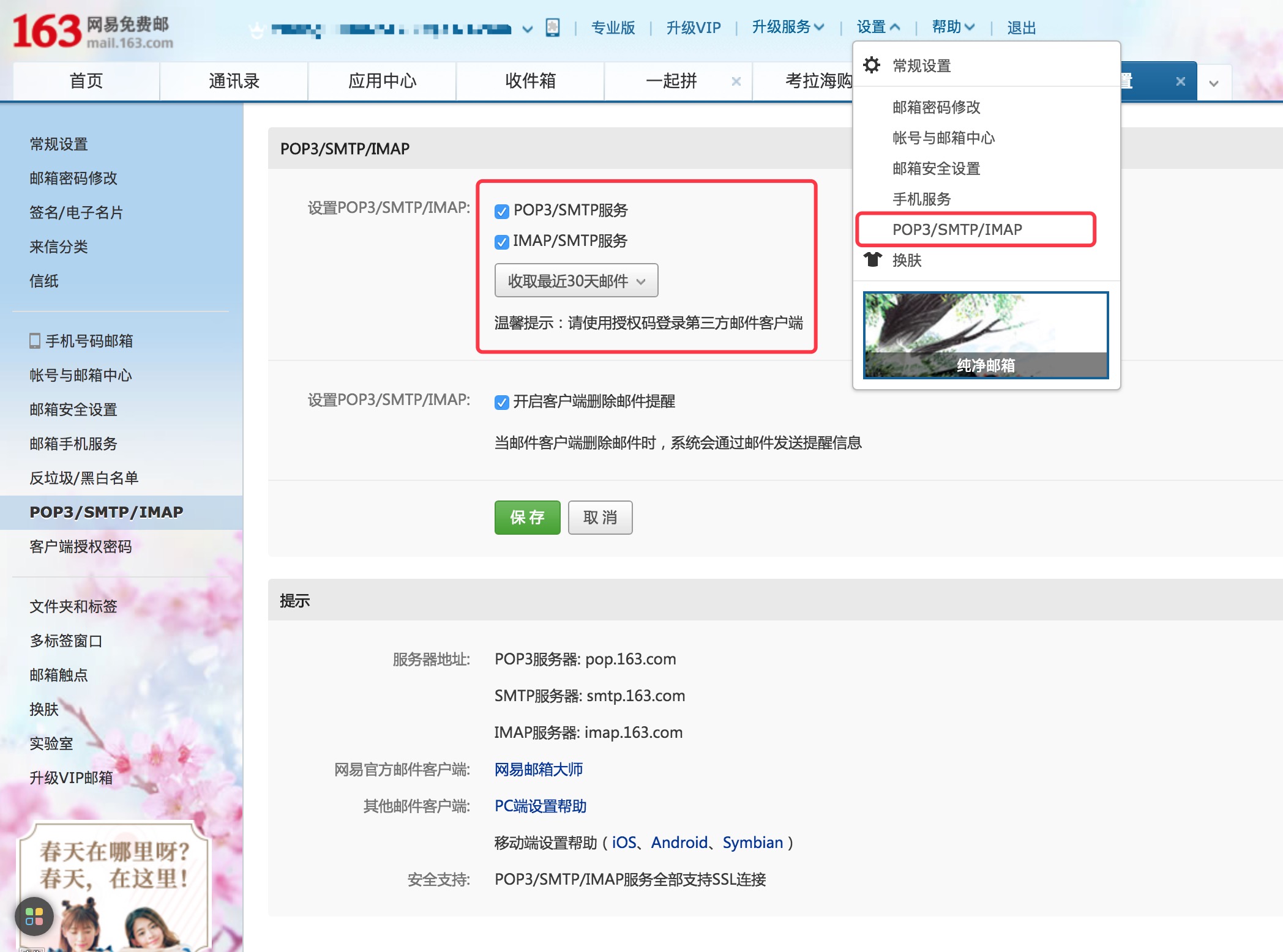
Sina Mail Stmp ConfigurationSeite SINA Mailbox -Einstellungen, öffnen Sie " POP3/SMTP -Dienst ".
asap . smtpHost = smtp . sina . com
asap . smtpUser = sina mailbox
asap . smtpPassword = sina mailbox password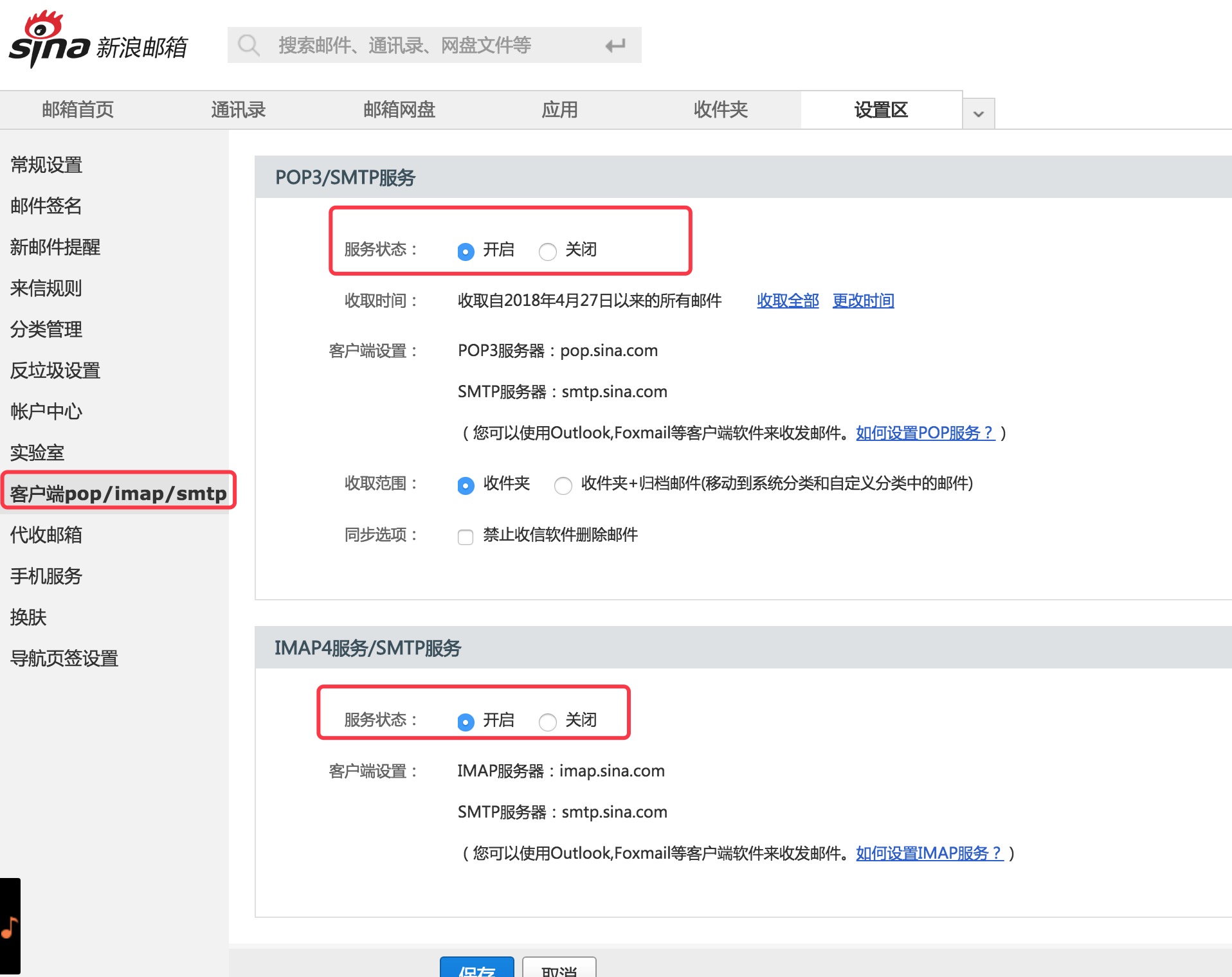
  Copyright (C) 2018 CaMnter [email protected]

  Licensed under the Apache License, Version 2.0 (the "License");
  you may not use this file except in compliance with the License.
  You may obtain a copy of the License at

     http://www.apache.org/licenses/LICENSE-2.0

  Unless required by applicable law or agreed to in writing, software
  distributed under the License is distributed on an "AS IS" BASIS,
  WITHOUT WARRANTIES OR CONDITIONS OF ANY KIND, either express or implied.
  See the License for the specific language governing permissions and
  limitations under the License.







