android static analysis plugin
1.0.0

Android HodgePodge 정적 코드 품질 확인 도구 Gradle 플러그인 . (。> ﹏ <。)
中文版
project 빌드. 그레이드 dependencies {
com . camnter . gradle . plugin : static - analysis - plugin : 1.0.6
}module 빌드. 그레이드 apply plugin : ' com.camnter.gradle.plugin.static.analysis '구성없이 할 수 있습니다. 플러그인은 자동으로 일련의 규칙을 생성합니다. 자동으로 생성 된 규칙 파일을 찾을 수 있습니다.
${project.buildDir}/android-static-analysis/default-rules
적용하려는 모듈에 종속성 구성을 추가하십시오.
module 빌드. 그레이드 apply plugin : ' com.camnter.gradle.plugin.static.analysis '전체 기본 구성 :
androidStaticAnalysis {
    // eg: true or false
    debugAnalysis = false
    // eg: true or false
    releaseAnalysis = true
    pmd {
        // eg: true or false
        enable = true
        // eg: "6.2.0"
        toolVersion = " 6.2.0 "
        // eg: true or false
        ignoreFailures = true
        // eg: ["${project.project.rootDir}/a.xml", "${project.project.rootDir}/b.xml"]
        ruleSets = []
        // eg: "${project.project.rootDir}/c.xml"
        ruleSetFiles = " ${ project.buildDir } /android-static-analysis/default-rules/pmd-ruleset.xml "
    }
    lint {
        // eg: true or false
        enable = true
        // eg: "${project.project.rootDir}/d.xml"
        lintConfig = " ${ project.buildDir } /android-static-analysis/default-rules/lint.xml "
    }
    findBugs {
        // eg: true or false
        enable = true
        // eg: "3.0.1"
        toolVersion = " 3.0.1 "
        // eg: true or false
        ignoreFailures = true
        // "min", "default", "max"
        effort = " max "
        // eg: "${project.project.rootDir}/e.xml"
        excludeFilter =
                " ${ project.buildDir } /android-static-analysis/default-rules/findbugs-filter.xml "
        // eg: "low", "medium", "high"
        reportLevel = " high "
    }
    checkstyle {
        // eg: true or false
        enable = true
        // eg: "8.8"
        toolVersion = " 8.8 "
        // eg: true or false
        ignoreFailures = true
        // eg: "${project.project.rootDir}/f.xml"
        configDir = " ${ project.buildDir } /android-static-analysis/default-rules/checkstyle.xml "
        // eg: 0 - Integer.MAX_VALUE
        maxErrors = 30
        // eg: 0 - Integer.MAX_VALUE
        maxWarnings = 2147483647
        // eg: "${project.project.rootDir}/h.xml"
        suppressionsPath = " ${ project.buildDir } /android-static-analysis/default-rules/checkstyle-suppressions.xml "
    }
}gradle check구성을 열면
androidStaticAnalysis {
    debugAnalysis = true
    releaseAnalysis = true
}
다음 명령도 실행됩니다
gradle assembleDebuggradle assembleReleaseandroidStaticAnalysis {
email{
// whether to send email automatically, default is false
// eg: true or false
send = true
// sender nickname
nickname = ' CaMnter '
// email theme
theme = ' Android static analysis '
// email content
// failure when enclosureType = 'html'
// valid when enclosureType = 'zip'
content = ' Android static analysis '
// the recipient, many separated by ;
// eg: '[email protected];[email protected]'
receivers = ' [email protected] '
// cc, many people separated by ;
// eg: '[email protected];[email protected]'
carbonCopy = ' [email protected] '
// Analyze content, html format or zip format, default html format
// eg: html or zip
enclosureType = ' html '
}
}이것은 단지 일부일뿐입니다.
Stmp related configurationLocal.properties 내에서 다음 구성을 완료하십시오
asap . smtpHost = company stmp server address
asap . smtpUser = company email
asap . smtpPassword = company email password
Google Mail Stmp Configuration1. Gmail 설정 페이지에서 "전달 및 POP/IMAP"를 열십시오.
2. " INABLE IMAP "를 확인하십시오.
3. 2 단계 검증을 열십시오.
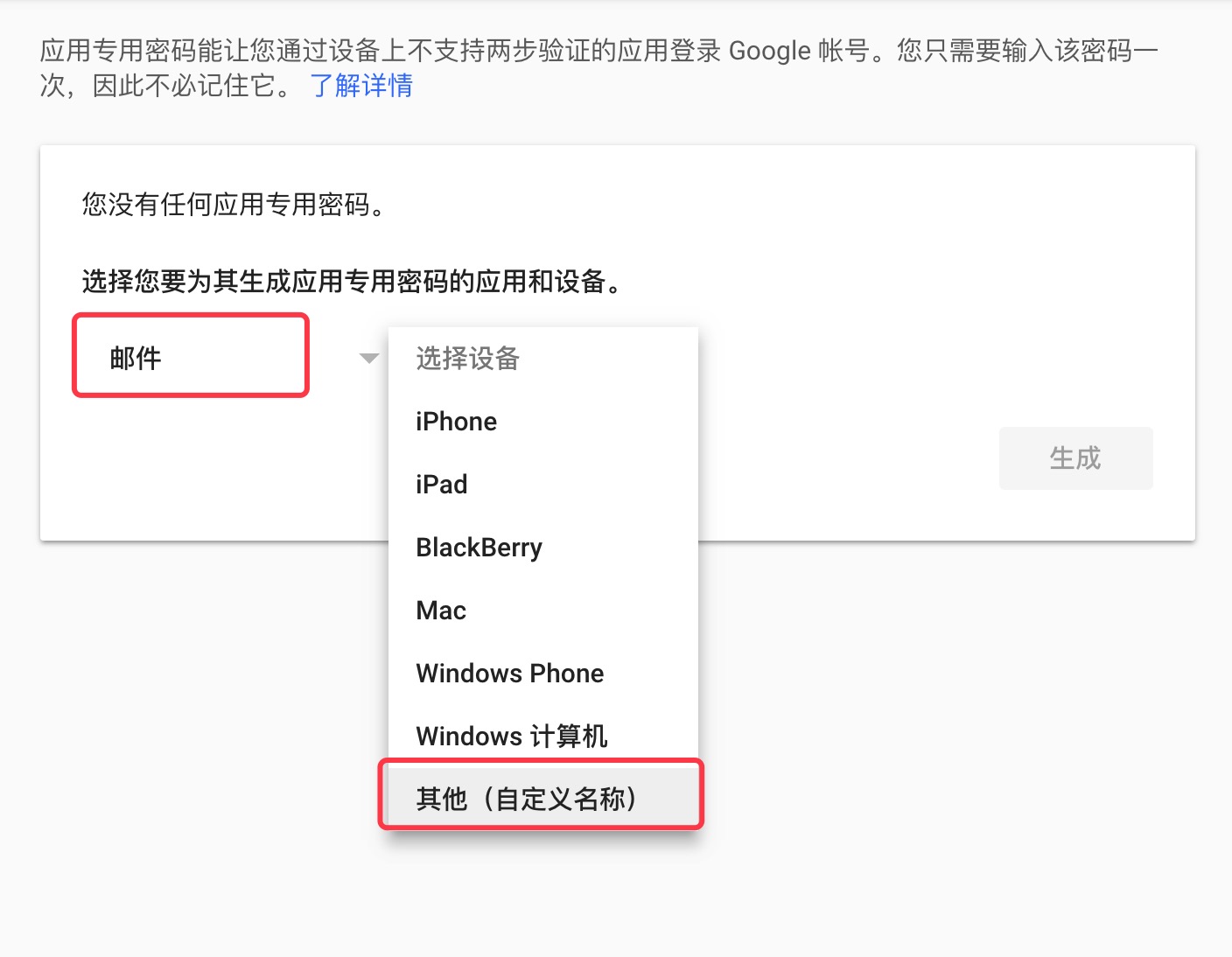
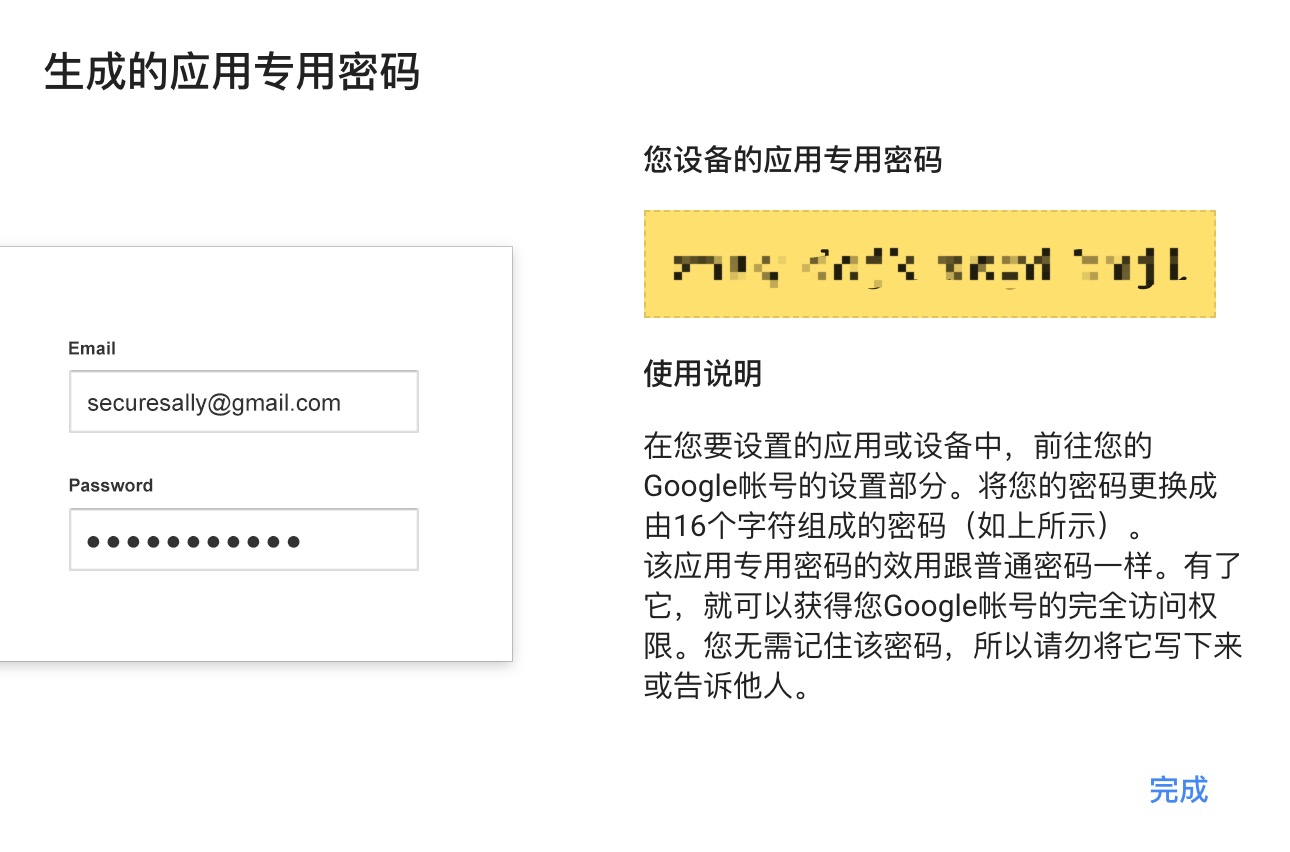
4. Gmail 앱 비밀번호를 만듭니다.
Gmail 앱 비밀번호 Gmail STMP 비밀번호 .
asap . smtpHost = smtp . gmail . com
asap . smtpUser = gmail
asap . smtpPassword = gmail app password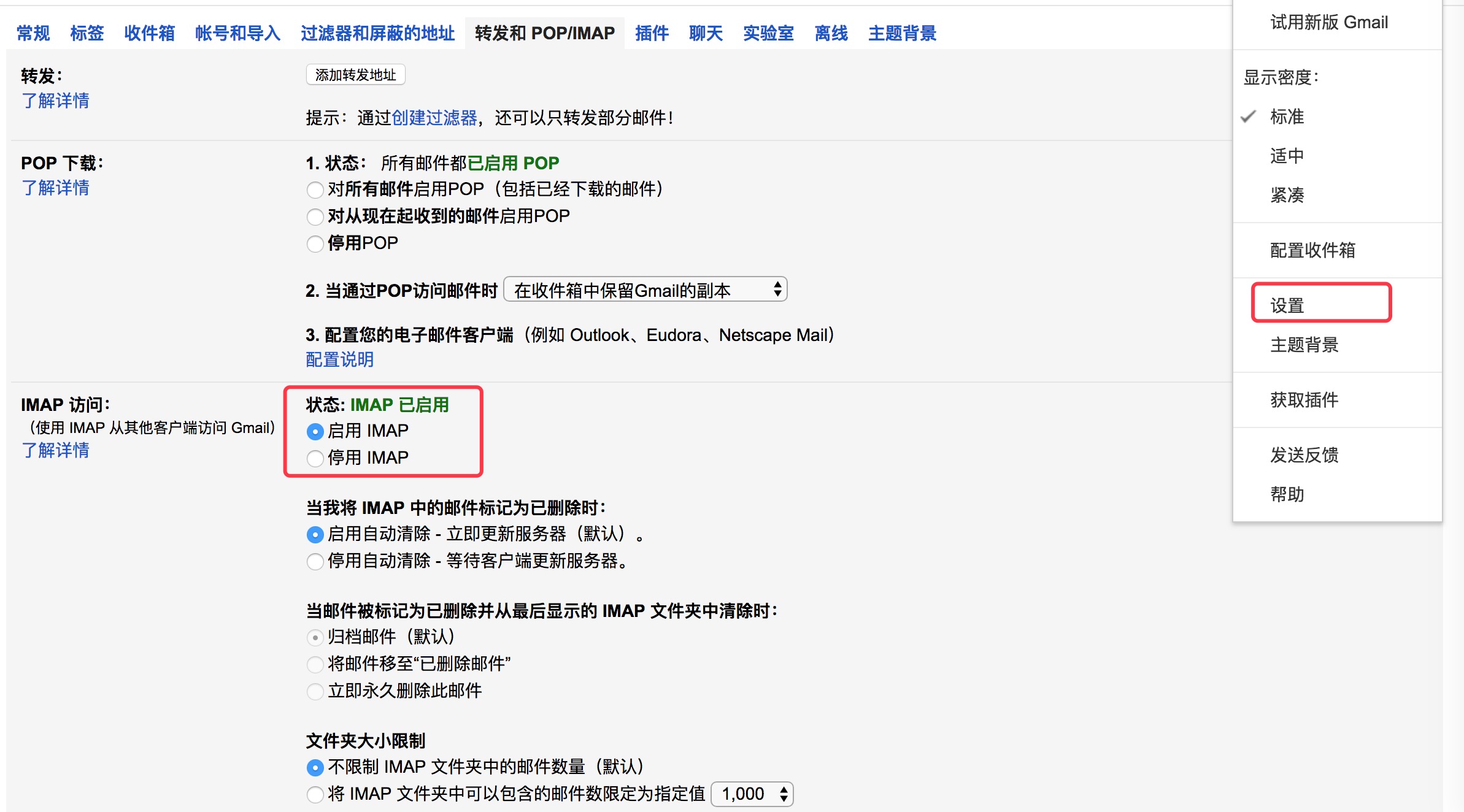
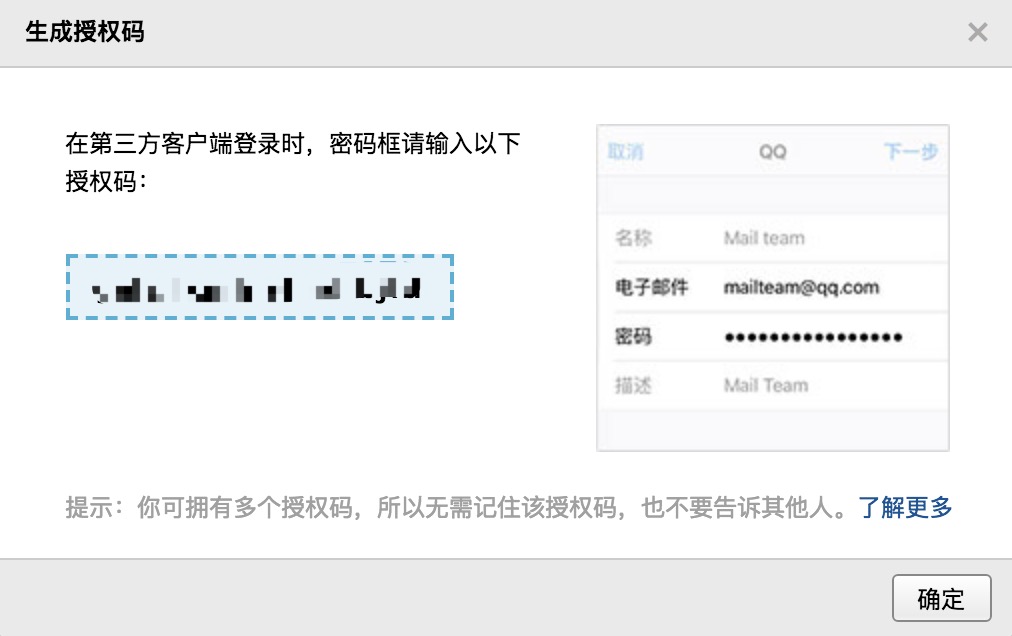
QQ Mail Stmp Configuration1. QQ 사서함 설정 페이지 —10 팝3/smtp 서비스 "를 엽니 다.
2. 인증 코드를 생성합니다.
QQ 사서함 STMP 비밀번호 로 인증 코드 .
asap . smtpHost = smtp . qq . com
asap . smtpUser = qq email
asap . smtpPassword = authorization code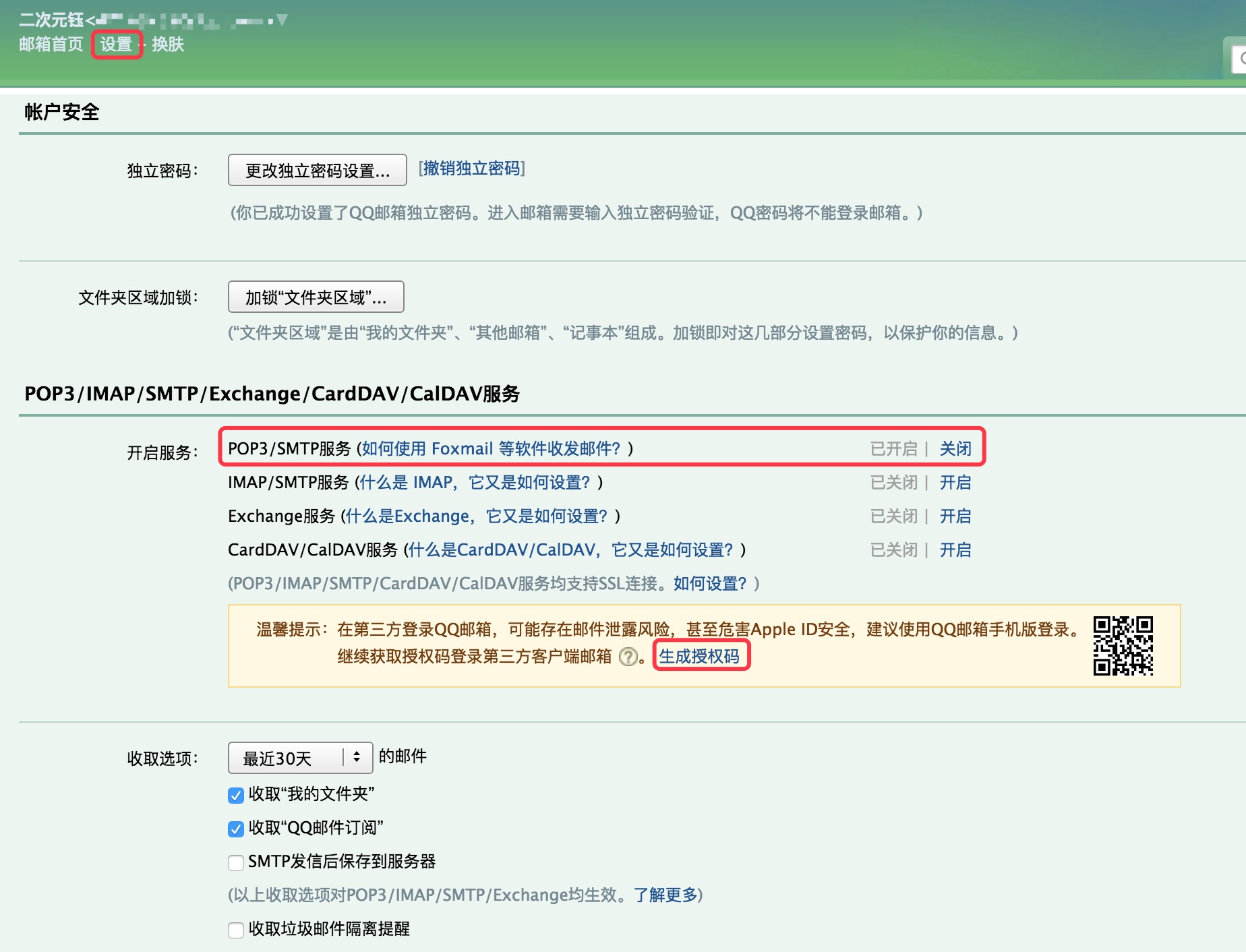
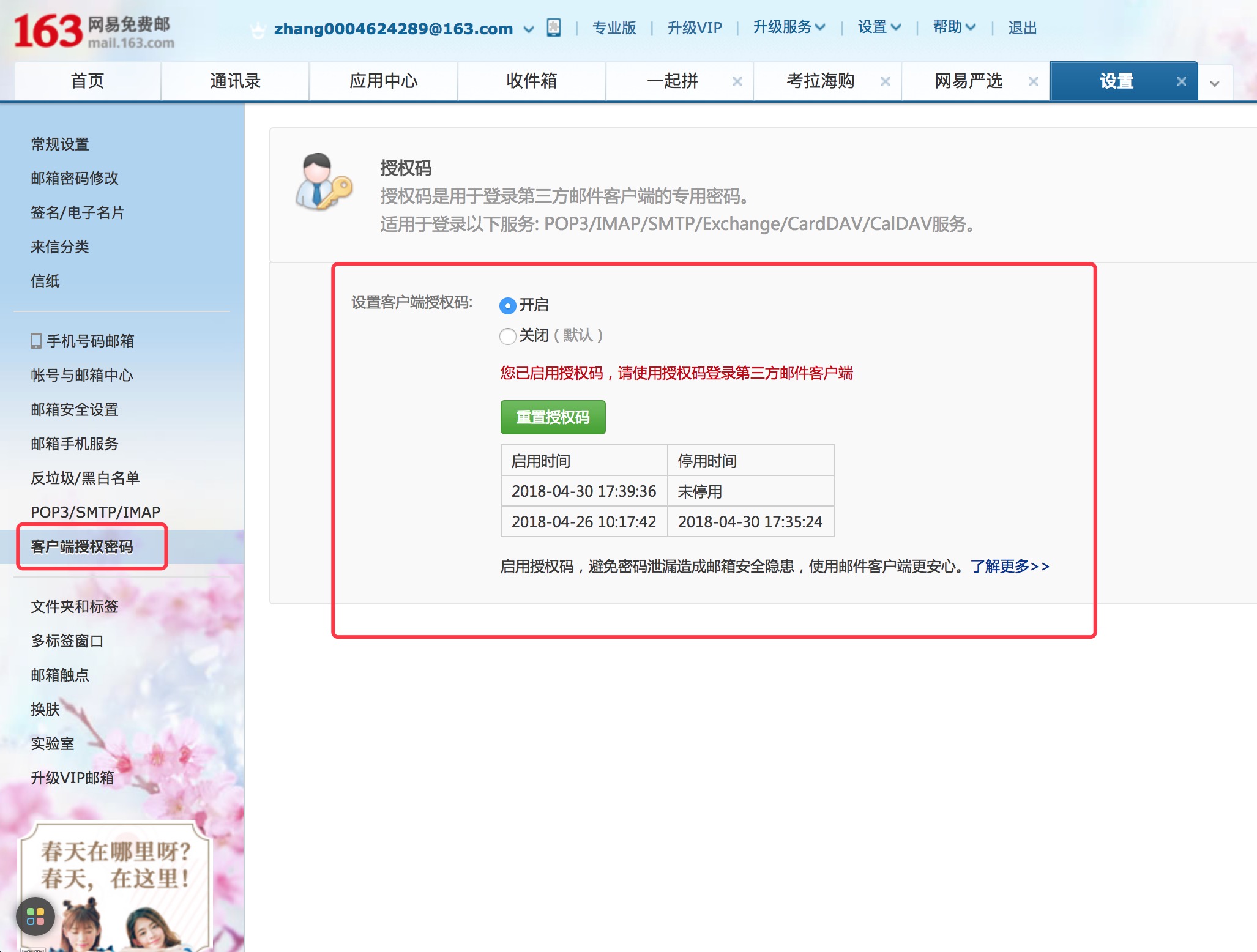
NetEase Email Stmp Configuration1. NetEase Mailbox 설정 페이지, " POP3/SMTP 서비스 "를 엽니 다.
2. 클라이언트 인증 비밀번호를 설정하십시오.
NetEase 사서함 의 STMP 비밀번호 로 클라이언트 인증 비밀번호 .
asap . smtpHost = smtp .163 . com
asap . smtpUser = NetEase mailbox
asap . smtpPassword = Client Authorization Password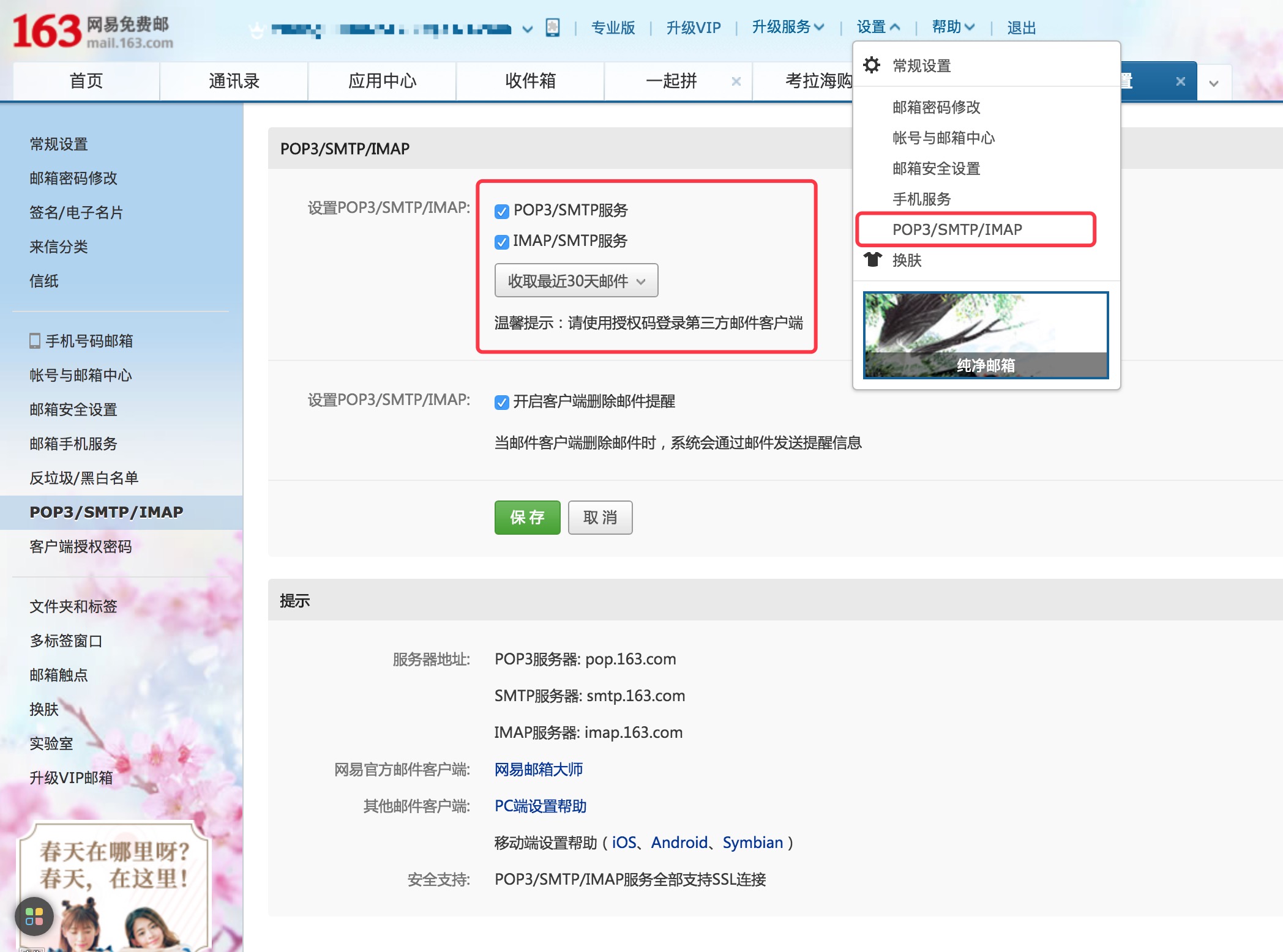
Sina Mail Stmp ConfigurationSINA 사서함 설정 페이지, " POP3/SMTP 서비스 "를 엽니 다.
asap . smtpHost = smtp . sina . com
asap . smtpUser = sina mailbox
asap . smtpPassword = sina mailbox password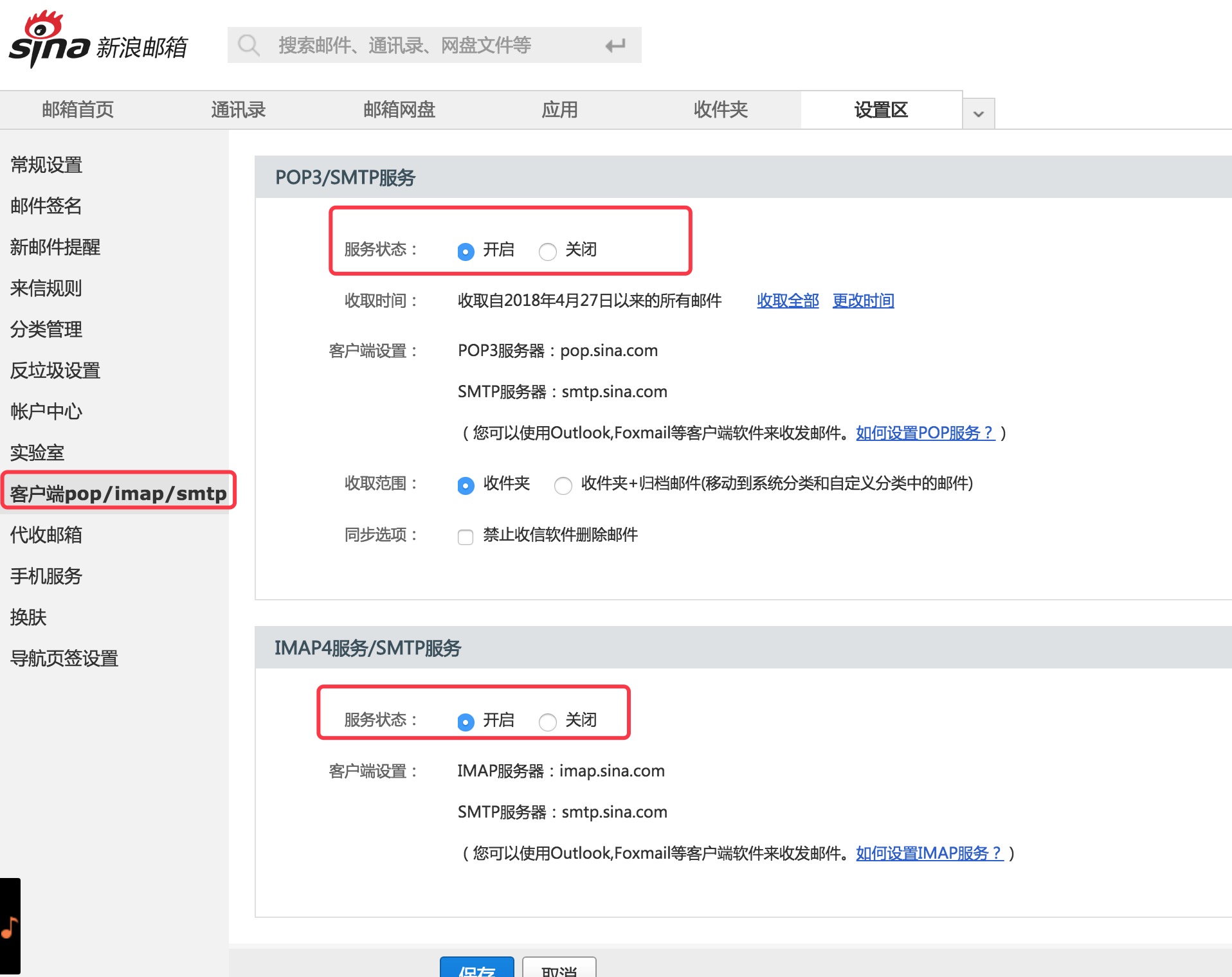
  Copyright (C) 2018 CaMnter [email protected]

  Licensed under the Apache License, Version 2.0 (the "License");
  you may not use this file except in compliance with the License.
  You may obtain a copy of the License at

     http://www.apache.org/licenses/LICENSE-2.0

  Unless required by applicable law or agreed to in writing, software
  distributed under the License is distributed on an "AS IS" BASIS,
  WITHOUT WARRANTIES OR CONDITIONS OF ANY KIND, either express or implied.
  See the License for the specific language governing permissions and
  limitations under the License.







