Vidly_MVCProject
1.0.0

這是一個使用.NET Framework 4.8開發的MVC應用程序。
動作結果
| 類型 | 輔助方法 |
|---|---|
| ViewResult | 看法() |
| partialViewResult | partialview() |
| contentResult | 內容() |
| 重定向 | redirect() |
| redirecttorouteresult | redirecttoaction() |
| jsonresult | json() |
| filesult | 文件() |
| httpnotfoundresult | httpnotfound() |
| 空的 | - |
一些例子
 public ActionResult Test ( )
	{
		return View ( data ) ;
		return Content ( "Hello World!" ) ;
		return HttpNotFound ( ) ;
		return new EmptyResult ( ) ;
		return RedirectToAction ( "Index" , "Home" , new { page = "1" , sortBy = "name" } ) ;
} 基於約定的路由:在Routeconfig.cs中
 routes . MapRoute (
  		 "MoviesByReleaseDate" , //name of route
  		"movies/released/{year}/{month}" , //route url
  		new { controller = "Movies" , action = "ByReleaseDate" } , //default corresponding controller and actions
new { year = @"2020|2021" , month = @"d{2}" } ) ; //constraints for parameters屬性路由:在Routeconfig.cs中添加routes.MapMvcAttributeRoutes();控制器使用屬性[Route("url template")] 。還可以使用諸如Min,Max,最小值,最大長度,INT,Float,GUID之類的約束。
 [ Route ( "movies/released/{year:regex( \ d{4}:range(1800,2021))}/{month:regex( \ d{2}:range(1,12))}" ) ]
public ActionResult ByReleaseDate ( int year , int month )
  {
  	return Content ( year + "/" + month ) ;
} public ActionResult Test ( )
{
var movie = new Movie ( ) { Name = "Shrek!" } ;
ViewData [ "Movie" ] = movie ;
ViewBag . Movie = movie ;
return View ( movie ) ;
} < h2 > @Model.Name </ h2 > <!-- preffered way -->
< h2 > @( ((Movie) ViewData["Movie"]).Name) </ h2 > <!-- ugly way / dont use -->
< h2 > @ViewBag.Movie.Name </ h2 > <!-- casted at runtime / not safe --> public class RandomMovieViewModel
{
public Movie Movie { get ; set ; }
public List < Customer > Customers { get ; set ; }
} public class MoviesController : Controller
{
// GET: Movies
public ActionResult Random ( )
{
//adding data
var movie = new Movie ( ) { Name = "Shrek!" } ;
var customers = new List < Customer >
{
new Customer { Name = "cust1" } ,
new Customer { Name = "cust2" }
} ;
//filing viewmodel with data
var viewModel = new RandomMovieViewModel ( )
{
Movie = movie ,
Customers = customers
} ;
return View ( viewModel ) ;
}@ *
this is a razor comment
* @
@ {
//multiple lines
//when razor sees html prints it and when razor sees csharp interprets it
}
@ {
var className = Model . Customers . Count > 0 ? "popular" : null ;
}
< h2 class = "@className" > @Model . Movie . Name < / h2 > < ! -- preferred way -- >
@if ( Model . Customers . Count == 0 )
{
< p > No one has rented this movie before . < / p >
}
< ul >
@foreach ( var customer in Model . Customers )
{
< li > @customer . Name < / li >
}
< / ul >在視圖中創建視圖,然後選擇部分視圖。在另一個視圖中使用@Html.Partial("_PartialView", Model.Data)
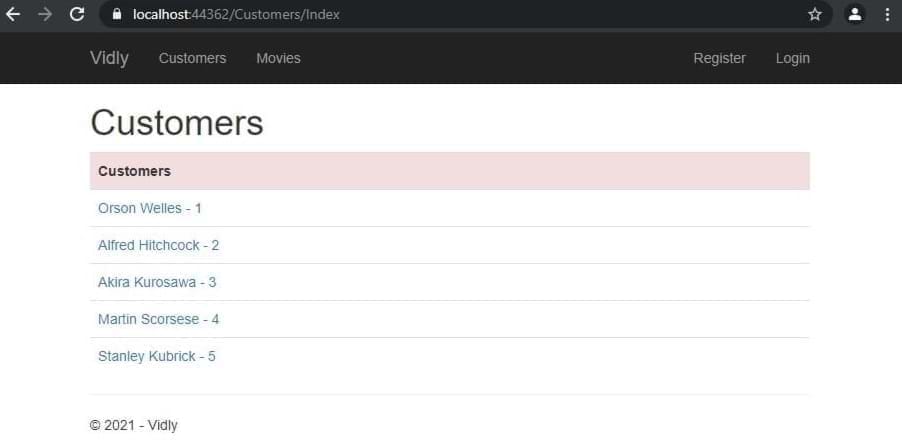
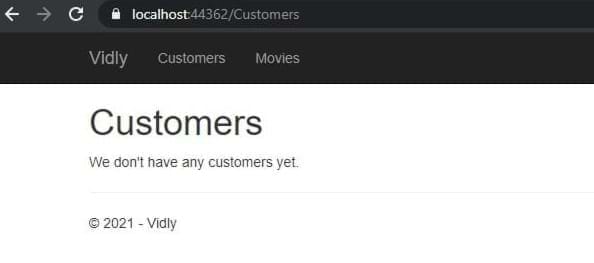
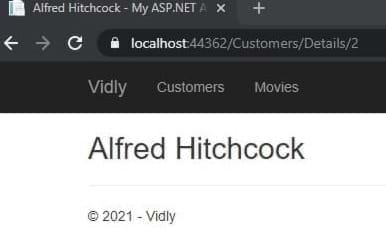
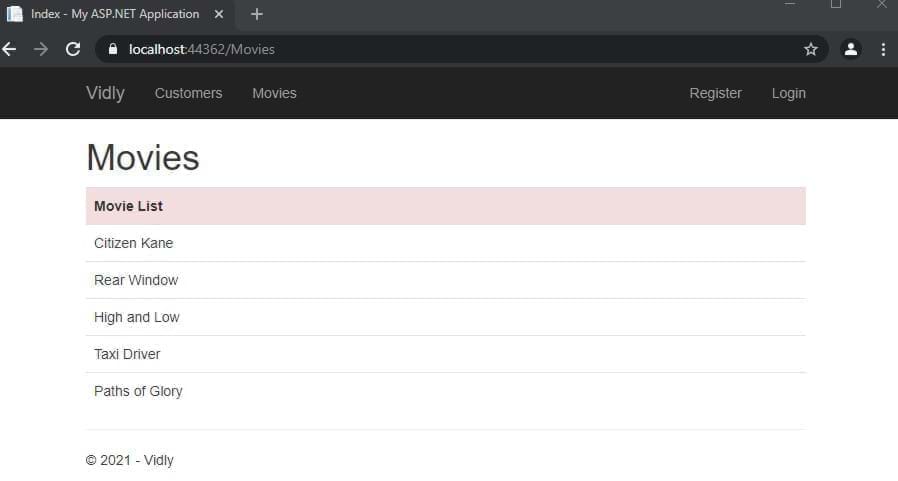
實體框架:通過使用上下文文件將關係數據庫中數據映射到我們對象的ORM。
LINQ:像SQL查詢一樣的方法。
工作流程:數據庫首先,代碼。
DB首先:首先設計數據庫表,後來讓EF根據表生成域類。
代碼首先:首先創建域類,然後讓EF為我們生成數據庫表。
dbset到上下文中的表名:dbcontext類中的dbcontext類中的package manager console PM > enable-migrations , PM> add-migration migrationName , PM> update-database
播種DB:將SQL命令放在遷移up()方法中
在控制器中
 private Context _context ;
public CustomersController ( )
	  {
		  _context = new Context ( ) ;
	  }
//...
public ActionResult Index ( )
	{
	var customers = _context . Customers . ToList ( ) ;
	return View ( customers ) ;
	}
//...
public ActionResult Details ( int id )
	{
	var customer = _context . Customers . Single ( c => c . Id == id ) ;
	return View ( customer ) ;
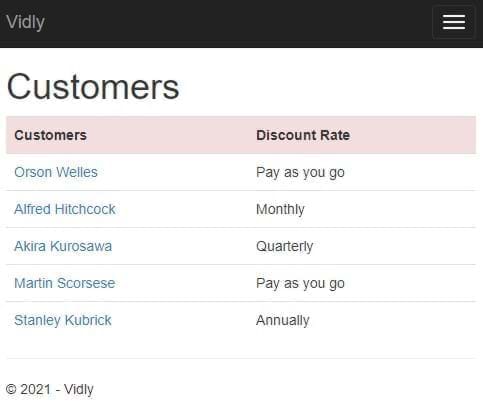
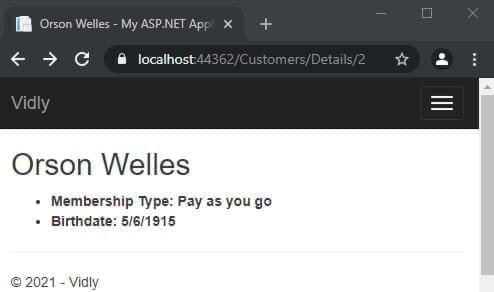
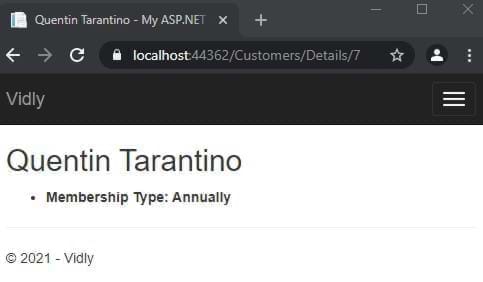
} 負載關係外來表: _context.Customer.Include(c=>c.MembershipType).ToList();
從視圖中:
 @using ( Html . BeginForm ( actionName : "Create" , controllerName : "Customers" ) )
{
	< div class = "form-group" >
		@Html . LabelFor ( m => m . Name )
		@Html . TextBoxFor ( m => m . Name , new { @class = "form-control" } )
	< / div >
} 在具有數據註釋的模型中:
 [ Display ( Name = "Date of Birth" ) ]
public DateTime ? Birthdate { get ; set ; }或使用<label for="Birthdate">Date of Birth</label>
創建ViewModel:
 public class NewCustomerViewModel
{
	public IEnumerable < MembershipType > MembershipTypes { get ; set ; }
	public Customer Customer { get ; set ; }
}
在控制器中:
 var membershipTypes = _context . MembershipTypes . ToList ( ) ;

var viewModel = new NewCustomerViewModel ( )
{
	MembershipTypes = membershipTypes
} ;
從視圖中:
 < div class =" form-group " >
	@Html.LabelFor(m = > m.Customer.MembershipTypeId)
	@Html.DropDownListFor(m = > m.Customer.MembershipTypeId, new SelectList(Model.MembershipTypes,"Id","Name"),"Select Membership Type", new { @class = "form-control" })
</ div > 在控制器中:
 [ HttpPost ]
public ActionResult Create ( Customer customer )
{
	//...
	return View ( ) ;
}
考慮到操作名稱和控制器名稱
 ( Html . BeginForm ( actionName : "Create" , controllerName : "Customers" ) )
//... [ HttpPost ]
public ActionResult Create ( Customer customer )
{
_context . Customers . Add ( customer ) ;
_context . SaveChanges ( ) ;
return RedirectToAction ( "Index" , "Customers" ) ;
} 填寫來自控制器中ID的相應項目的數據:
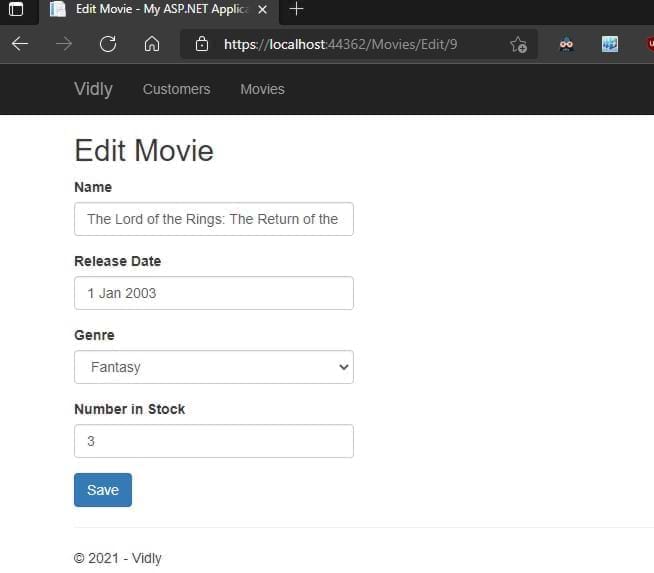
	 public ActionResult Edit ( int id )
	{
		var customer = _context . Customers . SingleOrDefault ( c => c . Id == id ) ;

		if ( customer == null )
			return HttpNotFound ( ) ;

		var viewModel = new CustomerFormViewModel ( )
		{
			Customer = customer ,
			MembershipTypes = _context . MembershipTypes . ToList ( )
		} ;
		return View ( "CustomerForm" , viewModel ) ;
	}
} 如果不存在,則添加了更新。在控制器地圖中屬性
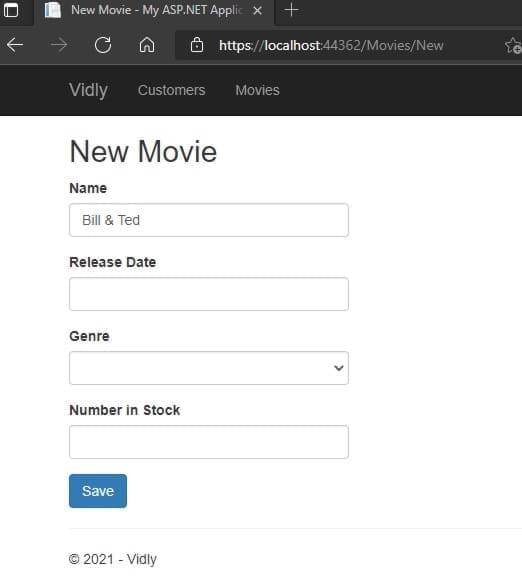
 public ActionResult Save ( Customer customer )
{
	if ( customer . Id == 0 )
		_context . Customers . Add ( customer ) ;
	else
	{
		var customerInDb = _context . Customers . Single ( c => c . Id == customer . Id ) ;


		customerInDb . Name = customer . Name ;
		customerInDb . Birthdate = customer . Birthdate ;
		customerInDb . MembershipTypeId = customer . MembershipTypeId ;
		customerInDb . IsSubscribedToNewsletter = customer . IsSubscribedToNewsletter ;
	}

	_context . SaveChanges ( ) ;

	return RedirectToAction ( "Index" , "Customers" ) ;
}
將因ID字段添加為隱藏:
@Html.HiddenFor(m= > m.Customer.Id)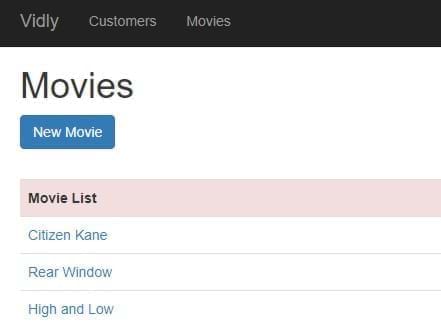
步驟1:在模型中添加註釋,步驟2:在控制器中添加驗證控件。當用戶數據沒有有效的返回表格時
 if ( ! ModelState . IsValid )
{
    var viewModel = new CustomerFormViewModel
    {
    Customer = customer ,
    MembershipTypes = _context . MembershipTypes . ToList ( )
    } ;
    return View ( "CustomerForm" , viewModel ) ;
}
步驟3:將驗證消息添加到視圖:
@Html.ValidationMessageFor(m= > m.Customer.Name)樣式驗證錯誤訪問這些類並進行樣式化:
. field-validation-error {
    color : red;
}
. input-validation-error {
    border : 2 px red;
}模型中的覆蓋驗證消息將其添加到必需的數據註釋
 [ Required ( ErrorMessage = "Please enter customer's name." ) ]
 [ StringLength ( 255 ) ]

public string Name { get ; set ; } 步驟1:創建一個繼承驗證的類(使用system.componentmodel.dataannotations)
 public class Min18YearsIfAMember : ValidationAttribute
   {
       protected override ValidationResult IsValid ( object value , ValidationContext validationContext )
       {
           var customer = ( Customer ) validationContext . ObjectInstance ;

           if ( customer . MembershipTypeId == 0 || customer . MembershipTypeId == 1 )
           {
               return ValidationResult . Success ;
           }
           if ( customer . Birthdate == null )
           {
               return new ValidationResult ( "Birthdate is required." ) ;
           }

           var age = DateTime . Today . Year - customer . Birthdate . Value . Year ;

           return ( age >= 18 )
               ? ValidationResult . Success
               : new ValidationResult ( "Customer should be at least 18 years old to go on a membership." )
       }
   }
步驟2:將數據註釋添加到模型
 [ Display ( Name = "Membership Type" ) ]
[ Min18YearsIfAMember ]
public byte MembershipTypeId { get ; set ; }
步驟3:添加消息以查看
@Html.ValidationMessageFor(m= > m.Customer.MembershipTypeId)@Html.ValidationSummary(true, "Please fix the following errors.")排除propertyerrors:true隱藏單個錯誤列表消息:顯示給用戶的消息(可以進行程式化)
將此添加到視圖中的表單
 @section scripts {
    @Scripts . Render ( "~/bundles/jqueryval" )
} 在視圖中使用此HTML助手:
@Html . AntiForgeryToken ( )並在控制器操作中添加此數據註釋:
在控制器中創建Web API和將其添加到global.asax.js:
GlobalConfiguration . Configure ( WebApiConfig . Register ) ;在控制器初始化上下文中:
 private Context _context ;

  public CustomersController ( )
  {
      _context = new Context ( ) ;
  }
創建get/post/put方法,例如:獲取:
 //GET /api/customers
[ HttpGet ]
public IEnumerable < Customer > GetCustomers ( )
{
    return _context . Customers . ToList ( ) ;
}
得到一個:
 //GET /api/customers/1
[ HttpGet ]
public Customer GetCustomer ( int id )
{
    var customer = _context . Customers . SingleOrDefault ( c => c . Id == id ) ;

    if ( customer == null )
        throw new HttpResponseException ( HttpStatusCode . NotFound ) ;

    return customer ;
}
創造:
 //POST /api/customers
[ HttpPost ]
public Customer CreateCustomer ( Customer customer )
{
    if ( ! ModelState . IsValid )
        throw new HttpResponseException ( HttpStatusCode . BadRequest ) ;

    _context . Customers . Add ( customer ) ;
    _context . SaveChanges ( ) ;

    return customer ;
}
更新:
 //PUT /api/customers/1
        [ HttpPut ]
        public void UpdateCustomer ( int id , Customer customer )
        {
            if ( ! ModelState . IsValid )
                throw new HttpResponseException ( HttpStatusCode . BadRequest ) ;

            var customerInDb = _context . Customers . SingleOrDefault ( c => c . Id == id ) ;

            if ( customerInDb == null )
                throw new HttpResponseException ( HttpStatusCode . NotFound ) ;

            customerInDb . Name = customer . Name ;
            customerInDb . Birthdate = customer . Birthdate ;
            customerInDb . IsSubscribedToNewsletter = customer . IsSubscribedToNewsletter ;
            customerInDb . MembershipTypeId = customer . MembershipTypeId ;

            _context . SaveChanges ( ) ;
        }
刪除:
 //DELETE /api/customers/1
[ HttpDelete ]
public void DeleteCustomer ( int id )
{
    var customerInDb = _context . Customers . SingleOrDefault ( c => c . Id == id ) ;

    if ( customerInDb == null )
        throw new 	HttpResponseException ( HttpStatusCode . NotFound ) ;

    _context . Customers . Remove ( customerInDb ) ;
    _context . SaveChanges ( ) ;
}
與Postman進行測試
我們刪除不想更改或顯示的數據的域對象。滿足我們的需求。存儲在DTOS文件夾中
在app_start中創建mappingprofile.cs:
 public class MappingProfile : Profile
{
    public MappingProfile ( )
    {
        Mapper . CreateMap < Customer , CustomerDto > ( ) ;
        Mapper . CreateMap < CustomerDto , Customer > ( ) ;
    }
}
將映射器添加到global.asax.cs
 protected void Application_Start ( )
{
    Mapper . Initialize ( c => c . AddProfile < MappingProfile > ( ) ) ;
    //..
}
更新控制器操作:
 //GET /api/customers
[ HttpGet ]
public IEnumerable < CustomerDto > GetCustomers ( )
{
    return _context . Customers . ToList ( ) . Select ( Mapper . Map < Customer , CustomerDto > ) ;
}
//GET /api/customers/1
[ HttpGet ]
public CustomerDto GetCustomer ( int id )
{
var customer = _context . Customers . SingleOrDefault ( c => c . Id == id ) ;
if ( customer == null )
throw new HttpResponseException ( HttpStatusCode . NotFound ) ;
return Mapper . Map < Customer , CustomerDto > ( customer ) ;
} //POST /api/customers
[ HttpPost ]
public CustomerDto CreateCustomer ( CustomerDto customerDto )
{
if ( ! ModelState . IsValid )
throw new HttpResponseException ( HttpStatusCode . BadRequest ) ;
var customer = Mapper . Map < CustomerDto , Customer > ( customerDto ) ;
_context . Customers . Add ( customer ) ;
_context . SaveChanges ( ) ;
customerDto . Id = customer . Id ;
return customerDto ;
} //PUT /api/customers/1
[ HttpPut ]
public void UpdateCustomer ( int id , CustomerDto customerDto )
{
if ( ! ModelState . IsValid )
throw new HttpResponseException ( HttpStatusCode . BadRequest ) ;
var customerInDb = _context . Customers . SingleOrDefault ( c => c . Id == id ) ;
if ( customerInDb == null )
throw new HttpResponseException ( HttpStatusCode . NotFound ) ;
Mapper . Map ( customerDto , customerInDb ) ;
_context . SaveChanges ( ) ;
} 在app_start webapiconfig.cs中添加寄存器
 var settings = config . Formatters . JsonFormatter . SerializerSettings ;
         settings . ContractResolver = new CamelCasePropertyNamesContractResolver ( ) ;
settings . Formatting = Formatting . Indented ; 正確的HTTP結果為我們的行為:
 //GET /api/customers/1
[ HttpGet ]
public IHttpActionResult GetCustomer ( int id )
{
    var customer = _context . Customers . SingleOrDefault ( c => c . Id == id ) ;

    if ( customer == null )
        return NotFound ( ) ;

    return Ok ( Mapper . Map < Customer , CustomerDto > ( customer ) ) ;
}
//POST /api/customers
[ HttpPost ]
public IHttpActionResult CreateCustomer ( CustomerDto customerDto )
{
if ( ! ModelState . IsValid )
return BadRequest ( ) ;
var customer = Mapper . Map < CustomerDto , Customer > ( customerDto ) ;
_context . Customers . Add ( customer ) ;
_context . SaveChanges ( ) ;
customerDto . Id = customer . Id ;
return Created ( new Uri ( Request . RequestUri + "/" + customer . Id ) , customerDto ) ;
} 郵遞員:獲取:https:// localhost:44362/api/電影200
[
    {
        "id" : 1 ,
        "name" : " Citizen Kane " ,
        "genreId" : 3 ,
        "dateAdded" : " 1900-01-01T00:00:00 " ,
        "releaseDate" : " 1941-01-01T00:00:00 " ,
        "numberInStock" : 4
    },
    {
        "id" : 3 ,
        "name" : " Rear Window " ,
        "genreId" : 10 ,
        "dateAdded" : " 1900-01-01T00:00:00 " ,
        "releaseDate" : " 1954-01-01T00:00:00 " ,
        "numberInStock" : 3
    },
//.......
]
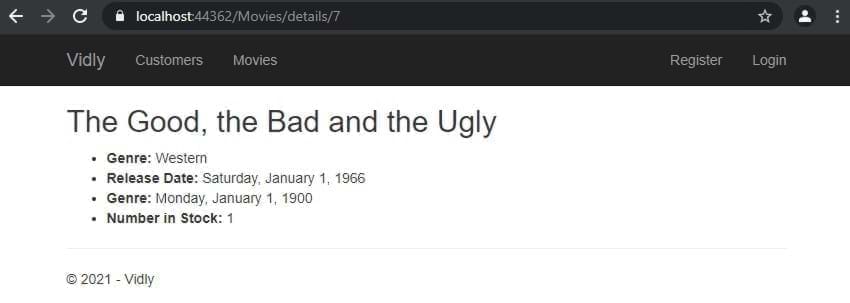
獲取:https:// localhost:44362/api/movers/7 200
{
    "id" : 7 ,
    "name" : " The Good, the Bad and the Ugly " ,
    "genreId" : 6 ,
    "dateAdded" : " 1900-01-01T00:00:00 " ,
    "releaseDate" : " 1966-01-01T00:00:00 " ,
    "numberInStock" : 1
}
帖子:https:// localhost:44362/api/電影201創建
{
  "name" : " Life Is Beautiful " ,
  "genreId" : 3 ,
  "dateAdded" : " 1900-01-01T00:00:00 " ,
  "releaseDate" : " 1997-01-01T00:00:00 " ,
  "numberInStock" : 1
}
put:https:// localhost:44362/api/movers/11 204沒有內容
{
  "name" : " Life Is Beautiful " ,
  "genreId" : 3 ,
  "dateAdded" : " 1900-01-01T00:00:00 " ,
  "releaseDate" : " 1997-01-01T00:00:00 " ,
  "numberInStock" : 5
}
刪除:https:// localhost:44362/api/movers/12 204無內容
在視圖中,將類,數據和ID添加到項目中。最後腳本:
 < table id =" customers " < ---
       class =" table table-borderless " >
           < tr class =" danger " >
               < th > Customers </ th >
....
....
< td >
    < button data-customer-id =" @item.Id " < ---
            class =" btn-link js-delete " < ---
            >
        Delete
    </ button >
</ td >
.....
@section scripts{
    < script >
        $ ( document ) . ready ( function ( ) {
            $ ( "#customers .js-delete" ) . on ( "click" , function ( ) {
                var button = $ ( this ) ;
                if ( confirm ( "sure to delete?" ) ) {
                    $ . ajax ( {
                        url : "/api/customers/" + button . attr ( "data-customer-id" ) ,
                        method : "DELETE" ,
                        success : function ( ) {
                            alert ( "success" ) ;
                            button . parents ( "tr" ) . remove ( ) ;
                        }
                    } ) ;
                }
            } ) ;
        } ) ;
    </ script >
} 加入Bundleconfig.cs:
 bundles . Add ( new ScriptBundle ( "~/bundles/bootstrap" ) . Include (
          "~/Scripts/bootstrap.js" ,
          "~/Scripts/bootbox.js" , //<--- here
          "~/Scripts/respond.js"
          ) ) ;
在視圖中實施:
@section scripts{
< script >
    $ ( document ) . ready ( function ( ) {
        $ ( "#customers .js-delete" ) . on ( "click" , function ( ) {
            var button = $ ( this ) ;
            bootbox . confirm ( "sure to delete?" , function ( result ) {
                if ( result ) {
                    $ . ajax ( {
                        url : "/api/customers/" + button . attr ( "data-customer-id" ) ,
                        method : "DELETE" ,
                        success : function ( ) {
                            alert ( "success" ) ;
                            button . parents ( "tr" ) . remove ( ) ;
                        }
                    } ) ;
                }
            } ) ;
        } ) ;
    } ) ;
</ script >
}添加到捆綁包:(我們將第三方捆綁包合併到lib。in _layout.cshtml-> @Scripts.Render("~/bundles/lib") )
         bundles . Add ( new ScriptBundle ( "~/bundles/lib" ) . Include (
                        "~/Scripts/jquery-{version}.js" ,
                        "~/Scripts/bootstrap.js" ,
                        "~/Scripts/bootbox.js" ,
                        "~/Scripts/respond.js" ,
                        "~/Scripts/DataTables/jquery.dataTables.js" , //<--
                        "~/Scripts/DataTables/dataTables.bootstrap.js" //<--
                        ) ) ;
bundles . Add ( new StyleBundle ( "~/Content/css" ) . Include (
"~/Content/bootstrap.css" ,
"~/content/datatables/css/dataTables.bootstrap.css" , //<-- style
"~/Content/site.css" ) ) ;在視圖表中應具有ID和THEAD,TBODY標籤。最後在腳本部分中,當文檔準備就緒時:
 $ ( document ) . ready ( function ( ) {
            $ ( "#customers" ) . DataTable ( ) ;
    //...
} 在jQuery DataTable調用中:
 $ ( document ) . ready ( function ( ) {
        $ ( "#customers" ) . DataTable ( {
            ajax : {
                url : "/api/customers" ,
                dataSrc : ""
            } ,
            columns : [
                {
                    data : "name" ,
                    render : function ( data , type , customer ) {
                        return "<a href='/customers/edit/'" + customer . id + "'>" + customer . name ;
                    }
                } ,
                {
                    data : "membershipType.name"
                } ,
                {
                    data : "id" ,
                    render : function ( data ) {
                        return "<button class='btn-link js-delete' data-customer-id=" + data + ">Delete</button>" ;
                    }
                }
            ]
} ) ; 步驟1:創建DTO,步驟2:將DTO添加到父dto步驟3.映射配置文件中的映射步驟4:添加到控制器(.__pdbcontext.customers.include(c => c.membershiptype).tolist(C => c.membershiptype).tolist().tolist()..
 {
    data : "membershipType.name"
} , 將表分配給變量並在刪除方法中使用:
    < script >
        $ ( document ) . ready ( function ( ) {
            var table //<--
            = $ ( "#customers" ) . DataTable ( {
                ajax : {
                    url : "/api/customers" ,
                    dataSrc : ""
                } ,
                columns : [
                    {
                        data : "name" ,
                        render : function ( data , type , customer ) {
                            return "<a href='/customers/edit/'" + customer . id + "'>" + customer . name ;
                        }
                    } ,
                    {
                        data : "membershipType.name"
                    } ,
                    {
                        data : "id" ,
                        render : function ( data ) {
                            return "<button class='btn-link js-delete' data-customer-id=" + data + ">Delete</button>" ;
                        }
                    }
                ]
            } ) ;


            $ ( "#customers" ) . on ( "click" , ".js-delete" , function ( ) {
                var button = $ ( this ) ;
                bootbox . confirm ( "Are you sure you want to delete this customer?" , function ( result ) {
                    if ( result ) {
                        $ . ajax ( {
                            url : "/api/customers/" + button . attr ( "data-customer-id" ) ,
                            method : "DELETE" ,
                            success : function ( ) {
                                ///<--- here
                                table . row ( button . parents ( "tr" ) )
                                    . remove ( ) . draw ( ) ;
                            }
                        } ) ;
                    }
                } ) ;
            } ) ;
        } ) ;
</ script > 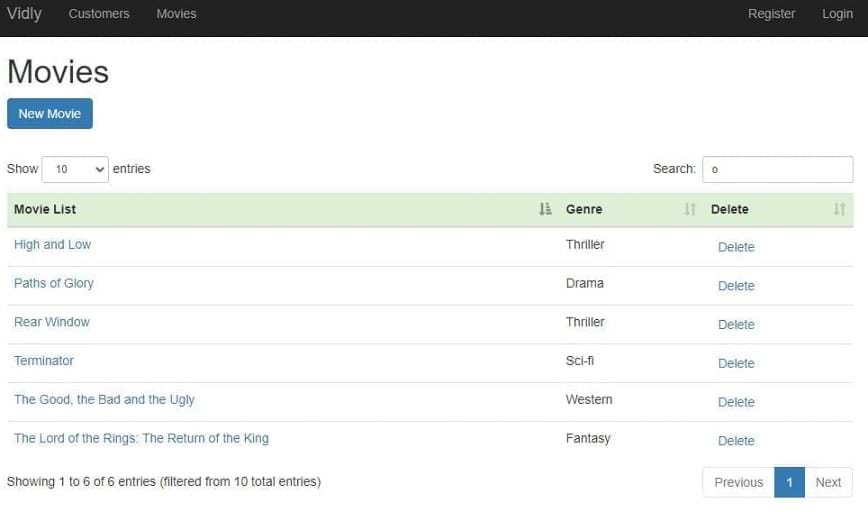
所有邏輯都內置(請參閱文件和詳細信息提交)
將[授權]屬性添加到控制器操作或控制器的頂部以限制所有操作
FilterConfig.cs:
filters . Add ( new AuthorizeAttribute ( ) ) ;這可以禁用未經授權的用戶的所有控制器
播種數據庫:保持項目在不同的工作方案上的一致性添加到遷移中
為客人和授權用戶創建單獨的視圖
在控制器中:
 public ViewResult Index ( int ? pageIndex , string sortBy )
 {
     if ( User . IsInRole ( RoleName . CanManageMovies ) )
         return View ( "List" ) ;
     return View ( "ReadOnlyList" ) ;
}
禁用其他操作訪問訪問添加此屬性: [Authorize(Roles = RoleName.CanManageMovies)]
創建一個模型來保持角色rolename.cs:
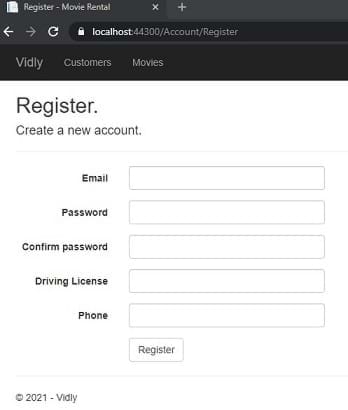
public const string CanManageMovies = "CanManageMovies" ; 要將自定義字段添加到用戶:將Prop添加到視圖的應用程序用戶類和ViewModel中。還添加新的道具以註冊訴訟分配部分
在屬性中啟用SSL,添加過濾器
filters . Add ( new RequireHttpsAttribute ( ) ) ;從Facebook,Google ...插入startup.auth.cs中獲取appid和appsecret
 app . UseFacebookAuthentication (
   appId : "id" ,
   appSecret : "secret" ) ;
將任何自定義道具添加到外部登錄表單和ViewModel中。在外部登錄控制器中初始化
在nuget install install install limpse.mvc5和limpse.ef6轉到 /glimse.axd並啟用
禁用緩存: [OutputCache(Duration = 0, VaryByParam = "*", NoStore = true)]
啟用緩存:
[OutputCache(Duration=50,Location=OutputCacheLocation.Server,VaryByParam="genre")]
在控制器動作中
 if ( MemoryCache . Default [ "Genres" ] == null )
        {
            MemoryCache . Default [ "Genres" ] = _appDbContext . Genres . ToList ( ) ;
        }

var genres = MemoryCache . Default [ "Genres" ] as IEnumerable < Genre > ; 在system.web中的web.config中
我們將在我們的應用程序create dto:newrentaldto中添加租賃功能:
 public class NewRentalDto
{
    public int CustomerId { get ; set ; }
    public List < int > MovieIds { get ; set ; }
}
創建模型:租賃,添加到上下文並運行遷移
 public class Rental
{
    public int Id { get ; set ; }
    [ Required ]
    public Customer Customer { get ; set ; }
    [ Required ]
    public Movie Movie { get ; set ; }
    public DateTime DateRented { get ; set ; }
    public DateTime ? DateReturned { get ; set ; }
}
有關提交的更多詳細信息。 (使用打字,獵犬以自動完成)
右鍵單擊並發布
PM> update-database -script -SourceMigration:SeedUsers
目標mig持續。您現在有SQL查詢DB
在web.config <appSettings key="value"></appSettings>或外部創建另一個配置文件<appSettings configSource="AppSettings.config"></appSettings>在代碼中使用: ConfigurationManager.AppSettings["Key"]注: appsettings始終返回strings strings。您需要手動轉換它
在web.config中添加到<system.web>
<customErrors mode="On"></customErrors>
ON:啟用無處不在的遙控器:禁用Localhost
在視圖中自定義>共享錯誤。 cshtml
在web.config中添加到<system.web> <customErrors>
  < system .web>
    < customErrors mode = " On " >
      < error statusCode = " 404 " redirect = " ~/404.html " />
    </ customErrors >
      <!-- ..... -->
</ system .web>n web.config添加到<system.webServer>
    < httpErrors errorMode = " Custom " >
      < remove statusCode = " 404 " />
      < error statusCode = " 404 " path = " 404.html " responseMode = " File " />
</ httpErrors >自定義:啟用詳細信息啟用:在Localhost上禁用
Nuget> Elmah
異常記錄器。 /elmah.axd訪問
默認情況下,它將日誌保存到內存,但是使用小配置,我們可以在各種數據庫上有這些例外
用於訪問遠程將其添加到Elmah
      < authorization >
        < allow roles = " admin,user2,user3,... " />
        < deny users = " * " />
      </ authorization >
謝謝! ! !





