Vidly_MVCProject
1.0.0

これは、学習目的で.NETフレームワーク4.8で開発されたMVCアプリです。
アクション結果
| タイプ | ヘルパーメソッド |
|---|---|
| viewresult | ビュー() |
| partialViewResult | partialView() |
| ContentResult | コンテンツ() |
| RedirectResult | リダイレクト() |
| Redirecttorouteresult | RedirectToAction() |
| jsonresult | json() |
| fileresult | ファイル() |
| httpnotfoundResult | httpnotfound() |
| emptyResult | - |
いくつかの例
 public ActionResult Test ( )
	{
		return View ( data ) ;
		return Content ( "Hello World!" ) ;
		return HttpNotFound ( ) ;
		return new EmptyResult ( ) ;
		return RedirectToAction ( "Index" , "Home" , new { page = "1" , sortBy = "name" } ) ;
} コンベンションベースのルーティング: Routeconfig.cs
 routes . MapRoute (
  		 "MoviesByReleaseDate" , //name of route
  		"movies/released/{year}/{month}" , //route url
  		new { controller = "Movies" , action = "ByReleaseDate" } , //default corresponding controller and actions
new { year = @"2020|2021" , month = @"d{2}" } ) ; //constraints for parameters属性ルーティング:routeconfig.csでroutes.MapMvcAttributeRoutes();コントローラーを使用する前に、属性[Route("url template")]を使用します。また、Min、Max、Minlength、Maxlength、Int、Float、GUIDなどの制約を使用できます。
 [ Route ( "movies/released/{year:regex( \ d{4}:range(1800,2021))}/{month:regex( \ d{2}:range(1,12))}" ) ]
public ActionResult ByReleaseDate ( int year , int month )
  {
  	return Content ( year + "/" + month ) ;
} public ActionResult Test ( )
{
var movie = new Movie ( ) { Name = "Shrek!" } ;
ViewData [ "Movie" ] = movie ;
ViewBag . Movie = movie ;
return View ( movie ) ;
} < h2 > @Model.Name </ h2 > <!-- preffered way -->
< h2 > @( ((Movie) ViewData["Movie"]).Name) </ h2 > <!-- ugly way / dont use -->
< h2 > @ViewBag.Movie.Name </ h2 > <!-- casted at runtime / not safe --> public class RandomMovieViewModel
{
public Movie Movie { get ; set ; }
public List < Customer > Customers { get ; set ; }
} public class MoviesController : Controller
{
// GET: Movies
public ActionResult Random ( )
{
//adding data
var movie = new Movie ( ) { Name = "Shrek!" } ;
var customers = new List < Customer >
{
new Customer { Name = "cust1" } ,
new Customer { Name = "cust2" }
} ;
//filing viewmodel with data
var viewModel = new RandomMovieViewModel ( )
{
Movie = movie ,
Customers = customers
} ;
return View ( viewModel ) ;
}@ *
this is a razor comment
* @
@ {
//multiple lines
//when razor sees html prints it and when razor sees csharp interprets it
}
@ {
var className = Model . Customers . Count > 0 ? "popular" : null ;
}
< h2 class = "@className" > @Model . Movie . Name < / h2 > < ! -- preferred way -- >
@if ( Model . Customers . Count == 0 )
{
< p > No one has rented this movie before . < / p >
}
< ul >
@foreach ( var customer in Model . Customers )
{
< li > @customer . Name < / li >
}
< / ul >ビューでビューでビューを作成し、部分的なビューを選択します。別のビューでの使用@Html.Partial("_PartialView", Model.Data)
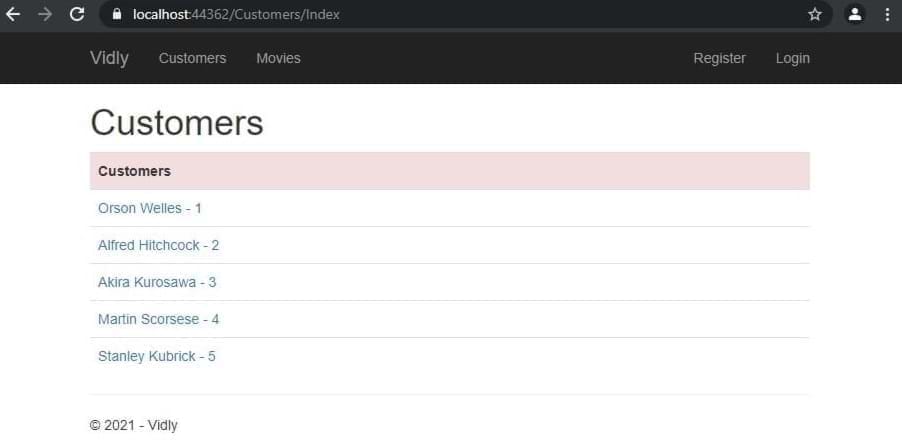
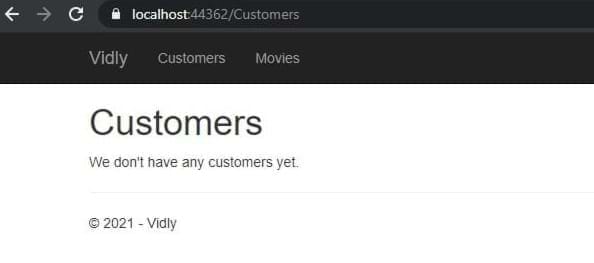
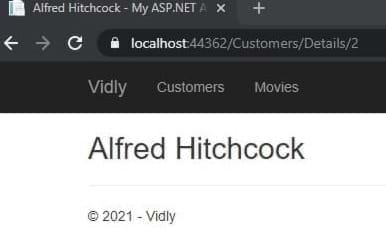
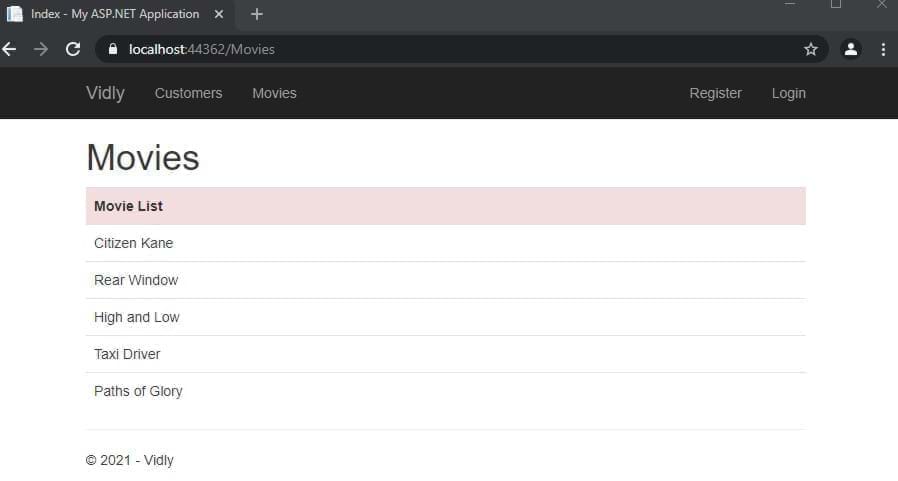
エンティティフレームワーク:コンテキストファイルを使用して、リレーショナルデータベース内のオブジェクトにデータをマップするORM。
LINQ: SQLクエリのような方法。
ワークフロー:最初にデータベース、最初にコード。
最初にDB:最初にデータベーステーブルを設計し、後でEFをテーブルに従ってドメインクラスを生成させます。
最初にコード:最初にドメインクラスを作成し、後でEFにデータベーステーブルを生成します。
コンテキストでのdbsetからテーブル名:パッケージマネージャーコンソールPM > enable-migrations 、 PM> add-migration migrationName 、 PM> update-database
シードDB: SQLコマンドを移行()メソッドに入れます
コントローラーで
 private Context _context ;
public CustomersController ( )
	  {
		  _context = new Context ( ) ;
	  }
//...
public ActionResult Index ( )
	{
	var customers = _context . Customers . ToList ( ) ;
	return View ( customers ) ;
	}
//...
public ActionResult Details ( int id )
	{
	var customer = _context . Customers . Single ( c => c . Id == id ) ;
	return View ( customer ) ;
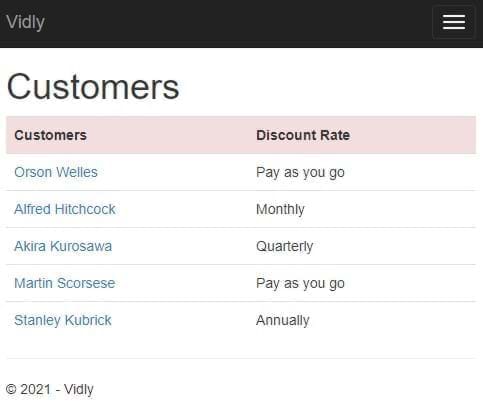
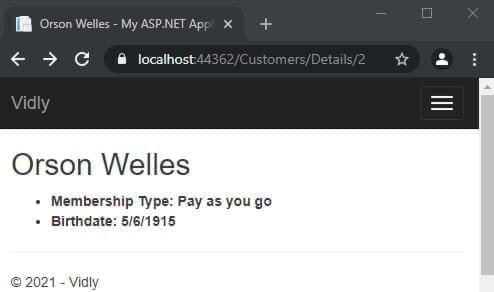
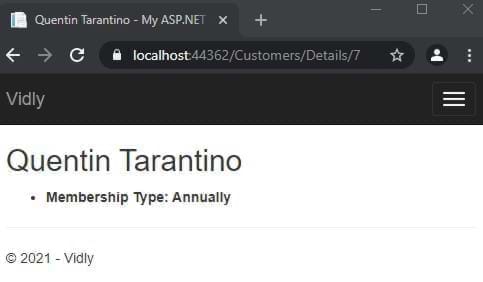
} リレーショナル外部テーブルを荷重: _context.Customer.Include(c=>c.MembershipType).ToList();
視野:
 @using ( Html . BeginForm ( actionName : "Create" , controllerName : "Customers" ) )
{
	< div class = "form-group" >
		@Html . LabelFor ( m => m . Name )
		@Html . TextBoxFor ( m => m . Name , new { @class = "form-control" } )
	< / div >
} データアノテーションを備えたモデル:
 [ Display ( Name = "Date of Birth" ) ]
public DateTime ? Birthdate { get ; set ; }
または、 <label for="Birthdate">Date of Birth</label>を使用して表示されます
viewmodelを作成します:
 public class NewCustomerViewModel
{
	public IEnumerable < MembershipType > MembershipTypes { get ; set ; }
	public Customer Customer { get ; set ; }
}
コントローラーで:
 var membershipTypes = _context . MembershipTypes . ToList ( ) ;

var viewModel = new NewCustomerViewModel ( )
{
	MembershipTypes = membershipTypes
} ;
視野:
 < div class =" form-group " >
	@Html.LabelFor(m = > m.Customer.MembershipTypeId)
	@Html.DropDownListFor(m = > m.Customer.MembershipTypeId, new SelectList(Model.MembershipTypes,"Id","Name"),"Select Membership Type", new { @class = "form-control" })
</ div > コントローラーで:
 [ HttpPost ]
public ActionResult Create ( Customer customer )
{
	//...
	return View ( ) ;
}
アクション名とコントローラー名を確認してください
 ( Html . BeginForm ( actionName : "Create" , controllerName : "Customers" ) )
//... [ HttpPost ]
public ActionResult Create ( Customer customer )
{
_context . Customers . Add ( customer ) ;
_context . SaveChanges ( ) ;
return RedirectToAction ( "Index" , "Customers" ) ;
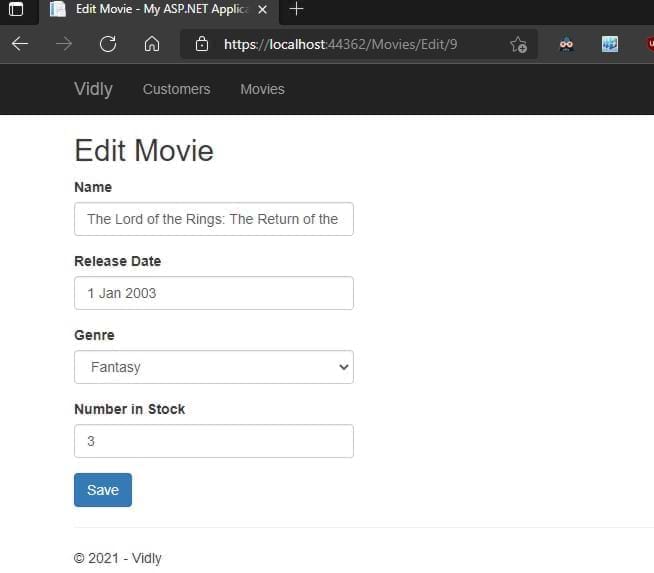
} コントローラーのIDからの対応するアイテムでデータを入力します。
	 public ActionResult Edit ( int id )
	{
		var customer = _context . Customers . SingleOrDefault ( c => c . Id == id ) ;

		if ( customer == null )
			return HttpNotFound ( ) ;

		var viewModel = new CustomerFormViewModel ( )
		{
			Customer = customer ,
			MembershipTypes = _context . MembershipTypes . ToList ( )
		} ;
		return View ( "CustomerForm" , viewModel ) ;
	}
} 存在しない場合、追加されている場合は更新されます。コントローラーマップでは、属性
 public ActionResult Save ( Customer customer )
{
	if ( customer . Id == 0 )
		_context . Customers . Add ( customer ) ;
	else
	{
		var customerInDb = _context . Customers . Single ( c => c . Id == customer . Id ) ;


		customerInDb . Name = customer . Name ;
		customerInDb . Birthdate = customer . Birthdate ;
		customerInDb . MembershipTypeId = customer . MembershipTypeId ;
		customerInDb . IsSubscribedToNewsletter = customer . IsSubscribedToNewsletter ;
	}

	_context . SaveChanges ( ) ;

	return RedirectToAction ( "Index" , "Customers" ) ;
}
表示されている依存IDフィールドを非表示として追加します:
@Html.HiddenFor(m= > m.Customer.Id)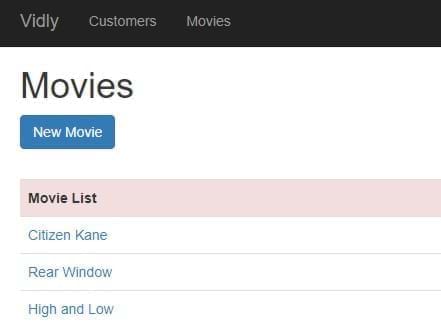
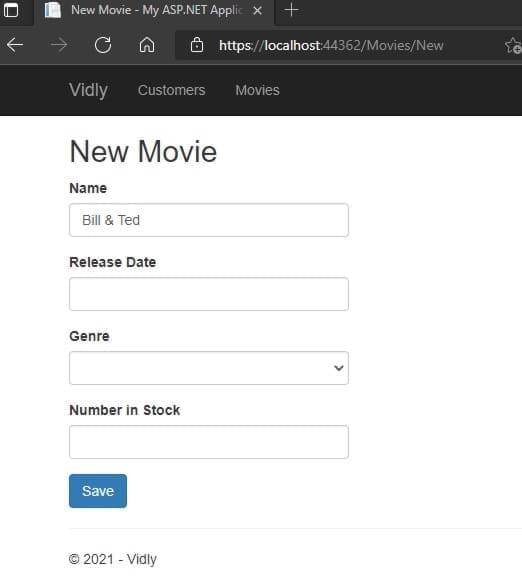
ステップ1:モデルにアノテーションを追加、ステップ2:コントローラーに検証コントロールを追加します。有効な場合、ユーザーデータを使用してフォームを返します
 if ( ! ModelState . IsValid )
{
    var viewModel = new CustomerFormViewModel
    {
    Customer = customer ,
    MembershipTypes = _context . MembershipTypes . ToList ( )
    } ;
    return View ( "CustomerForm" , viewModel ) ;
}
ステップ3:表示する検証メッセージを追加します:
@Html.ValidationMessageFor(m= > m.Customer.Name)スタイリング検証エラーこれらのクラスにアクセスしてスタイライズします。
. field-validation-error {
    color : red;
}
. input-validation-error {
    border : 2 px red;
}モデルのオーバーライド検証メッセージこれを必要なデータアノテーションに追加
 [ Required ( ErrorMessage = "Please enter customer's name." ) ]
 [ StringLength ( 255 ) ]

public string Name { get ; set ; } ステップ1:validationAttributeを継承するクラスを作成します(System.comPonentModel.DataAnnotationsを使用)
 public class Min18YearsIfAMember : ValidationAttribute
   {
       protected override ValidationResult IsValid ( object value , ValidationContext validationContext )
       {
           var customer = ( Customer ) validationContext . ObjectInstance ;

           if ( customer . MembershipTypeId == 0 || customer . MembershipTypeId == 1 )
           {
               return ValidationResult . Success ;
           }
           if ( customer . Birthdate == null )
           {
               return new ValidationResult ( "Birthdate is required." ) ;
           }

           var age = DateTime . Today . Year - customer . Birthdate . Value . Year ;

           return ( age >= 18 )
               ? ValidationResult . Success
               : new ValidationResult ( "Customer should be at least 18 years old to go on a membership." )
       }
   }
ステップ2:モデルにデータアノテーションを追加します
 [ Display ( Name = "Membership Type" ) ]
[ Min18YearsIfAMember ]
public byte MembershipTypeId { get ; set ; }
ステップ3:表示するメッセージを追加します
@Html.ValidationMessageFor(m= > m.Customer.MembershipTypeId)@Html.ValidationSummary(true, "Please fix the following errors.")expludePropertYerrors:trueは個々のエラーリストメッセージ:ユーザーへの表示メッセージ(スタイリングできます)
これを展示されているフォームに追加します
 @section scripts {
    @Scripts . Render ( "~/bundles/jqueryval" )
} ビューでは、このHTMLヘルパーを使用します。
@Html . AntiForgeryToken ( )コントローラーのアクションでは、このデータアノテーションを追加します。
コントローラーでWeb APIを作成し、これをGlobal.asax.jsに追加します:
GlobalConfiguration . Configure ( WebApiConfig . Register ) ;コントローラーの初期化コンテキスト:
 private Context _context ;

  public CustomersController ( )
  {
      _context = new Context ( ) ;
  }
get/post/putのようなメソッドを作成します:すべてを取得:
 //GET /api/customers
[ HttpGet ]
public IEnumerable < Customer > GetCustomers ( )
{
    return _context . Customers . ToList ( ) ;
}
入手:
 //GET /api/customers/1
[ HttpGet ]
public Customer GetCustomer ( int id )
{
    var customer = _context . Customers . SingleOrDefault ( c => c . Id == id ) ;

    if ( customer == null )
        throw new HttpResponseException ( HttpStatusCode . NotFound ) ;

    return customer ;
}
作成する:
 //POST /api/customers
[ HttpPost ]
public Customer CreateCustomer ( Customer customer )
{
    if ( ! ModelState . IsValid )
        throw new HttpResponseException ( HttpStatusCode . BadRequest ) ;

    _context . Customers . Add ( customer ) ;
    _context . SaveChanges ( ) ;

    return customer ;
}
アップデート:
 //PUT /api/customers/1
        [ HttpPut ]
        public void UpdateCustomer ( int id , Customer customer )
        {
            if ( ! ModelState . IsValid )
                throw new HttpResponseException ( HttpStatusCode . BadRequest ) ;

            var customerInDb = _context . Customers . SingleOrDefault ( c => c . Id == id ) ;

            if ( customerInDb == null )
                throw new HttpResponseException ( HttpStatusCode . NotFound ) ;

            customerInDb . Name = customer . Name ;
            customerInDb . Birthdate = customer . Birthdate ;
            customerInDb . IsSubscribedToNewsletter = customer . IsSubscribedToNewsletter ;
            customerInDb . MembershipTypeId = customer . MembershipTypeId ;

            _context . SaveChanges ( ) ;
        }
消去:
 //DELETE /api/customers/1
[ HttpDelete ]
public void DeleteCustomer ( int id )
{
    var customerInDb = _context . Customers . SingleOrDefault ( c => c . Id == id ) ;

    if ( customerInDb == null )
        throw new 	HttpResponseException ( HttpStatusCode . NotFound ) ;

    _context . Customers . Remove ( customerInDb ) ;
    _context . SaveChanges ( ) ;
}
郵便配達員とのテスト
ドメインオブジェクト変更または表示したくないデータを削除します。私たちのニーズのために形作られています。 DTOSフォルダーに保存します
APP_STARTでは、mappingprofile.csを作成します。
 public class MappingProfile : Profile
{
    public MappingProfile ( )
    {
        Mapper . CreateMap < Customer , CustomerDto > ( ) ;
        Mapper . CreateMap < CustomerDto , Customer > ( ) ;
    }
}
Global.asax.csにマッパーを追加します
 protected void Application_Start ( )
{
    Mapper . Initialize ( c => c . AddProfile < MappingProfile > ( ) ) ;
    //..
}
コントローラーのアクションを更新します:
 //GET /api/customers
[ HttpGet ]
public IEnumerable < CustomerDto > GetCustomers ( )
{
    return _context . Customers . ToList ( ) . Select ( Mapper . Map < Customer , CustomerDto > ) ;
}
//GET /api/customers/1
[ HttpGet ]
public CustomerDto GetCustomer ( int id )
{
var customer = _context . Customers . SingleOrDefault ( c => c . Id == id ) ;
if ( customer == null )
throw new HttpResponseException ( HttpStatusCode . NotFound ) ;
return Mapper . Map < Customer , CustomerDto > ( customer ) ;
} //POST /api/customers
[ HttpPost ]
public CustomerDto CreateCustomer ( CustomerDto customerDto )
{
if ( ! ModelState . IsValid )
throw new HttpResponseException ( HttpStatusCode . BadRequest ) ;
var customer = Mapper . Map < CustomerDto , Customer > ( customerDto ) ;
_context . Customers . Add ( customer ) ;
_context . SaveChanges ( ) ;
customerDto . Id = customer . Id ;
return customerDto ;
} //PUT /api/customers/1
[ HttpPut ]
public void UpdateCustomer ( int id , CustomerDto customerDto )
{
if ( ! ModelState . IsValid )
throw new HttpResponseException ( HttpStatusCode . BadRequest ) ;
var customerInDb = _context . Customers . SingleOrDefault ( c => c . Id == id ) ;
if ( customerInDb == null )
throw new HttpResponseException ( HttpStatusCode . NotFound ) ;
Mapper . Map ( customerDto , customerInDb ) ;
_context . SaveChanges ( ) ;
} app_start webapiconfig.csでレジスタを追加します
 var settings = config . Formatters . JsonFormatter . SerializerSettings ;
         settings . ContractResolver = new CamelCasePropertyNamesContractResolver ( ) ;
settings . Formatting = Formatting . Indented ; 私たちの行動のために正しいHTTP結果:
 //GET /api/customers/1
[ HttpGet ]
public IHttpActionResult GetCustomer ( int id )
{
    var customer = _context . Customers . SingleOrDefault ( c => c . Id == id ) ;

    if ( customer == null )
        return NotFound ( ) ;

    return Ok ( Mapper . Map < Customer , CustomerDto > ( customer ) ) ;
}
//POST /api/customers
[ HttpPost ]
public IHttpActionResult CreateCustomer ( CustomerDto customerDto )
{
if ( ! ModelState . IsValid )
return BadRequest ( ) ;
var customer = Mapper . Map < CustomerDto , Customer > ( customerDto ) ;
_context . Customers . Add ( customer ) ;
_context . SaveChanges ( ) ;
customerDto . Id = customer . Id ;
return Created ( new Uri ( Request . RequestUri + "/" + customer . Id ) , customerDto ) ;
} 郵便配達員:get:https:// localhost:44362/api/movies 200 ok
[
    {
        "id" : 1 ,
        "name" : " Citizen Kane " ,
        "genreId" : 3 ,
        "dateAdded" : " 1900-01-01T00:00:00 " ,
        "releaseDate" : " 1941-01-01T00:00:00 " ,
        "numberInStock" : 4
    },
    {
        "id" : 3 ,
        "name" : " Rear Window " ,
        "genreId" : 10 ,
        "dateAdded" : " 1900-01-01T00:00:00 " ,
        "releaseDate" : " 1954-01-01T00:00:00 " ,
        "numberInStock" : 3
    },
//.......
]
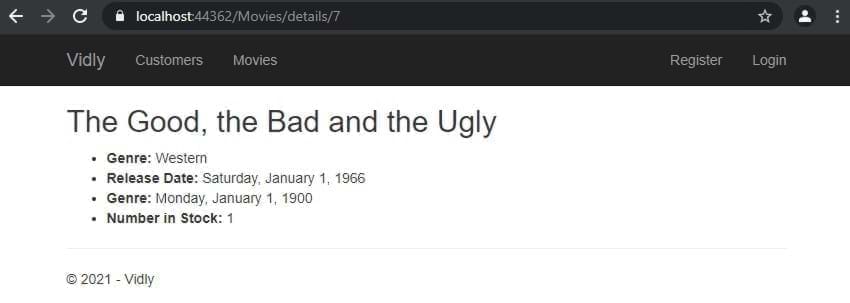
取得:https:// localhost:44362/api/movies/7 200 ok
{
    "id" : 7 ,
    "name" : " The Good, the Bad and the Ugly " ,
    "genreId" : 6 ,
    "dateAdded" : " 1900-01-01T00:00:00 " ,
    "releaseDate" : " 1966-01-01T00:00:00 " ,
    "numberInStock" : 1
}
投稿:https:// localhost:44362/api/movies 201が作成
{
  "name" : " Life Is Beautiful " ,
  "genreId" : 3 ,
  "dateAdded" : " 1900-01-01T00:00:00 " ,
  "releaseDate" : " 1997-01-01T00:00:00 " ,
  "numberInStock" : 1
}
Put:https:// localhost:44362/api/movies/11 204コンテンツなし
{
  "name" : " Life Is Beautiful " ,
  "genreId" : 3 ,
  "dateAdded" : " 1900-01-01T00:00:00 " ,
  "releaseDate" : " 1997-01-01T00:00:00 " ,
  "numberInStock" : 5
}
削除:https:// localhost:44362/api/movies/12 204コンテンツなし
ビューでは、クラス、データ、IDをアイテムに追加します。そして最後にスクリプト:
 < table id =" customers " < ---
       class =" table table-borderless " >
           < tr class =" danger " >
               < th > Customers </ th >
....
....
< td >
    < button data-customer-id =" @item.Id " < ---
            class =" btn-link js-delete " < ---
            >
        Delete
    </ button >
</ td >
.....
@section scripts{
    < script >
        $ ( document ) . ready ( function ( ) {
            $ ( "#customers .js-delete" ) . on ( "click" , function ( ) {
                var button = $ ( this ) ;
                if ( confirm ( "sure to delete?" ) ) {
                    $ . ajax ( {
                        url : "/api/customers/" + button . attr ( "data-customer-id" ) ,
                        method : "DELETE" ,
                        success : function ( ) {
                            alert ( "success" ) ;
                            button . parents ( "tr" ) . remove ( ) ;
                        }
                    } ) ;
                }
            } ) ;
        } ) ;
    </ script >
} bundleconfig.csを追加します:
 bundles . Add ( new ScriptBundle ( "~/bundles/bootstrap" ) . Include (
          "~/Scripts/bootstrap.js" ,
          "~/Scripts/bootbox.js" , //<--- here
          "~/Scripts/respond.js"
          ) ) ;
視界で実装:
@section scripts{
< script >
    $ ( document ) . ready ( function ( ) {
        $ ( "#customers .js-delete" ) . on ( "click" , function ( ) {
            var button = $ ( this ) ;
            bootbox . confirm ( "sure to delete?" , function ( result ) {
                if ( result ) {
                    $ . ajax ( {
                        url : "/api/customers/" + button . attr ( "data-customer-id" ) ,
                        method : "DELETE" ,
                        success : function ( ) {
                            alert ( "success" ) ;
                            button . parents ( "tr" ) . remove ( ) ;
                        }
                    } ) ;
                }
            } ) ;
        } ) ;
    } ) ;
</ script >
}バンドルに追加:(そして、_layout.cshtml-> @Scripts.Render("~/bundles/lib")のサードパーティのバンドルをlibに統合しました))))
         bundles . Add ( new ScriptBundle ( "~/bundles/lib" ) . Include (
                        "~/Scripts/jquery-{version}.js" ,
                        "~/Scripts/bootstrap.js" ,
                        "~/Scripts/bootbox.js" ,
                        "~/Scripts/respond.js" ,
                        "~/Scripts/DataTables/jquery.dataTables.js" , //<--
                        "~/Scripts/DataTables/dataTables.bootstrap.js" //<--
                        ) ) ;
bundles . Add ( new StyleBundle ( "~/Content/css" ) . Include (
"~/Content/bootstrap.css" ,
"~/content/datatables/css/dataTables.bootstrap.css" , //<-- style
"~/Content/site.css" ) ) ;ビューでは、テーブルにはIDとThead、Tbodyタグが必要です。最後に、ドキュメントの準備ができたときのスクリプトセクションで:
 $ ( document ) . ready ( function ( ) {
            $ ( "#customers" ) . DataTable ( ) ;
    //...
} jquery datatableコール:
 $ ( document ) . ready ( function ( ) {
        $ ( "#customers" ) . DataTable ( {
            ajax : {
                url : "/api/customers" ,
                dataSrc : ""
            } ,
            columns : [
                {
                    data : "name" ,
                    render : function ( data , type , customer ) {
                        return "<a href='/customers/edit/'" + customer . id + "'>" + customer . name ;
                    }
                } ,
                {
                    data : "membershipType.name"
                } ,
                {
                    data : "id" ,
                    render : function ( data ) {
                        return "<button class='btn-link js-delete' data-customer-id=" + data + ">Delete</button>" ;
                    }
                }
            ]
} ) ; ステップ1:DTOの作成、ステップ2:DTOを親DTOに追加するステップ3.マッピングプロファイルのマッピングステップ4:Controller(._AppdbContext.Customers.Include(c => c.membershiptype).tolist().tolist().tolist():view columm
 {
    data : "membershipType.name"
} , テーブルを変数に割り当て、削除方法で使用します。
    < script >
        $ ( document ) . ready ( function ( ) {
            var table //<--
            = $ ( "#customers" ) . DataTable ( {
                ajax : {
                    url : "/api/customers" ,
                    dataSrc : ""
                } ,
                columns : [
                    {
                        data : "name" ,
                        render : function ( data , type , customer ) {
                            return "<a href='/customers/edit/'" + customer . id + "'>" + customer . name ;
                        }
                    } ,
                    {
                        data : "membershipType.name"
                    } ,
                    {
                        data : "id" ,
                        render : function ( data ) {
                            return "<button class='btn-link js-delete' data-customer-id=" + data + ">Delete</button>" ;
                        }
                    }
                ]
            } ) ;


            $ ( "#customers" ) . on ( "click" , ".js-delete" , function ( ) {
                var button = $ ( this ) ;
                bootbox . confirm ( "Are you sure you want to delete this customer?" , function ( result ) {
                    if ( result ) {
                        $ . ajax ( {
                            url : "/api/customers/" + button . attr ( "data-customer-id" ) ,
                            method : "DELETE" ,
                            success : function ( ) {
                                ///<--- here
                                table . row ( button . parents ( "tr" ) )
                                    . remove ( ) . draw ( ) ;
                            }
                        } ) ;
                    }
                } ) ;
            } ) ;
        } ) ;
</ script > 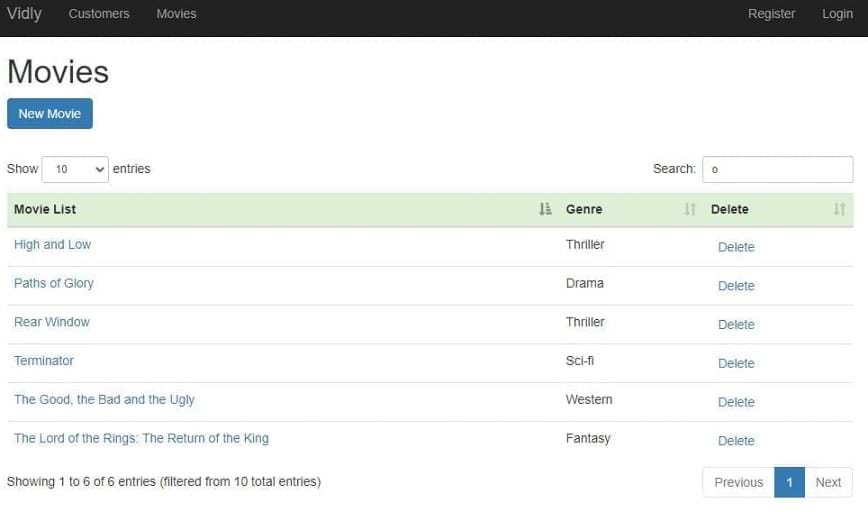
すべてのロジックが組み込まれています(ファイルと詳細についてはコミットを参照)
すべてのアクションを制限するために、コントローラーアクションまたはコントローラーの上に[authorize]属性を追加する
filterconfig.cs:
filters . Add ( new AuthorizeAttribute ( ) ) ;これにより、不正なユーザー向けのすべてのコントローラーが無効になりますが、アクセスを有効にするためにコントローラーまたはアクションに[AllowAnonynony]を追加できます
データベースのシード:さまざまな作業シナリオでプロジェクトの一貫性を維持するために、それらを移行に追加します
ゲストと認定ユーザーの個別のビューを作成します
コントローラーで:
 public ViewResult Index ( int ? pageIndex , string sortBy )
 {
     if ( User . IsInRole ( RoleName . CanManageMovies ) )
         return View ( "List" ) ;
     return View ( "ReadOnlyList" ) ;
}他のアクションを無効にするには[Authorize(Roles = RoleName.CanManageMovies)]アクセスアクセスこの属性を追加します。
役割を維持するためのモデルを作成しますrolename.cs:
public const string CanManageMovies = "CanManageMovies" ; ユーザーにカスタムフィールドを追加するには:アプリケーションユーザークラスとビューのViewModelの両方にプロップを追加します。また、アクションの割り当てセクションを登録するために新しい小道具を追加します
プロパティでSSLを有効にし、フィルターを追加します
filters . Add ( new RequireHttpsAttribute ( ) ) ;Facebookからappidとappsecretを入手してください、Google ... startup.auth.csの挿入
 app . UseFacebookAuthentication (
   appId : "id" ,
   appSecret : "secret" ) ;
外部ログインフォームとViewModelにカスタムプロップを追加します。外部ログインコントローラーで初期化します
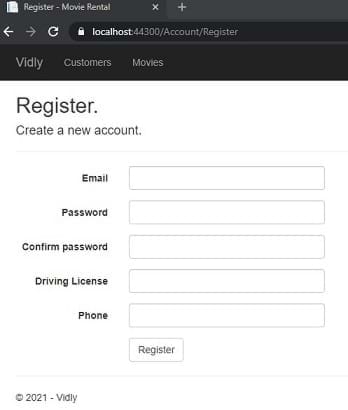
nugetインストールglimpse.mvc5およびglimpse.ef6に/glimse.axdに移動してenable
キャッシュの無効化: [OutputCache(Duration = 0, VaryByParam = "*", NoStore = true)]
キャッシュを有効にする:
[OutputCache(Duration=50,Location=OutputCacheLocation.Server,VaryByParam="genre")]
コントローラーアクションで
 if ( MemoryCache . Default [ "Genres" ] == null )
        {
            MemoryCache . Default [ "Genres" ] = _appDbContext . Genres . ToList ( ) ;
        }

var genres = MemoryCache . Default [ "Genres" ] as IEnumerable < Genre > ; system.webのweb.configで
アプリにレンタル機能を追加するDTO:NewRentaldto:
 public class NewRentalDto
{
    public int CustomerId { get ; set ; }
    public List < int > MovieIds { get ; set ; }
}
モデルの作成:レンタル、コンテキストに追加し、移行を実行する
 public class Rental
{
    public int Id { get ; set ; }
    [ Required ]
    public Customer Customer { get ; set ; }
    [ Required ]
    public Movie Movie { get ; set ; }
    public DateTime DateRented { get ; set ; }
    public DateTime ? DateReturned { get ; set ; }
}
コミットの詳細。 (AutocompleteのためにTypeahead、Bloodhoundを使用)
右クリックして公開します
PM> update-database -script -SourceMigration:SeedUsers
ターゲットMIGを持続します。 DBのSQLクエリを取得しました
in web.config <appSettings key="value"></appSettings>または外部から別のconfigファイルを作成<appSettings configSource="AppSettings.config"></appSettings> ConfigurationManager.AppSettings["Key"]注: appsettingsは常にストリングを返します。ニーズのために手動で変換する必要があります
web.configで<system.web>に追加します
<customErrors mode="On"></customErrors>
オン: Evenywhere Where Remote: LocalHostで無効にします
ビューでカスタマイズ>共有エラー.cshtml
web.configで<system.web> >> <customErrors>に追加します
  < system .web>
    < customErrors mode = " On " >
      < error statusCode = " 404 " redirect = " ~/404.html " />
    </ customErrors >
      <!-- ..... -->
</ system .web>n web.config <system.webServer>に追加します
    < httpErrors errorMode = " Custom " >
      < remove statusCode = " 404 " />
      < error statusCode = " 404 " path = " 404.html " responseMode = " File " />
</ httpErrors >カスタム:どこでも詳細な場所で有効になります。LocalHostで無効になります
ヌゲット>エルマ
例外ロガー。 /elmah.axdによるアクセス
デフォルトではログをメモリに保存しますが、小さな構成では、あらゆる種類のデータベースでこれらの例外を持つことができます
リモートでこれをエルマに追加するためにアクセスするため
      < authorization >
        < allow roles = " admin,user2,user3,... " />
        < deny users = " * " />
      </ authorization >
ありがとう!!!





