react native dynamic search bar
New tsconfig file is here ?



 |  |
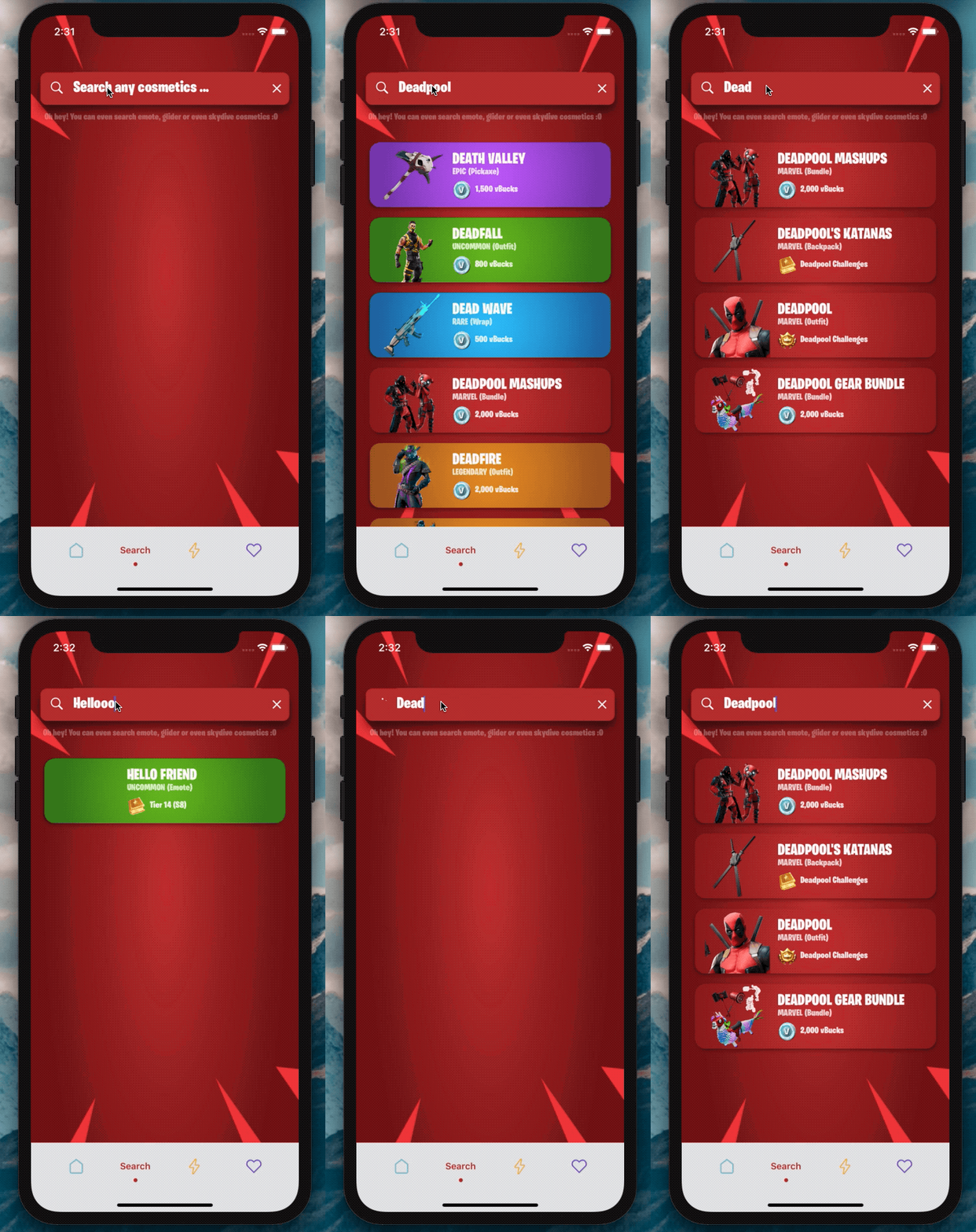
2.0版在這裡?
我迫不及待想看看您將使用此SearchBar做什麼?
添加依賴項:
npm i react-native-dynamic-search-barnpm i react-native-spinkitnpm i @freakycoder/react-native-bounceablenpm i WrathChaos/react-native-dynamic-search-bar#exponpm i react-native-animated-spinkitnpm i @freakycoder/react-native-bounceable "react-native-spinkit" : ">= 1.5.0" ,
"@freakycoder/react-native-bounceable" : ">= 0.2.2" , "react-native-animated-spinkit" : ">= 1.5.0" ,
"@freakycoder/react-native-bounceable" : ">= 0.2.2" , import SearchBar from "react-native-dynamic-search-bar" ; < SearchBar
placeholder = "Search here"
onPress = { ( ) => alert ( "onPress" ) }
onChangeText = { ( text ) => console . log ( text ) }
/> 您可以檢查高級用法的示例
 < SearchBar
  fontColor = "#c6c6c6"
  iconColor = "#c6c6c6"
  shadowColor = "#282828"
  cancelIconColor = "#c6c6c6"
  backgroundColor = "#353d5e"
  placeholder = "Search here"
  onChangeText = { ( text ) => this . filterList ( text ) }
  onSearchPress = { ( ) => console . log ( "Search Icon is pressed" ) }
  onClearPress = { ( ) => this . filterList ( "" ) }
  onPress = { ( ) => alert ( "onPress" ) }
/> 您可以檢查高級內置旋轉器使用量的示例
 import React , { Component } from "react" ;
import { View } from "react-native" ;
import SearchBar from "react-native-dynamic-search-bar" ;

export default class Test extends Component {
  handleOnChangeText = ( text ) => {
    // ? Visible the spinner
    this . setState ( {
      searchText : text ,
      spinnerVisibility : true ,
    } ) ;

    // ? After you've done to implement your use-case
    // ? Do not forget to set false to spinner's visibility
    this . setState ( {
      spinnerVisibility : false ,
    } ) ;
  } ;

  render ( ) {
    const { spinnerVisibility } = this . state ;
    return (
      < View >
        < SearchBar
          height = { 50 }
          fontSize = { 24 }
          fontColor = "#fdfdfd"
          iconColor = "#fdfdfd"
          shadowColor = "#282828"
          cancelIconColor = "#fdfdfd"
          backgroundColor = "#ba312f"
          spinnerVisibility = { spinnerVisibility }
          placeholder = "Search any cosmetics ..."
          fontFamily = "BurbankBigCondensed-Black"
          shadowStyle = { styles . searchBarShadowStyle }
          onChangeText = { this . handleOnChangeText }
        />
      </ View >
    ) ;
  }
}| 財產 | 類型 | 預設 | 描述 |
|---|---|---|---|
| 風格 | ViewStyle | 預設 | 設置或覆蓋主搜索視圖的樣式對象 |
| darkmode | 布爾 | 錯誤的 | 啟用黑暗模式 |
| OnChangeText | 功能 | 功能 | 為OnchangeText邏輯設置自己的功能 |
| OnPress | 功能 | 功能 | 為OnPress功能設置自己的功能 |
| onSearchPress | 功能 | 功能 | 為搜索按鈕的ONPRESS功能設置自己的功能 |
| Onclearpress | 功能 | 功能 | 為清除按鈕的ONPRESS功能設置自己的功能 |
| Onblur | 功能 | 功能 | 為文本輸入的Onblur功能設置您自己的功能 |
| 焦點 | 功能 | 功能 | 為文本輸入的Onblur功能設置您自己的功能 |
| TextInputStyle | 文本風格 | 預設 | 設置或覆蓋文本輸入樣式對象 |
| searchiconimagestyle | 成像派 | 預設 | 設置或覆蓋搜索圖標樣式樣式樣式樣式樣式樣式樣式 |
| CLELICONIMPAGESTYLE | 成像派 | 預設 | 設置或覆蓋清晰圖像樣式樣式樣式樣式樣式樣式 |
| 想像成分 | 成分 | 圖像 | 設置自己的圖像組件,而不是React-Native的默認圖像一個 |
| searchiconComponent | 成分 | 預設 | 設置自己的組件,而不是搜索組件的圖標 |
| CLELICONCOMPONENT | 成分 | 預設 | 設置自己的組件,而不是圖標的清除組件 |
| SearchIconImagesource | Isource | 預設 | 更改搜索圖標映像源 |
| CleariconImagesource | Isource | 預設 | 更改清晰圖標映像源 |
| CleariconImagesource | Isource | 預設 | 更改清晰圖標映像源 |
| 佔位符 | 細繩 | “在這裡搜索...” | 設置自己的佔位符 |
| Optronholdertextcolor | 顏色 | 不明確的 | 設定佔位符文字顏色 |
| Spinnercolor | 顏色 | #FDFDFD | 更改旋轉器顏色 |
| 旋轉 | 數字 | 預設 | 更改旋轉器尺寸 |
| Spinnertype | 成分 | 圓圈 | 更改旋轉器類型 |
| 旋轉性 | 布爾 | 錯誤的 | 更改旋轉器的可見性 |
動態搜索欄可與Expo一起使用。您只需要添加同行依賴性:
"react-native-dynamic-vector-icons" : "WrathChaos/react-native-dynamic-vector-icons#expo" - >您需要將此代碼添加到應用程序/gradle中
apply from : "../../node_modules/react-native-vector-icons/fonts.gradle" - >您需要在Android上啟用實驗layoutanimation。這是如何做的:
 import { UIManager } from 'react-native' ;

constructor ( ) {
    super ( ) ;
    if ( Platform . OS === 'android' ) {
      UIManager . setLayoutAnimationEnabledExperimental && UIManager . setLayoutAnimationEnabledExperimental ( true ) ;
    }
}freakycoder,[email protected]
React Native Dynamic搜索欄庫可根據MIT許可證獲得。有關更多信息,請參見許可證文件。





