Edge TTS
v1.0.0

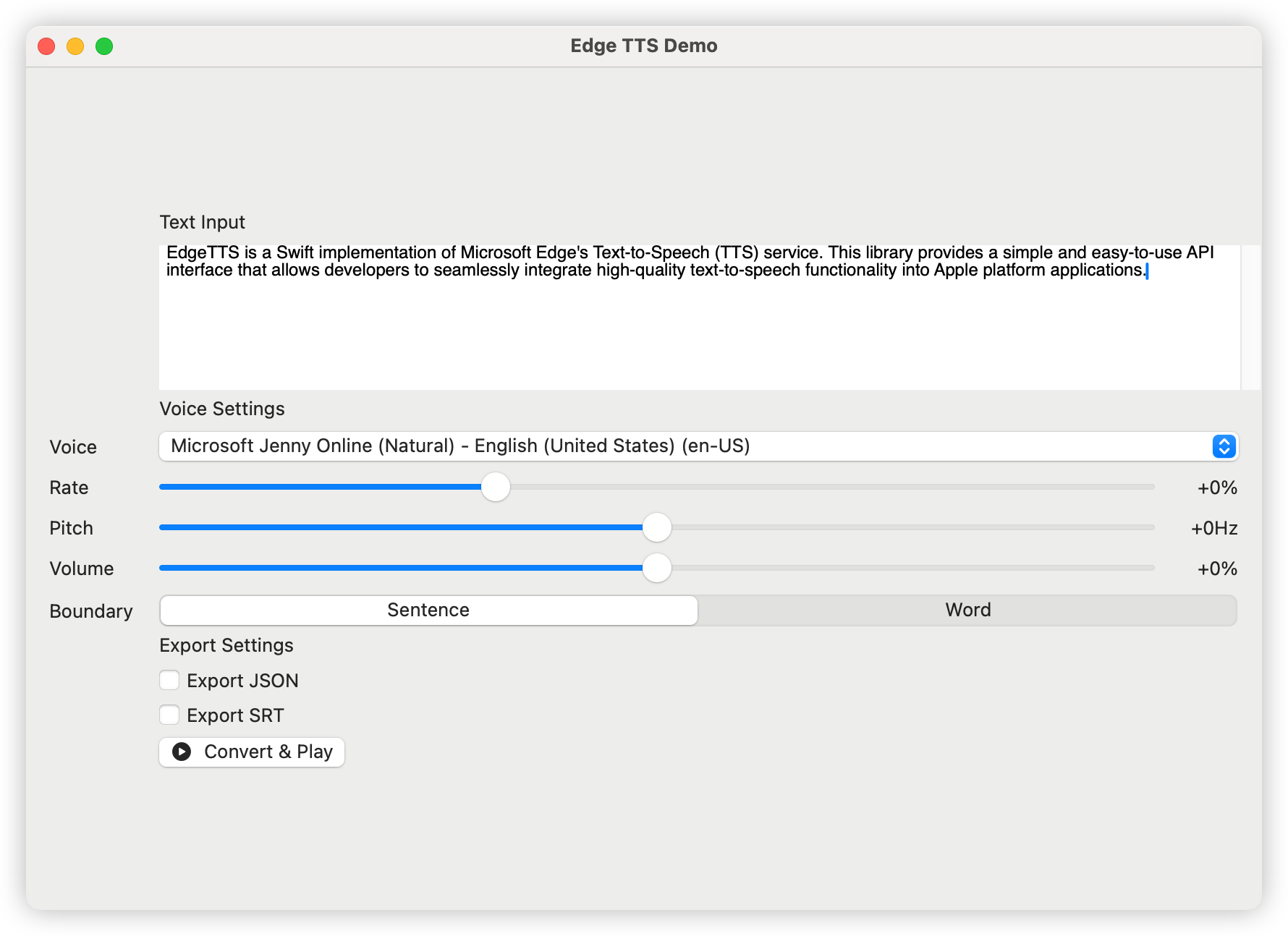
Edge-TTS是Microsoft Edge的文本到语音(TTS)服务的快速实现。该库提供了一个简单易用的API接口,使开发人员可以将高质量的文本对语音功能无缝整合到Apple Platform应用程序中。
日本语ドキュメント| 中文文档| 한국어한국어
将以下依赖项添加到您的软件包。Swift文件:
dependencies: [
    . package ( url : " https://github.com/brewusinc/edge-tts.git " , from : " 1.0.0 " )
] import EdgeTTS
// Create TTS instance
let tts = EdgeTTS ( config : Configure (
voice : " en-US-JennyNeural " ,
rate : " +0% " ,
pitch : " +0Hz " ,
volume : " +0% " ,
saveJSON : true , // Enable JSON metadata export
saveSRT : true , // Enable SRT subtitle export
boundaryType : . sentence // Use sentence boundary (.word for word boundary)
) )
// Async conversion
Task {
do {
try await tts . ttsPromise ( text : " Hello, World! " , audioPath : " output.mp3 " )
print ( " Conversion completed " )
} catch {
print ( " Conversion failed: ( error ) " )
}
}CLI工具提供了两个主要命令: list和speak 。
 # List all available voices
edge-tts-cli list

# List voices with proxy
edge-tts-cli list --proxy http://host:port # Basic usage with text
edge-tts-cli speak --text " Hello, World! " --output hello.mp3
# Read text from file
edge-tts-cli speak --file input.txt --output hello.mp3
# Specify voice and language
edge-tts-cli speak --text " Hello, World! " --voice en-US-JennyNeural --lang en-US --output hello.mp3
# Adjust speech parameters
edge-tts-cli speak --text " Hello, World! " --rate +50% --pitch +10Hz --volume +20% --output hello.mp3
# Enable JSON and SRT export
edge-tts-cli speak --text " Hello, World! " --save-json --save-srt --output hello.mp3
# Set boundary type
edge-tts-cli speak --text " Hello, World! " --boundary word --output hello.mp3
# Use proxy
edge-tts-cli speak --text " Hello, World! " --proxy http://host:port --output hello.mp3 speak命令的可用选项:
--text :讲话--file :输入文本文件路径--voice :使用的声音(默认:En-us-Jennyneural)--lang :要使用的语言(默认:en-us)--rate :语音率(例如 +0%,-10%)--pitch :语音音调(例如 +0Hz,-10Hz)--volume :语音量(例如 +0%,-10%)--boundary :边界类型(句子或单词,默认:句子)--save-json :将计时信息保存为JSON--save-srt :将定时信息保存为SRT--proxy :代理URL(例如http://主机:端口)--output :输出文件名(默认:output.mp3)您可以使用以下方式获取支持的声音列表
let voices = try await tts . fetchVoices ( )流行的英语声音包括:
我们欢迎所有形式的贡献,包括但不限于:
此项目已根据MIT许可证获得许可 - 有关详细信息,请参见许可证。TXT文件。







