Edge TTS
v1.0.0

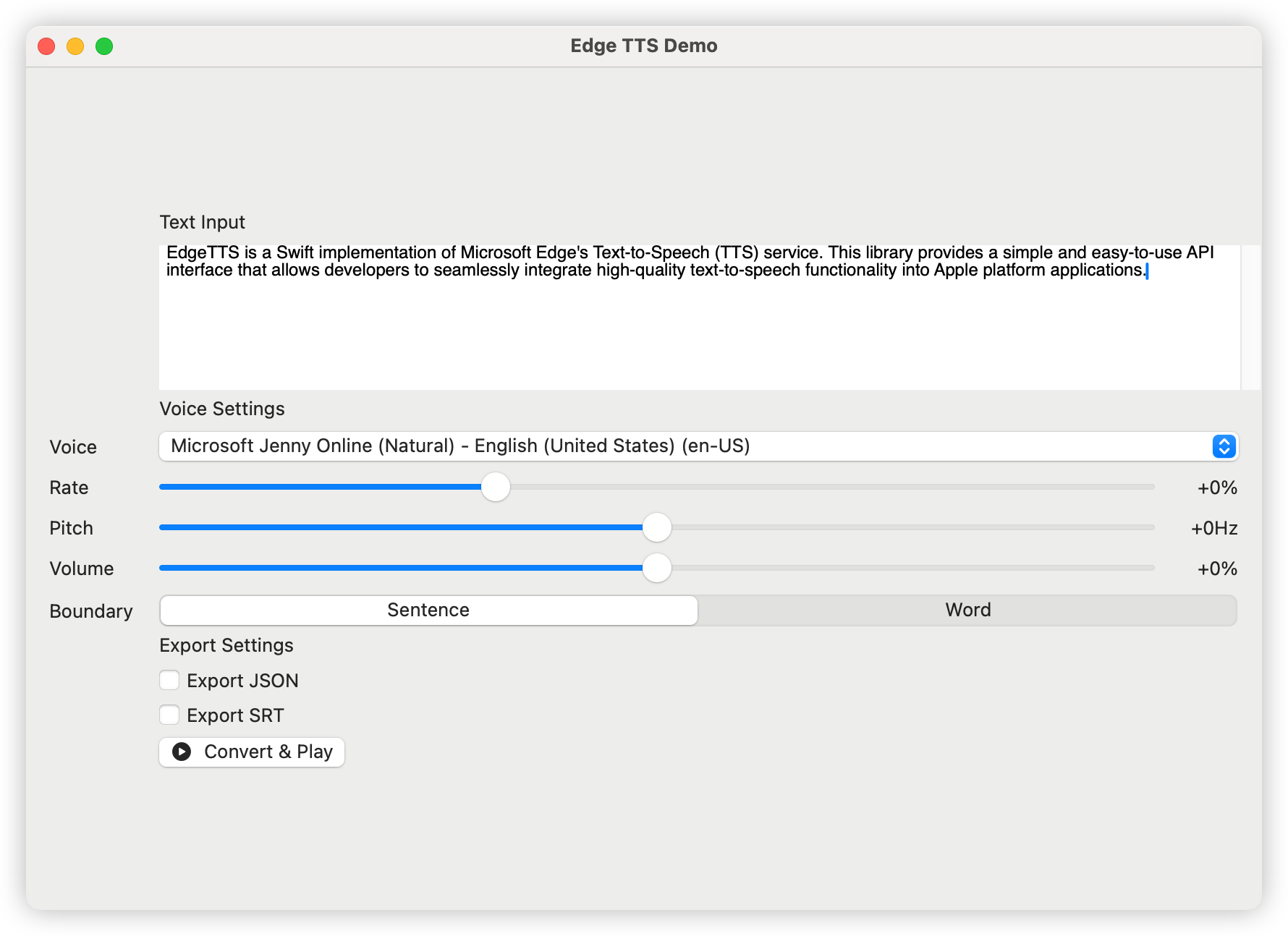
Edge-TTSは、Microsoft Edgeのテキストからスピーチ(TTS)サービスの迅速な実装です。このライブラリは、開発者が高品質のテキストツースピーチ機能をAppleプラットフォームアプリケーションにシームレスに統合できるようにする、シンプルで使いやすいAPIインターフェイスを提供します。
日本語ドキュメント| 中文文档| 한국어문서
次の依存関係をパッケージに追加します。swiftファイル:
dependencies: [
    . package ( url : " https://github.com/brewusinc/edge-tts.git " , from : " 1.0.0 " )
] import EdgeTTS
// Create TTS instance
let tts = EdgeTTS ( config : Configure (
voice : " en-US-JennyNeural " ,
rate : " +0% " ,
pitch : " +0Hz " ,
volume : " +0% " ,
saveJSON : true , // Enable JSON metadata export
saveSRT : true , // Enable SRT subtitle export
boundaryType : . sentence // Use sentence boundary (.word for word boundary)
) )
// Async conversion
Task {
do {
try await tts . ttsPromise ( text : " Hello, World! " , audioPath : " output.mp3 " )
print ( " Conversion completed " )
} catch {
print ( " Conversion failed: ( error ) " )
}
}CLIツールは、 listとspeak 2つの主要なコマンドを提供します。
 # List all available voices
edge-tts-cli list

# List voices with proxy
edge-tts-cli list --proxy http://host:port # Basic usage with text
edge-tts-cli speak --text " Hello, World! " --output hello.mp3
# Read text from file
edge-tts-cli speak --file input.txt --output hello.mp3
# Specify voice and language
edge-tts-cli speak --text " Hello, World! " --voice en-US-JennyNeural --lang en-US --output hello.mp3
# Adjust speech parameters
edge-tts-cli speak --text " Hello, World! " --rate +50% --pitch +10Hz --volume +20% --output hello.mp3
# Enable JSON and SRT export
edge-tts-cli speak --text " Hello, World! " --save-json --save-srt --output hello.mp3
# Set boundary type
edge-tts-cli speak --text " Hello, World! " --boundary word --output hello.mp3
# Use proxy
edge-tts-cli speak --text " Hello, World! " --proxy http://host:port --output hello.mp3 speakコマンドのための利用可能なオプション:
--text :話すテキスト--file :テキストファイルパスを入力します--voice :使用する音声(デフォルト:en-us-jennyneural)--lang :使用する言語(デフォルト:en-us)--rate :音声レート(例: +0%、-10%)--pitch :音声ピッチ(EG +0Hz、-10Hz)--volume :音声ボリューム(例えば +0%、-10%)--boundary :境界タイプ(文または単語、デフォルト:文)--save-json :タイミング情報をJSONとして保存します--save-srt :タイミング情報をSRTとして保存します--proxy :プロキシURL(例:http:// host:port)--output :出力ファイル名(デフォルト:output.mp3)以下を使用して、サポートされている声のリストを取得できます。
let voices = try await tts . fetchVoices ( )人気のある英語の声は次のとおりです。
以下を含むがこれらに限定されないあらゆる形態の貢献を歓迎します。
このプロジェクトは、MITライセンスに基づいてライセンスされています - 詳細については、license.txtファイルを参照してください。







