Edge TTS
v1.0.0

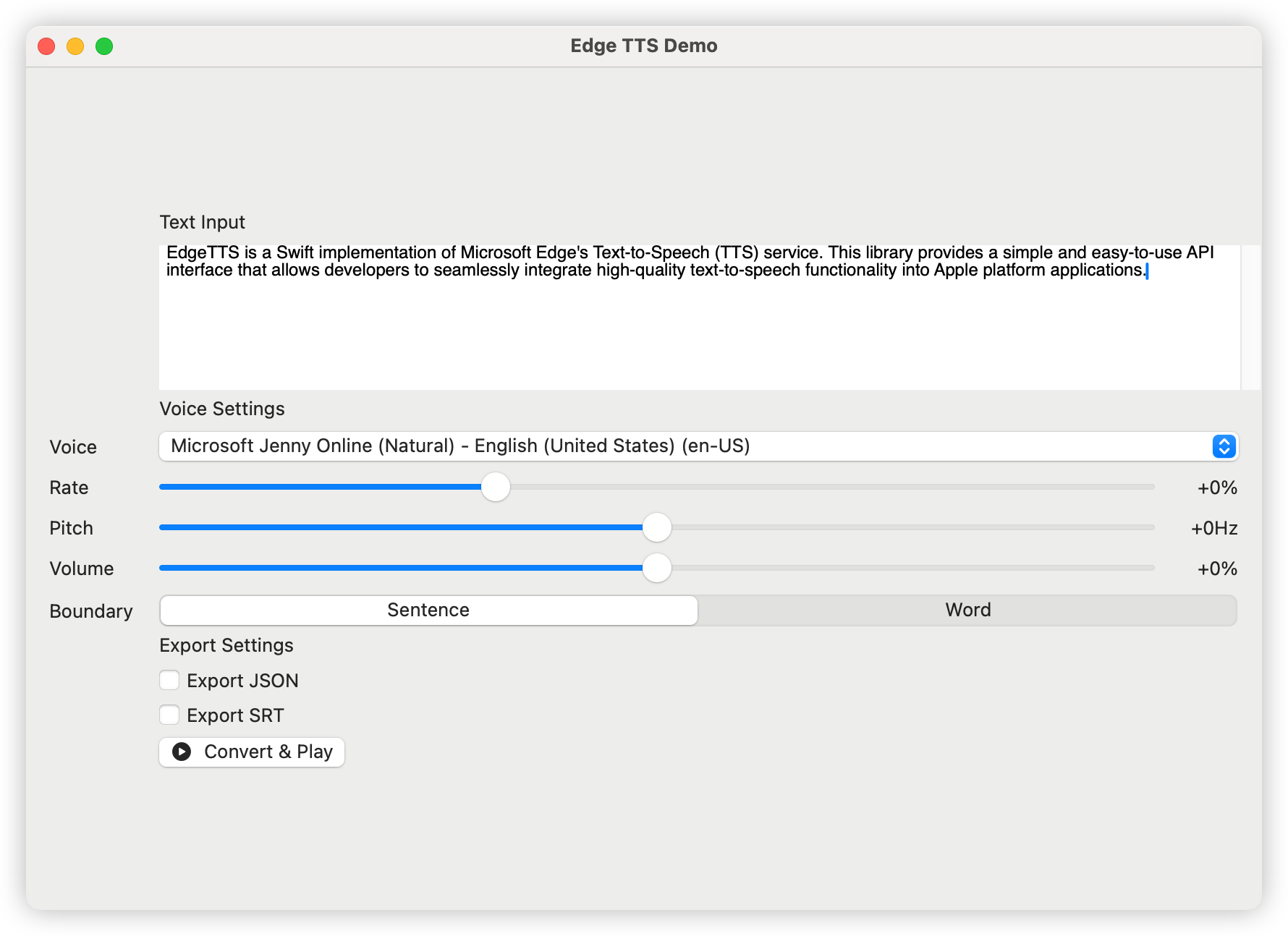
Edge-TTS เป็นการใช้งานอย่างรวดเร็วของบริการ Text-to-Speech (TTS) ของ Microsoft Edge ไลบรารีนี้ให้อินเทอร์เฟซ API ที่ใช้งานง่ายและใช้งานง่ายซึ่งช่วยให้นักพัฒนาสามารถรวมฟังก์ชั่นการพูดแบบข้อความที่มีคุณภาพสูงเข้ากับแอปพลิเคชันแพลตฟอร์ม Apple ได้อย่างราบรื่น
日本語ドキュメント | 中文文档 | 한국어
เพิ่มการพึ่งพาต่อไปนี้ในไฟล์ package.swift ของคุณ:
dependencies: [
    . package ( url : " https://github.com/brewusinc/edge-tts.git " , from : " 1.0.0 " )
] import EdgeTTS
// Create TTS instance
let tts = EdgeTTS ( config : Configure (
voice : " en-US-JennyNeural " ,
rate : " +0% " ,
pitch : " +0Hz " ,
volume : " +0% " ,
saveJSON : true , // Enable JSON metadata export
saveSRT : true , // Enable SRT subtitle export
boundaryType : . sentence // Use sentence boundary (.word for word boundary)
) )
// Async conversion
Task {
do {
try await tts . ttsPromise ( text : " Hello, World! " , audioPath : " output.mp3 " )
print ( " Conversion completed " )
} catch {
print ( " Conversion failed: ( error ) " )
}
} เครื่องมือ CLI มีคำสั่งหลักสองคำ: list และ speak
 # List all available voices
edge-tts-cli list

# List voices with proxy
edge-tts-cli list --proxy http://host:port # Basic usage with text
edge-tts-cli speak --text " Hello, World! " --output hello.mp3
# Read text from file
edge-tts-cli speak --file input.txt --output hello.mp3
# Specify voice and language
edge-tts-cli speak --text " Hello, World! " --voice en-US-JennyNeural --lang en-US --output hello.mp3
# Adjust speech parameters
edge-tts-cli speak --text " Hello, World! " --rate +50% --pitch +10Hz --volume +20% --output hello.mp3
# Enable JSON and SRT export
edge-tts-cli speak --text " Hello, World! " --save-json --save-srt --output hello.mp3
# Set boundary type
edge-tts-cli speak --text " Hello, World! " --boundary word --output hello.mp3
# Use proxy
edge-tts-cli speak --text " Hello, World! " --proxy http://host:port --output hello.mp3 ตัวเลือกที่มีอยู่สำหรับคำสั่ง speak :
--text : ข้อความที่จะพูด--file : พา ธ ไฟล์ข้อความอินพุต--voice : Voice to ใช้ (ค่าเริ่มต้น: en-us-jennyneural)--lang : ภาษาที่จะใช้ (ค่าเริ่มต้น: en-US)--rate : อัตราการพูด (เช่น +0%, -10%)--pitch : เสียงพูด (เช่น +0Hz, -10Hz)--volume : ปริมาณการพูด (เช่น +0%, -10%)--boundary : ประเภทขอบเขต (ประโยคหรือคำ, ค่าเริ่มต้น: ประโยค)--save-json : บันทึกข้อมูลเวลาเป็น JSON--save-srt : บันทึกข้อมูลเวลาเป็น SRT--proxy : พร็อกซี URL (เช่น http: // โฮสต์: พอร์ต)--output : ชื่อไฟล์เอาต์พุต (ค่าเริ่มต้น: output.mp3)คุณสามารถรับรายการเสียงที่รองรับได้โดยใช้:
let voices = try await tts . fetchVoices ( )เสียงภาษาอังกฤษยอดนิยมรวมถึง:
เรายินดีต้อนรับการมีส่วนร่วมทุกรูปแบบรวมถึง แต่ไม่ จำกัด เพียง:
โครงการนี้ได้รับอนุญาตภายใต้ใบอนุญาต MIT - ดูไฟล์ License.txt สำหรับรายละเอียด







