state driven game template
1.0.0


一个模板存储库来启动网络上的现代游戏开发。
node > = 14npm > = 6安装依赖项。
npm i启动开发服务器。
npm run start通过在localhost:5000来查看您的游戏。
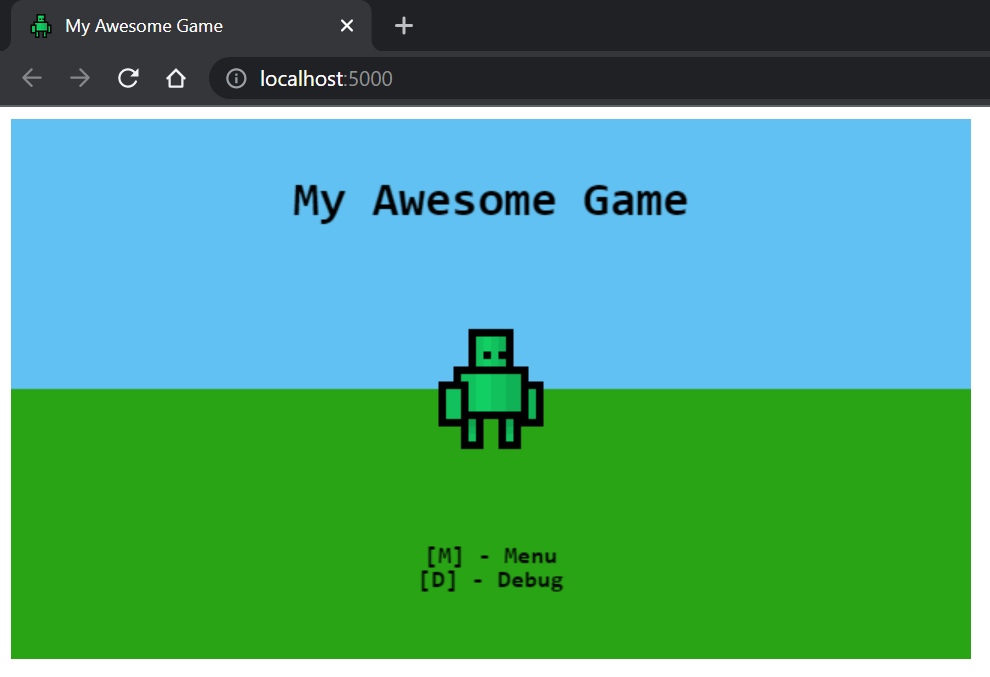
对源文件进行的更改将触发重新编译。刷新浏览器以查看更改。
建立项目。
npm run build输出将位于/dist 。
 dist                          [Build output]
src                           [Source root]
  /assets                     [Web assets]
  /icons                      [Web icons]
  /lib                        [Game libraries]
    /core                     [Core libraries - @core]
    /models                   [Game models - @models]
    /sprites                  [Sprite definitions - @sprites]
    /state                    [State definitions - @state]
    /utils                    [Utility libraries - @utils]
    /game.ts                  [Game entry point - @game]
  /index.html                 [Web index page]
  /main.ts                    [App entry point]
  /manifest.webmanifest       [PWA manifest]
  /service-worker.js          [PWA service worker]
dev-server.js                 [Development express server]
tsconfig.json                 [TypeScript configuration]
tslint.json                   [tslint configuration]
webpack.config.js             [Webpack configuration]
游戏状态为您的游戏提供框架功能。
 import { OnEnter , OnExit , OnRender , OnUpdate } from '@core' ;

export class MyGameState implements OnEnter , OnExit , OnRender , OnUpdate {
  enter ( ) : void {
    console . log ( 'Pushed to the stack!' ) ;
  }

  exit ( ) : void {
    console . log ( 'Popped from the stack!' ) ;
  }

  render ( ctx : CanvasRenderingContext2D ) : void {
    console . log ( 'Rendering frame!' ) ;
  }

  update ( { time , delta } ) : void {
    console . log ( 'Updating frame!' ) ;
  }
}要将您的游戏推向下一个状态,只需push您的状态实例推向游戏堆栈即可。
 import { push } from '@core' ;

// Push a new state to the stack
push ( new MyGameState ( ) ) ;只要州有pop状态,状态也就可以从堆栈中弹出。
 import { pop } from '@core' ;

// Remove top-most state
pop ( ) ; 精灵是在HTMLCanvasContext2D上呈现图像的对象。
可以通过以下方式创建精灵。
 import { Sprite } from '@core' ;

// Create and load the image to be rendered.
const image = new Image ( ) ;
image . src = 'path/to/image.png' ;

// Create a sprite using the image and parameters.
const sprite = new Sprite ( image , {
  // Source width
  w : 16 ,
  // Source height
  h : 16 ,
  // Origin x position
  ox : 0 ,
  // Origin y position
  oy : 0 ,
} ) ;
可以将精灵渲染到画布上下文。
 sprite . render ( ctx , {
  // Rendering x position
  x : 100 ,
  // Rendering y position
  y : 50 ,
} ) ;
可选地,可以将精灵缩放在两个方向上。
 sprite . render ( ctx , {
  x : 100 ,
  y : 50 ,
  // Scale the sprite by 3
  scaleX : 3 ,
  scaleY : 3 ,
} ) ;SpriteSheet用于从单个图像定义多个Sprite对象。
SpriteSheet定义如下。
const sprites = new SpriteSheet ( '/path/to/image.png' ) ;直接在精灵片上定义精灵,以从同一图像中构建多个精灵。
 sprites
  . define ( 'idle_1' , { w : 16 , h : 16 , ox : 0 , oy : 0 } )
  . define ( 'idle_2' , { w : 16 , h : 16 , ox : 16 , oy : 16 } ) ;
然后可以从精灵片中检索精灵。
 /**
 * Note that, the `.get` method can return undefined.
 * Accommodate for this by optionally calling render
 * when doing so.
 *
 * `sprite?.render(ctx, config)`
 * */
const sprite = sprites . get ( 'idle_1' ) ; 




