MaterialDayPicker
Version 0.7.4 - Better Configuration + Bug fixes

灵感来自内置的Android Clock应用程序中的一日选择器。
注意:我没有积极地研究此库的新功能。我只是在解决关键错误。话虽如此,新功能的贡献是非常欢迎的,我可以审查拉的请求。如果您有兴趣贡献,请参见贡献。
| 正常使用 | 本地用法 | 暗模式使用 |
|---|---|---|
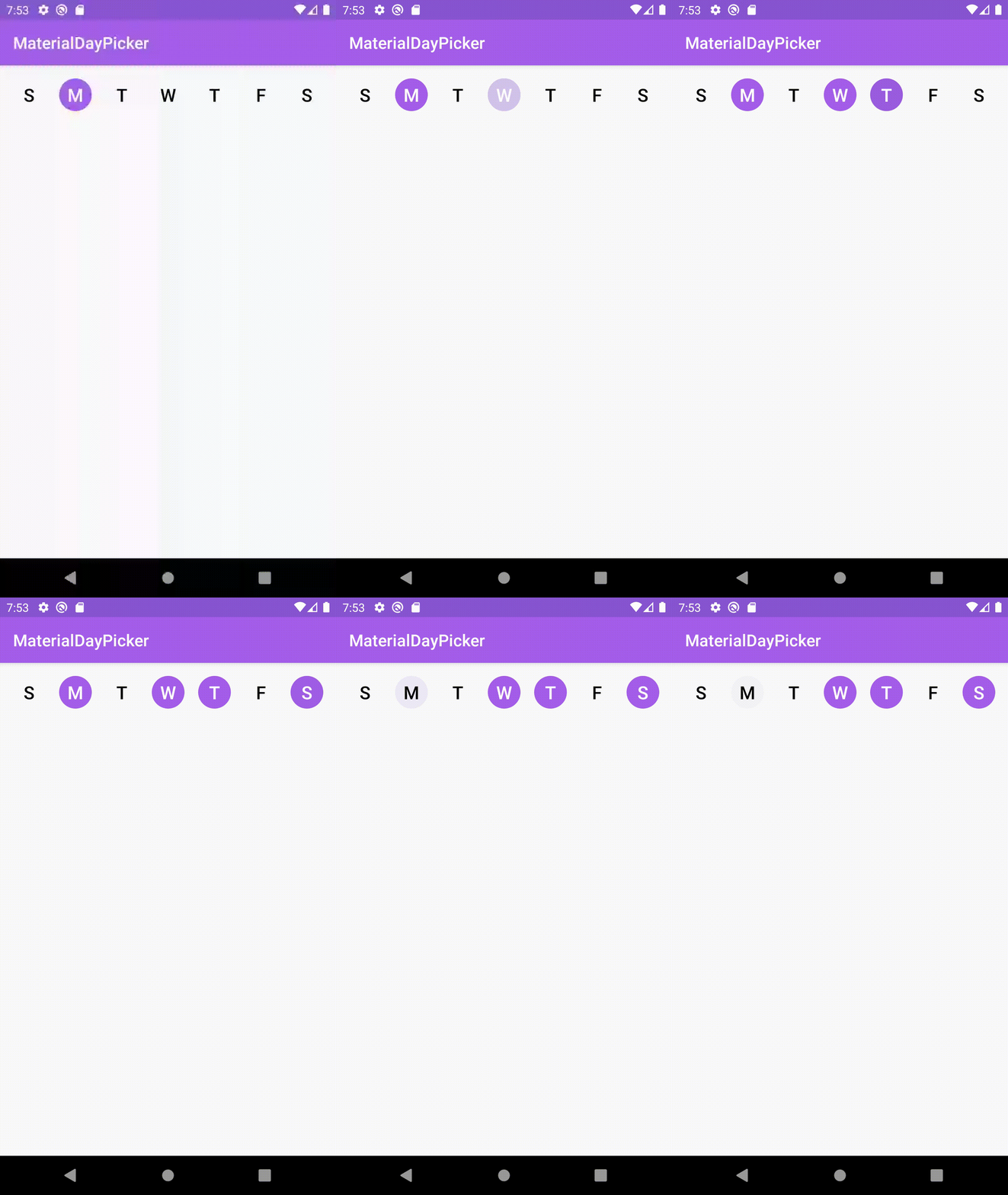 | 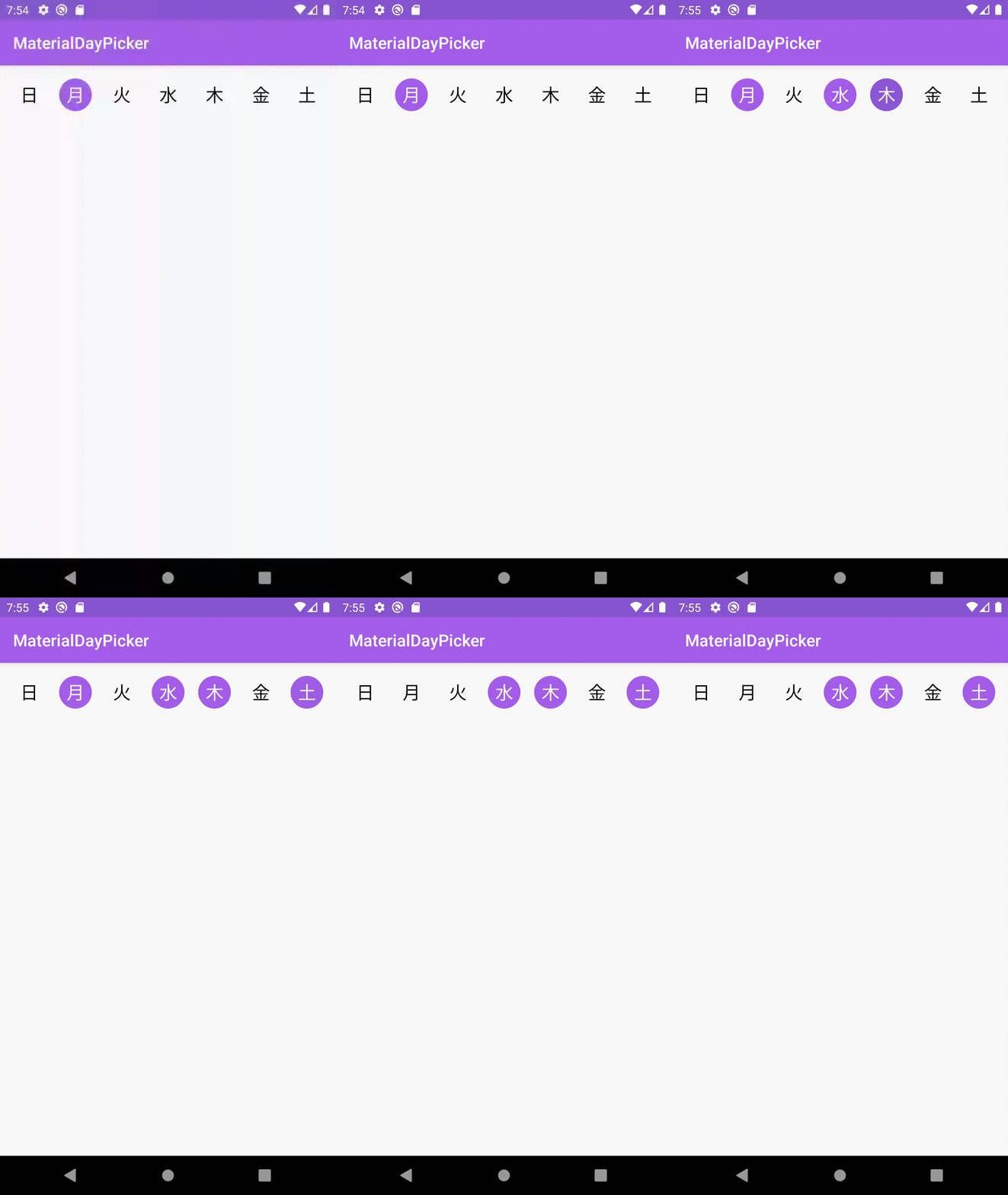 | 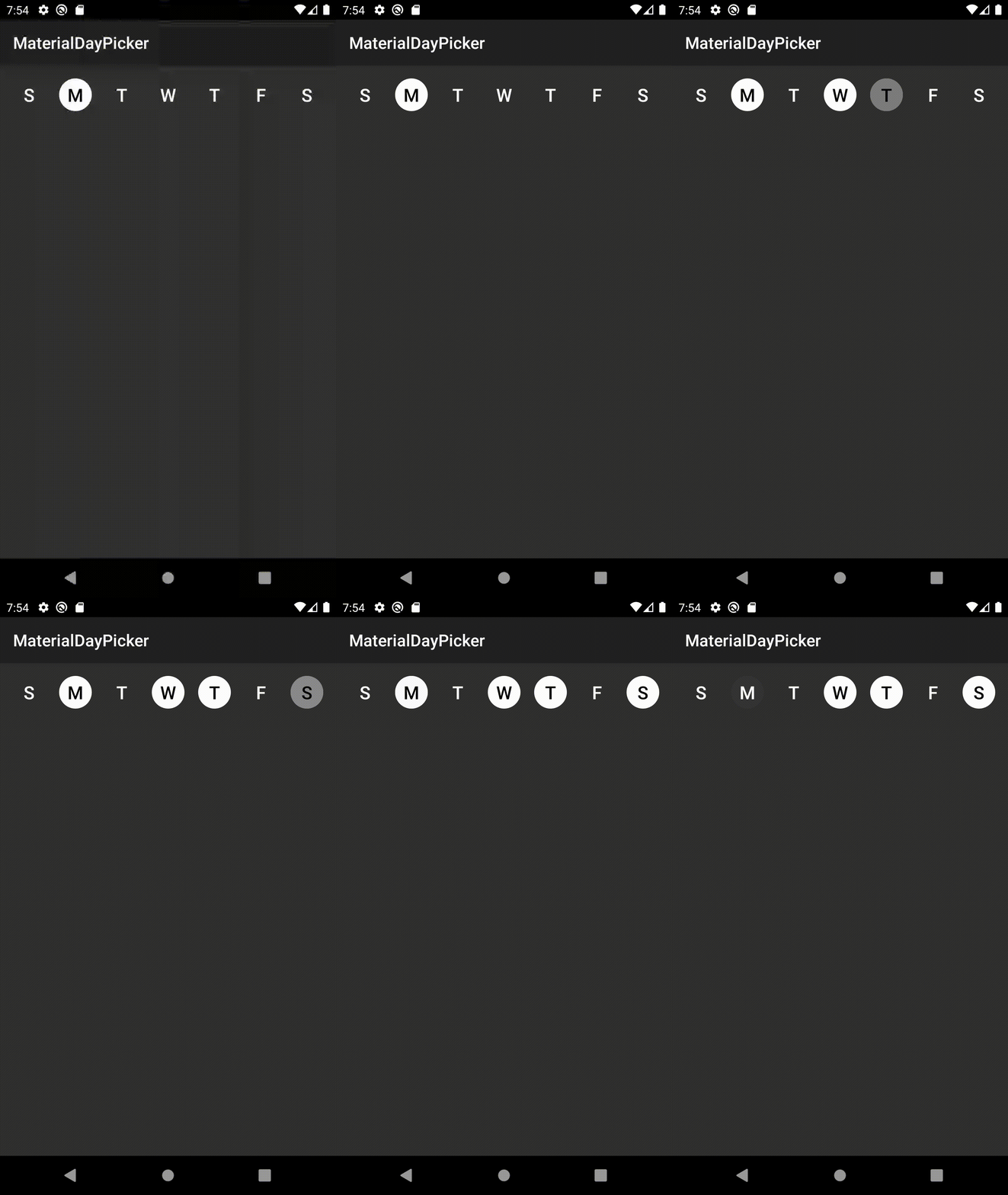 |
firstDayOfWeek属性手动覆盖在选择器中显示的一周的第一天错误修复
3.6.1时修复了错误,该插件将由于无法找到selectionMode属性而导致建筑物失败。错误修复
setSelectedDays会导致选定的天数闪烁。配置改进
app:selectionMode属性通过XML设置选择模式。通过将以下内容添加到您的项目的build.gradle文件:下载最新版本:
dependencies {
    implementation ' ca.antonious:materialdaypicker:0.7.4 '
}您只需将视图放入现有的XML中:
< ca .antonious.materialdaypicker.MaterialDayPicker
    android : id = " @+id/day_picker "
    android : layout_width = " match_parent "
    android : layout_height = " wrap_content " />
您可以通过使用以下方式获得当前选择的天数
 val selectedDays = materialDayPicker.selectedDays
// returns [MaterialDayPicker.Weekday.TUESDAY, MaterialDayPicker.Weekday.FRIDAY]
您可以通过以下方式设置选定的日子:
 val daysToSelect = listOf ( MaterialDayPicker . Weekday . TUESDAY , MaterialDayPicker . Weekday . FRIDAY )
materialDayPicker.setSelectedDays(daysToSelect)
如果您只想一次选择一天,则可以这样做:
materialDayPicker.selectionMode = SingleSelectionMode .create()也可以使用selectionMode属性通过XML设置这一点:
< ca .antonious.materialdaypicker.MaterialDayPicker
    ...
    app : selectionMode = " ca.antonious.materialdaypicker.SingleSelectionMode " />
您可以使用以下方法启用/禁用天数。请注意,如果您禁用选择的一天,就无法取消选择:
materialDayPicker.enableDay( MaterialDayPicker . Weekday . Monday )
materialDayPicker.disableDay( MaterialDayPicker . Weekday . Monday )
materialDayPicker.setDayEnable( MaterialDayPicker . Weekday . Monday , isEnabled = false )
如果您想在更改一天的选择时都会收听,则可以使用:
materialDayPicker.setDaySelectionChangedListener { selectedDays ->
    // handle selection change
}
如果您需要知道何时选择/取消选择特定的一天,则可以使用:
materialDayPicker.setDayPressedListener { weekday, isSelected ->
    // handle weekday selection
}您可以覆盖这些颜色,以改变材料的外观。您还可以在夜晚颜色资源目录中更新这些值,以更新黑暗模式下的材料的外观:
< color name = " dayPressed " >@color/colorPrimaryDark</ color >
< color name = " daySelected " >@color/colorPrimary</ color >
< color name = " daySelectedTextColor " >@android:color/white</ color >
< color name = " dayDeselected " >#FAFAFA</ color >
< color name = " dayDeselectedTextColor " >@android:color/black</ color >

<!-- Customizing colors for disabled days -->
< color name = " daySelectedAndDisabled " >#43444F</ color >
< color name = " daySelectedAndDisabledTextColor " >@color/daySelectedTextColor</ color >
< color name = " dayDeselectedAndDisabled " >@color/dayDeselected</ color >
< color name = " dayDeselectedAndDisabledTextColor " >@android:color/darker_gray</ color >
如果您不想使用该设备的当前语言环境,则可以通过执行以下操作来覆盖它:
materialDayPicker.locale = Locale . ENGLISH // or any other locale如果您想明确指定一周的第一天:
materialDayPicker.firstDayOfWeek = MaterialDayPicker . Weekday . MONDAY // or any other day MIT License
Copyright (c) 2017 George Antonious
Permission is hereby granted, free of charge, to any person obtaining a copy
of this software and associated documentation files (the "Software"), to deal
in the Software without restriction, including without limitation the rights
to use, copy, modify, merge, publish, distribute, sublicense, and/or sell
copies of the Software, and to permit persons to whom the Software is
furnished to do so, subject to the following conditions:
The above copyright notice and this permission notice shall be included in all
copies or substantial portions of the Software.
THE SOFTWARE IS PROVIDED "AS IS", WITHOUT WARRANTY OF ANY KIND, EXPRESS OR
IMPLIED, INCLUDING BUT NOT LIMITED TO THE WARRANTIES OF MERCHANTABILITY,
FITNESS FOR A PARTICULAR PURPOSE AND NONINFRINGEMENT. IN NO EVENT SHALL THE
AUTHORS OR COPYRIGHT HOLDERS BE LIABLE FOR ANY CLAIM, DAMAGES OR OTHER
LIABILITY, WHETHER IN AN ACTION OF CONTRACT, TORT OR OTHERWISE, ARISING FROM,
OUT OF OR IN CONNECTION WITH THE SOFTWARE OR THE USE OR OTHER DEALINGS IN THE
SOFTWARE.





