MaterialDayPicker
Version 0.7.4 - Better Configuration + Bug fixes

แรงบันดาลใจจากตัวเลือกวันในแอพพลิเคชั่นนาฬิกา Android ในตัว
หมายเหตุ: ฉันไม่ได้ทำงานอย่างแข็งขันกับคุณสมบัติใหม่สำหรับห้องสมุดนี้ ฉันพูดถึงข้อบกพร่องที่สำคัญเท่านั้น ด้วยการกล่าวว่าการมีส่วนร่วมสำหรับคุณสมบัติใหม่เป็นมากกว่าการต้อนรับและฉันพร้อมที่จะตรวจสอบคำขอดึง ดูการสนับสนุน. md หากคุณสนใจที่จะมีส่วนร่วม
| การใช้งานปกติ | การใช้งานที่แปลเป็นภาษาท้องถิ่น | การใช้โหมดมืด |
|---|---|---|
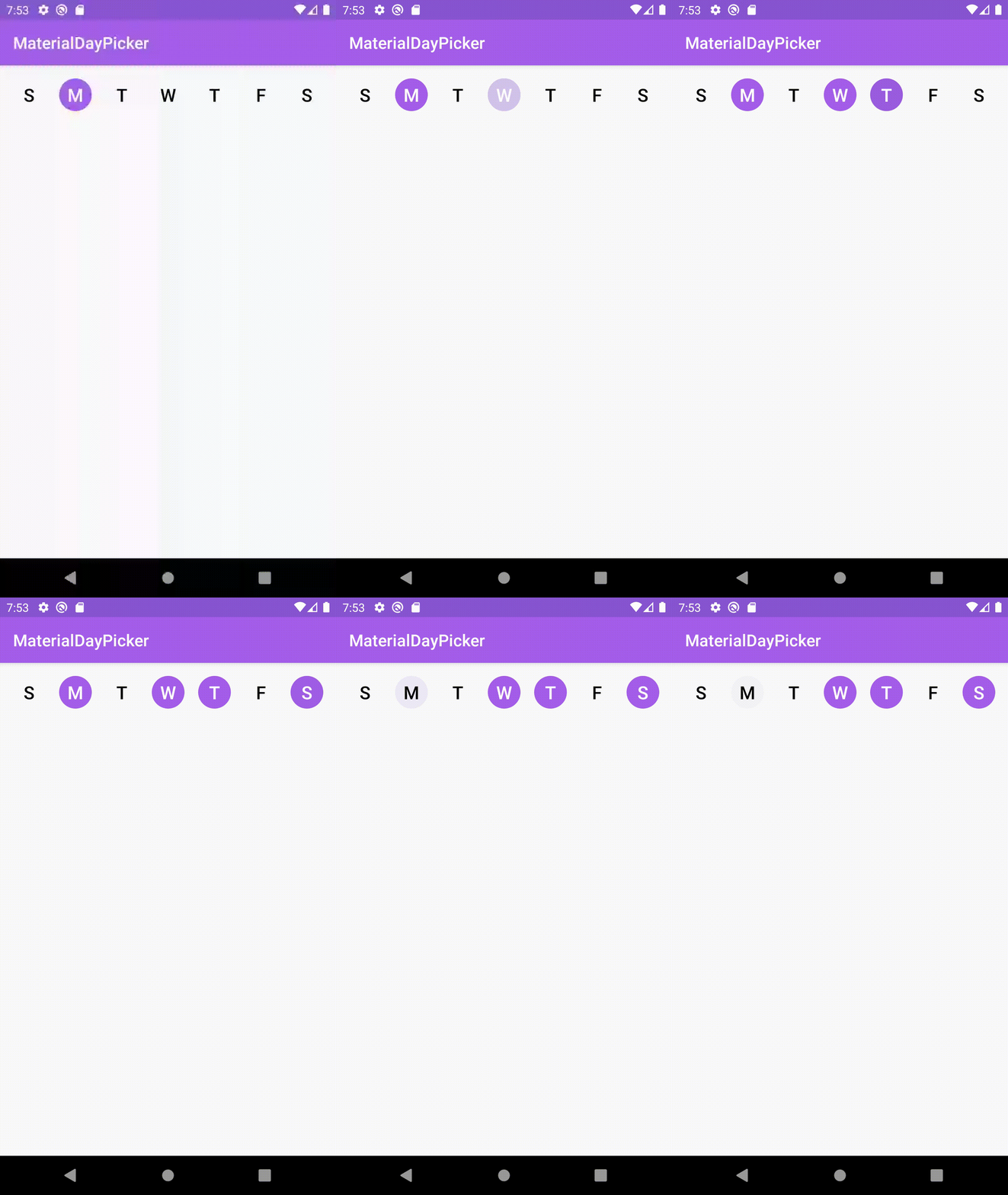 | 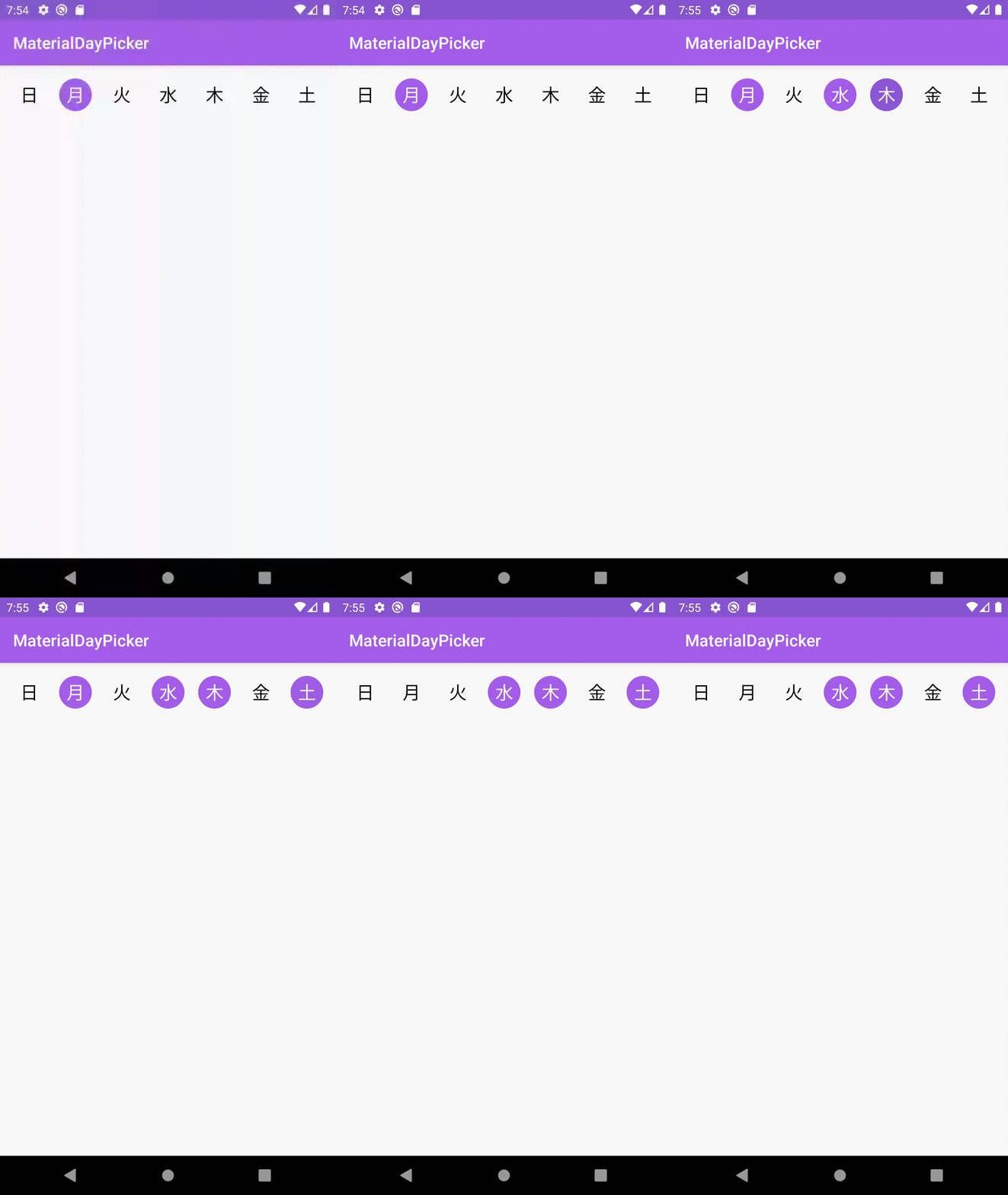 | 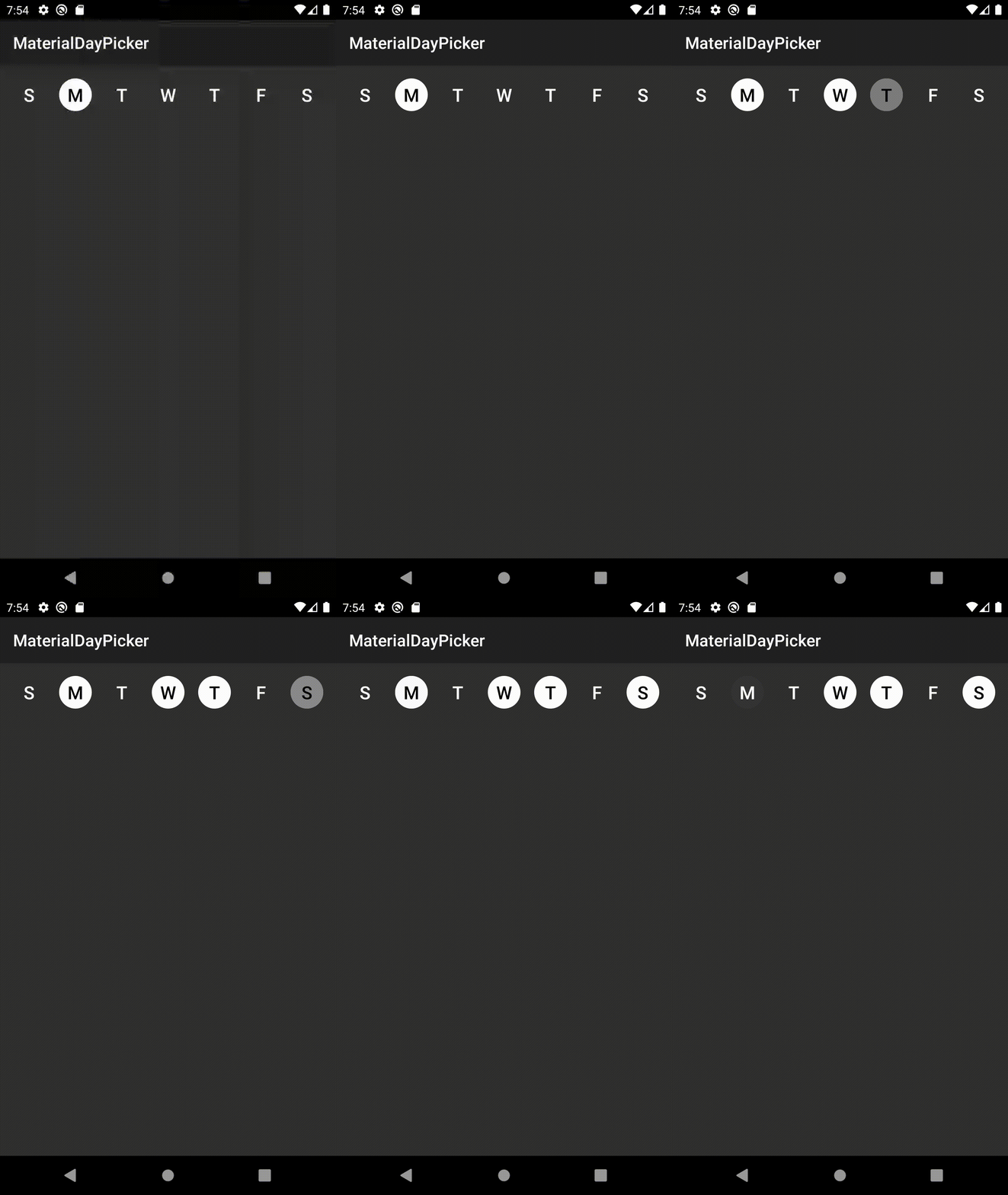 |
firstDayOfWeek ที่เพิ่มเข้ามาใหม่แก้ไขข้อบกพร่อง
3.6.1 ที่จะทำให้การสร้างล้มเหลวเนื่องจากไม่สามารถค้นหาแอตทริบิวต์ selectionMode ได้แก้ไขข้อบกพร่อง
setSelectedDays จะทำให้วันที่เลือกในวันที่จะแฟลชและเปิดการปรับปรุงการกำหนดค่า
app:selectionMode ดาวน์โหลดเวอร์ชันล่าสุดโดยเพิ่มไฟล์ build.gradle ของโครงการต่อไปนี้:
dependencies {
    implementation ' ca.antonious:materialdaypicker:0.7.4 '
}คุณสามารถวางมุมมองลงใน XML ที่มีอยู่ของคุณ:
< ca .antonious.materialdaypicker.MaterialDayPicker
    android : id = " @+id/day_picker "
    android : layout_width = " match_parent "
    android : layout_height = " wrap_content " />
คุณสามารถรับวันที่เลือกในปัจจุบันได้โดยใช้:
 val selectedDays = materialDayPicker.selectedDays
// returns [MaterialDayPicker.Weekday.TUESDAY, MaterialDayPicker.Weekday.FRIDAY]
คุณสามารถตั้งค่าวันที่เลือกได้โดยทำ:
 val daysToSelect = listOf ( MaterialDayPicker . Weekday . TUESDAY , MaterialDayPicker . Weekday . FRIDAY )
materialDayPicker.setSelectedDays(daysToSelect)
หากคุณต้องการอนุญาตให้เลือกวันเดียวในเวลาที่คุณสามารถทำได้:
materialDayPicker.selectionMode = SingleSelectionMode .create() นอกจากนี้ยังสามารถตั้งค่าผ่าน XML โดยใช้แอตทริบิวต์ selectionMode :
< ca .antonious.materialdaypicker.MaterialDayPicker
    ...
    app : selectionMode = " ca.antonious.materialdaypicker.SingleSelectionMode " />
คุณสามารถเปิด/ปิดการใช้งานวันโดยใช้วิธีการต่อไปนี้ หมายเหตุหากคุณปิดการใช้งานวันเมื่อเลือกไม่สามารถเลือกได้:
materialDayPicker.enableDay( MaterialDayPicker . Weekday . Monday )
materialDayPicker.disableDay( MaterialDayPicker . Weekday . Monday )
materialDayPicker.setDayEnable( MaterialDayPicker . Weekday . Monday , isEnabled = false )
หากคุณต้องการฟังเมื่อใดก็ตามที่การเลือกวันมีการเปลี่ยนแปลงคุณสามารถใช้:
materialDayPicker.setDaySelectionChangedListener { selectedDays ->
    // handle selection change
}
หากคุณต้องการทราบว่ามีการเลือก/ยกเลิกการเลือกวันที่เฉพาะเจาะจงเมื่อใดคุณสามารถใช้:
materialDayPicker.setDayPressedListener { weekday, isSelected ->
    // handle weekday selection
}คุณสามารถแทนที่สีเหล่านี้เพื่อเปลี่ยนรูปลักษณ์ของ materialdaypicker นอกจากนี้คุณยังสามารถอัปเดตค่าเหล่านี้ในไดเรกทอรีทรัพยากรสีกลางคืนของคุณเพื่ออัปเดตว่า MaterialDayPicker มีลักษณะอย่างไรในโหมดมืด:
< color name = " dayPressed " >@color/colorPrimaryDark</ color >
< color name = " daySelected " >@color/colorPrimary</ color >
< color name = " daySelectedTextColor " >@android:color/white</ color >
< color name = " dayDeselected " >#FAFAFA</ color >
< color name = " dayDeselectedTextColor " >@android:color/black</ color >

<!-- Customizing colors for disabled days -->
< color name = " daySelectedAndDisabled " >#43444F</ color >
< color name = " daySelectedAndDisabledTextColor " >@color/daySelectedTextColor</ color >
< color name = " dayDeselectedAndDisabled " >@color/dayDeselected</ color >
< color name = " dayDeselectedAndDisabledTextColor " >@android:color/darker_gray</ color >
หากคุณไม่ต้องการใช้สถานที่ปัจจุบันของอุปกรณ์คุณสามารถแทนที่ด้วยการทำ:
materialDayPicker.locale = Locale . ENGLISH // or any other localeหากคุณต้องการระบุวันแรกของสัปดาห์อย่างชัดเจน:
materialDayPicker.firstDayOfWeek = MaterialDayPicker . Weekday . MONDAY // or any other day MIT License
Copyright (c) 2017 George Antonious
Permission is hereby granted, free of charge, to any person obtaining a copy
of this software and associated documentation files (the "Software"), to deal
in the Software without restriction, including without limitation the rights
to use, copy, modify, merge, publish, distribute, sublicense, and/or sell
copies of the Software, and to permit persons to whom the Software is
furnished to do so, subject to the following conditions:
The above copyright notice and this permission notice shall be included in all
copies or substantial portions of the Software.
THE SOFTWARE IS PROVIDED "AS IS", WITHOUT WARRANTY OF ANY KIND, EXPRESS OR
IMPLIED, INCLUDING BUT NOT LIMITED TO THE WARRANTIES OF MERCHANTABILITY,
FITNESS FOR A PARTICULAR PURPOSE AND NONINFRINGEMENT. IN NO EVENT SHALL THE
AUTHORS OR COPYRIGHT HOLDERS BE LIABLE FOR ANY CLAIM, DAMAGES OR OTHER
LIABILITY, WHETHER IN AN ACTION OF CONTRACT, TORT OR OTHERWISE, ARISING FROM,
OUT OF OR IN CONNECTION WITH THE SOFTWARE OR THE USE OR OTHER DEALINGS IN THE
SOFTWARE.





