MaterialDayPicker
Version 0.7.4 - Better Configuration + Bug fixes

Inspiré par le cueilleur de jour dans l'application de l'horloge Android intégrée.
Remarque: je ne travaille pas activement sur de nouvelles fonctionnalités pour cette bibliothèque. Je ne réponds que des bogues critiques. Cela étant dit, les contributions pour les nouvelles fonctionnalités sont plus que les bienvenues et je suis disponible pour examiner les demandes de traction. Voir contribution.md si vous êtes intéressé à contribuer.
| Utilisation normale | Utilisation localisée | Utilisation du mode sombre |
|---|---|---|
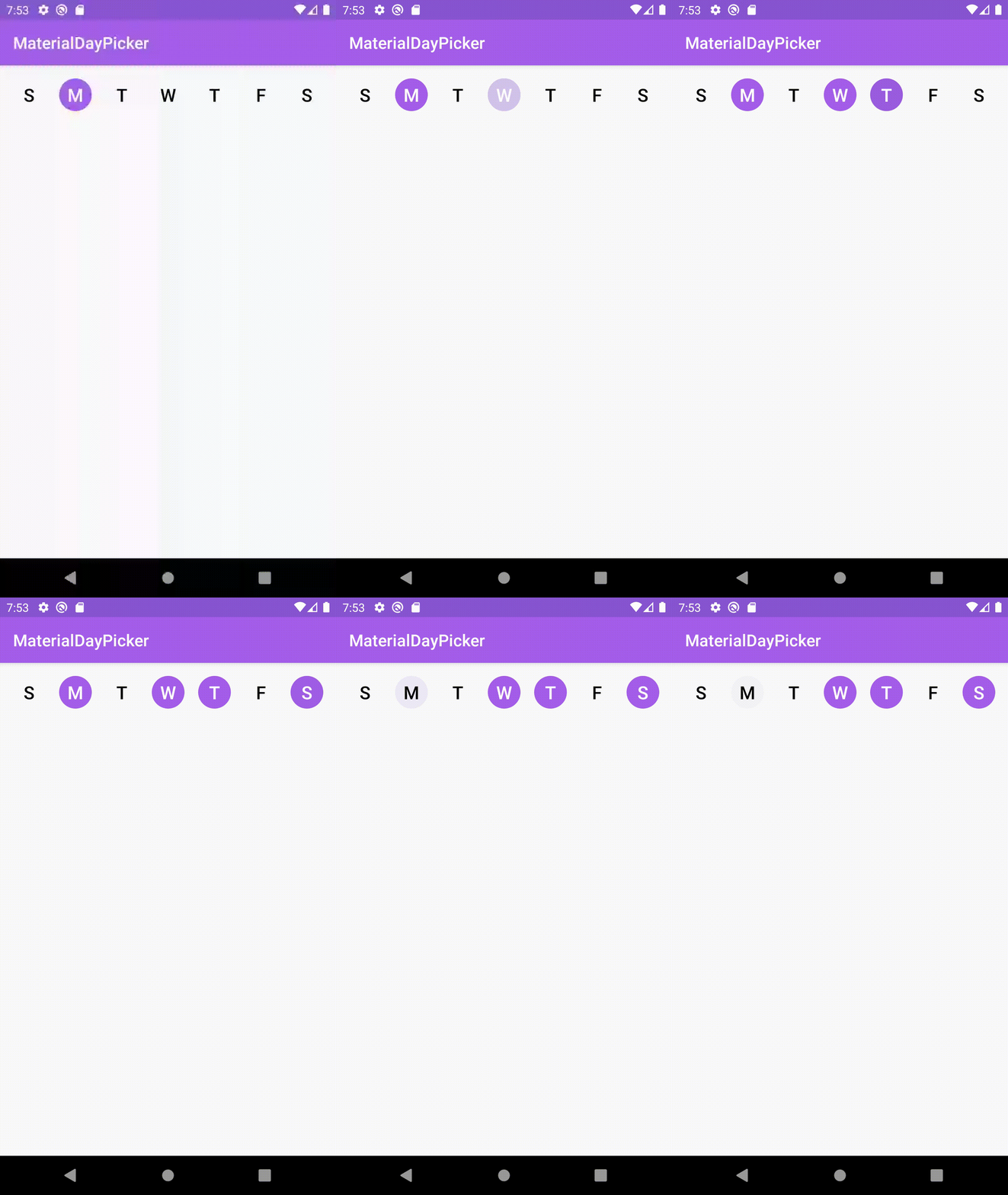 | 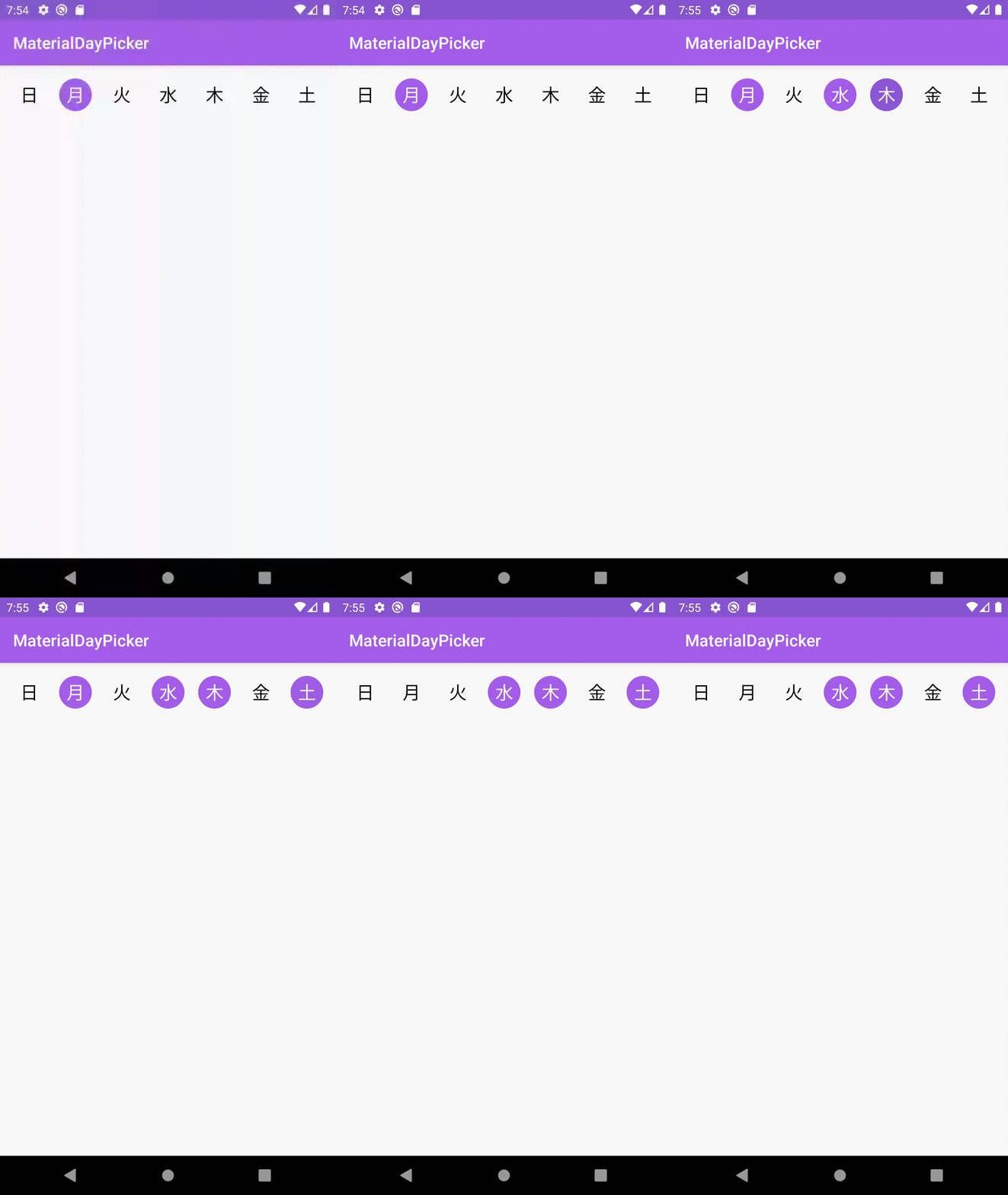 | 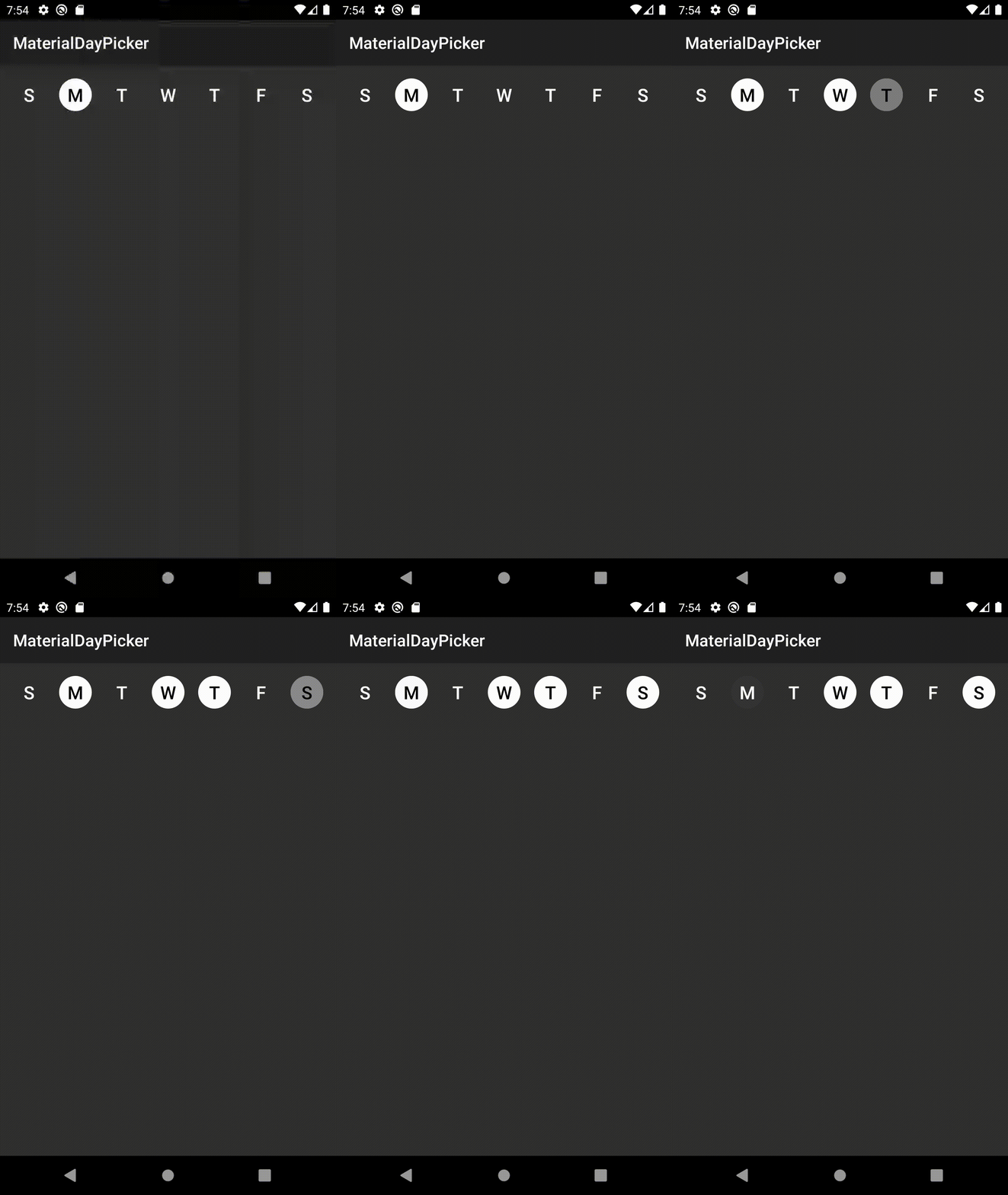 |
firstDayOfWeek nouvellement ajoutéeCorrectifs de bugs
3.6.1 qui entraînerait l'échec du bâtiment en raison de ne pas être en mesure de trouver l'attribut selectionMode .Correctifs de bugs
setSelectedDays entraînerait des jours sélectionnés pour se dérouler.Améliorations de la configuration
app:selectionMode . Téléchargez la dernière version en ajoutant ce qui suit au fichier build.gradle de votre projet:
dependencies {
    implementation ' ca.antonious:materialdaypicker:0.7.4 '
}Vous pouvez simplement laisser tomber la vue dans votre XML existant:
< ca .antonious.materialdaypicker.MaterialDayPicker
    android : id = " @+id/day_picker "
    android : layout_width = " match_parent "
    android : layout_height = " wrap_content " />
Vous pouvez obtenir les jours actuellement sélectionnés en utilisant:
 val selectedDays = materialDayPicker.selectedDays
// returns [MaterialDayPicker.Weekday.TUESDAY, MaterialDayPicker.Weekday.FRIDAY]
Vous pouvez définir les jours sélectionnés en faisant:
 val daysToSelect = listOf ( MaterialDayPicker . Weekday . TUESDAY , MaterialDayPicker . Weekday . FRIDAY )
materialDayPicker.setSelectedDays(daysToSelect)
Si vous souhaitez ne laisser être sélectionné qu'un jour à la fois, vous pouvez faire:
materialDayPicker.selectionMode = SingleSelectionMode .create() Cela peut également être défini via XML à l'aide de l'attribut selectionMode :
< ca .antonious.materialdaypicker.MaterialDayPicker
    ...
    app : selectionMode = " ca.antonious.materialdaypicker.SingleSelectionMode " />
Vous pouvez activer / désactiver les jours en utilisant les méthodes suivantes. Remarque Si vous désactivez un jour où il est sélectionné, il ne peut pas être désélectionné:
materialDayPicker.enableDay( MaterialDayPicker . Weekday . Monday )
materialDayPicker.disableDay( MaterialDayPicker . Weekday . Monday )
materialDayPicker.setDayEnable( MaterialDayPicker . Weekday . Monday , isEnabled = false )
Si vous souhaitez écouter chaque fois que la sélection du jour est modifiée, vous pouvez utiliser:
materialDayPicker.setDaySelectionChangedListener { selectedDays ->
    // handle selection change
}
Si vous avez besoin de savoir quand un jour spécifique est sélectionné / désélectionné, vous pouvez utiliser:
materialDayPicker.setDayPressedListener { weekday, isSelected ->
    // handle weekday selection
}Vous pouvez remplacer ces couleurs pour changer l'apparence de MaterialDayPicker. Vous pouvez également mettre à jour ces valeurs dans votre répertoire de ressources de couleur nocturne pour mettre à jour à quoi ressemble MaterialDayPicker en mode sombre:
< color name = " dayPressed " >@color/colorPrimaryDark</ color >
< color name = " daySelected " >@color/colorPrimary</ color >
< color name = " daySelectedTextColor " >@android:color/white</ color >
< color name = " dayDeselected " >#FAFAFA</ color >
< color name = " dayDeselectedTextColor " >@android:color/black</ color >

<!-- Customizing colors for disabled days -->
< color name = " daySelectedAndDisabled " >#43444F</ color >
< color name = " daySelectedAndDisabledTextColor " >@color/daySelectedTextColor</ color >
< color name = " dayDeselectedAndDisabled " >@color/dayDeselected</ color >
< color name = " dayDeselectedAndDisabledTextColor " >@android:color/darker_gray</ color >
Si vous ne souhaitez pas utiliser les paramètres régionaux actuels de l'appareil, vous pouvez le remplacer en faisant:
materialDayPicker.locale = Locale . ENGLISH // or any other localeSi vous souhaitez spécifier explicitement le premier jour de la semaine:
materialDayPicker.firstDayOfWeek = MaterialDayPicker . Weekday . MONDAY // or any other day MIT License
Copyright (c) 2017 George Antonious
Permission is hereby granted, free of charge, to any person obtaining a copy
of this software and associated documentation files (the "Software"), to deal
in the Software without restriction, including without limitation the rights
to use, copy, modify, merge, publish, distribute, sublicense, and/or sell
copies of the Software, and to permit persons to whom the Software is
furnished to do so, subject to the following conditions:
The above copyright notice and this permission notice shall be included in all
copies or substantial portions of the Software.
THE SOFTWARE IS PROVIDED "AS IS", WITHOUT WARRANTY OF ANY KIND, EXPRESS OR
IMPLIED, INCLUDING BUT NOT LIMITED TO THE WARRANTIES OF MERCHANTABILITY,
FITNESS FOR A PARTICULAR PURPOSE AND NONINFRINGEMENT. IN NO EVENT SHALL THE
AUTHORS OR COPYRIGHT HOLDERS BE LIABLE FOR ANY CLAIM, DAMAGES OR OTHER
LIABILITY, WHETHER IN AN ACTION OF CONTRACT, TORT OR OTHERWISE, ARISING FROM,
OUT OF OR IN CONNECTION WITH THE SOFTWARE OR THE USE OR OTHER DEALINGS IN THE
SOFTWARE.





