xmake
v2.9.6

基于LUA的跨平台构建实用程序
现代C/C ++构建工具:简单,快速,功能强大的依赖关系包集成
通过成为赞助商来支持这个项目。您的徽标将在此处显示您网站的链接。
您还可以考虑赞助我们通过GitHub赞助商计划获得额外的技术支持服务。如果这样做,您可以访问Xmake-io/技术支持库,该存储库具有以下好处:
什么是Xmake?
xmake.lua文件以简单且可读的语法维护项目构建。Xmake可用于直接构建源代码(例如使用Make或Ninja),也可以生成诸如CMAKE或MESON之类的项目源文件。它还具有内置软件包管理系统,可帮助用户集成C ++依赖关系。
Xmake = Build backend + Project Generator + Package Manager + [Remote|Distributed] Build + Cache
尽管不那么精确,但仍然可以通过以下方式理解Xmake:
Xmake ≈ Make/Ninja + CMake/Meson + Vcpkg/Conan + distcc + ccache/sccache
如果您想了解更多信息,请参考:文档,github或gitee。欢迎您加入我们的社区。
可以在Xmake-io/Xmake-Repo上找到官方的Xmake存储库。
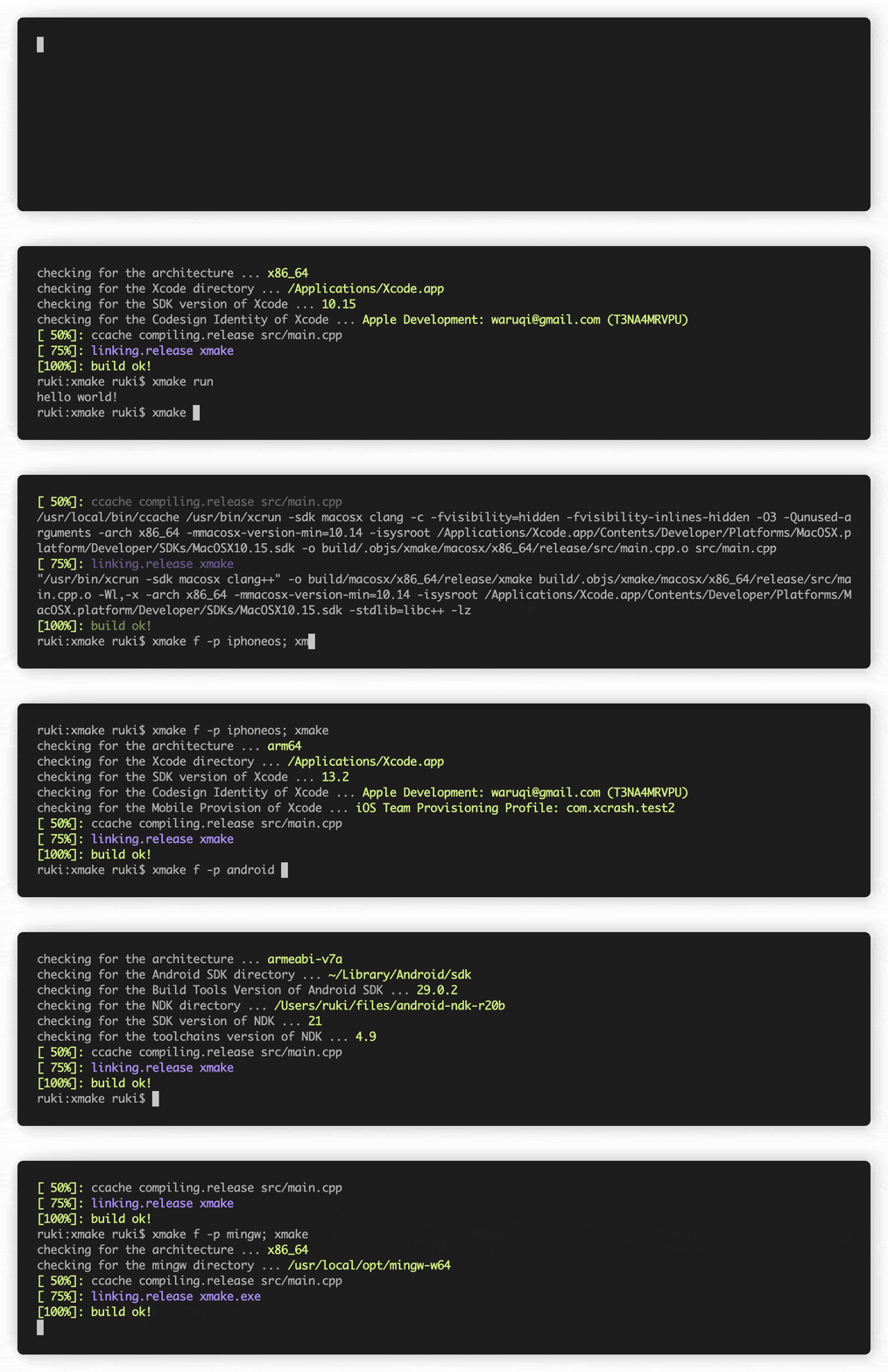
curl -fsSL https://xmake.io/shget.text | bashwget https://xmake.io/shget.text -O - | bashInvoke-Expression (Invoke-Webrequest ' https://xmake.io/psget.text ' -UseBasicParsing).Content如果您不想使用上面的脚本安装Xmake,请访问安装指南以获取其他安装方法(从源,软件包管理器等构建)。
 target ( " console " )
    set_kind ( " binary " )
add_files ( " src/*.c " )创建一个新的binary目标console ,并在src目录中添加所有以.c结尾的文件。
add_requires ( " tbox 1.6.* " , " zlib " , " libpng ~1.6 " )添加了Tbox V1.6,Zlib(任何版本)和libpng v1.6的要求。
官方Xmake软件包存储库存在于:Xmake-Repo
以下假设您当前在项目的根目录中。
$ xmake$ xmake run console$ xmake run -d console$ xmake test$ xmake f -p [windows | linux | macosx | android | iphoneos ..] -a [x86 | arm64 ..] -m [debug | release]
$ xmake$ xmake f --menu$ xmake show -l toolchains
xcode Xcode IDE
msvc Microsoft Visual C/C++ Compiler
clang-cl LLVM Clang C/C++ Compiler compatible with msvc
yasm The Yasm Modular Assembler
clang A C language family frontend for LLVM
go Go Programming Language Compiler
dlang D Programming Language Compiler (Auto)
dmd D Programming Language Compiler
ldc The LLVM-based D Compiler
gdc The GNU D Compiler (GDC)
gfortran GNU Fortran Programming Language Compiler
zig Zig Programming Language Compiler
sdcc Small Device C Compiler
cuda CUDA Toolkit (nvcc, nvc, nvc++, nvfortran)
ndk Android NDK
rust Rust Programming Language Compiler
swift Swift Programming Language Compiler
llvm A collection of modular and reusable compiler and toolchain technologies
cross Common cross compilation toolchain
nasm NASM Assembler
gcc GNU Compiler Collection
mingw Minimalist GNU for Windows
gnu-rm GNU Arm Embedded Toolchain
envs Environment variables toolchain
fasm Flat Assembler
tinycc Tiny C Compiler
emcc A toolchain for compiling to asm.js and WebAssembly
icc Intel C/C++ Compiler
ifort Intel Fortran Compiler
ifx Intel LLVM Fortran Compiler
muslcc The musl-based cross-compilation toolchain
fpc Free Pascal Programming Language Compiler
wasi WASI-enabled WebAssembly C/C++ toolchain
nim Nim Programming Language Compiler
circle A new C++20 compiler
armcc ARM Compiler Version 5 of Keil MDK
armclang ARM Compiler Version 6 of Keil MDK
c51 Keil development tools for the 8051 Microcontroller Architecture
icx Intel LLVM C/C++ Compiler
dpcpp Intel LLVM C++ Compiler for data parallel programming model based on Khronos SYCL
masm32 The MASM32 SDK
iverilog Icarus Verilog
verilator Verilator open-source SystemVerilog simulator and lint system
cosmocc build-once run-anywhere
hdk Harmony SDKXmake展览:
compile_commands.json )Xmake支持以下类型的项目:
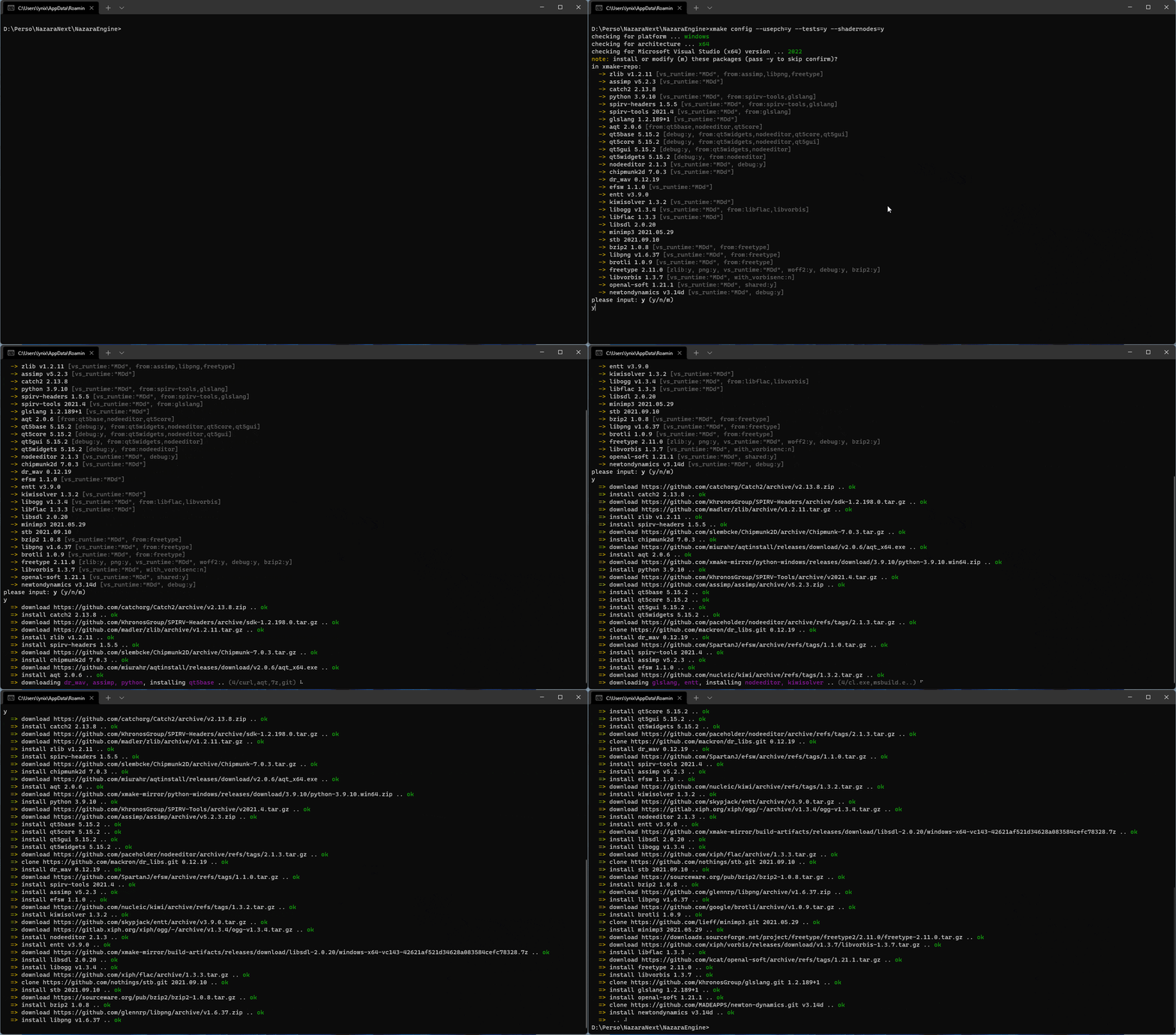
Xmake可以自动获取并安装依赖项!
xrepo env shell支持软件包虚拟环境下面是一个图表,显示了Xmake的架构,因此它的功能。
有关更多详细信息,请参见:#274
有关更多详细信息,请参见:#622
有关更多详细信息,请参见:#622
Xmake的速度与忍者相当!测试项目:Xmake-core
| 构建系统 | termux(8核/-J12) | 构建系统 | macOS(8核/-J12) |
|---|---|---|---|
| xmake | 24.890S | xmake | 12.264s |
| 忍者 | 25.682S | 忍者 | 11.327 |
| cmake(gen+make) | 5.416s+28.473s | cmake(gen+make) | 1.203s+14.030s |
| Cmake(Gen+Ninja) | 4.458+24.842s | Cmake(Gen+Ninja) | 0.988s+11.644s |
| 构建系统 | termux(-j1) | 构建系统 | macos(-j1) |
|---|---|---|---|
| xmake | 1M57.707S | xmake | 39.937 |
| 忍者 | 1M52.845S | 忍者 | 38.995S |
| cmake(gen+make) | 5.416S+2M10.539S | cmake(gen+make) | 1.203S+41.737S |
| Cmake(Gen+Ninja) | 4.458s+1M54.868S | Cmake(Gen+Ninja) | 0.988s+38.022s |
 add_rules ( " mode.debug " , " mode.release " )

target ( " console " )
    set_kind ( " binary " )
    add_files ( " src/*.c " )
    if is_mode ( " debug " ) then
        add_defines ( " DEBUG " )
end target ( " test " )
set_kind ( " binary " )
add_files ( " src/*.c " )
after_build ( function ( target )
print ( " hello: %s " , target : name ())
os . exec ( " echo %s " , target : targetfile ())
end )在Xmake-Repo或第三方存储库中下载并使用软件包:
 add_requires ( " tbox >1.6.1 " , " libuv master " , " vcpkg::ffmpeg " , " brew::pcre2/libpcre2-8 " )
add_requires ( " conan::openssl/1.1.1g " , { alias = " openssl " , optional = true , debug = true })
target ( " test " )
    set_kind ( " binary " )
    add_files ( " src/*.c " )
    add_packages ( " tbox " , " libuv " , " vcpkg::ffmpeg " , " brew::pcre2/libpcre2-8 " , " openssl " )
此外,我们还可以使用Xrepo命令快速安装依赖项。
 target ( " test " )
    add_rules ( " qt.quickapp " )
    add_files ( " src/*.cpp " )
add_files ( " src/qml.qrc " ) target ( " test " )
set_kind ( " binary " )
add_files ( " src/*.cu " )
add_cugencodes ( " native " )
add_cugencodes ( " compute_35 " ) target ( " echo " )
add_rules ( " wdk.driver " , " wdk.env.umdf " )
add_files ( " driver/*.c " )
add_files ( " driver/*.inx " )
add_includedirs ( " exe " )
target ( " app " )
add_rules ( " wdk.binary " , " wdk.env.umdf " )
add_files ( " exe/*.cpp " )有关更多WDK驱动程序示例(UMDF/KMDF/WDM),请访问WDK程序示例
 target ( " test " )
    add_rules ( " xcode.application " )
    add_files ( " src/*.m " , " src/**.storyboard " , " src/*.xcassets " )
add_files ( " src/Info.plist " ) target ( " test " )
add_rules ( " xcode.framework " ) -- or xcode.bundle
add_files ( " src/*.m " )
add_files ( " src/Info.plist " ) add_requires ( " libomp " , { optional = true })
target ( " loop " )
set_kind ( " binary " )
add_files ( " src/*.cpp " )
add_rules ( " c++.openmp " )
add_packages ( " libomp " ) target ( " test " )
set_kind ( " binary " )
add_files ( " src/main.zig " )需要用LLM-10打包的叮当版本来编译项目。
 add_requires ( " llvm 10.x " , { alias = " llvm-10 " })
target ( " test " )
    set_kind ( " binary " )
    add_files ( " src/*.c " )
set_toolchains ( " llvm@llvm-10 " )我们还可以将指定的交叉补偿工具链插入其中以编译项目。
 add_requires ( " muslcc " )
target ( " test " )
    set_kind ( " binary " )
    add_files ( " src/*.c " )
set_toolchains ( " @muslcc " )我们还可以使用指定的muslcc交叉补偿工具链来编译和整合所有因软件包。
 add_requires ( " muslcc " )
add_requires ( " zlib " , " libogg " , { system = false })

set_toolchains ( " @muslcc " )

target ( " test " )
    set_kind ( " binary " )
    add_files ( " src/*.c " )
add_packages ( " zlib " , " libogg " )$ xmake project -k vsxmake -m " debug,release " # New vsproj generator (Recommended)
$ xmake project -k vs -m " debug,release "
$ xmake project -k cmake
$ xmake project -k ninja
$ xmake project -k compile_commands$ xmake l ./test.lua
$ xmake l -c " print('hello xmake!') "
$ xmake l lib.detect.find_tool gcc
$ xmake l
> print( " hello xmake! " )
> {1, 2, 3}
< {
1,
2,
3
}要查看Bultin插头列表,请访问内置插件。
请从插件存储库Xmake-Plugins下载并安装其他插件。
我们可以使用Xmake-Gradle插件通过Gradle编译JNI库。
 plugins {
  id 'org.tboox.gradle-xmake-plugin' version '1.1.5'
}

android {
    externalNativeBuild {
        xmake {
            path "jni/xmake.lua"
        }
    }
}
如果应用了gradle-xmake-plugin assemble自动注入xmakeBuild任务。
$ ./gradlew app:assembleDebug
> Task :nativelib:xmakeConfigureForArm64
> Task :nativelib:xmakeBuildForArm64
>> xmake build
[ 50%]: cache compiling.debug nativelib.cc
[ 75%]: linking.debug libnativelib.so
[100%]: build ok!
>> install artifacts to /Users/ruki/projects/personal/xmake-gradle/nativelib/libs/arm64-v8a
> Task :nativelib:xmakeConfigureForArmv7
> Task :nativelib:xmakeBuildForArmv7
>> xmake build
[ 50%]: cache compiling.debug nativelib.cc
[ 75%]: linking.debug libnativelib.so
[100%]: build ok!
>> install artifacts to /Users/ruki/projects/personal/xmake-gradle/nativelib/libs/armeabi-v7a
> Task :nativelib:preBuild
> Task :nativelib:assemble
> Task :app:assembleDebug 如果您在CI管道中使用GitHub操作,则用于GitHub操作的GitHub-Action-setup-Xmake插件可以使您在最小的努力中使用Xmake。
 uses : xmake-io/github-action-setup-xmake@v1
with :
xmake-version : latest 这里有使用Xmake的人员和项目列表。
如果您使用的是Xmake,欢迎您通过PR提交信息,以便其他用户和开发人员可以评估兴趣。 IHIS还让用户更自信地使用Xmake,并为我们提供继续维护它的动力。
这将有助于Xmake项目,并且它的社区变得更加强大和扩展!
该项目的存在得益于所有贡献的人:
xrepo env shell ,并为Xmake-Repo存储库贡献很多软件包。enderger :帮助平滑读书人英文翻译的边缘




