xmake
v2.9.6

فائدة بناء منصة على أساس لوا
أداة إنشاء C/C ++ الحديثة: تكامل حزمة التبعية البسيطة والسريعة والواسعة
دعم هذا المشروع من خلال أن يصبح راعياً. سيظهر شعارك هنا مع رابط لموقع الويب الخاص بك.
يمكنك أيضًا التفكير في رعايتنا للحصول على خدمات دعم فنية إضافية عبر برنامج GitHub الراعي. إذا قمت بذلك ، فيمكنك الوصول إلى مستودع Xmake-IO/دعم التقنية ، والذي يحتوي على الفوائد التالية:
ما هو xmake؟
xmake.lua للحفاظ على بناء المشروع مع بناء جملة بسيط وقابل للقراءة.يمكن استخدام Xmake لإنشاء رمز المصدر مباشرة (كما هو الحال مع Make أو Ninja) ، أو يمكنه إنشاء ملفات مصدر المشروع مثل Cmake أو Meson. كما أن لديها نظام إدارة حزم مدمج لمساعدة المستخدمين على دمج تبعيات C/C ++.
Xmake = Build backend + Project Generator + Package Manager + [Remote|Distributed] Build + Cache
على الرغم من أنه أقل دقة ، لا يزال بإمكان المرء فهم Xmake بالطريقة التالية:
Xmake ≈ Make/Ninja + CMake/Meson + Vcpkg/Conan + distcc + ccache/sccache
إذا كنت تريد معرفة المزيد ، فيرجى الرجوع إلى: الوثائق أو github أو gite. اهلا وسهلا بكم أيضا للانضمام إلى مجتمعنا.
يمكن العثور على مستودع Xmake الرسمي في Xmake-IO/Xmake-Repo.
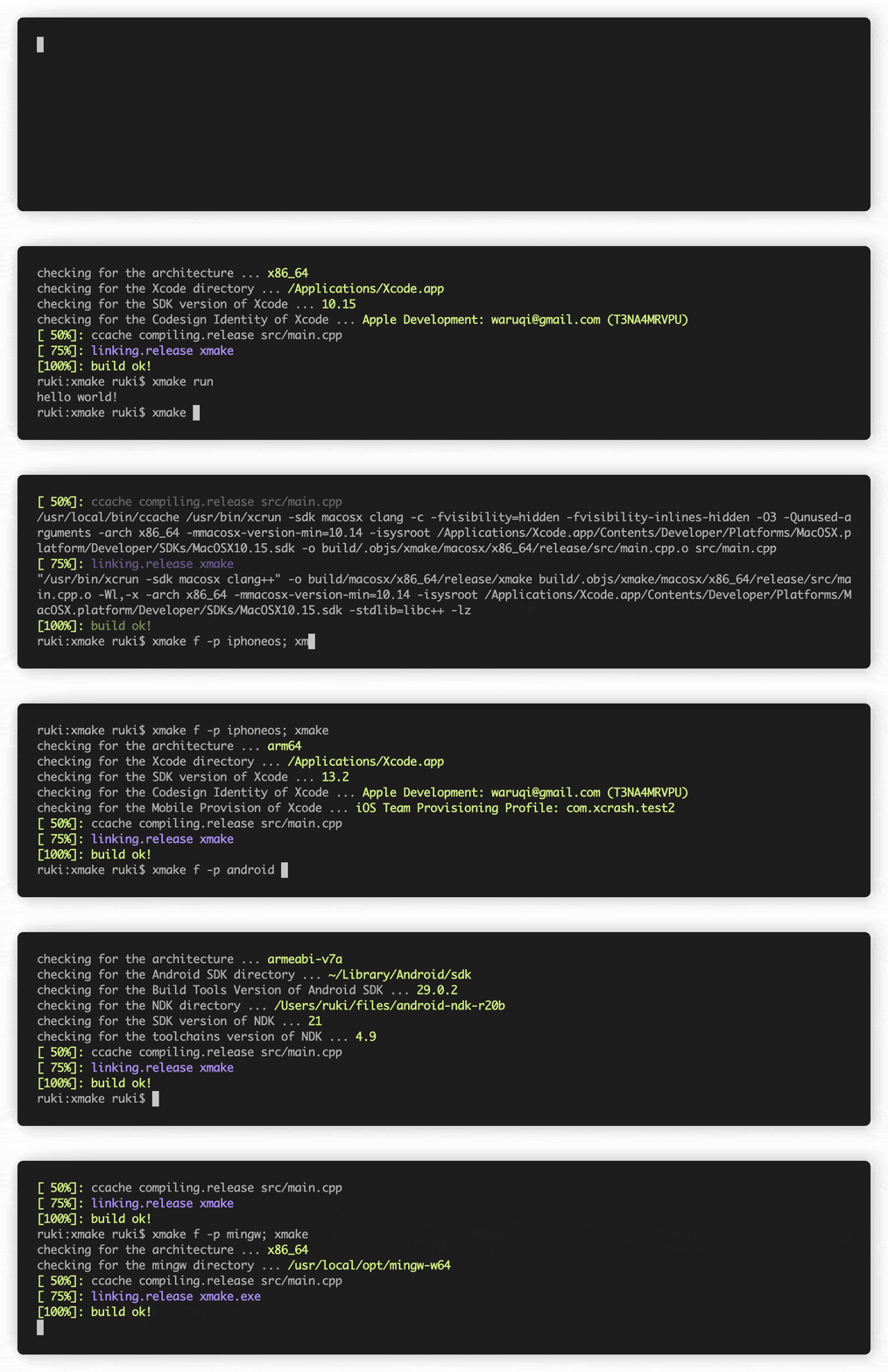
curl -fsSL https://xmake.io/shget.text | bashwget https://xmake.io/shget.text -O - | bashInvoke-Expression (Invoke-Webrequest ' https://xmake.io/psget.text ' -UseBasicParsing).Contentإذا كنت لا ترغب في استخدام البرامج النصية أعلاه لتثبيت XMake ، تفضل بزيارة دليل التثبيت لطرق التثبيت الأخرى (بناء من المصدر ومديري الحزم وما إلى ذلك).
 target ( " console " )
    set_kind ( " binary " )
    add_files ( " src/*.c " )
ينشئ console مستهدفة جديدة من نوع binary ، ويضيف جميع الملفات التي تنتهي في .c في دليل src .
add_requires ( " tbox 1.6.* " , " zlib " , " libpng ~1.6 " )يضيف متطلبات Tbox V1.6 و Zlib (أي إصدار) و libpng v1.6.
يوجد مستودع حزمة Xmake الرسمي على: Xmake-Repo
يفترض أدناه أنك موجود حاليًا في دليل الجذر للمشروع.
$ xmake$ xmake run console$ xmake run -d console$ xmake test$ xmake f -p [windows | linux | macosx | android | iphoneos ..] -a [x86 | arm64 ..] -m [debug | release]
$ xmake$ xmake f --menu$ xmake show -l toolchains
xcode Xcode IDE
msvc Microsoft Visual C/C++ Compiler
clang-cl LLVM Clang C/C++ Compiler compatible with msvc
yasm The Yasm Modular Assembler
clang A C language family frontend for LLVM
go Go Programming Language Compiler
dlang D Programming Language Compiler (Auto)
dmd D Programming Language Compiler
ldc The LLVM-based D Compiler
gdc The GNU D Compiler (GDC)
gfortran GNU Fortran Programming Language Compiler
zig Zig Programming Language Compiler
sdcc Small Device C Compiler
cuda CUDA Toolkit (nvcc, nvc, nvc++, nvfortran)
ndk Android NDK
rust Rust Programming Language Compiler
swift Swift Programming Language Compiler
llvm A collection of modular and reusable compiler and toolchain technologies
cross Common cross compilation toolchain
nasm NASM Assembler
gcc GNU Compiler Collection
mingw Minimalist GNU for Windows
gnu-rm GNU Arm Embedded Toolchain
envs Environment variables toolchain
fasm Flat Assembler
tinycc Tiny C Compiler
emcc A toolchain for compiling to asm.js and WebAssembly
icc Intel C/C++ Compiler
ifort Intel Fortran Compiler
ifx Intel LLVM Fortran Compiler
muslcc The musl-based cross-compilation toolchain
fpc Free Pascal Programming Language Compiler
wasi WASI-enabled WebAssembly C/C++ toolchain
nim Nim Programming Language Compiler
circle A new C++20 compiler
armcc ARM Compiler Version 5 of Keil MDK
armclang ARM Compiler Version 6 of Keil MDK
c51 Keil development tools for the 8051 Microcontroller Architecture
icx Intel LLVM C/C++ Compiler
dpcpp Intel LLVM C++ Compiler for data parallel programming model based on Khronos SYCL
masm32 The MASM32 SDK
iverilog Icarus Verilog
verilator Verilator open-source SystemVerilog simulator and lint system
cosmocc build-once run-anywhere
hdk Harmony SDKمعارض Xmake:
compile_commands.json على سبيل المثاليدعم Xmake الأنواع أدناه من المشاريع:
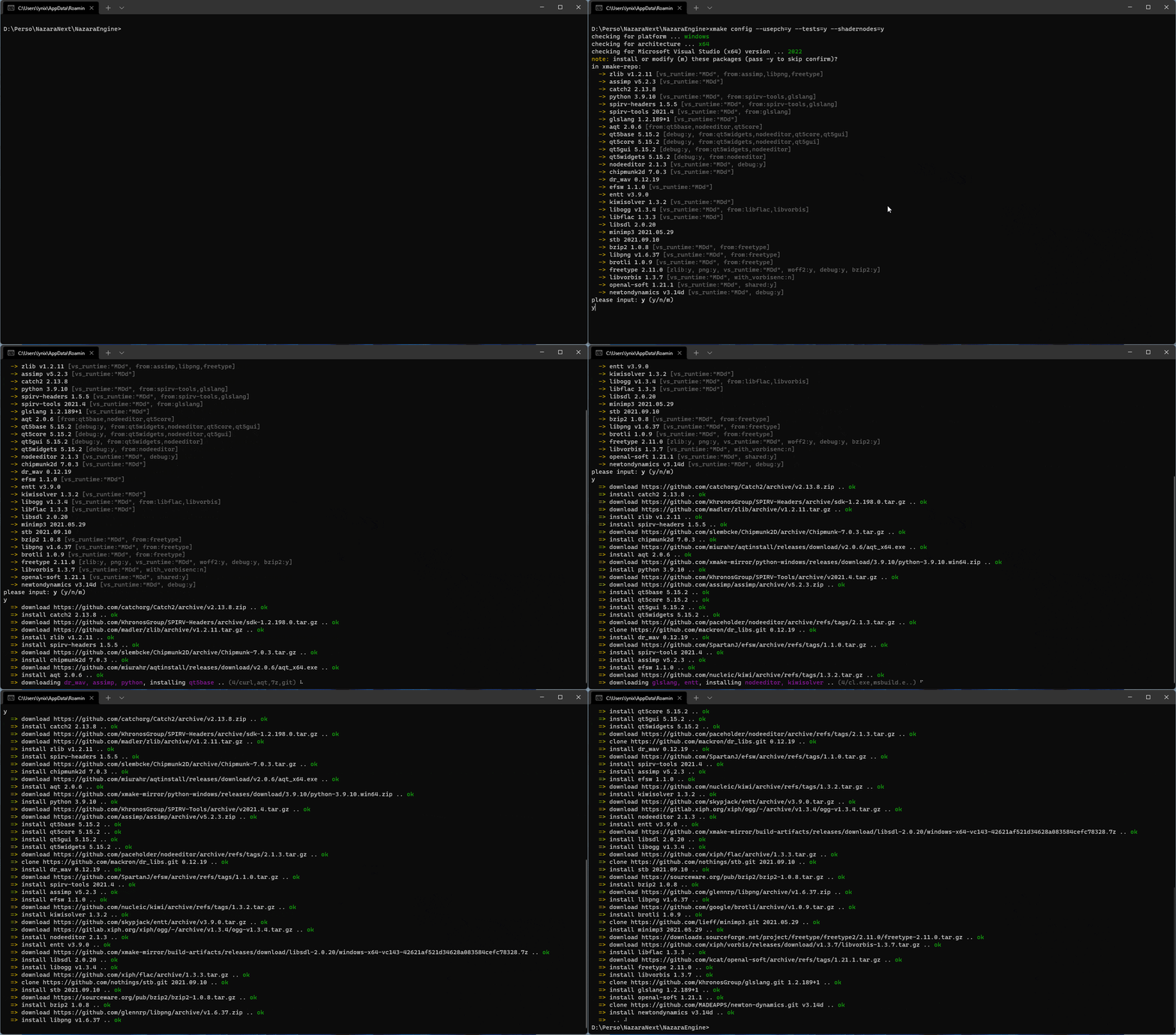
يمكن لـ Xmake جلب وتثبيت التبعيات تلقائيًا!
xrepo env shellيوجد أدناه مخطط يوضح تقريبًا بنية Xmake ، وبالتالي كيف يعمل.
لمزيد من التفاصيل ، راجع: #274
لمزيد من التفاصيل ، راجع: #622
لمزيد من التفاصيل ، راجع: #622
سرعة Xmake على قدم المساواة مع Ninja! مشروع الاختبار: Xmake-Core
| BuildSystem | Termux (8core/-j12) | BuildSystem | ماكوس (8core/-j12) |
|---|---|---|---|
| Xmake | 24.890s | Xmake | 12.264S |
| النينجا | 25.682S | النينجا | 11.327s |
| Cmake (Gen+Make) | 5.416s+28.473s | Cmake (Gen+Make) | 1.203s+14.030s |
| Cmake (Gen+Ninja) | 4.458S+24.842S | Cmake (Gen+Ninja) | 0.988S+11.644S |
| BuildSystem | Termux (-J1) | BuildSystem | ماكوس (-J1) |
|---|---|---|---|
| Xmake | 1M57.707S | Xmake | 39.937s |
| النينجا | 1M52.845S | النينجا | 38.995S |
| Cmake (Gen+Make) | 5.416S+2M10.539S | Cmake (Gen+Make) | 1.203S+41.737S |
| Cmake (Gen+Ninja) | 4.458S+1M54.868S | Cmake (Gen+Ninja) | 0.988S+38.022S |
 add_rules ( " mode.debug " , " mode.release " )

target ( " console " )
    set_kind ( " binary " )
    add_files ( " src/*.c " )
    if is_mode ( " debug " ) then
        add_defines ( " DEBUG " )
end target ( " test " )
set_kind ( " binary " )
add_files ( " src/*.c " )
after_build ( function ( target )
print ( " hello: %s " , target : name ())
os . exec ( " echo %s " , target : targetfile ())
end )قم بتنزيل واستخدام الحزم في Xmake-Repo أو مستودعات الطرف الثالث:
 add_requires ( " tbox >1.6.1 " , " libuv master " , " vcpkg::ffmpeg " , " brew::pcre2/libpcre2-8 " )
add_requires ( " conan::openssl/1.1.1g " , { alias = " openssl " , optional = true , debug = true })
target ( " test " )
    set_kind ( " binary " )
    add_files ( " src/*.c " )
    add_packages ( " tbox " , " libuv " , " vcpkg::ffmpeg " , " brew::pcre2/libpcre2-8 " , " openssl " )
بالإضافة إلى ذلك ، يمكننا أيضًا استخدام أمر XREPO لتثبيت التبعيات بسرعة.
 target ( " test " )
    add_rules ( " qt.quickapp " )
    add_files ( " src/*.cpp " )
add_files ( " src/qml.qrc " ) target ( " test " )
set_kind ( " binary " )
add_files ( " src/*.cu " )
add_cugencodes ( " native " )
add_cugencodes ( " compute_35 " ) target ( " echo " )
add_rules ( " wdk.driver " , " wdk.env.umdf " )
add_files ( " driver/*.c " )
add_files ( " driver/*.inx " )
add_includedirs ( " exe " )
target ( " app " )
add_rules ( " wdk.binary " , " wdk.env.umdf " )
add_files ( " exe/*.cpp " )لمزيد من أمثلة برنامج تشغيل WDK (UMDF/KMDF/WDM) ، يرجى زيارة أمثلة برنامج WDK
 target ( " test " )
    add_rules ( " xcode.application " )
    add_files ( " src/*.m " , " src/**.storyboard " , " src/*.xcassets " )
add_files ( " src/Info.plist " ) target ( " test " )
add_rules ( " xcode.framework " ) -- or xcode.bundle
add_files ( " src/*.m " )
add_files ( " src/Info.plist " ) add_requires ( " libomp " , { optional = true })
target ( " loop " )
set_kind ( " binary " )
add_files ( " src/*.cpp " )
add_rules ( " c++.openmp " )
add_packages ( " libomp " ) target ( " test " )
set_kind ( " binary " )
add_files ( " src/main.zig " )تتطلب إصدار Clang المعبأة مع LLM-10 لتجميع المشروع.
 add_requires ( " llvm 10.x " , { alias = " llvm-10 " })
target ( " test " )
    set_kind ( " binary " )
    add_files ( " src/*.c " )
set_toolchains ( " llvm@llvm-10 " )يمكننا أيضًا سحب مخطط أدوات محدد للمجسس لتجميع المشروع.
 add_requires ( " muslcc " )
target ( " test " )
    set_kind ( " binary " )
    add_files ( " src/*.c " )
set_toolchains ( " @muslcc " ) يمكننا أيضًا استخدام أدوات أدوات muslcc المحددة المتقاطعة لتجميع ودمج جميع الحزم التابعة.
 add_requires ( " muslcc " )
add_requires ( " zlib " , " libogg " , { system = false })

set_toolchains ( " @muslcc " )

target ( " test " )
    set_kind ( " binary " )
    add_files ( " src/*.c " )
add_packages ( " zlib " , " libogg " )$ xmake project -k vsxmake -m " debug,release " # New vsproj generator (Recommended)
$ xmake project -k vs -m " debug,release "
$ xmake project -k cmake
$ xmake project -k ninja
$ xmake project -k compile_commands$ xmake l ./test.lua
$ xmake l -c " print('hello xmake!') "
$ xmake l lib.detect.find_tool gcc
$ xmake l
> print( " hello xmake! " )
> {1, 2, 3}
< {
1,
2,
3
}لمشاهدة قائمة بمكونات Bultin ، يرجى زيارة المكونات الإضافية المصممة.
يرجى تنزيل وتثبيت الإضافات الأخرى من Plugins Repository Xmake-Plugins.
يمكننا استخدام البرنامج المساعد Xmake-Rgrle لتجميع مكتبات JNI عبر Gradle.
 plugins {
  id 'org.tboox.gradle-xmake-plugin' version '1.1.5'
}

android {
    externalNativeBuild {
        xmake {
            path "jni/xmake.lua"
        }
    }
}
سيتم حقن مهمة xmakeBuild في مهمة assemble تلقائيًا إذا تم تطبيق gradle-xmake-plugin .
$ ./gradlew app:assembleDebug
> Task :nativelib:xmakeConfigureForArm64
> Task :nativelib:xmakeBuildForArm64
>> xmake build
[ 50%]: cache compiling.debug nativelib.cc
[ 75%]: linking.debug libnativelib.so
[100%]: build ok!
>> install artifacts to /Users/ruki/projects/personal/xmake-gradle/nativelib/libs/arm64-v8a
> Task :nativelib:xmakeConfigureForArmv7
> Task :nativelib:xmakeBuildForArmv7
>> xmake build
[ 50%]: cache compiling.debug nativelib.cc
[ 75%]: linking.debug libnativelib.so
[100%]: build ok!
>> install artifacts to /Users/ruki/projects/personal/xmake-gradle/nativelib/libs/armeabi-v7a
> Task :nativelib:preBuild
> Task :nativelib:assemble
> Task :app:assembleDebug يمكن أن يسمح لك المكون الإضافي GitHub-action-setup-xmake لإجراءات github باستخدام Xmake بأقل جهود إذا كنت تستخدم إجراءات GitHub لخط أنابيب CI الخاص بك.
 uses : xmake-io/github-action-setup-xmake@v1
with :
xmake-version : latest تتوفر قائمة الأشخاص والمشاريع الذين يستخدمون XMake هنا.
إذا كنت تستخدم Xmake ، فأنت مرحب بك لإرسال معلوماتك إلى القائمة أعلاه من خلال العلاقات العامة ، بحيث يمكن للمستخدمين الآخرين والمطورين قياس الاهتمام. سمح IHIS أيضًا للمستخدمين باستخدام XMake بثقة أكبر ومنحنا الدافع لمواصلة الحفاظ عليه.
هذا سيساعد مشروع XMake ويزداد المجتمع أقوى ويتوسع!
هذا المشروع موجود بفضل جميع الأشخاص الذين ساهموا:
xrepo env shell ، والمساهمة بالكثير من الحزم في مستودع Xmake-Repo.enderger : ساعد في تسهيل الحواف على الترجمة الإنجليزية لـ README




