smartblock
1.0.0

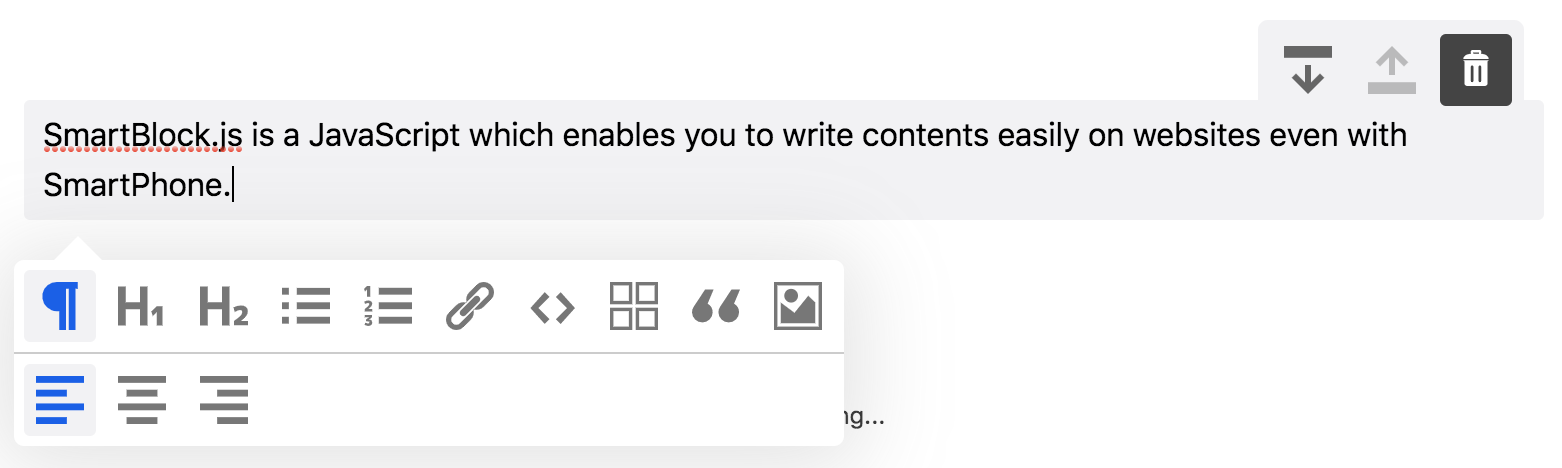
smartblock.js เป็นตัวแก้ไขบล็อก JavaScript ซึ่งช่วยให้คุณสามารถเขียนเนื้อหาได้อย่างง่ายดายบนเว็บไซต์แม้กับ สมาร์ทโฟน
IE11 / EDGE | Firefox | โครเมี่ยม | ซาฟารี | iOS Safari |
|---|
$ npm install smartblock --save import * as React from 'react' ;
import { render } from 'react-dom' ;
import 'smartblock/css/smartblock.css' ;
import { SmartBlock , Extensions } from 'smartblock' ;
render ( < >
< SmartBlock
extensions = { Extensions }
html = { '<h2>Hello World</h2><p>hello</p>' }
onChange = { ( { json , html } ) => { console . log ( json , html ) ; } }
/>
</ > , document . getElementById ( "app" ) ) ; คุณสามารถเพิ่มบล็อกที่กำหนดเองเช่นนี้
 import * as React from 'react' ;
import { Extensions , CustomBlock , CustomMark } from 'smartblock' ;
Extensions . push ( new CustomBlock ( {
  tagName : 'div' ,
  className : '.alert' ,
  icon : < SomeIconComponent />
} ) ;

render ( < >
  < SmartBlock
    extensions = { Extensions }
    html = { '<h2>Hello World</h2><p>hello</p>' }
    onChange = { ( { json , html } ) => { console . log ( json , html ) ; } }
  />
</ > , document . getElementById ( "app" ) ) ;
คุณสามารถเพิ่มองค์ประกอบอินไลน์แบบกำหนดเองเช่นนี้
 import * as React from 'react' ;
import { Extension , CustomBlock , CustomMark } from 'smartblock' ;
import 'smartblock/css/smartblock.css' ;
Extension . push ( new CustomMark ( {
  tagName : 'span' ,
  className : '.small' ,
  icon : < SomeIconComponent />
} ) ;

render ( < >
  < SmartBlock
    extensions = { Extensions }
    html = { '<h2>Hello World</h2><p><small>hello</small></p>' }
    onChange = { ( { json , html } ) => { console . log ( json , html ) ; } }
  />
</ > , document . getElementById ( "app" ) ) ; | อุปกรณ์ประกอบฉาก | คำอธิบาย | พิมพ์ | ค่าเริ่มต้น |
|---|---|---|---|
| ส่วนขยาย | อาร์เรย์ของส่วนขยายที่ขยายคุณสมบัติของสมาร์ทบล็อก | ส่วนขยาย[] | อาร์เรย์ของส่วนขยาย |
| การเปลี่ยน | ฟังก์ชั่นการโทรกลับซึ่งเรียกว่าเมื่อเนื้อหาของตัวแก้ไขมีการเปลี่ยนแปลง คุณสามารถรับทั้ง HTML และ JSON | การทำงาน | |
| บน | ฟังก์ชั่นการเรียกกลับซึ่งเรียกว่าเมื่อตัวแก้ไขเริ่มต้น | การทำงาน | |
| JSON | เนื้อหาของตัวแก้ไขจะเริ่มต้นด้วยข้อมูล JSON | วัตถุ | - |
| HTML | เนื้อหาของตัวแก้ไขจะเริ่มต้นด้วย HTML | สาย | - |
| การแสดง | ชื่อจะแสดง | บูลีน | เท็จ |
| showbackbtn | btn เพื่อสนับสนุนประวัติย้อนกลับจะปรากฏขึ้น | บูลีน | เท็จ |
| บันทึกอัตโนมัติ | HTML จะถูกเก็บไว้ใน LocalStorage ทุกครั้งที่มีการเปลี่ยนแปลงเนื้อหา | บูลีน | เท็จ |
| GetEditorRef | รับวัตถุ Ref Editor | การทำงาน |
ดาวน์โหลด Zip
https://github.com/appleple/smartblock
@steelydylan
รหัสและเอกสารลิขสิทธิ์ 2020 โดย Appleple, Inc. รหัสที่เผยแพร่ภายใต้ใบอนุญาต MIT






