smartblock
1.0.0

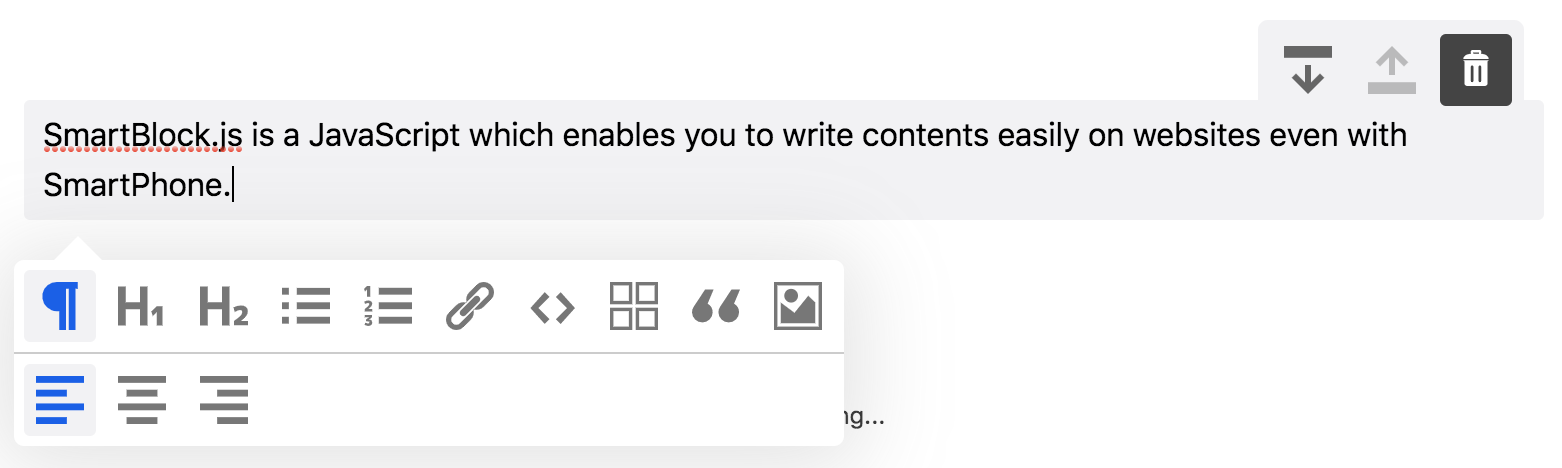
SmartBlock.js ist ein auf JavaScript blockbasiertes Editor, mit dem Sie auch mit Smartphone Inhalte auf Websites schreiben können.
IE11 / REDE | Firefox | Chrom | Safari | iOS safari |
|---|
$ npm install smartblock --save import * as React from 'react' ;
import { render } from 'react-dom' ;
import 'smartblock/css/smartblock.css' ;
import { SmartBlock , Extensions } from 'smartblock' ;
render ( < >
< SmartBlock
extensions = { Extensions }
html = { '<h2>Hello World</h2><p>hello</p>' }
onChange = { ( { json , html } ) => { console . log ( json , html ) ; } }
/>
</ > , document . getElementById ( "app" ) ) ; Sie können so einen benutzerdefinierten Block hinzufügen
 import * as React from 'react' ;
import { Extensions , CustomBlock , CustomMark } from 'smartblock' ;
Extensions . push ( new CustomBlock ( {
  tagName : 'div' ,
  className : '.alert' ,
  icon : < SomeIconComponent />
} ) ;

render ( < >
  < SmartBlock
    extensions = { Extensions }
    html = { '<h2>Hello World</h2><p>hello</p>' }
    onChange = { ( { json , html } ) => { console . log ( json , html ) ; } }
  />
</ > , document . getElementById ( "app" ) ) ;
Sie können wie dieses benutzerdefinierte Inline -Element hinzufügen
 import * as React from 'react' ;
import { Extension , CustomBlock , CustomMark } from 'smartblock' ;
import 'smartblock/css/smartblock.css' ;
Extension . push ( new CustomMark ( {
  tagName : 'span' ,
  className : '.small' ,
  icon : < SomeIconComponent />
} ) ;

render ( < >
  < SmartBlock
    extensions = { Extensions }
    html = { '<h2>Hello World</h2><p><small>hello</small></p>' }
    onChange = { ( { json , html } ) => { console . log ( json , html ) ; } }
  />
</ > , document . getElementById ( "app" ) ) ; | Requisiten | Beschreibung | Typ | Standard |
|---|---|---|---|
| Erweiterungen | Auslöser, die die Funktion von SmartBlock erweitern | Verlängerung[] | Auslöser |
| aufchange | Rückruffunktion, die aufgerufen wird, wenn der Inhalt des Editors geändert wird. Sie können sowohl HTML als auch JSON bekommen | Funktion | |
| aufinit | Rückruffunktion, die aufgerufen wird, wenn der Editor initialisiert wird | Funktion | |
| JSON | Die Editorinhalte werden mit den JSON -Daten initialisiert | Objekt | {} |
| Html | Der Editorinhalt wird mit der HTML initialisiert | Saite | '' ' |
| Messen | Der Titel wird gezeigt | Boolean | FALSCH |
| ShowbackBtn | BTN, um die Geschichte zurück zu unterstützen, wird gezeigt | Boolean | FALSCH |
| Autosave | Die HTML wird jedes Mal, wenn der Inhalt geändert wird | Boolean | FALSCH |
| GeteditorRef | Holen Sie sich den Editor Ref -Objekt | Funktion |
Download Reißverschluss
https://github.com/appleple/smartblock
@steelydylan
Code und Dokumentation Copyright 2020 von Appleple, Inc. Code, der unter der MIT -Lizenz veröffentlicht wurde.






