smartblock
1.0.0

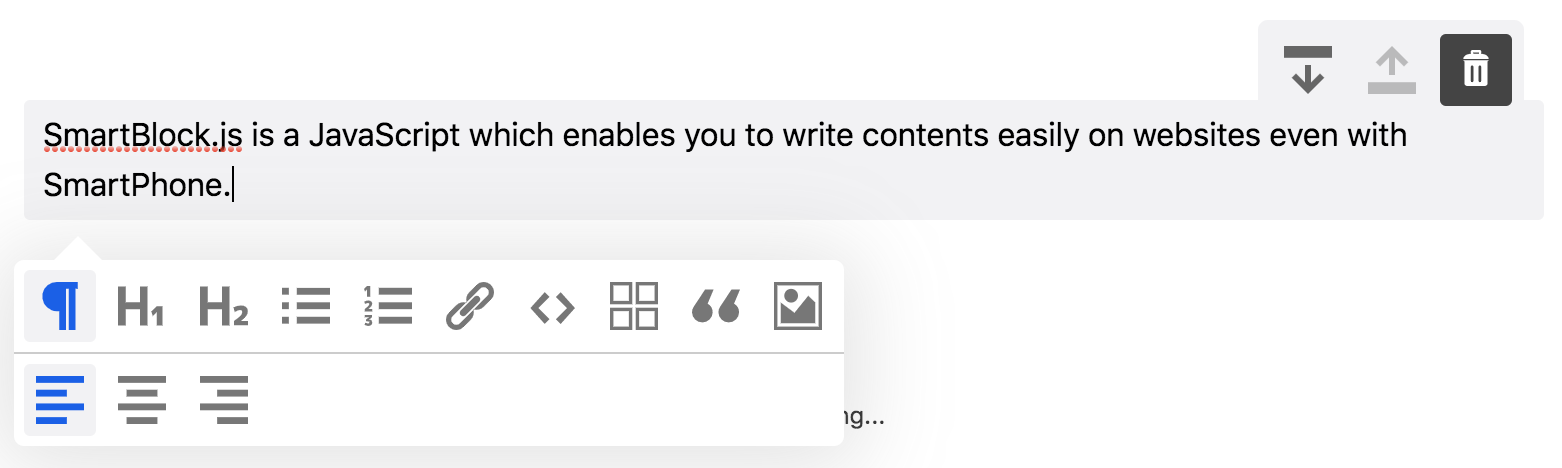
SmartBlock.js est un éditeur basé sur un bloc JavaScript qui vous permet d'écrire facilement le contenu sur les sites Web, même avec un smartphone .
IE11 / bord | Incendier | Chrome | Safari | Safari iOS |
|---|
$ npm install smartblock --save import * as React from 'react' ;
import { render } from 'react-dom' ;
import 'smartblock/css/smartblock.css' ;
import { SmartBlock , Extensions } from 'smartblock' ;
render ( < >
< SmartBlock
extensions = { Extensions }
html = { '<h2>Hello World</h2><p>hello</p>' }
onChange = { ( { json , html } ) => { console . log ( json , html ) ; } }
/>
</ > , document . getElementById ( "app" ) ) ; Vous pouvez ajouter un bloc personnalisé comme celui-ci
 import * as React from 'react' ;
import { Extensions , CustomBlock , CustomMark } from 'smartblock' ;
Extensions . push ( new CustomBlock ( {
  tagName : 'div' ,
  className : '.alert' ,
  icon : < SomeIconComponent />
} ) ;

render ( < >
  < SmartBlock
    extensions = { Extensions }
    html = { '<h2>Hello World</h2><p>hello</p>' }
    onChange = { ( { json , html } ) => { console . log ( json , html ) ; } }
  />
</ > , document . getElementById ( "app" ) ) ;
Vous pouvez ajouter un élément en ligne personnalisé comme celui-ci
 import * as React from 'react' ;
import { Extension , CustomBlock , CustomMark } from 'smartblock' ;
import 'smartblock/css/smartblock.css' ;
Extension . push ( new CustomMark ( {
  tagName : 'span' ,
  className : '.small' ,
  icon : < SomeIconComponent />
} ) ;

render ( < >
  < SmartBlock
    extensions = { Extensions }
    html = { '<h2>Hello World</h2><p><small>hello</small></p>' }
    onChange = { ( { json , html } ) => { console . log ( json , html ) ; } }
  />
</ > , document . getElementById ( "app" ) ) ; | Accessoires | description | taper | défaut |
|---|---|---|---|
| extensions | Tableau d'extensions qui étendent la fonctionnalité de SmartBlock | Extension[] | éventail de prolongations |
| floconneux | Fonction de rappel qui est appelée lorsque le contenu de l'éditeur est modifié. Vous pouvez obtenir à la fois HTML et JSON | Fonction | |
| oninit | Fonction de rappel qui est appelée lorsque l'éditeur est initialisé | Fonction | |
| json | Le contenu de l'éditeur sera initialisé avec les données JSON | Objet | {} |
| Html | Le contenu de l'éditeur sera initialisé avec le HTML | Chaîne | '' |
| showtitle | Le titre sera affiché | Booléen | FAUX |
| showbackbtn | BTN pour soutenir l'historique sera affiché | Booléen | FAUX |
| vague de automatique | Le HTML sera stocké sur le localstorage chaque fois que le contenu est modifié | Booléen | FAUX |
| GetEditorRef | Obtenez l'objet Editor Ref | Fonction |
Télécharger Zip
https://github.com/appleple/smartblock
@Steelydylan
Code et documentation Copyright 2020 par Appleple, Inc. Code publié sous la licence MIT.






