nextjs openai
v7.2.0

GitHub | NPM | การสาธิต เอกสาร
เพิ่มตะขอและส่วนประกอบสำหรับการทำงานกับสตรีม OpenAI
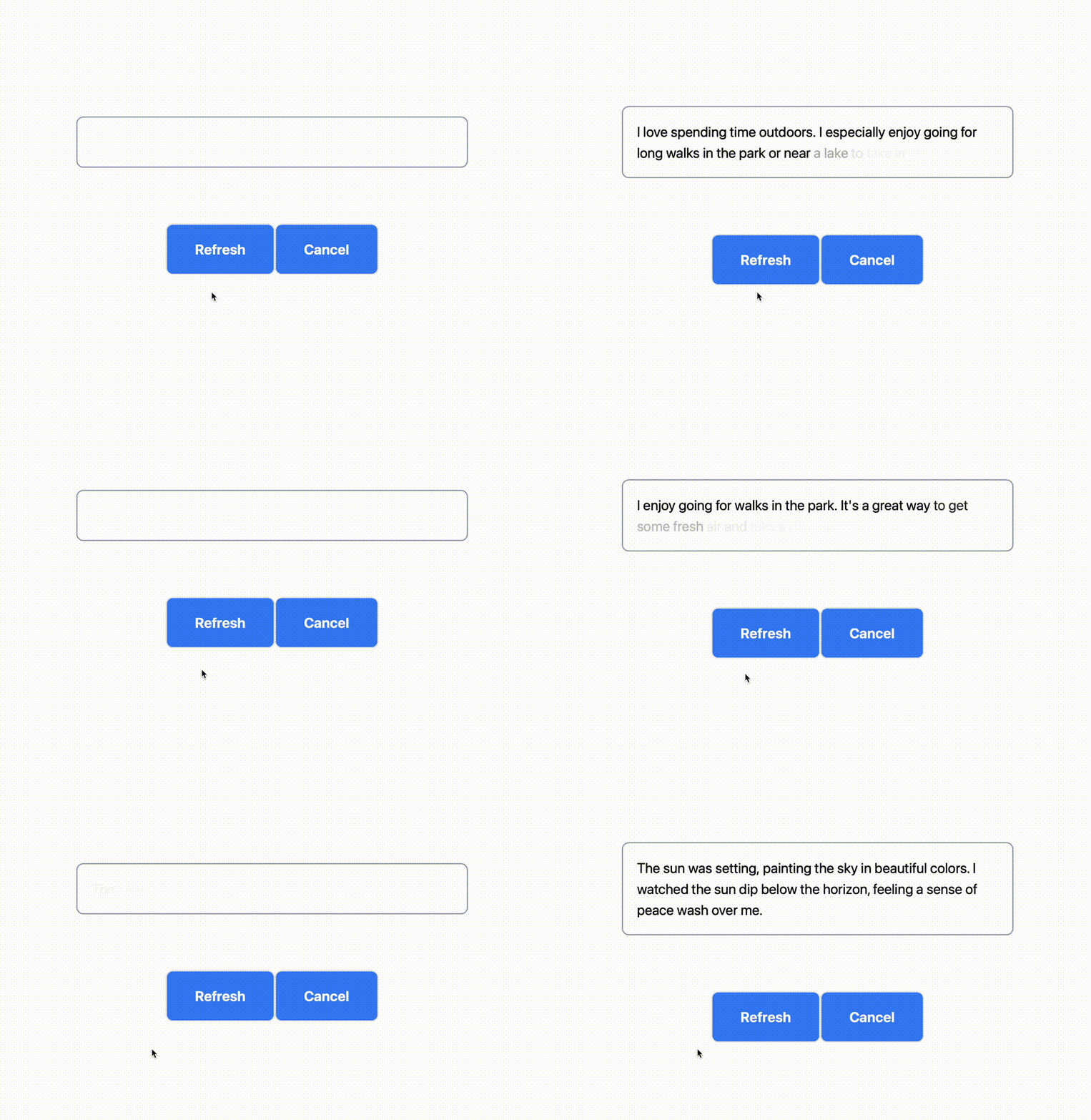
nextjs-openai มีเครื่องมือส่วนหน้าและ openai-streams รวมถึงเครื่องมือสำหรับการทำงานกับ OpenAI Streams ในเส้นทาง API ของคุณ
yarn add nextjs-openai openai-streams

# -or-

npm i --save nextjs-openai openai-streams useBuffer() และ useTextBuffer() ใช้เพื่อโหลดบัฟเฟอร์ที่เพิ่มขึ้นของข้อมูล (และข้อความ) จาก URL ที่กำหนด
 import { useTextBuffer } from "nextjs-openai" ;

export default function Demo ( ) {
  const { buffer , refresh , cancel , done } = useTextBuffer ( {
    url : "/api/demo"
  } ) ;

  return (
    < div >
      < StreamingText buffer = { buffer } fade = { 600 } / >
      < button onClick = { refresh } disabled = { ! done } > Refresh < / button >
      < button onClick = { cancel } disabled = { done } > Cancel < / button >
    < / div >
  ) ;
} <StreamingText> และ <StreamingTextURL> แสดงข้อความจากบัฟเฟอร์สตรีมโดยใช้ภาพเคลื่อนไหวจางหายไป
 import { StreamingTextURL } from "nextjs-openai" ;

export default function Demo ( ) {
  return (
    < StreamingTextURL
      url = "/api/demo"
      fade = { 600 }
      throttle = { 100 }
    / >
  ) ;
} หากคุณต้องการเปลี่ยนประเภทของคำขอเครือข่ายที่ทำด้วย <StreamingTextURL> หรือ useBuffer() และ hooks useTextBuffer() คุณสามารถตั้งค่าตัวเลือก { method, data }
{ data } ถูกส่งเป็นตัวคำขอโพสต์โดยค่าเริ่มต้น หากต้องการใช้คำขอ GET ให้ตั้งค่า { method = "GET" } และตั้งค่าพารามิเตอร์การค้นหา URL ด้วยตนเองบน { url }
ดู src/pages/index.tsx สำหรับตัวอย่างสด
<StreamingTextURL> import { StreamingTextURL } from "nextjs-openai" ;
export default function Home ( ) {
const [ data , setData ] = useState ( { name : "John" } ) ;
// ...
return (
< StreamingTextURL url = "/api/demo" data = { data } >
);
} useTextBuffer() import { useTextBuffer , StreamingText } from "nextjs-openai" ;
export default function Home ( ) {
const [ data , setData ] = useState ( { name : "John" } ) ;
const { buffer , refresh , cancel } = useTextBuffer ( {
url : "/api/demo" ,
throttle : 100 ,
data ,
/**
* Optional: Override params for `fetch(url, params)`.
*/
options : {
headers : {
// ...
}
}
} ) ;
// ...
return (
< StreamingText buffer = { buffer } >
);
} ใช้ openai-streams เพื่อทำงานกับสตรีมในเส้นทาง API ของคุณ
 import { OpenAI } from "openai-streams" ;

export default async function handler ( ) {
  const stream = await OpenAI (
    "completions" ,
    {
      model : "text-davinci-003" ,
      prompt : "Write a happy sentence.nn" ,
      max_tokens : 25
    } ,
  ) ;

  return new Response ( stream ) ;
}

export const config = {
  runtime : "edge"
} ; หากคุณไม่ได้ใช้ Edge Runtime ให้นำเข้า NodeJS.Readable เวอร์ชันจาก openai-streams/node
 import type { NextApiRequest , NextApiResponse } from "next" ;
import { OpenAI } from "openai-streams/node" ;

export default async function test ( _ : NextApiRequest , res : NextApiResponse ) {
  const stream = await OpenAI (
    "completions" ,
    {
      model : "text-davinci-003" ,
      prompt : "Write a happy sentence.nn" ,
      max_tokens : 25
    }
  ) ;

  stream . pipe ( res ) ;
}




