k8sgpt
v0.3.46


k8sgpt เป็นเครื่องมือสำหรับการสแกนกลุ่ม Kubernetes ของคุณการวินิจฉัยและปัญหาการสามครั้งในภาษาอังกฤษง่ายๆ
มันมีประสบการณ์ SRE ที่ประมวลผลในเครื่องวิเคราะห์และช่วยดึงข้อมูลที่เกี่ยวข้องมากที่สุดออกมาเพื่อเสริมสร้างมันด้วย AI
การรวมกล่องเข้ากับ Openai, Azure, Cohere, Amazon Bedrock, Google Gemini และรุ่นท้องถิ่น
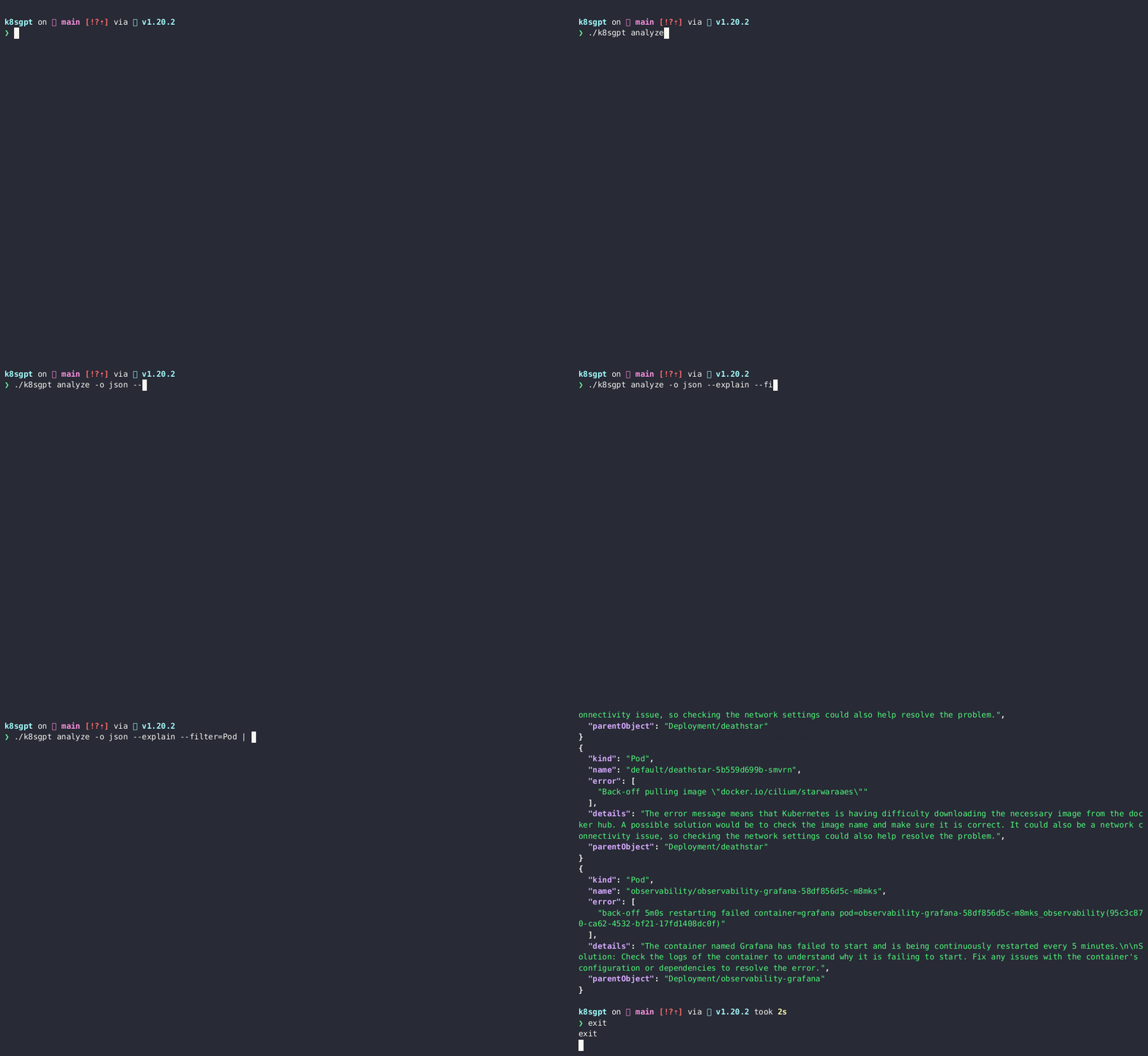
$ brew install k8sgptหรือ
brew tap k8sgpt-ai/k8sgpt
brew install k8sgpt32 บิต:
sudo rpm -ivh https://github.com/k8sgpt-ai/k8sgpt/releases/download/v0.3.46/k8sgpt_386.rpm
64 บิต:
sudo rpm -ivh https://github.com/k8sgpt-ai/k8sgpt/releases/download/v0.3.46/k8sgpt_amd64.rpm
32 บิต:
 curl -LO https://github.com/k8sgpt-ai/k8sgpt/releases/download/v0.3.46/k8sgpt_386.deb
sudo dpkg -i k8sgpt_386.deb
64 บิต:
 curl -LO https://github.com/k8sgpt-ai/k8sgpt/releases/download/v0.3.46/k8sgpt_amd64.deb
sudo dpkg -i k8sgpt_amd64.deb
32 บิต:
 wget https://github.com/k8sgpt-ai/k8sgpt/releases/download/v0.3.46/k8sgpt_386.apk
apk add --allow-untrusted k8sgpt_386.apk
64 บิต:
 wget https://github.com/k8sgpt-ai/k8sgpt/releases/download/v0.3.46/k8sgpt_amd64.apk
apk add --allow-untrusted k8sgpt_amd64.apk
 ==> Installing k8sgpt from k8sgpt-ai/k8sgpt Error: The following formula cannot be installed from a bottle and must be
built from the source. k8sgpt Install Clang or run brew install gcc.
หากคุณติดตั้ง GCC ตามที่แนะนำปัญหาจะยังคงอยู่ ดังนั้นคุณต้องติดตั้งแพ็คเกจที่จำเป็น
   sudo apt-get update
   sudo apt-get install build-essential
หากต้องการติดตั้งภายในคลัสเตอร์ Kubernetes โปรดใช้ k8sgpt-operator ของเราพร้อมคำแนะนำการติดตั้งที่นี่
โหมดการทำงานนี้เหมาะอย่างยิ่งสำหรับการตรวจสอบคลัสเตอร์ของคุณอย่างต่อเนื่องและสามารถรวมเข้ากับการตรวจสอบที่มีอยู่ของคุณเช่น Prometheus และ AlertManager
k8sgpt generate เพื่อเปิดลิงค์เบราว์เซอร์เพื่อสร้างk8sgpt auth add เพื่อตั้งค่าใน K8SGPT--password Flagk8sgpt filters เพื่อจัดการตัวกรองที่ใช้งานอยู่ที่ใช้โดยเครื่องวิเคราะห์ โดยค่าเริ่มต้นตัวกรองทั้งหมดจะดำเนินการระหว่างการวิเคราะห์k8sgpt analyze เพื่อเรียกใช้การสแกนk8sgpt analyze --explain เพื่อให้ได้คำอธิบายโดยละเอียดเพิ่มเติมเกี่ยวกับปัญหาk8sgpt analyze --with-doc (มีหรือไม่มีธงอธิบาย) เพื่อรับเอกสารอย่างเป็นทางการจาก Kubernetes K8SGPT ใช้เครื่องวิเคราะห์เพื่อ triage และวินิจฉัยปัญหาในคลัสเตอร์ของคุณ มันมีชุดเครื่องวิเคราะห์ที่สร้างขึ้น แต่คุณจะสามารถเขียนเครื่องวิเคราะห์ของคุณเองได้
เรียกใช้การสแกนด้วยเครื่องวิเคราะห์เริ่มต้น
 k8sgpt generate
k8sgpt auth add
k8sgpt analyze --explain
k8sgpt analyze --explain --with-doc
กรองทรัพยากร
k8sgpt analyze --explain --filter=Service
ตัวกรองโดยเนมสเปซ
k8sgpt analyze --explain --filter=Pod --namespace=default
เอาต์พุตไปยัง JSON
k8sgpt analyze --explain --filter=Service --output=json
ไม่ระบุชื่อในระหว่างการอธิบาย
k8sgpt analyze --explain --filter=Service --output=json --anonymize
ตัวกรองรายการ
k8sgpt filters list
เพิ่มตัวกรองเริ่มต้น
k8sgpt filters add [filter(s)]
k8sgpt filters add Servicek8sgpt filters add Ingress,Podลบตัวกรองเริ่มต้น
k8sgpt filters remove [filter(s)]
k8sgpt filters remove Servicek8sgpt filters remove Ingress,Podรายการที่กำหนดค่าแบ็กเอนด์
k8sgpt auth list
อัปเดตแบ็กเอนด์ที่กำหนดค่าไว้
k8sgpt auth update $MY_BACKEND1,$MY_BACKEND2..
ลบแบ็กเอนด์ที่กำหนดค่าไว้
k8sgpt auth remove -b $MY_BACKEND1,$MY_BACKEND2..
การรวมรายการ
k8sgpt integrations list
เปิดใช้งานการรวม
k8sgpt integrations activate [integration(s)]
ใช้การรวม
k8sgpt analyze --filter=[integration(s)]
ปิดการใช้งานการบูรณาการ
k8sgpt integrations deactivate [integration(s)]
โหมดเสิร์ฟ
k8sgpt serve
การวิเคราะห์ด้วยโหมดเสิร์ฟ
 grpcurl -plaintext -d '{"namespace": "k8sgpt", "explain" : "true"}' localhost:8080 schema.v1.ServerAnalyzerService/Analyze
{
  "status": "OK"
}
การวิเคราะห์ด้วยส่วนหัวที่กำหนดเอง
k8sgpt analyze --explain --custom-headers CustomHeaderKey:CustomHeaderValue
สถิติการวิเคราะห์การพิมพ์
 k8sgpt analyze -s
The stats mode allows for debugging and understanding the time taken by an analysis by displaying the statistics of each analyzer.
- Analyzer Ingress took 47.125583ms
- Analyzer PersistentVolumeClaim took 53.009167ms
- Analyzer CronJob took 57.517792ms
- Analyzer Deployment took 156.6205ms
- Analyzer Node took 160.109833ms
- Analyzer ReplicaSet took 245.938333ms
- Analyzer StatefulSet took 448.0455ms
- Analyzer Pod took 5.662594708s
- Analyzer Service took 38.583359166s
ข้อมูลการวินิจฉัย
ในการรวบรวมข้อมูลการวินิจฉัยให้ใช้คำสั่งต่อไปนี้เพื่อสร้าง dump_<timestamp>_json ในไดเรกทอรีท้องถิ่นของคุณ
k8sgpt dump
K8SGPT ใช้ LLM ที่เลือกผู้ให้บริการ AI Generative เมื่อคุณต้องการอธิบายผลการวิเคราะห์โดยใช้ -ยกธงเช่น k8sgpt analyze --explain อธิบาย คุณสามารถใช้ --backend แบ็กธงเพื่อระบุผู้ให้บริการที่กำหนดค่า (เป็น openai โดยค่าเริ่มต้น)
คุณสามารถแสดงรายการผู้ให้บริการที่มีอยู่โดยใช้ k8sgpt auth list :
 Default:
> openai
Active:
Unused:
> openai
> localai
> ollama
> azureopenai
> cohere
> amazonbedrock
> amazonsagemaker
> google
> huggingface
> noopai
> googlevertexai
> ibmwatsonxai
สำหรับเอกสารโดยละเอียดเกี่ยวกับวิธีการกำหนดค่าและใช้ผู้ให้บริการแต่ละรายดูที่นี่
เพื่อตั้งค่าผู้ให้บริการเริ่มต้นใหม่
 k8sgpt auth default -p azureopenai
Default provider set to azureopenai
ด้วยตัวเลือกนี้ข้อมูลจะไม่ระบุชื่อก่อนที่จะถูกส่งไปยังแบ็กเอนด์ AI ในระหว่างการดำเนินการวิเคราะห์ k8sgpt จะดึงข้อมูลที่ละเอียดอ่อน (ชื่อวัตถุ Kubernetes ฉลาก ฯลฯ ) ข้อมูลนี้ถูกปกปิดเมื่อส่งไปยังแบ็กเอนด์ AI และแทนที่ด้วยคีย์ที่สามารถใช้เพื่อยกเลิกการกำหนดชื่อข้อมูลเมื่อโซลูชันถูกส่งกลับไปยังผู้ใช้
Error: HorizontalPodAutoscaler uses StatefulSet/fake-deployment as ScaleTargetRef which does not exist.Error: HorizontalPodAutoscaler uses StatefulSet/tGLcCRcHa1Ce5Rs as ScaleTargetRef which does not exist.The Kubernetes system is trying to scale a StatefulSet named tGLcCRcHa1Ce5Rs using the HorizontalPodAutoscaler, but it cannot find the StatefulSet. The solution is to verify that the StatefulSet name is spelled correctly and exists in the same namespace as the HorizontalPodAutoscaler.The Kubernetes system is trying to scale a StatefulSet named fake-deployment using the HorizontalPodAutoscaler, but it cannot find the StatefulSet. The solution is to verify that the StatefulSet name is spelled correctly and exists in the same namespace as the HorizontalPodAutoscaler.หมายเหตุ: การไม่เปิดเผยตัวตนไม่ได้ใช้กับเหตุการณ์ในปัจจุบัน
การไม่เปิดเผยตัวตนไม่ได้ใช้กับเหตุการณ์ในปัจจุบัน
ในนักวิเคราะห์ไม่กี่คนเช่น POD เราป้อนแบ็กเอนด์ AI ข้อความเหตุการณ์ที่ไม่เป็นที่รู้จักมาก่อนดังนั้นเราจึงไม่ได้ปิดบังพวกเขาใน ขณะนี้
ต่อไปนี้เป็นรายการของเครื่องวิเคราะห์ที่ มีการปิดบัง ข้อมูล:-
ต่อไปนี้เป็นรายการของเครื่องวิเคราะห์ที่ข้อมูล ไม่ได้ถูกปกปิด :-
*บันทึก :
K8GPT จะไม่ปกปิดเครื่องวิเคราะห์ข้างต้นเพราะพวกเขาไม่ได้ส่งข้อมูลที่ระบุใด ๆ ยกเว้นตัววิเคราะห์ เหตุการณ์
การปิดบังสำหรับตัววิเคราะห์ เหตุการณ์ มีกำหนดในอนาคตอันใกล้ดังที่เห็นในปัญหานี้ การวิจัยเพิ่มเติมจะต้องมีการทำความเข้าใจรูปแบบและสามารถปกปิดส่วนที่ละเอียดอ่อนของเหตุการณ์เช่นชื่อพ็อดเนมสเปซ ฯลฯ
ต่อไปนี้เป็นรายการของฟิลด์ที่ไม่ได้ ถูกสวมหน้ากาก :-
*บันทึก :
k8sgpt เก็บข้อมูลการกำหนดค่าใน $XDG_CONFIG_HOME/k8sgpt/k8sgpt.yaml ข้อมูลจะถูกเก็บไว้ในข้อความธรรมดารวมถึงคีย์ OpenAI ของคุณ
ตำแหน่งไฟล์กำหนดค่า:
| ระบบปฏิบัติการ | เส้นทาง |
|---|---|
| แม็กอส | ~/Library/Application Support/K8SGPT/K8SGPT.YAML |
| ลินเวกซ์ | ~/.config/k8sgpt/k8sgpt.yaml |
| หน้าต่าง | %localappdata%/k8sgpt/k8sgpt.yaml |
การเพิ่มแคชระยะไกล
AWS_ACCESS_KEY_ID และ AWS_SECRET_ACCESS_KEY จำเป็นต้องใช้เป็นตัวแปรสิ่งแวดล้อมk8sgpt cache add s3 --region <aws region> --bucket <name>k8sgpt cache add s3 --bucket <name> --endpoint <http://localhost:9000>k8sgpt cache add s3 --bucket <name> --endpoint <https://localhost:9000> --insecurek8sgpt cache add azure --storageacc <storage account name> --container <container name>GOOGLE_APPLICATION_CREDENTIALS เป็นตัวแปรด้านสิ่งแวดล้อมk8sgpt cache add gcs --region <gcp region> --bucket <name> --projectid <project id>รายการแคชรายการ
k8sgpt cache list
การล้างวัตถุจากแคช หมายเหตุ: การล้างวัตถุโดยใช้คำสั่งนี้จะลบไฟล์ต้นน้ำดังนั้นจึงต้องใช้สิทธิ์ที่เหมาะสม
k8sgpt cache purge $OBJECT_NAME
การถอดแคชรีโมต หมายเหตุ: สิ่งนี้จะไม่ลบถัง S3 Upstream S3 หรือ Azure Storage Container
k8sgpt cache remove
อาจมีสถานการณ์ที่คุณต้องการเขียนเครื่องวิเคราะห์ของคุณเองในภาษาที่คุณเลือก ตอนนี้ K8SGPT สนับสนุนความสามารถในการทำเช่นนั้นโดยการปฏิบัติตามสคีมาและให้บริการเครื่องวิเคราะห์เพื่อการบริโภค ในการทำเช่นนั้นให้กำหนดตัววิเคราะห์ภายในการกำหนดค่า K8SGPT และจะเพิ่มลงในกระบวนการสแกน นอกจากนี้คุณจะต้องเปิดใช้งานการตั้งค่าสถานะต่อไปนี้ในการวิเคราะห์:
k8sgpt analyze --custom-analysis
นี่คือตัวอย่างวิเคราะห์โฮสต์ท้องถิ่นใน Rust เมื่อใช้งานบน localhost:8080 การกำหนดค่า K8SGPT สามารถรับได้ด้วยการเพิ่มเติมต่อไปนี้:
 custom_analyzers:
  - name: host-analyzer
    connection:
      url: localhost
      port: 8080
ตอนนี้ให้ความสามารถในการผ่านข้อมูล HostOS (จากตัวอย่างวิเคราะห์นี้) ไปยัง K8SGPT เพื่อใช้เป็นบริบทที่มีการวิเคราะห์ปกติ
ดูเอกสารเกี่ยวกับวิธีการเขียนตัววิเคราะห์ที่กำหนดเอง
รายการเครื่องวิเคราะห์ที่กำหนดเองกำหนดค่า
k8sgpt custom-analyzer list
การเพิ่มตัววิเคราะห์ที่กำหนดเองโดยไม่ต้องติดตั้ง
k8sgpt custom-analyzer add --name my-custom-analyzer --port 8085
การลบตัววิเคราะห์ที่กำหนดเอง
k8sgpt custom-analyzer remove --names "my-custom-analyzer,my-custom-analyzer-2"
ค้นหาเอกสารอย่างเป็นทางการของเราที่นี่
โปรดอ่านคู่มือการสนับสนุนของเรา
ค้นหาเราใน Slack





