k8sgpt
v0.3.46


k8sgpt 는 Kubernetes 클러스터를 스캔하고 진단 및 간단한 영어로 문제를 일으키는 도구입니다.
SRE 경험이 분석기에 체계화되었으며 AI와 함께 가장 관련성이 높은 정보를 꺼내는 데 도움이됩니다.
OpenAi, Azure, Cohere, Amazon Bedrock, Google Gemini 및 Local Models와의 상자 통합.
$ brew install k8sgpt또는
brew tap k8sgpt-ai/k8sgpt
brew install k8sgpt32 비트 :
sudo rpm -ivh https://github.com/k8sgpt-ai/k8sgpt/releases/download/v0.3.46/k8sgpt_386.rpm
64 비트 :
sudo rpm -ivh https://github.com/k8sgpt-ai/k8sgpt/releases/download/v0.3.46/k8sgpt_amd64.rpm
32 비트 :
 curl -LO https://github.com/k8sgpt-ai/k8sgpt/releases/download/v0.3.46/k8sgpt_386.deb
sudo dpkg -i k8sgpt_386.deb
64 비트 :
 curl -LO https://github.com/k8sgpt-ai/k8sgpt/releases/download/v0.3.46/k8sgpt_amd64.deb
sudo dpkg -i k8sgpt_amd64.deb
32 비트 :
 wget https://github.com/k8sgpt-ai/k8sgpt/releases/download/v0.3.46/k8sgpt_386.apk
apk add --allow-untrusted k8sgpt_386.apk
64 비트 :
 wget https://github.com/k8sgpt-ai/k8sgpt/releases/download/v0.3.46/k8sgpt_amd64.apk
apk add --allow-untrusted k8sgpt_amd64.apk
 ==> Installing k8sgpt from k8sgpt-ai/k8sgpt Error: The following formula cannot be installed from a bottle and must be
built from the source. k8sgpt Install Clang or run brew install gcc.
제안 된대로 GCC를 설치하면 문제가 지속됩니다. 따라서 빌드 필수 패키지를 설치해야합니다.
   sudo apt-get update
   sudo apt-get install build-essential
Kubernetes 클러스터 내에 설치하려면 여기에서 사용 가능한 설치 지침과 함께 k8sgpt-operator 사용하십시오.
이 작동 모드는 클러스터의 지속적인 모니터링에 이상적이며 Prometheus 및 Alertmanager와 같은 기존 모니터링과 통합 할 수 있습니다.
k8sgpt generate 실행하여 브라우저 링크를 열어 생성 할 수 있습니다.k8sgpt auth add 실행하여 K8SGPT로 설정하십시오.--password 플래그를 사용하여 비밀번호를 직접 제공 할 수 있습니다.k8sgpt filters 실행하여 분석기에서 사용하는 활성 필터를 관리합니다. 기본적으로 모든 필터는 분석 중에 실행됩니다.k8sgpt analyze 실행하여 스캔을 실행하십시오.k8sgpt analyze --explain .k8sgpt analyze --with-doc 실행합니다. K8SGPT는 분석기를 사용하여 클러스터의 문제를 심사하고 진단합니다. 내장 된 분석기 세트가 있지만 자체 분석기를 작성할 수 있습니다.
기본 분석기로 스캔을 실행하십시오
 k8sgpt generate
k8sgpt auth add
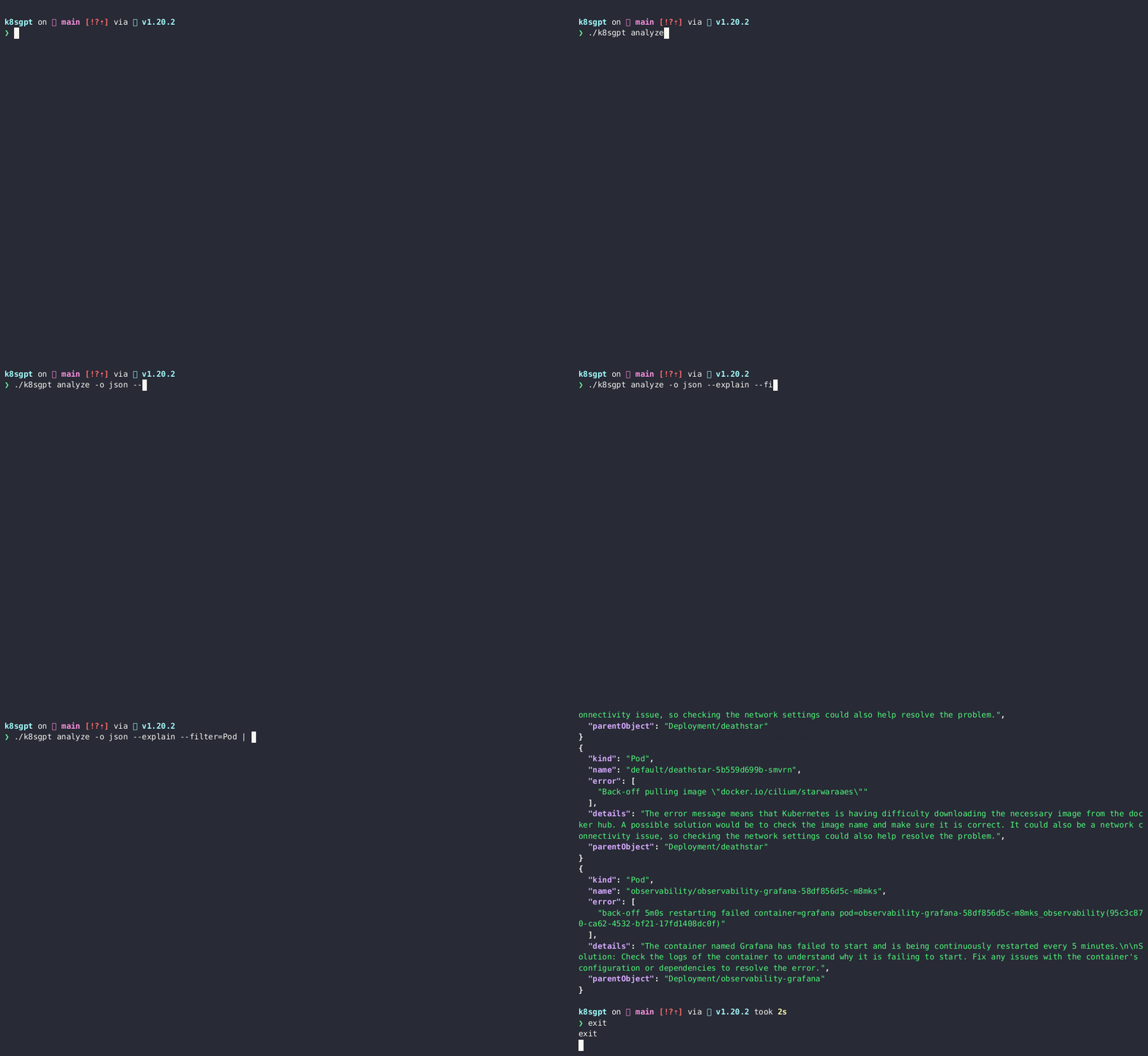
k8sgpt analyze --explain
k8sgpt analyze --explain --with-doc
리소스 필터
k8sgpt analyze --explain --filter=Service
네임 스페이스 별 필터
k8sgpt analyze --explain --filter=Pod --namespace=default
JSON에게 출력
k8sgpt analyze --explain --filter=Service --output=json
설명 중에 익명화하십시오
k8sgpt analyze --explain --filter=Service --output=json --anonymize
목록 필터
k8sgpt filters list
기본 필터를 추가하십시오
k8sgpt filters add [filter(s)]
k8sgpt filters add Servicek8sgpt filters add Ingress,Pod기본 필터를 제거하십시오
k8sgpt filters remove [filter(s)]
k8sgpt filters remove Servicek8sgpt filters remove Ingress,Pod구성된 백엔드 목록
k8sgpt auth list
구성된 백엔드 업데이트
k8sgpt auth update $MY_BACKEND1,$MY_BACKEND2..
구성된 백엔드를 제거하십시오
k8sgpt auth remove -b $MY_BACKEND1,$MY_BACKEND2..
목록 통합
k8sgpt integrations list
통합을 활성화합니다
k8sgpt integrations activate [integration(s)]
통합을 사용하십시오
k8sgpt analyze --filter=[integration(s)]
통합을 비활성화합니다
k8sgpt integrations deactivate [integration(s)]
서빙 모드
k8sgpt serve
서브 모드를 사용한 분석
 grpcurl -plaintext -d '{"namespace": "k8sgpt", "explain" : "true"}' localhost:8080 schema.v1.ServerAnalyzerService/Analyze
{
  "status": "OK"
}
사용자 정의 헤더로 분석
k8sgpt analyze --explain --custom-headers CustomHeaderKey:CustomHeaderValue
인쇄 분석 통계
 k8sgpt analyze -s
The stats mode allows for debugging and understanding the time taken by an analysis by displaying the statistics of each analyzer.
- Analyzer Ingress took 47.125583ms
- Analyzer PersistentVolumeClaim took 53.009167ms
- Analyzer CronJob took 57.517792ms
- Analyzer Deployment took 156.6205ms
- Analyzer Node took 160.109833ms
- Analyzer ReplicaSet took 245.938333ms
- Analyzer StatefulSet took 448.0455ms
- Analyzer Pod took 5.662594708s
- Analyzer Service took 38.583359166s
진단 정보
진단 정보를 수집하려면 다음 명령을 사용하여 로컬 디렉토리에서 dump_<timestamp>_json 만듭니다.
k8sgpt dump
K8SGPT는 k8sgpt analyze --explain 플래그 예를 사용하여 분석 결과를 설명하려면 선택한 LLM, 생성 AI 제공 업체를 사용합니다. --backend 플래그를 사용하여 구성된 제공자 (기본적으로 openai )를 지정할 수 있습니다.
k8sgpt auth list 사용하여 사용 가능한 제공자를 나열 할 수 있습니다.
 Default:
> openai
Active:
Unused:
> openai
> localai
> ollama
> azureopenai
> cohere
> amazonbedrock
> amazonsagemaker
> google
> huggingface
> noopai
> googlevertexai
> ibmwatsonxai
각 공급자를 구성하고 사용하는 방법에 대한 자세한 설명서는 여기를 참조하십시오.
새로운 기본 공급자를 설정합니다
 k8sgpt auth default -p azureopenai
Default provider set to azureopenai
이 옵션을 사용하면 AI 백엔드로 전송되기 전에 데이터가 익명화됩니다. 분석 실행 중에 k8sgpt 민감한 데이터 (Kubernetes 객체 이름, 레이블 등)를 검색합니다. 이 데이터는 AI 백엔드로 전송 될 때 마스킹되며 솔루션을 사용자에게 반환 할 때 데이터를 비 원조화하는 데 사용할 수있는 키로 대체됩니다.
Error: HorizontalPodAutoscaler uses StatefulSet/fake-deployment as ScaleTargetRef which does not exist.Error: HorizontalPodAutoscaler uses StatefulSet/tGLcCRcHa1Ce5Rs as ScaleTargetRef which does not exist.The Kubernetes system is trying to scale a StatefulSet named tGLcCRcHa1Ce5Rs using the HorizontalPodAutoscaler, but it cannot find the StatefulSet. The solution is to verify that the StatefulSet name is spelled correctly and exists in the same namespace as the HorizontalPodAutoscaler.The Kubernetes system is trying to scale a StatefulSet named fake-deployment using the HorizontalPodAutoscaler, but it cannot find the StatefulSet. The solution is to verify that the StatefulSet name is spelled correctly and exists in the same namespace as the HorizontalPodAutoscaler.참고 : 익명화는 현재 이벤트에 적용되지 않습니다.
익명화는 현재 이벤트에 적용되지 않습니다.
POD와 같은 몇몇 분석기에서 우리는 미리 알려지지 않은 이벤트 메시지를 AI 백엔드에 공급하므로 당분간 마스킹하지 않습니다.
다음은 데이터가 마찰되는 분석기 목록입니다.
다음은 데이터가 마스크되지 않는 분석기 목록입니다.
*메모 :
K8GPT는 이벤트 분석기를 제외한 식별 정보를 보내지 않기 때문에 위의 분석기를 숨기지 않습니다.
이벤트 분석기 마스킹은이 문제에서 볼 수 있듯이 가까운 시일 내에 예정되어 있습니다. 패턴을 이해하고 포드 이름, 네임 스페이스 등과 같은 이벤트의 민감한 부분을 숨길 수 있도록 추가 연구가 이루어져야합니다.
다음은 가면되지 않은 필드 목록입니다.
*메모 :
k8sgpt $XDG_CONFIG_HOME/k8sgpt/k8sgpt.yaml 파일의 구성 데이터를 저장합니다. 데이터는 OpenAI 키를 포함하여 일반 텍스트로 저장됩니다.
구성 파일 위치 :
| OS | 길 |
|---|---|
| 마코스 | ~/라이브러리/응용 프로그램 지원/K8SGPT/K8SGPT.YAML |
| 리눅스 | ~/.config/k8sgpt/k8sgpt.yaml |
| 창 | %LocalAppData%/k8sgpt/k8sgpt.yaml |
원격 캐시 추가
AWS_ACCESS_KEY_ID 및 AWS_SECRET_ACCESS_KEY 는 환경 변수로 필요합니다.k8sgpt cache add s3 --region <aws region> --bucket <name>k8sgpt cache add s3 --bucket <name> --endpoint <http://localhost:9000>k8sgpt cache add s3 --bucket <name> --endpoint <https://localhost:9000> --insecurek8sgpt cache add azure --storageacc <storage account name> --container <container name>GOOGLE_APPLICATION_CREDENTIALS 환경 변수로 필요합니다.k8sgpt cache add gcs --region <gcp region> --bucket <name> --projectid <project id>목록 캐시 항목
k8sgpt cache list
캐시에서 개체를 제거하십시오 . 참고 :이 명령을 사용하여 객체를 제거하면 업스트림 파일이 삭제되므로 적절한 권한이 필요합니다.
k8sgpt cache purge $OBJECT_NAME
원격 캐시 제거 참고 : 업스트림 S3 버킷 또는 Azure 스토리지 컨테이너가 삭제되지 않습니다.
k8sgpt cache remove
선택한 언어로 자신의 분석기를 작성하려는 시나리오가있을 수 있습니다. K8SGPT는 이제 스키마를 준수하고 소비를 위해 분석기를 제공함으로써 그렇게 할 수있는 능력을 지원합니다. 이렇게하려면 K8SGPT 구성 내에서 분석기를 정의하면 스캔 프로세스에 추가됩니다. 이 외에도 분석시 다음 플래그를 활성화해야합니다.
k8sgpt analyze --custom-analysis
다음은 localhost:8080 K8SGPT 구성은 다음과 같은 추가로 선택할 수 있습니다.
 custom_analyzers:
  - name: host-analyzer
    connection:
      url: localhost
      port: 8080
이것은 이제이 분석기 예에서 K8SGPT로 Hostos 정보를 통과하여 정상적인 분석과 함께 컨텍스트로 사용하는 기능을 제공합니다.
사용자 정의 분석기 작성 방법에 대한 문서를 참조하십시오.
사용자 정의 분석기 목록 구성
k8sgpt custom-analyzer list
설치없이 사용자 정의 분석기 추가
k8sgpt custom-analyzer add --name my-custom-analyzer --port 8085
사용자 정의 분석기 제거
k8sgpt custom-analyzer remove --names "my-custom-analyzer,my-custom-analyzer-2"
여기에서 공식 문서를 찾으십시오
기고 가이드를 읽으십시오.
슬랙에서 우리를 찾으십시오





