ai cli
v1.3.0

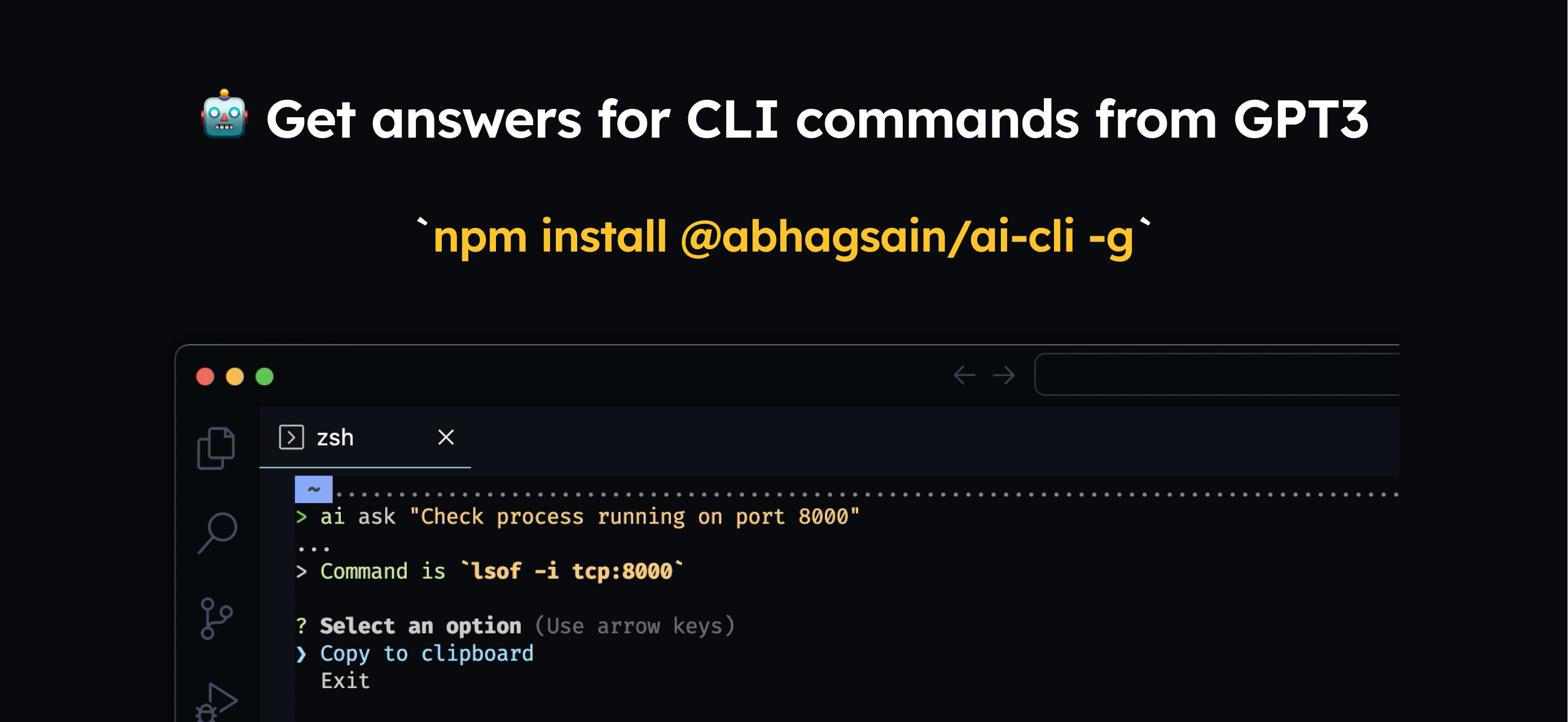
전 세계적으로 설치해야합니다
npm i @abhagsain/ai-cli -g
용법
$ ai ask "Check process running on port"
자신의 OpenAI API 키를 입력해야합니다.
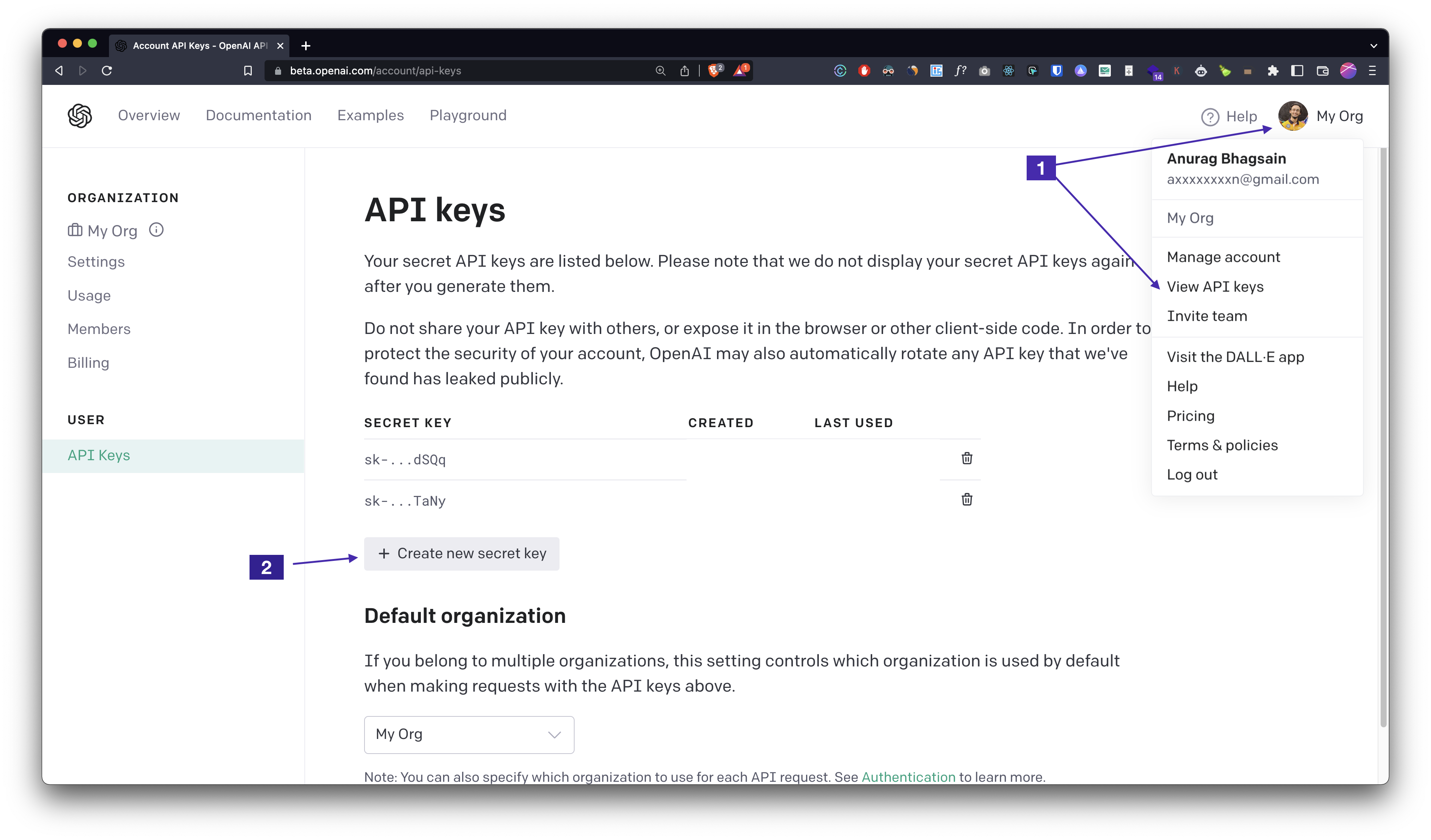
ai auth 실행하고 API 키를 입력하면 좋습니다.가격
현재 프롬프트 길이는 ~800 토큰이고 평균 응답 길이는 ~40 토큰입니다. gpt-3.5-turbo 의 가격은 1K 입력 토큰 당 $0.001 이고 ~ $0.0009/command 의 1K 출력 토큰 당 $0.002 입니다. 우리는 응답을 개선하고 미세 조정으로 명령 당 비용을 줄일 수 있는지 확인합니다.
ai autocomplete 실행하여 자동 완성을 추가하고 지침을 따르십시오. 매우 쉽습니다. 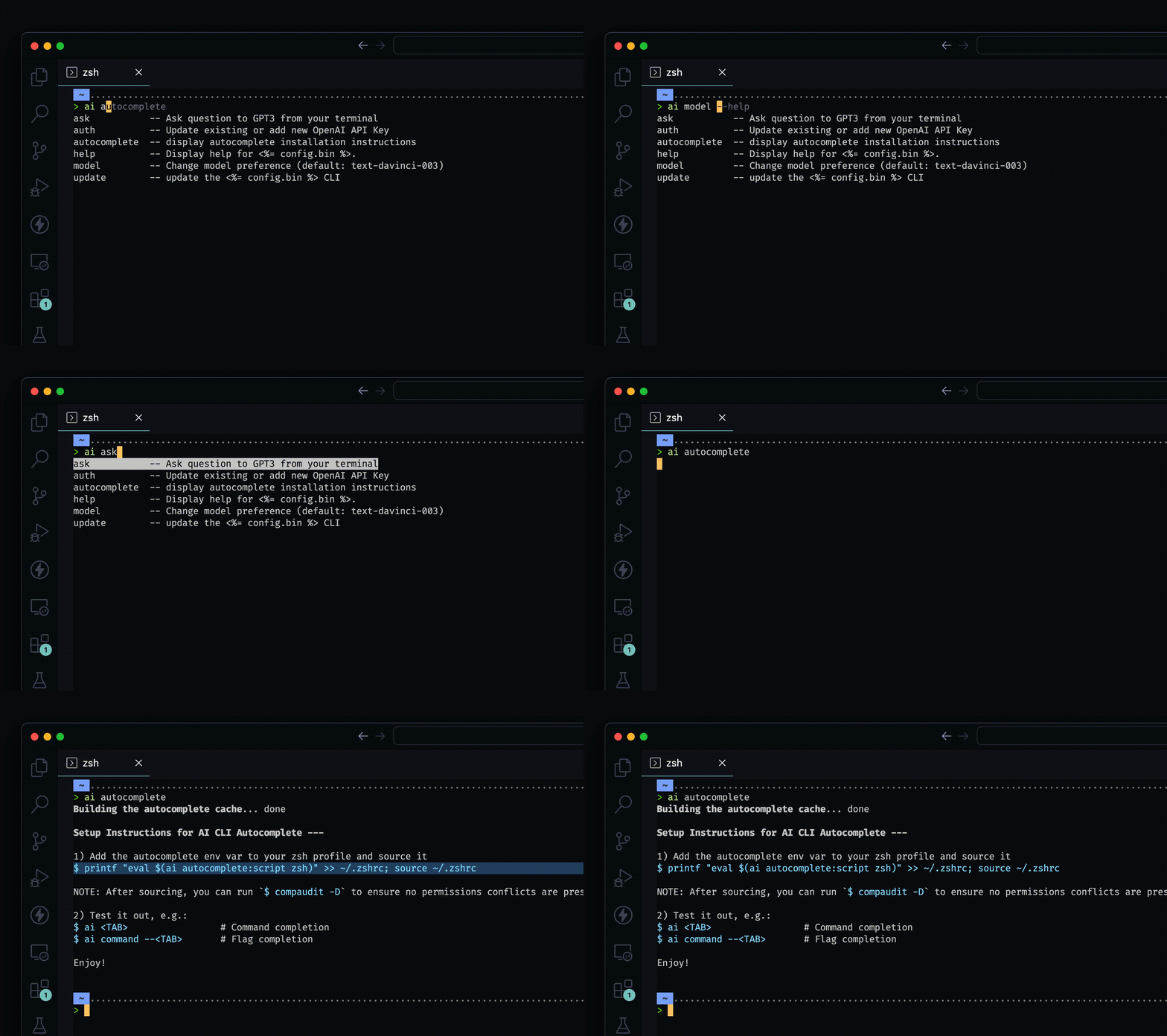
__
__
자동 생성 된 문서
$ npm install -g @abhagsain/ai-cli
$ ai COMMAND
running command...
$ ai (--version)
@abhagsain/ai-cli/1.3.0 darwin-arm64 node-v18.0.0
$ ai --help [COMMAND]
USAGE
  $ ai COMMAND
...ai ask [question]ai authai autocomplete [SHELL]ai help [COMMAND]ai modelai update [CHANNEL]ai ask [question]터미널에서 GPT3에 질문하십시오
 USAGE
  $ ai ask [question]

ARGUMENTS
  QUESTION  Your question

DESCRIPTION
  Ask question to GPT3 from your terminal

EXAMPLES
  $ ai ask "Check running process on port 3000"
코드 : Dist/Commands/Ask.ts를 참조하십시오
ai auth기존 업데이트 또는 새로운 OpenAI API 키를 추가하십시오
 USAGE
  $ ai auth

DESCRIPTION
  Update existing or add new OpenAI API Key

EXAMPLES
  $ ai auth (Follow the prompt)
코드 : dist/commands/auth.ts를 참조하십시오
ai autocomplete [SHELL]자동 완성 설치 지침을 표시합니다
 USAGE
  $ ai autocomplete [SHELL] [-r]

ARGUMENTS
  SHELL  shell type

FLAGS
  -r, --refresh-cache  Refresh cache (ignores displaying instructions)

DESCRIPTION
  display autocomplete installation instructions

EXAMPLES
  $ ai autocomplete

  $ ai autocomplete bash

  $ ai autocomplete zsh

  $ ai autocomplete --refresh-cache
코드를 참조하십시오 : @oclif/plugin-autocomplete
ai help [COMMAND]AI에 대한 디스플레이 도움말.
 USAGE
  $ ai help [COMMAND] [-n]

ARGUMENTS
  COMMAND  Command to show help for.

FLAGS
  -n, --nested-commands  Include all nested commands in the output.

DESCRIPTION
  Display help for ai.
코드를 참조하십시오 : @oclif/plugin-help
ai model모델 환경 설정 변경 (기본값 : GPT-3.5-Turbo)
 USAGE
  $ ai model

DESCRIPTION
  Change model preference (default: gpt-3.5-turbo)

EXAMPLES
  $ ai model (Follow the prompt)
코드 : dist/commands/model.ts를 참조하십시오
ai update [CHANNEL]AI CLI를 업데이트하십시오
 USAGE
  $ ai update [CHANNEL] [-a] [-v <value> | -i] [--force]

FLAGS
  -a, --available        Install a specific version.
  -i, --interactive      Interactively select version to install. This is ignored if a channel is provided.
  -v, --version=<value>  Install a specific version.
  --force                Force a re-download of the requested version.

DESCRIPTION
  update the ai CLI

EXAMPLES
  Update to the stable channel:

    $ ai update stable

  Update to a specific version:

    $ ai update --version 1.0.0

  Interactively select version:

    $ ai update --interactive

  See available versions:

    $ ai update --available
코드를 참조하십시오 : @oclif/plugin-update





