ai cli
v1.3.0

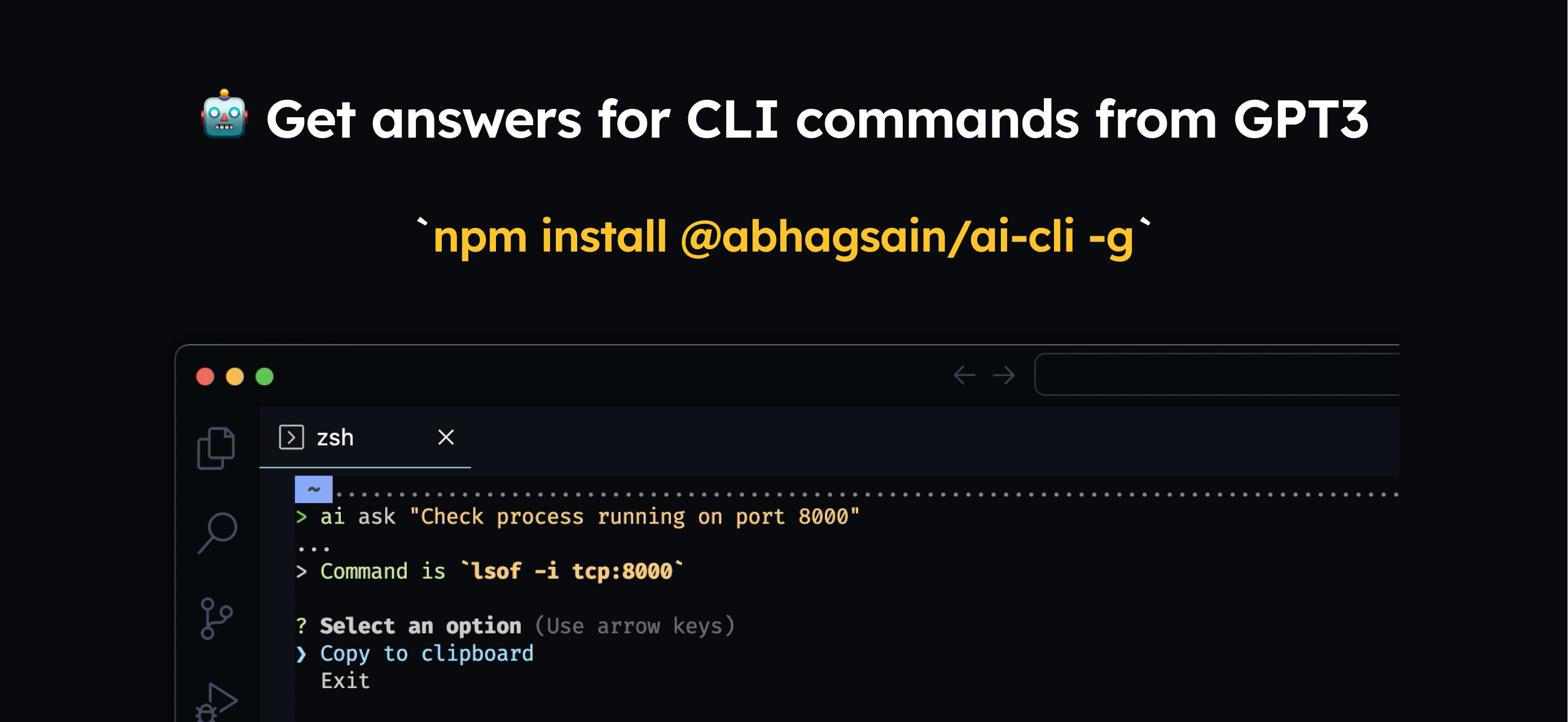
You'd need to install it globally
npm i @abhagsain/ai-cli -g
Usage
$ ai ask "Check process running on port"
You'd need to enter your own OpenAI API key Here's how you can get one
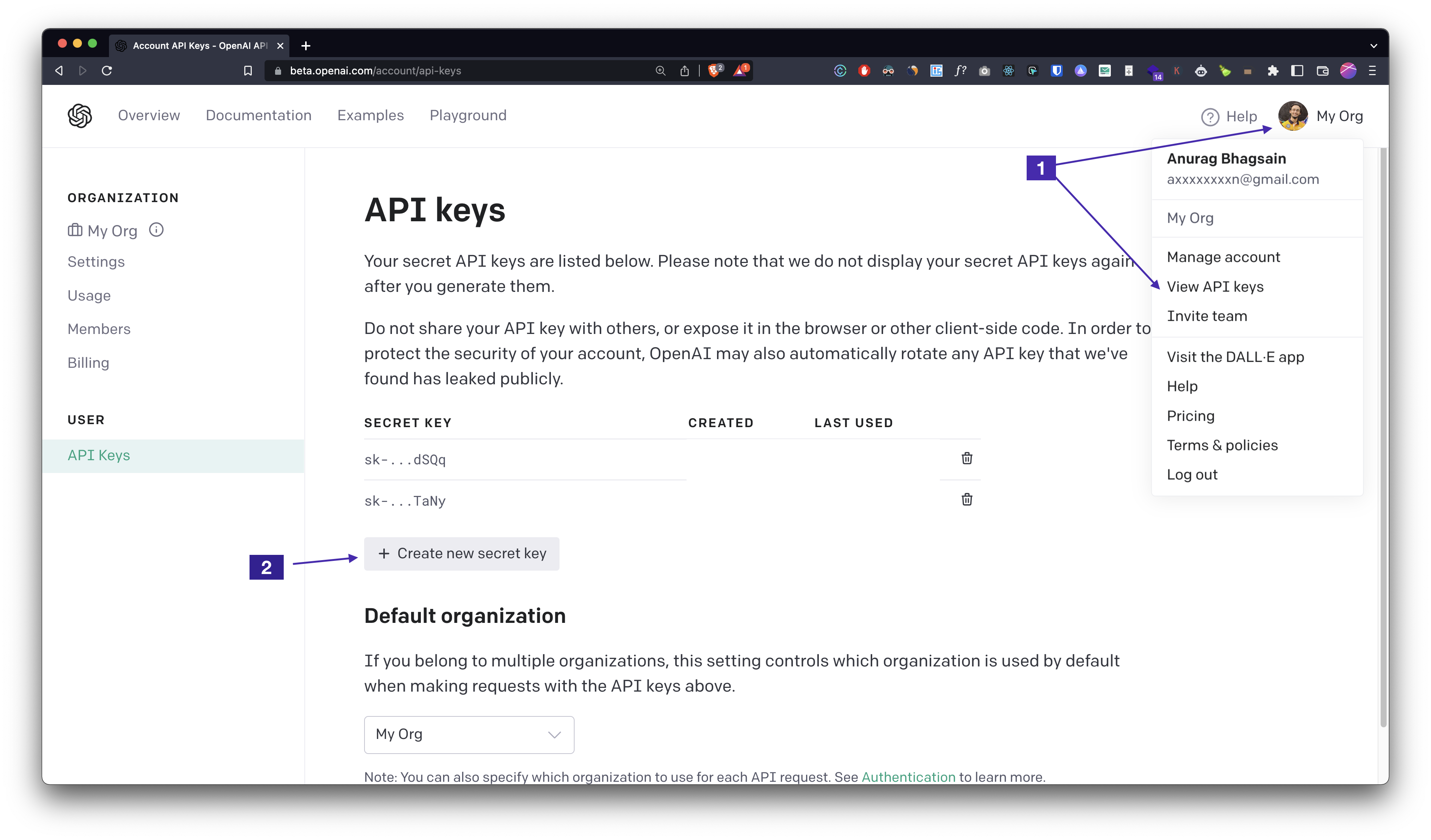
ai auth, enter your API KEY and you're good to go!Pricing
The current prompt length is ~800 tokens and average response length is ~40 tokens. The pricing for gpt-3.5-turbo is $0.001 per 1K input tokens and $0.002 per 1K output tokens which is ~$0.0009/command. We'll see if we can improve the response as well as reduce the per-command-cost with fine-tuning.
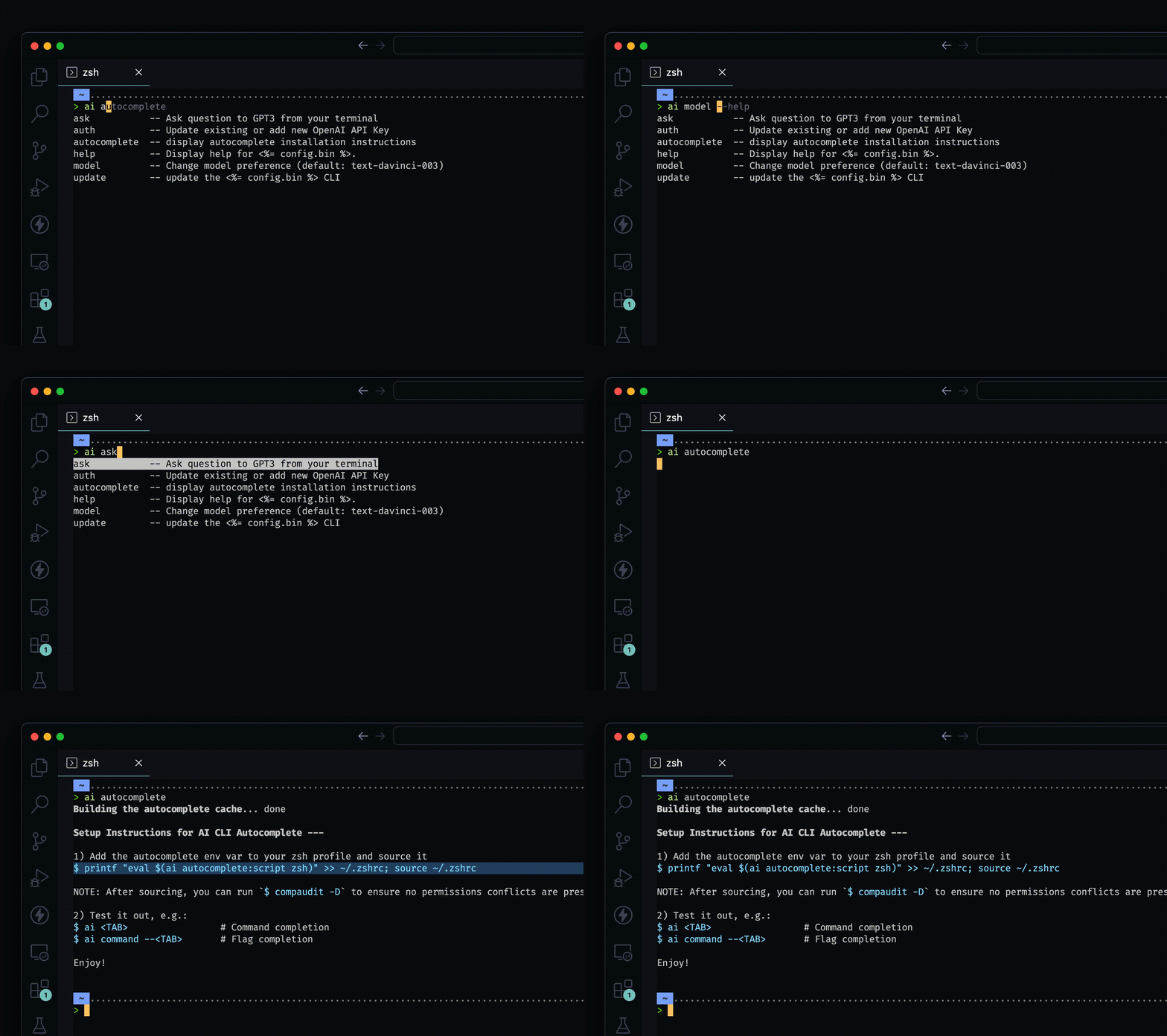
Add autocomplete by running ai autocomplete and follow the instructions. It's super easy.
__
__
Auto generated documentation
$ npm install -g @abhagsain/ai-cli
$ ai COMMAND
running command...
$ ai (--version)
@abhagsain/ai-cli/1.3.0 darwin-arm64 node-v18.0.0
$ ai --help [COMMAND]
USAGE
  $ ai COMMAND
...ai ask [question]ai authai autocomplete [SHELL]ai help [COMMAND]ai modelai update [CHANNEL]ai ask [question]Ask question to GPT3 from your terminal
USAGE
  $ ai ask [question]

ARGUMENTS
  QUESTION  Your question

DESCRIPTION
  Ask question to GPT3 from your terminal

EXAMPLES
  $ ai ask "Check running process on port 3000"
See code: dist/commands/ask.ts
ai authUpdate existing or add new OpenAI API Key
USAGE
  $ ai auth

DESCRIPTION
  Update existing or add new OpenAI API Key

EXAMPLES
  $ ai auth (Follow the prompt)
See code: dist/commands/auth.ts
ai autocomplete [SHELL]display autocomplete installation instructions
USAGE
  $ ai autocomplete [SHELL] [-r]

ARGUMENTS
  SHELL  shell type

FLAGS
  -r, --refresh-cache  Refresh cache (ignores displaying instructions)

DESCRIPTION
  display autocomplete installation instructions

EXAMPLES
  $ ai autocomplete

  $ ai autocomplete bash

  $ ai autocomplete zsh

  $ ai autocomplete --refresh-cache
See code: @oclif/plugin-autocomplete
ai help [COMMAND]Display help for ai.
USAGE
  $ ai help [COMMAND] [-n]

ARGUMENTS
  COMMAND  Command to show help for.

FLAGS
  -n, --nested-commands  Include all nested commands in the output.

DESCRIPTION
  Display help for ai.
See code: @oclif/plugin-help
ai modelChange model preference (default: gpt-3.5-turbo)
USAGE
  $ ai model

DESCRIPTION
  Change model preference (default: gpt-3.5-turbo)

EXAMPLES
  $ ai model (Follow the prompt)
See code: dist/commands/model.ts
ai update [CHANNEL]update the ai CLI
USAGE
  $ ai update [CHANNEL] [-a] [-v <value> | -i] [--force]

FLAGS
  -a, --available        Install a specific version.
  -i, --interactive      Interactively select version to install. This is ignored if a channel is provided.
  -v, --version=<value>  Install a specific version.
  --force                Force a re-download of the requested version.

DESCRIPTION
  update the ai CLI

EXAMPLES
  Update to the stable channel:

    $ ai update stable

  Update to a specific version:

    $ ai update --version 1.0.0

  Interactively select version:

    $ ai update --interactive

  See available versions:

    $ ai update --available
See code: @oclif/plugin-update





