ai cli
v1.3.0

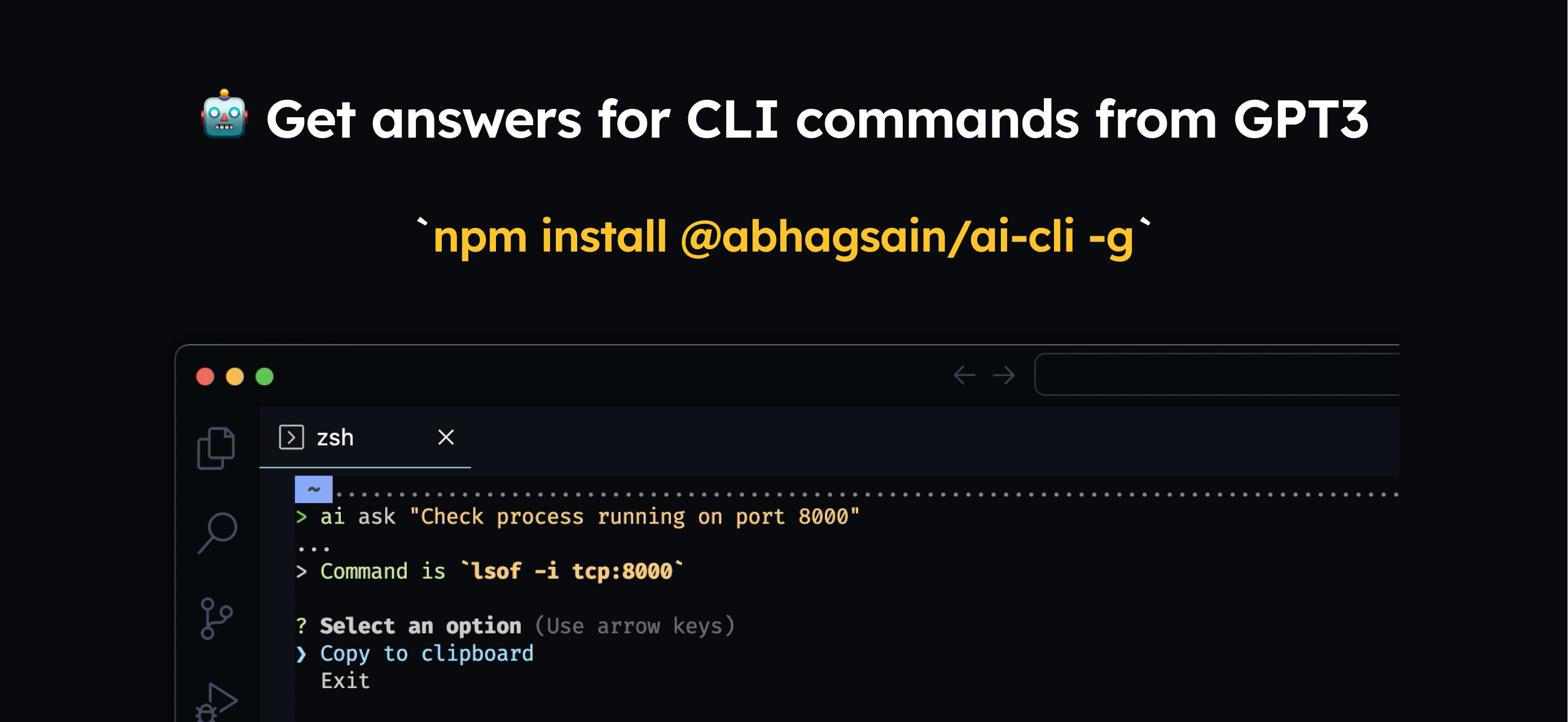
Necesitaría instalarlo a nivel mundial
npm i @abhagsain/ai-cli -g
Uso
$ ai ask "Check process running on port"
Necesitaría ingresar su propia clave de API de OpenAI, así es como puede obtener una
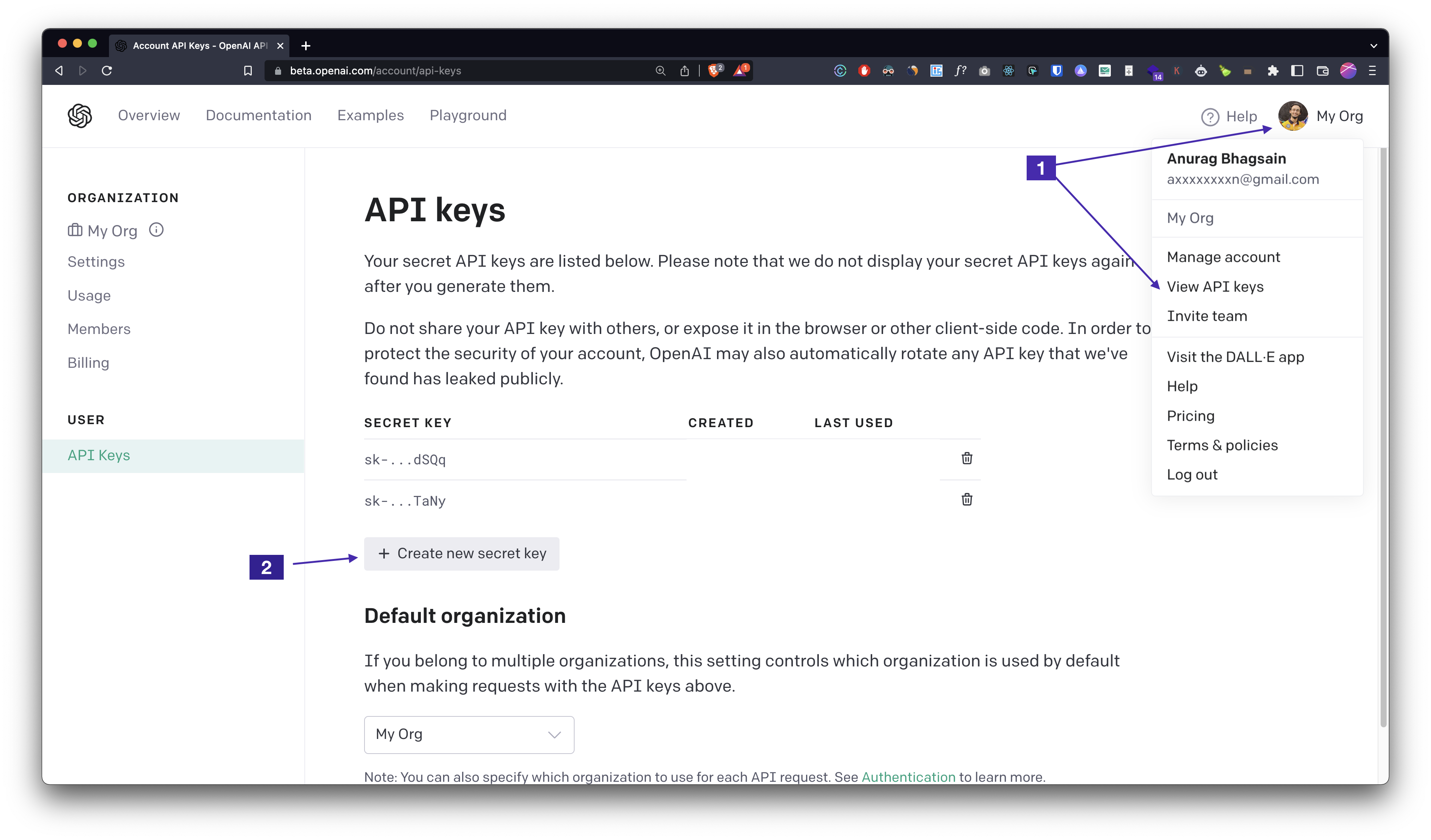
ai auth , ingrese su clave API y listo!Fijación de precios
La longitud de solicitud actual es de ~800 tokens y la longitud de respuesta promedio es de ~40 tokens. El precio para gpt-3.5-turbo es de $0.001 por 1K tokens de entrada y $0.002 por 1K tokens de salida que es ~ $0.0009/command . Veremos si podemos mejorar la respuesta y reducir el costo por comando con ajuste fino.
Agregue autocompletar ejecutando ai autocomplete y siga las instrucciones. Es súper fácil. 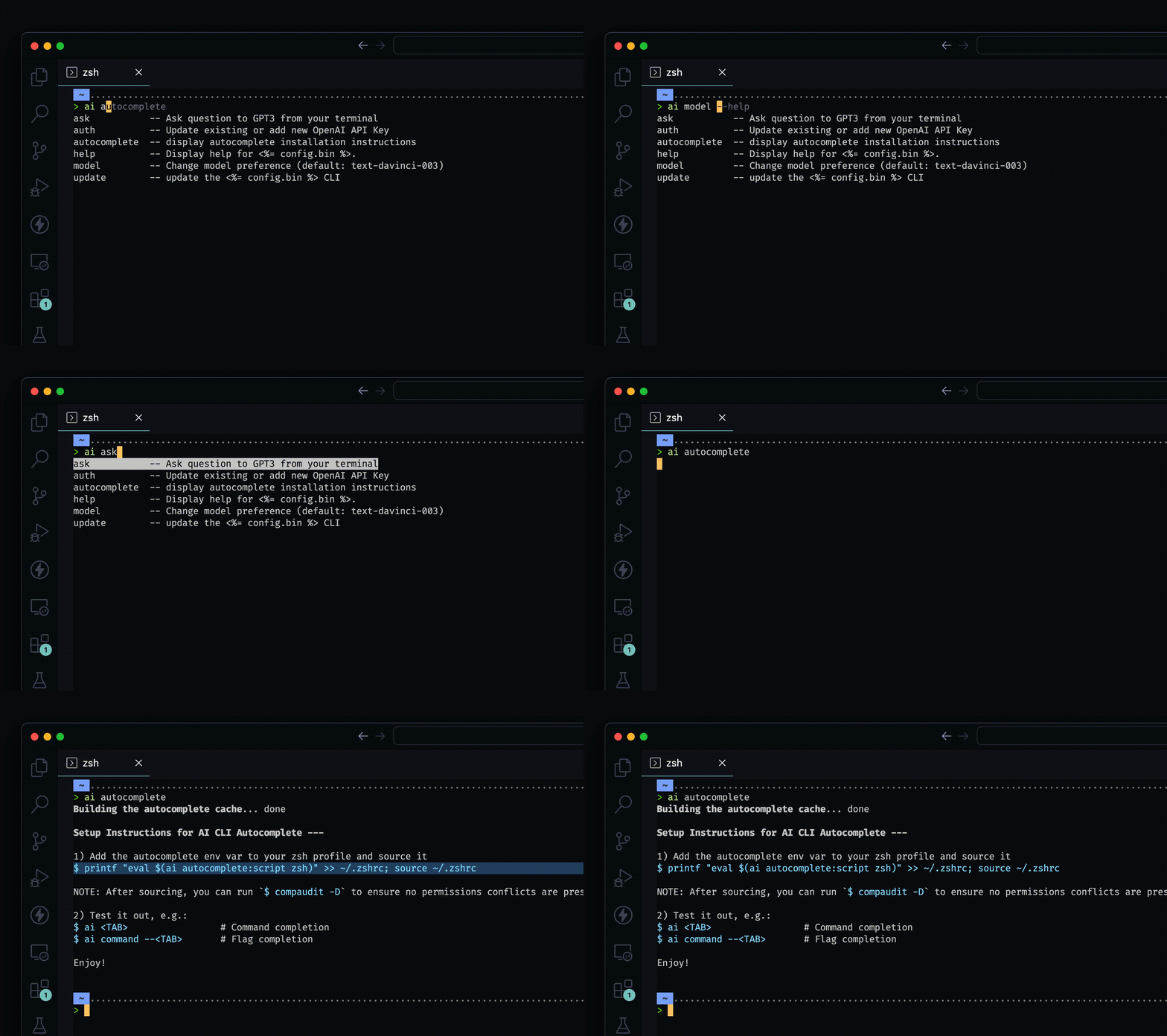
__
__
Documentación generada automáticamente
$ npm install -g @abhagsain/ai-cli
$ ai COMMAND
running command...
$ ai (--version)
@abhagsain/ai-cli/1.3.0 darwin-arm64 node-v18.0.0
$ ai --help [COMMAND]
USAGE
  $ ai COMMAND
...ai ask [question]ai authai autocomplete [SHELL]ai help [COMMAND]ai modelai update [CHANNEL]ai ask [question]Haga una pregunta a GPT3 desde su terminal
 USAGE
  $ ai ask [question]

ARGUMENTS
  QUESTION  Your question

DESCRIPTION
  Ask question to GPT3 from your terminal

EXAMPLES
  $ ai ask "Check running process on port 3000"
Ver código: Dist/Commands/Ask.ts
ai authActualizar o agregar una nueva tecla API de OpenAI
 USAGE
  $ ai auth

DESCRIPTION
  Update existing or add new OpenAI API Key

EXAMPLES
  $ ai auth (Follow the prompt)
Ver código: Dist/Commands/Auth.ts
ai autocomplete [SHELL]Mostrar instrucciones de instalación de autocompletar
 USAGE
  $ ai autocomplete [SHELL] [-r]

ARGUMENTS
  SHELL  shell type

FLAGS
  -r, --refresh-cache  Refresh cache (ignores displaying instructions)

DESCRIPTION
  display autocomplete installation instructions

EXAMPLES
  $ ai autocomplete

  $ ai autocomplete bash

  $ ai autocomplete zsh

  $ ai autocomplete --refresh-cache
Consulte el código: @OCLIF/Plugin-Autocomplete
ai help [COMMAND]Mostrar ayuda para la IA.
 USAGE
  $ ai help [COMMAND] [-n]

ARGUMENTS
  COMMAND  Command to show help for.

FLAGS
  -n, --nested-commands  Include all nested commands in the output.

DESCRIPTION
  Display help for ai.
Ver código: @OCLIF/Plugin-Help
ai modelCambiar la preferencia del modelo (predeterminado: GPT-3.5-TURBO)
 USAGE
  $ ai model

DESCRIPTION
  Change model preference (default: gpt-3.5-turbo)

EXAMPLES
  $ ai model (Follow the prompt)
Ver código: Dist/Commands/Model.ts
ai update [CHANNEL]Actualizar el AI CLI
 USAGE
  $ ai update [CHANNEL] [-a] [-v <value> | -i] [--force]

FLAGS
  -a, --available        Install a specific version.
  -i, --interactive      Interactively select version to install. This is ignored if a channel is provided.
  -v, --version=<value>  Install a specific version.
  --force                Force a re-download of the requested version.

DESCRIPTION
  update the ai CLI

EXAMPLES
  Update to the stable channel:

    $ ai update stable

  Update to a specific version:

    $ ai update --version 1.0.0

  Interactively select version:

    $ ai update --interactive

  See available versions:

    $ ai update --available
Ver código: @OCLIF/Plugin-Update





