Unet Segmentation Pytorch Nest of Unets
1.0.0

画像セグメンテーションのためのさまざまな種類のUNETモデルの実装
UNET -U -NET:生物医学画像セグメンテーションの畳み込みネットワークhttps://arxiv.org/abs/1505.04597
RCNN-UNET-医療画像セグメンテーションのU-NET(R2U-NET)に基づく再発残留畳み込みニューラルネットワークhttps://arxiv.org/abs/1802.06955
注意UNET-注意u -net:膵臓の探す場所https://arxiv.org/abs/1804.03999
RCNN-Attention UNET-注意R2U-NET:最近の2つの高度な作品の統合(R2U-NET + ATTENTION U-NET)
レイヤー視覚化付き
リポジトリのクローン:
git clone https://github.com/bigmb/Unet-Segmentation-Pytorch-Nest-of-Unets.git python>=3.6
torch>=0.4.0
torchvision
torchsummary
tensorboardx
natsort
numpy
pillow
scipy
scikit-image
sklearn
すべての従属ライブラリをインストールします。
pip install -r requirements.txtこの行106-113にすべてのフォルダーを追加します
 t_data = '' # Input data
l_data = '' #Input Label
test_image = '' #Image to be predicted while training
test_label = '' #Label of the prediction Image
test_folderP = '' #Test folder Image
test_folderL = '' #Test folder Label for calculating the Dice score
UNET 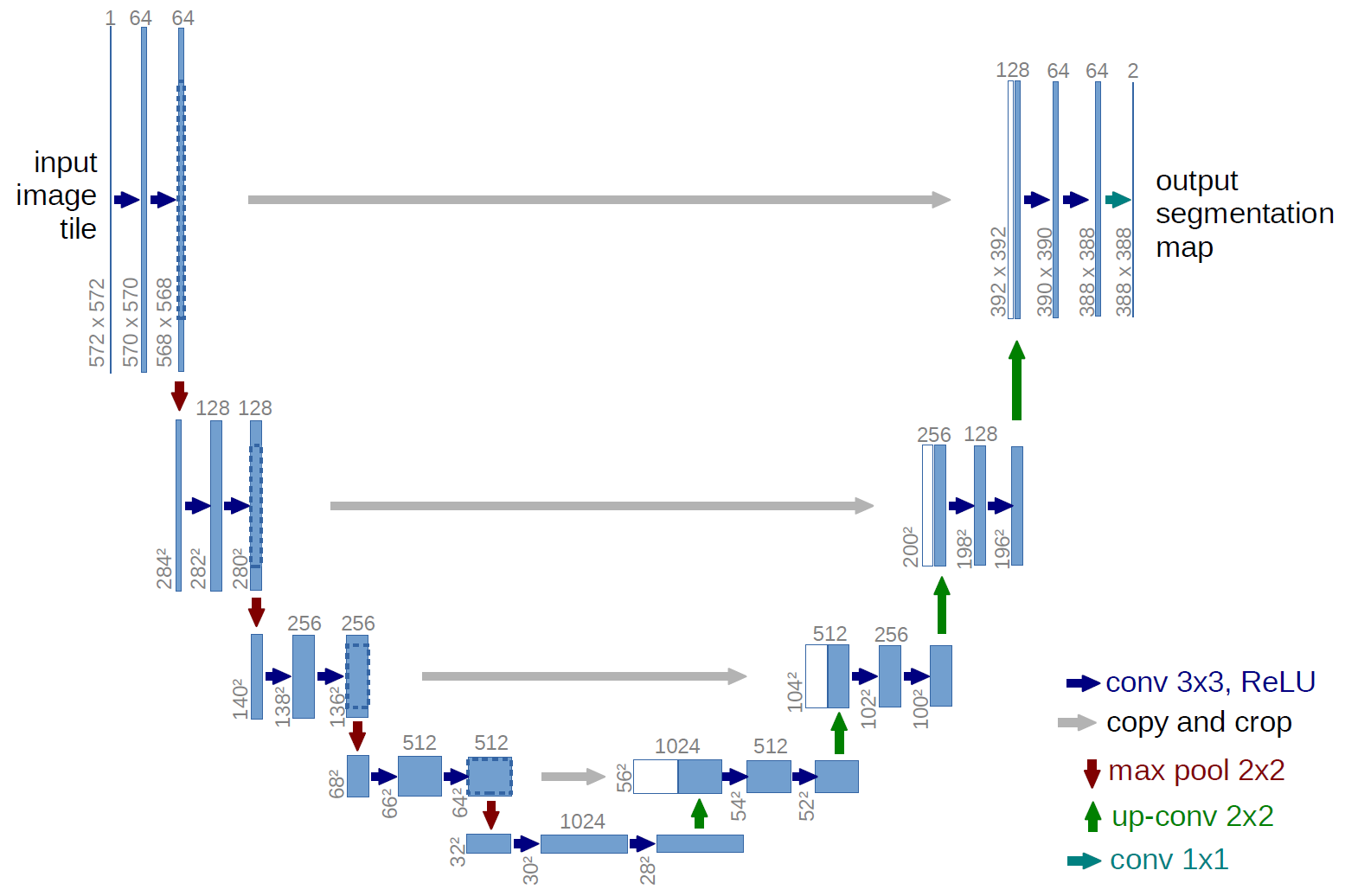
rcnn unet 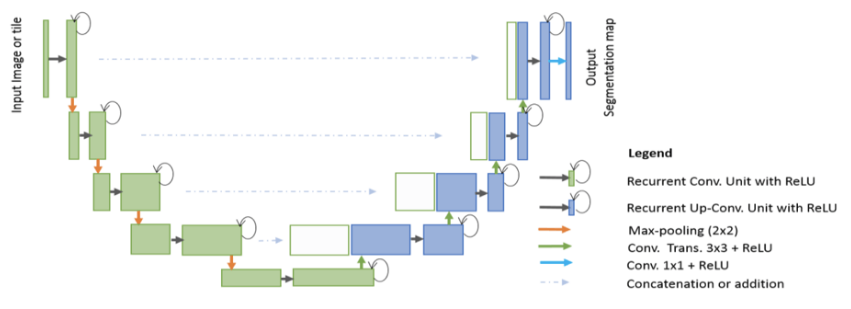
注意Unet 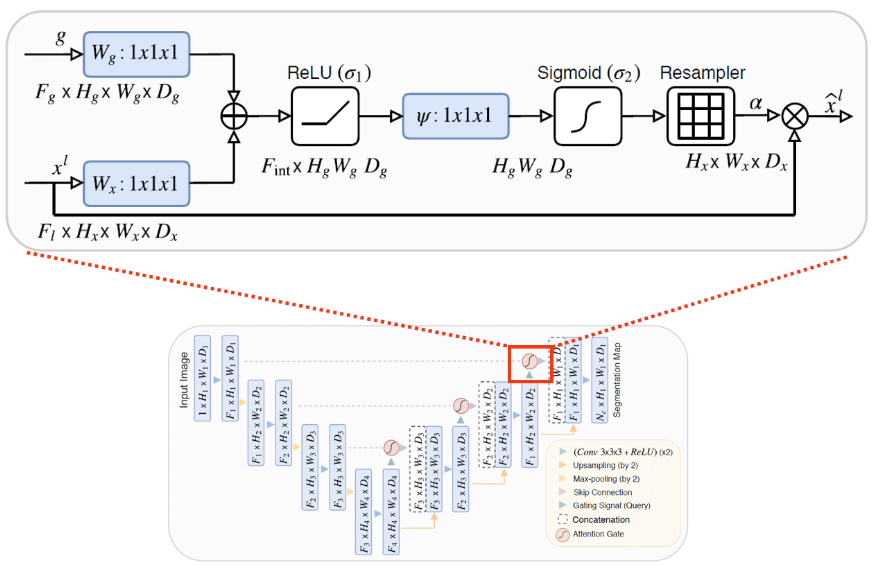
Attention-RCNN UNET 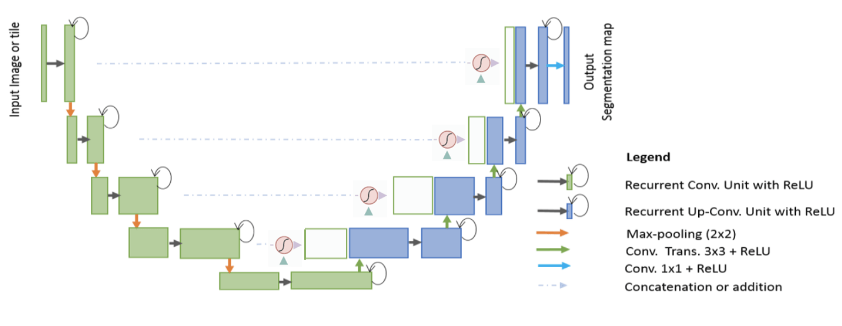
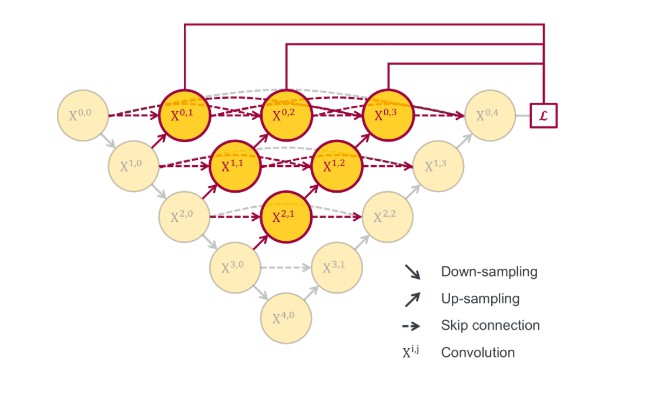
ネストされたUNET
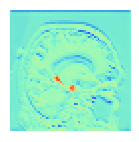
損失をプロットするには、訪問が必要です。コードは既に記述されており、必要な部分を除外してください。勾配の流れも使用できます。 (https://discuss.pytorch.org/t/check-gradient-flow-in-network/15063/10から
モデルフォルダーが作成され、すべてのデータがその内部に保存されます。最後のレイヤーはモデルフォルダーに保存されます。特定のレイヤーが必要な場合は、行361で言及してください。
レイヤー訪問
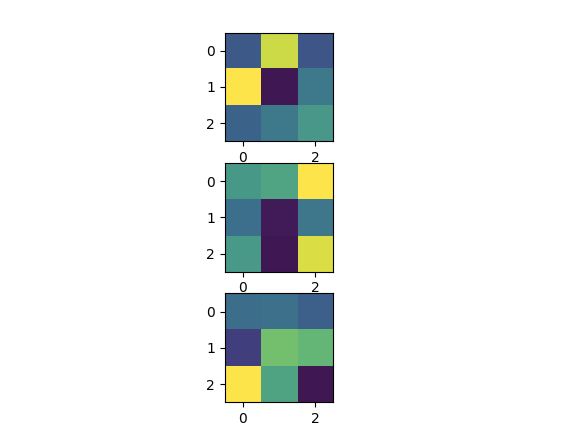
フィルター訪問
Tensorboardxは、視覚化を取得するためにいくつかのパラメーターを調整する必要があります。 Pytorch 1.1.0をTensorboardを直接操作するようにしようとしてこれを台無しにしました(そして、現在、線形グラフ以外のものをサポートしていないことがわかりました) 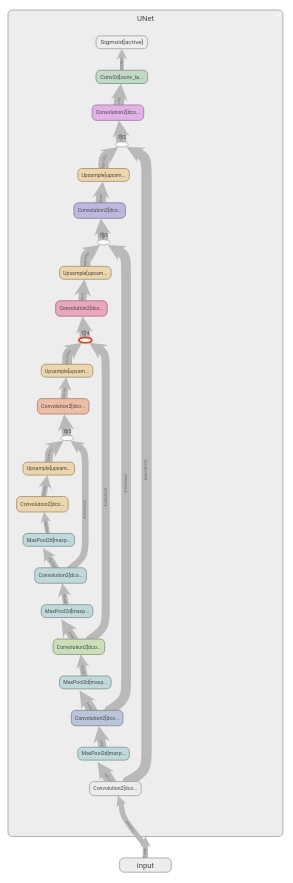
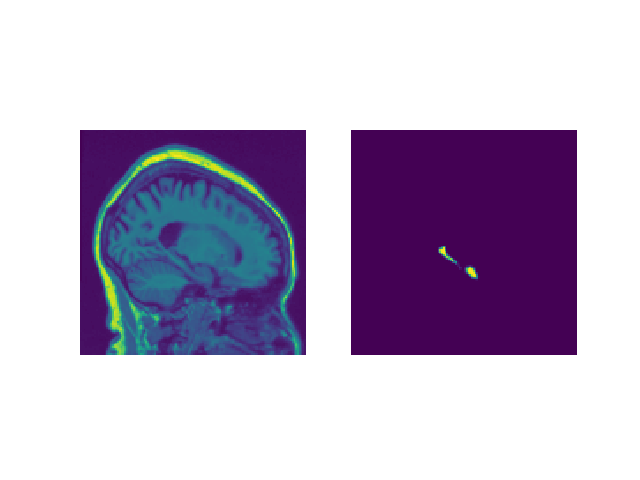
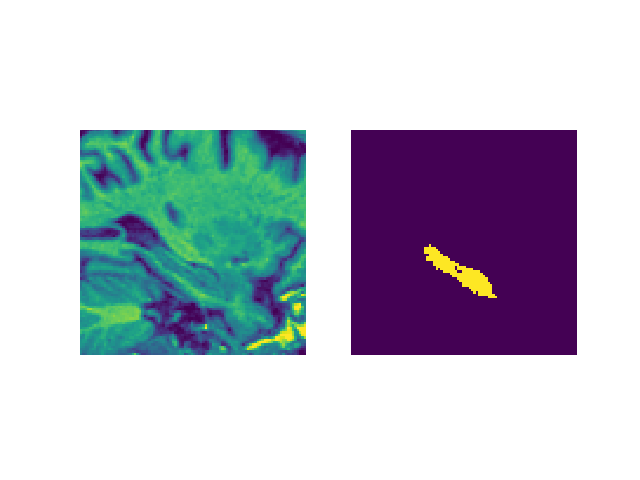
チェックするための画像訪問を入力します
a)元の画像
b)センタークロップ画像
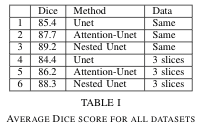
海馬のセグメンテーションAdni-Loniデータセットのサイコロスコア
あなたがあなたの仕事に役立つと思うなら。
 @article{DBLP:journals/corr/abs-1906-07160,
  author    = {Malav Bateriwala and
               Pierrick Bourgeat},
  title     = {Enforcing temporal consistency in Deep Learning segmentation of brain
               {MR} images},
  journal   = {CoRR},
  volume    = {abs/1906.07160},
  year      = {2019},
  url       = {http://arxiv.org/abs/1906.07160},
  archivePrefix = {arXiv},
  eprint    = {1906.07160},
  timestamp = {Mon, 24 Jun 2019 17:28:45 +0200},
  biburl    = {https://dblp.org/rec/bib/journals/corr/abs-1906-07160},
  bibsource = {dblp computer science bibliography, https://dblp.org}
}
In progress








