goggle
1.0.0

Recherchez votre API via des types, avec vitesse
Goggle est un moteur de recherche réalisé comme Hoogle mais pour aller
Essayez de Goggle par vous-même! Vous pouvez maintenant visiter ici pour voir Goggle en action.
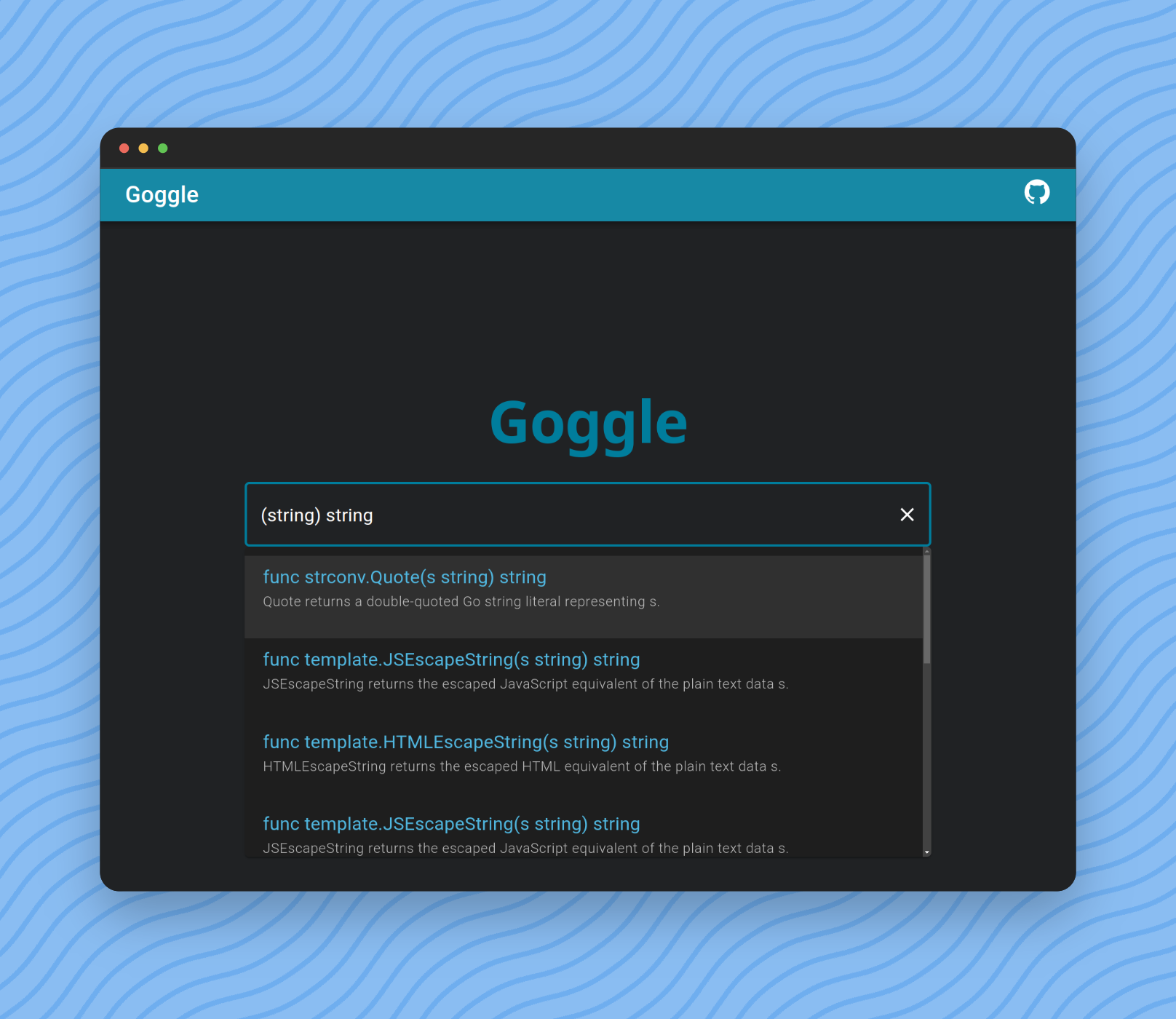
Vous pouvez taper la requête pour rechercher et filtrer les résultats.
La forme la plus simple est la définition de fonction standard de Go.
func length ( s string ) int Mais nous pouvons omettre un nom de fonction, pour récupérer les résultats dont le nom ne correspond pas à length .
func ( s string ) int Nous pouvons également omettre un mot-clé func .
( s string ) intEnfin, nous pouvons omettre les noms d'arguments.
( string ) int Type = Primitives | SliceType | PointerType | identifier .
Primitives = " bool " | Int | UInt | " float32 " | " float64 " | " complex64 " | " complex128 " .
Int = " int " | " int8 " | " int16 " | " int32 " | " int64 " .
UInt = " uint " | " uint8 " | " uint16 " | " uint32 " | " uint64 " | " uintptr " .
SliceType = " [ " " ] " Type .
Parameters = " ( " [ Type { " , " Type } ] " ) " .
Query = [ " func " ] [ identifier ] Parameters [ Type ] .$ git clone https://github.com/abiriadev/goggle && cd goggle$ go run ./cmd/indexer
# or
$ go run ./cmd/indexer < space separated list of packages to index >Voir la page d'aide pour plus d'informations:
Usage of indexer:
  -f string
        index format (default " gob " )
  -o string
path to save index file$ go run ./cmd/repl
# or optionally pass a path to index file to use
$ go run ./cmd/repl < index file to use > Il vous montrera alors une invite commençant par λ .
Tapez n'importe quelle requête (comme () bool ) et entrez pour voir les résultats.
 λ () bool
func utf8 . FullRune () bool       // FullRune reports whether the bytes in p begin with a full UTF-8 encoding of a rune.
func nettest . TestableAddress () bool     // TestableAddress reports whether address of network is testable on the current platform configuration.
func nettest . SupportsRawSocket () bool   // SupportsRawSocket reports whether the current session is available to use raw sockets.
func nettest . SupportsIPv6 () bool        // SupportsIPv6 reports whether the platform supports IPv6 networking functionality.
func nettest . SupportsIPv4 () bool        // SupportsIPv4 reports whether the platform supports IPv4 networking functionality.
func signal . Ignored () bool      // Ignored reports whether sig is currently ignored.
func slices . Equal () bool        // Equal reports whether two slices are equal: the same length and all elements equal.
func testenv . OptimizationOff () bool     // OptimizationOff reports whether optimization is disabled.
func testenv . HasSymlink () bool  // HasSymlink reports whether the current system can use os.Symlink.
func testenv . HasSrc () bool // HasSrc reports whether the entire source tree is available under GOROOT.$ go run ./cmd/goggle Le numéro de port par défaut est 6099 (L33T ou Gogg ). Vous pouvez passer l'option -port pour le modifier.
Usage of goggle:
  -port int
        port number to bind (default 6099)
Essayez de demander au terminal:
$ http :6099/search q= ' () bool ' -v

POST /search HTTP/1.1
Accept: application/json, * / * ; q=0.5
Accept-Encoding: gzip, deflate, br
Connection: keep-alive
Content-Length: 15
Content-Type: application/json
Host: localhost:6099
User-Agent: HTTPie/3.2.1

{
    " q " : " () bool "
}

HTTP/1.1 200 OK
Access-Control-Allow-Origin: *
Content-Length: 1970
Content-Type: text/plain ; charset=utf-8
Date: Tue, 12 Dec 2023 04:12:01 GMT

{
    " items " : [
        {
            " sim " : 0,
            " sig " : " func utf8.FullRune() bool " ,
            " summary " : " FullRune reports whether the bytes in p begin with a full UTF-8 encoding of a rune. " ,
            " link " : " https://pkg.go.dev/unicode/utf8#FullRune "
        },
        {
            " sim " : 0,
            " sig " : " func nettest.TestableAddress() bool " ,
            " summary " : " TestableAddress reports whether address of network is testable on the current platform configuration. " ,
            " link " : " https://pkg.go.dev/golang.org/x/net/nettest#TestableAddress "
        },
        ...
    ]
}Assurez-vous que vous avez installé, tâche, node.js et binaryen.
Ensuite, exécutez les commandes suivantes:
$ task wasm-exec syntaxck
$ corepack enable
$ pnpm install --frozen-lockfile
$ cd frontend
Si vous ne souhaitez pas avoir de proxy de lunettes local, vous pouvez spécifier votre point de terminaison déjà déployé en définissant la variable VITE_EXTERN_ENDPOINT .
$ echo ' VITE_EXTERN_ENDPOINT=<type your endpoint url here> ' > .env.productionEnsuite, courez!
$ pnpm dev
# Or, to use an external endpoint:
$ pnpm dev --mode production
Pour construire le frontage pour le déploiement ou la service:
$ pnpm buildIl existe de nombreuses façons de soutenir et de contribuer à la maintenance et à l'amélioration continue des lunettes. Tout soutien est grandement apprécié!





