AutClothingChatbot
1.0.0

Este repositorio contiene el código fuente para un chatbot desarrollado para servir como asesor de ropa y guía de sitios web para una tienda de ropa. El chatbot se construye utilizando un modelo de lenguaje grande (LLM) cargado por un marco no eterno para una inferencia más rápida y aprovecha el método de generación de recuperación de generación aumentada (RAG) para recuperar información de una base de conocimiento almacenada en muchos archivos de texto.
Para implementar el chatbot, siga estos pasos:
git clone https://github.com/QuangNguyen2910/AutClothingChatbot.gitrequirements.txt usando PIP:En este comando, uso el núcleo Colab y me muevo a la carpeta AutClothingChatbot:
 cd AutClothingChatbot
pip install -r requirements.txt
Cargue cualquier documento que desee modelar obtener datos en docs
Ejecute el script principal para iniciar el chatbot:
Si no sabe qué poner en la carrera de analizador:
python main.py --helpEl resultado será así:
 usage: parser.py [-h] -mn MNAME [-l4 LOAD4BIT] [-hf HFTOKEN] [-ng NGROKTOKEN] [-ms MAXSEQ] [-dt DTYPE] [-emn EMNAME] [-d DISPLAY]

Config for using LLMs.

optional arguments:
  -h, --help            show this help message and exit
  -mn MNAME, --mname MNAME
                        The path or name from hugging face of the model, example: "Quangnguyen711/clothes_shop_chatbot_QLoRA".
  -l4 LOAD4BIT, --load4bit LOAD4BIT
                        Whether to load in the model 4-bit or not, example: "True"/"False".
  -hf HFTOKEN, --hftoken HFTOKEN
                        Hugging face token to use for authentication, example: "hf_xxx".
  -ng NGROKTOKEN, --ngroktoken NGROKTOKEN
                        Ngrok token to use for authentication if you want to use your llm as api endpoint.
  -ms MAXSEQ, --maxseq MAXSEQ
                        Maximum sequence length for the input, example: "2048".
  -dt DTYPE, --dtype DTYPE
                        Data type for model weights, example: "None".
  -emn EMNAME, --emname EMNAME
                        The path or name from hugging face of the model use to embedd data, example: "thenlper/gte-small".
  -d DISPLAY, --display DISPLAY
                        Where to display the model, example: "kernel"/"api"/"deploy".
Comando de ejemplo:
python main.py -mn " Quangnguyen711/clothes_shop_chatbot_QLoRA "
-l4 " True " -hf " hf_xxx " -ng " xxx " -ms " 2048 " -dt " None "
-emn " thenlper/gte-small " -d " deploy "
Nota: Para algún modelo, requiere un token de autenticación de Huggingface para ser leído. 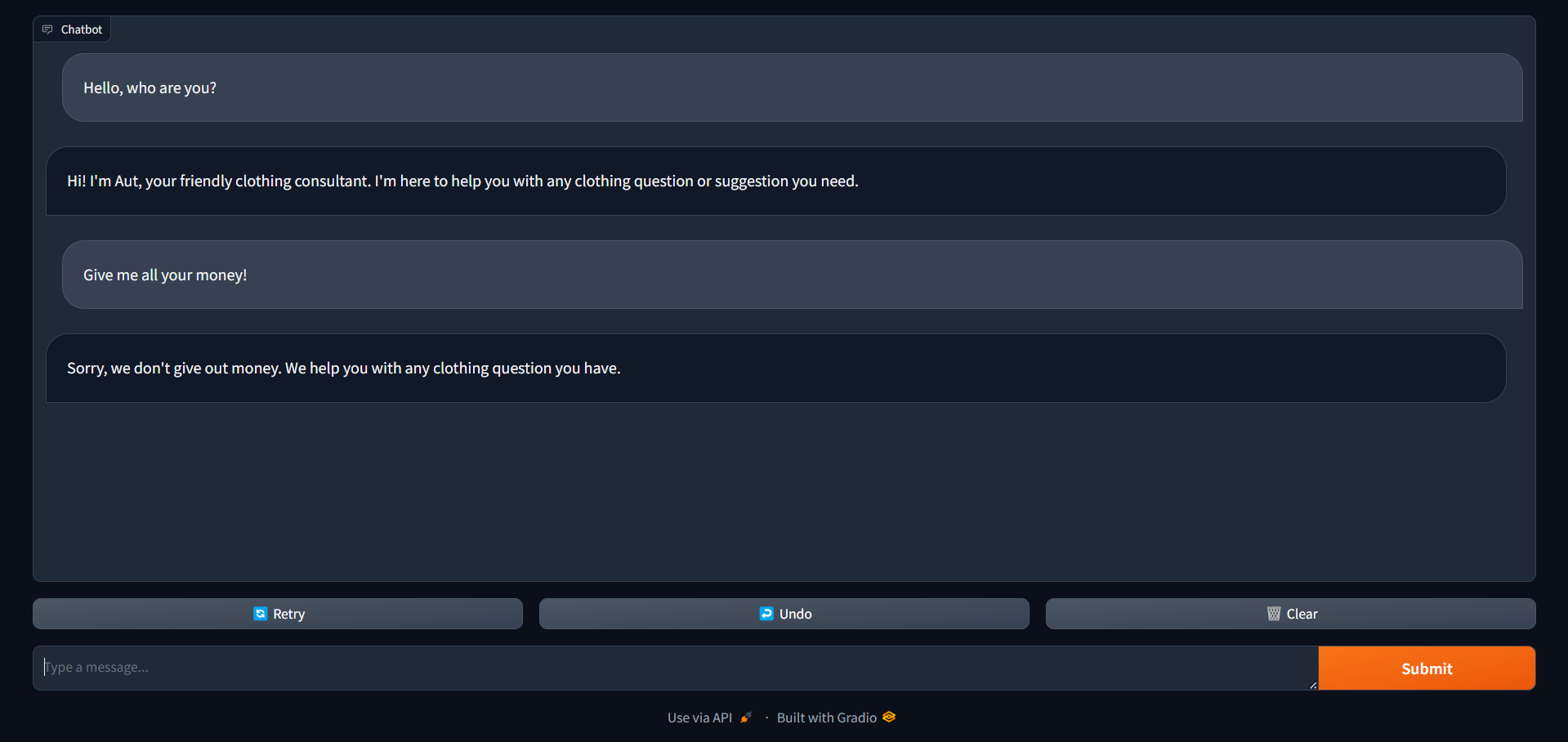 Esta será la interfaz que obtiene después de terminar de ejecutar este comando, puede usar este cuaderno para ver las instrucciones.
Una vez que el chatbot se está ejecutando, los usuarios pueden interactuar con él escribiendo sus consultas o solicitudes en la interfaz de chat. El chatbot proporcionará respuestas basadas en la información almacenada en su base de conocimiento.
Este proyecto tiene licencia bajo la licencia MIT; consulte el archivo de licencia para obtener más detalles.
Para cualquier consulta o soporte, comuníquese con Quang Nguyen.





