candy machine
1.0.0

Web-Based Manual Image Tagger for Training Custom Stable Diffusion LORAs & DreamBooth Models
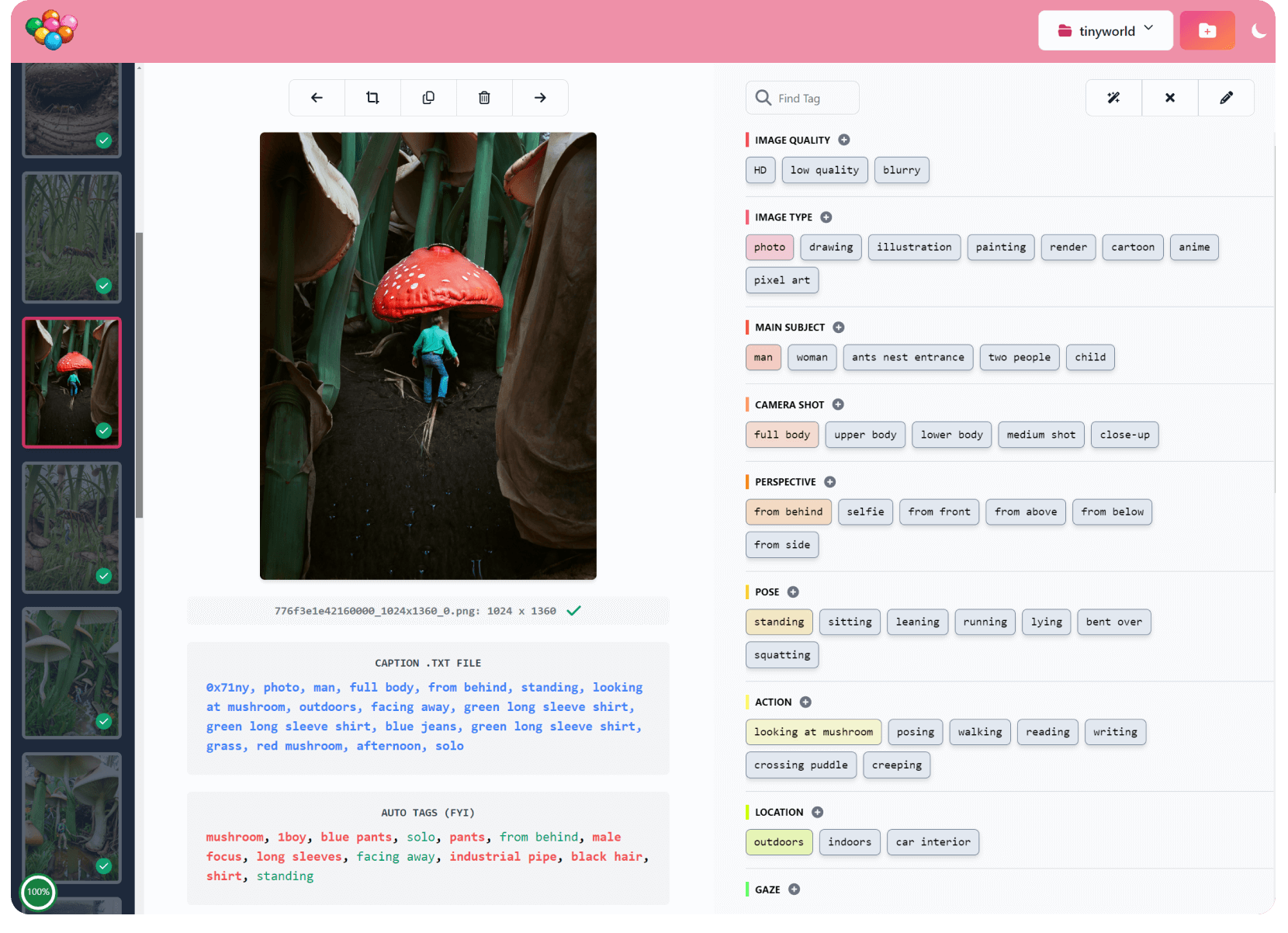
Candy Machine is a nascent image tagger for manually tagging small datasets (< 1k images) with .txt caption files:
Customizable tag layout for consistent tagging
Placeholder tag templates: i.e. {type} clothes, where {type} can be specified when adding a tag
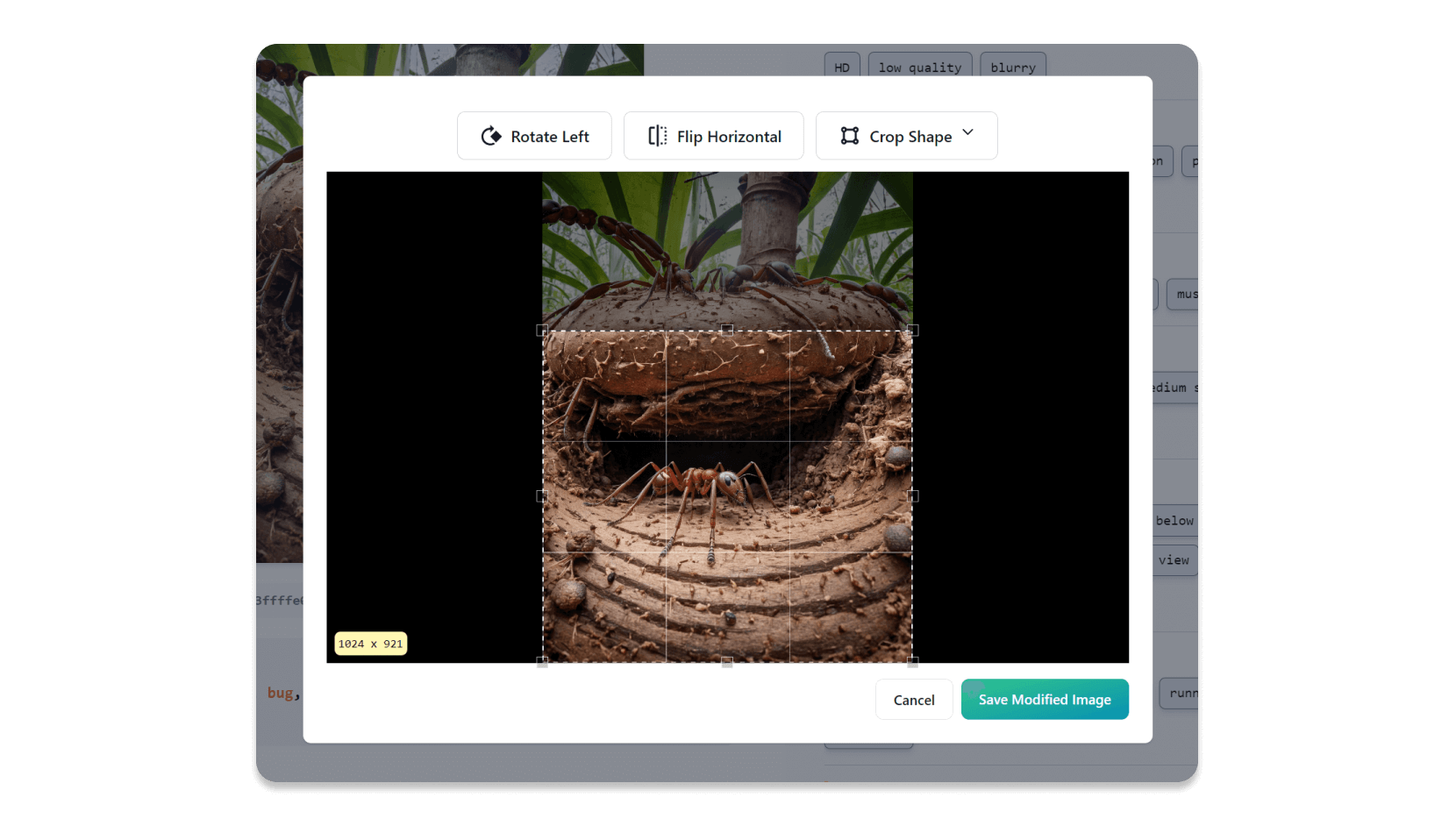
In-built image editing (crop, rotate and flip horizontal)
Tag suggestions using wd-v1-4-convnext-tagger.v3 when creating a new project
Automatic file conversion to .png from .webp, .avif, .gif, etc
Progress % pie chart - for those times when you wonder 'am I done yet?!'
Keyboard shortcuts - press '?' for a list
and more coming soon!
Candy Machine runs entirely on your local machine in "single player" mode. No information is transmitted to any 3rd party system.
I was inspired by this Reddit post about how to best tag small image datasets, focusing mainly on consistency.
I've also never loved the "fiddly" parts of building a dataset - converting images, renaming them, cropping etc. I want to make building datasets quick, easy and, who knows, maybe even fun!
H/T to BinaryAlley also for their prototype.
This software is entirely free for personal, non-commercial use. If you're using it in a business context or for commercial use (i.e. to make money from it), please contact me to arrange a paid license. This will help support my development costs.
git clone [email protected]:mikeknapp/candy-machine.git
cd candy-machine
run
A browser window should automatically open: http://127.0.0.1:5000/
(Note, I haven't tested this yet, there may be bugs!)
git clone [email protected]:mikeknapp/candy-machine.git
cd candy-machine
chmod +x run.sh
./run.sh
A browser window should automatically open: http://127.0.0.1:5000/
Requires CUDA 12.2 and cuDNN8.x.
Activate the Python venv. (Look inside run.bat for clues on how to do that.)
Install onnxruntime-gpu
pip install onnxruntime-gpu --extra-index-url
https://aiinfra.pkgs.visualstudio.com/PublicPackages/_packaging/onnxruntime-cuda-12/pypi/simple/Can't edit a project's tag layout or the default tag layout inside the app. (Workaround: edit default_categories.json in the server directory, or a project's categories.json. For the latter, be sure not to remove tags that are being actively used, otherwise they will be orphaned at the end of the tag list if you save that image in the future.)
Can't add more images to a project! (Workaround: create a new project. I know, not ideal.)
Can't edit the trigger word / synonyms. (Workaround: edit the project's config.json and all existing .txt caption files.)
Tech stack:
Before spending any time writing code, please open an issue with your proposal so we can discuss. Thanks!
python -m venv venv
call .venvScriptsactivate
pip install -r requirements.txtPrerequisites: Node and Yarn.
cd ui
yarn startcd server
python main.pyPlease send me a message, or open an issue. Thanks!







