youtube auto dub
1.0.0

This repository serves as a starting point for developing a FastAPI backend for dubbing YouTube videos by capturing and inferring the voice timbre using OpenVoice.
FastAPI-CloudRun-Starter
To get started with YouTube Auto-Dub, follow these steps:
For local development, we recommend setting up a conda environment with:
conda install mamba -n base -c conda-forge
mamba create -n youtube-auto-dub python=3.9 -y
mamba install -n youtube-auto-dub pytorch==1.13.1 torchvision==0.14.1 torchaudio==0.13.1 pytorch-cuda=11.7 -c pytorch -c nvidia -y
conda activate youtube-auto-dub
pip install -r requirements.txtDownload the model checkpoints necessary for voice timbre recognition and synthesis:
sudo aria2c --console-log-level=error -c -x 16 -s 16 -k 1M https://myshell-public-repo-hosting.s3.amazonaws.com/checkpoints_1226.zip -d /code -o checkpoints_1226.zip
sudo unzip /code/checkpoints_1226.zip -d backend/checkpointsWith the environment set up and checkpoints downloaded, navigate to the backend directory and start the application using:
cd backend
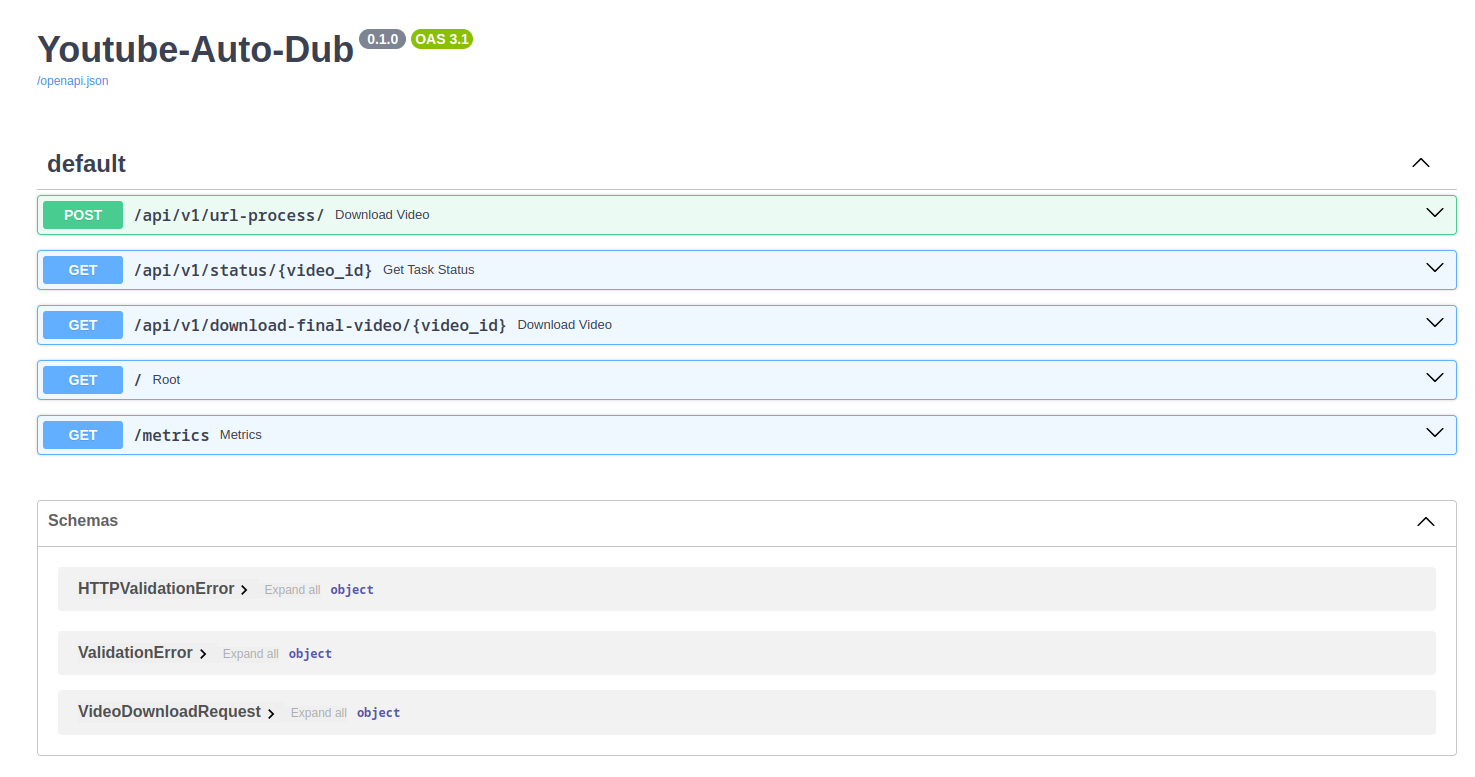
uvicorn app.main:app --reloadTo use YouTube Auto-Dub, begin by submitting a YouTube link via the endpoint:
/api/v1/download/
The application will process the video, recognize the voice timbre, translate the subtitles, synthesize the translated speech matching the original timbre, and then assemble the final video. The processed video will be saved in backend/data/final_videos. With the video ID returned in the output, you can check the processing status through the endpoint:
/api/v1/status/{video_id}
Finally, you can download the final video by using the endpoint:
/api/v1/download-video/{video_id}
inserting the video's ID.
This project is designed with cloud deployment in mind. The provided cloudbuild.yaml and Terraform configurations facilitate deployment on Google Cloud Platform, specifically using Cloud Run for scalable, serverless application hosting.
Contributions are welcome! Whether you're fixing a bug, adding new features, or improving the documentation, your help is appreciated. Please feel free to fork the repository and submit pull requests.
The development of YouTube Auto-Dub was inspired by the following repository:
This project is licensed under the MIT License - see the LICENSE file for details.







