comfyui prompt reader node
v1.3.4


This is a subproject of the
SD Prompt Reader.
It helps you extract metadata from images in any format supported by the
SD Prompt Reader and saves the images with
additional metadata to ensure compatibility with metadata detection on websites such as Civitai.
Supported Formats • Installation • Usage • Change Log • Credits
| PNG | JPEG | WEBP | TXT* | |
|---|---|---|---|---|
| A1111's webUI | ✅ | ✅ | ✅ | ✅ |
| Easy Diffusion | ✅ | ✅ | ✅ | |
| StableSwarmUI* | ✅ | ✅ | ||
| StableSwarmUI (prior to 0.5.8-alpha)* | ✅ | ✅ | ||
| Fooocus-MRE* | ✅ | ✅ | ||
| NovelAI (stealth pnginfo) | ✅ | ✅ | ||
| NovelAI (legacy) | ✅ | |||
| InvokeAI | ✅ | |||
| InvokeAI (prior to 2.3.5-post.2) | ✅ | |||
| InvokeAI (prior to 1.15) | ✅ | |||
| ComfyUI* | ✅ | |||
| Draw Things | ✅ | |||
| Naifu(4chan) | ✅ |
See SD Prompt Reader for details
Note
While ZIP package is available, it is strongly recommended not to use it for installation.
Search for SD Prompt Reader in the ComfyUI Manager and install it.
Please make sure to install the submodules along with the main repository.
cd to the custom_node foldergit clone --recursive https://github.com/receyuki/comfyui-prompt-reader-node.gitcd comfyui-prompt-reader-node
pip install -r requirements.txtWhen updating, don't forget to include the submodules along with the main repository.
git pull --recurse-submodules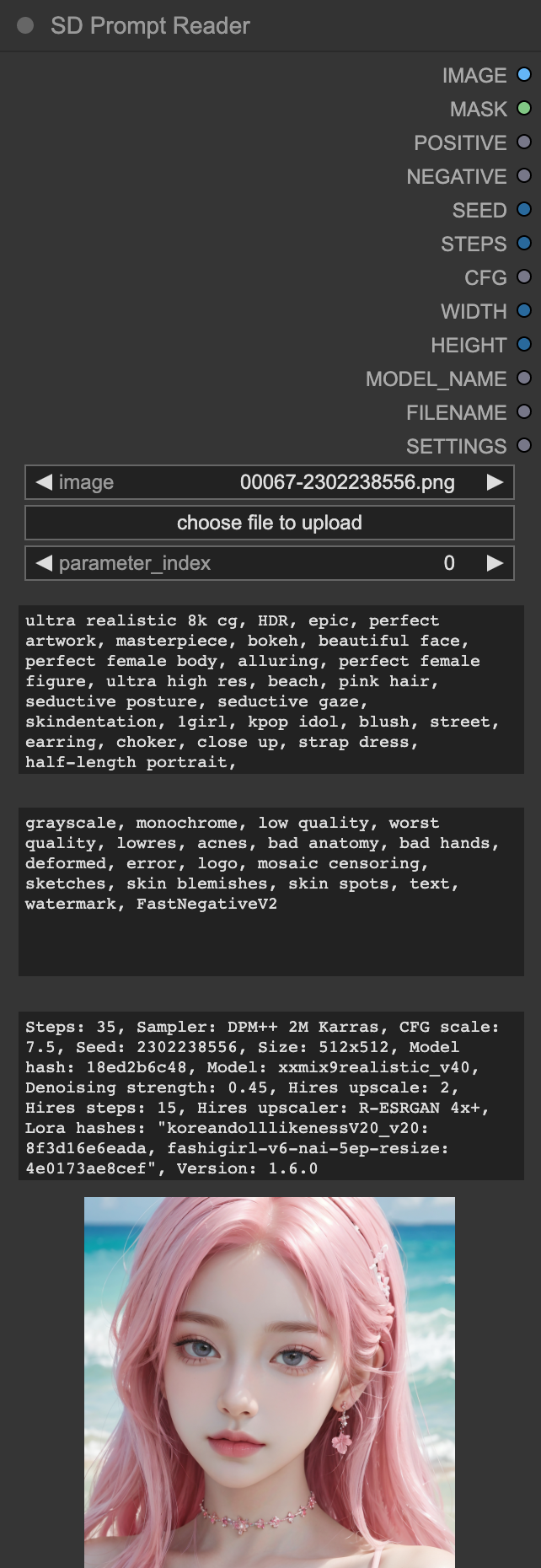
Prompt Reader Node works exactly the same as the
standalone SD Prompt Reader.
It uses the Image Data Reader from the
standalone SD Prompt Reader,
allowing it to support the same formats and receive updates along with the
SD Prompt Reader.Important
Due to custom nodes and complex workflows potentially causing issues with SD Prompt Reader's ability
to read image metadata correctly, it is recommended to embed the Prompt Saver Node within the workflow
to ensure maximum compatibility.
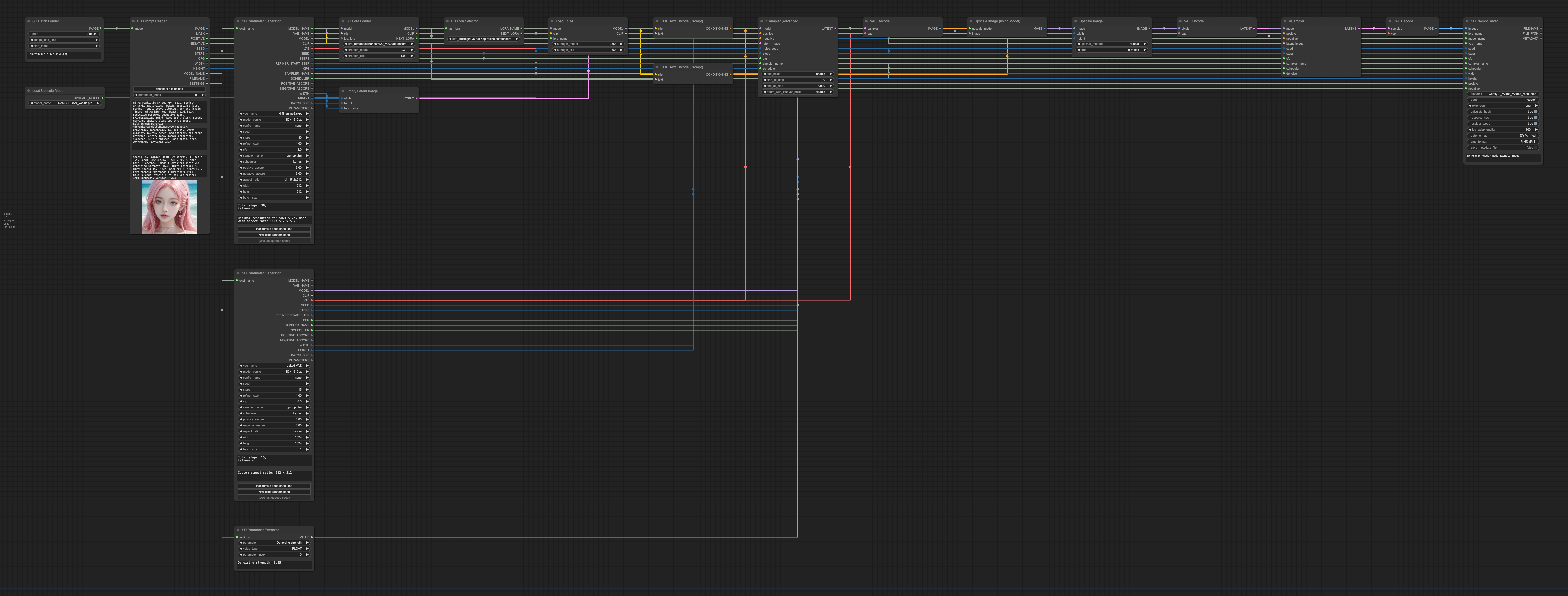
parameter_indexhires-fix or refiner,
you will need to modify the parameter_index to select the parameters you needtext_g will be combined with text_l into a single promptBatch Loader node. When using the Batch Loader node for bulk reading,
the preview image will not update, and the text box will only display the metadata of the last image.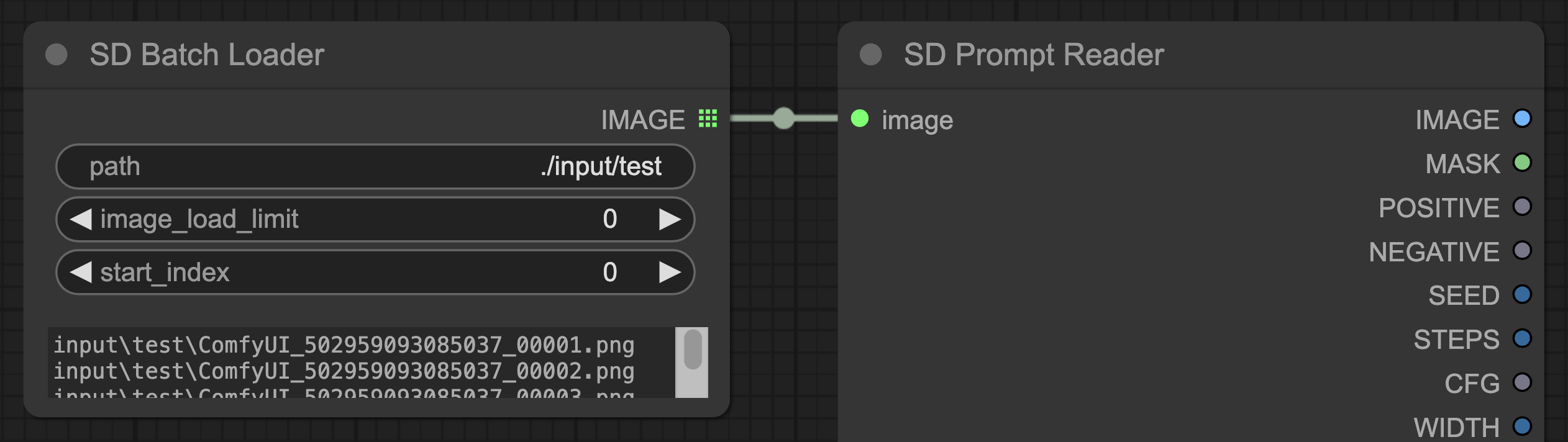
settings to the Parameter Extractor node.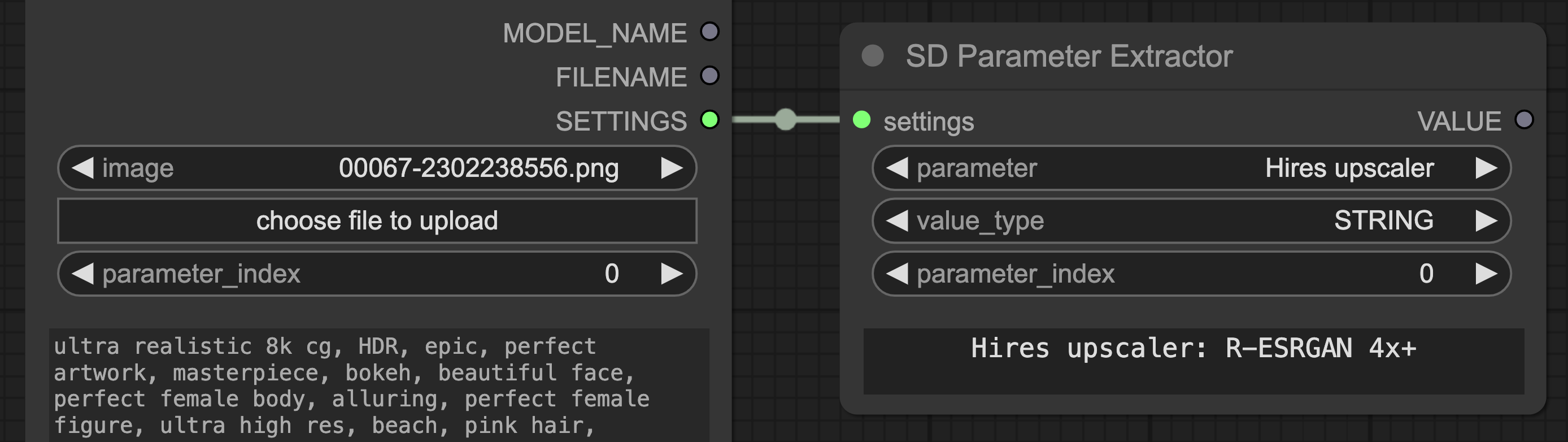
MODEL_NAMEMODEL_NAME is a special output that matches the model name in the metadata with the existing models on the server
according to the following priority:
sd_xl_base.safetensors will be matched with SDXLsd_xl_base.safetensors, and vice versa.sd_xl_base will be matched with SDXLsd_xl_base.safetensors, and vice versa.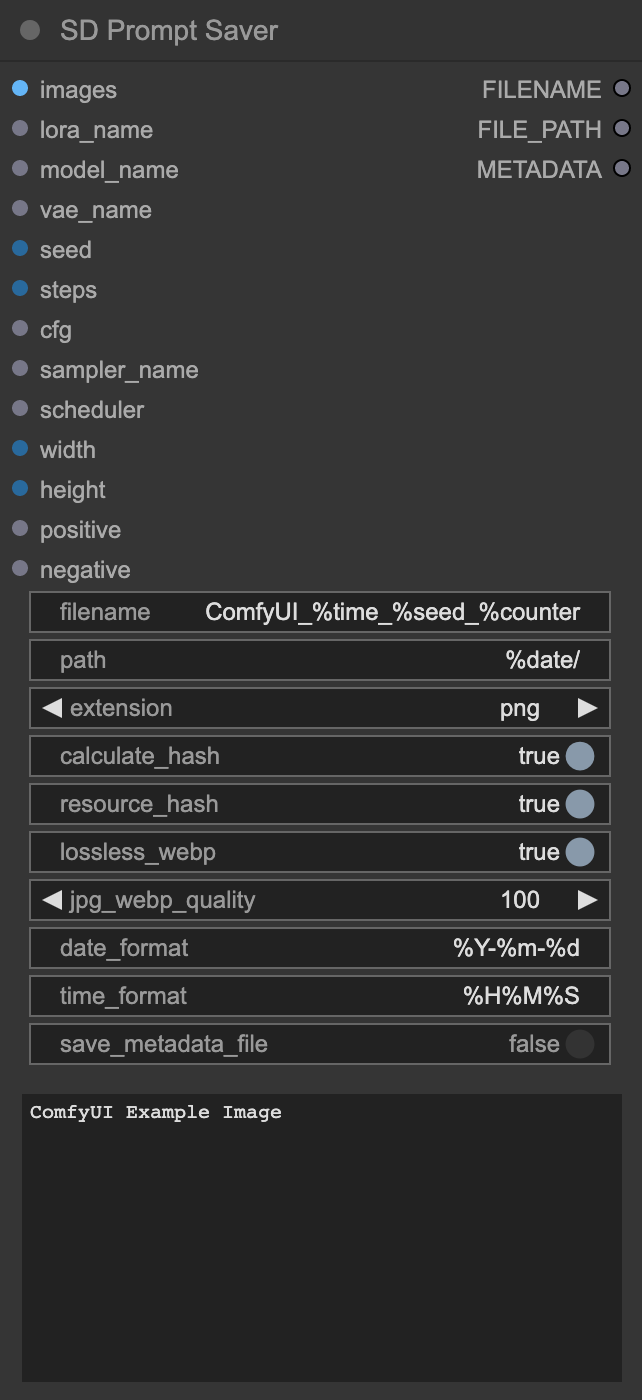
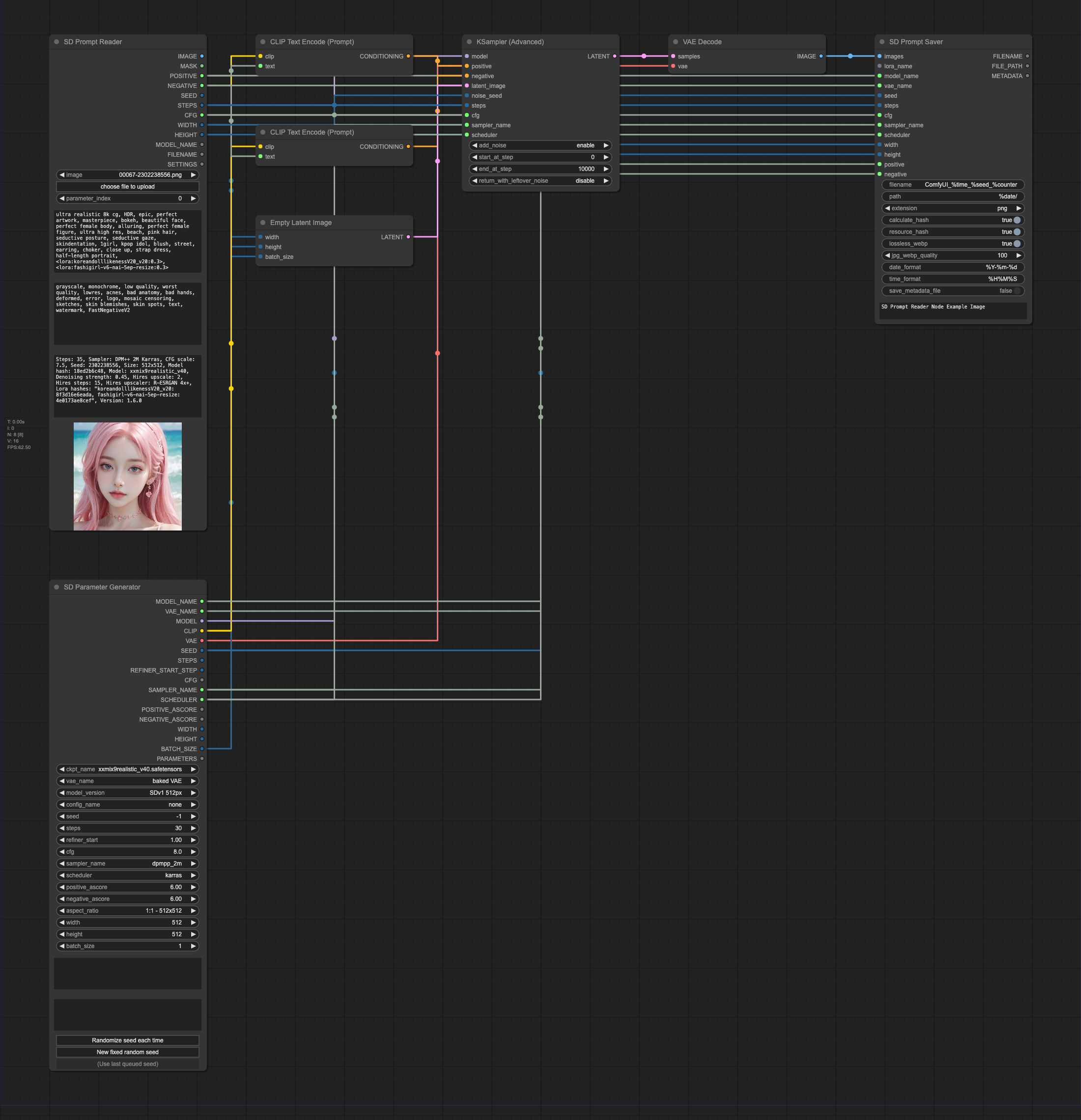
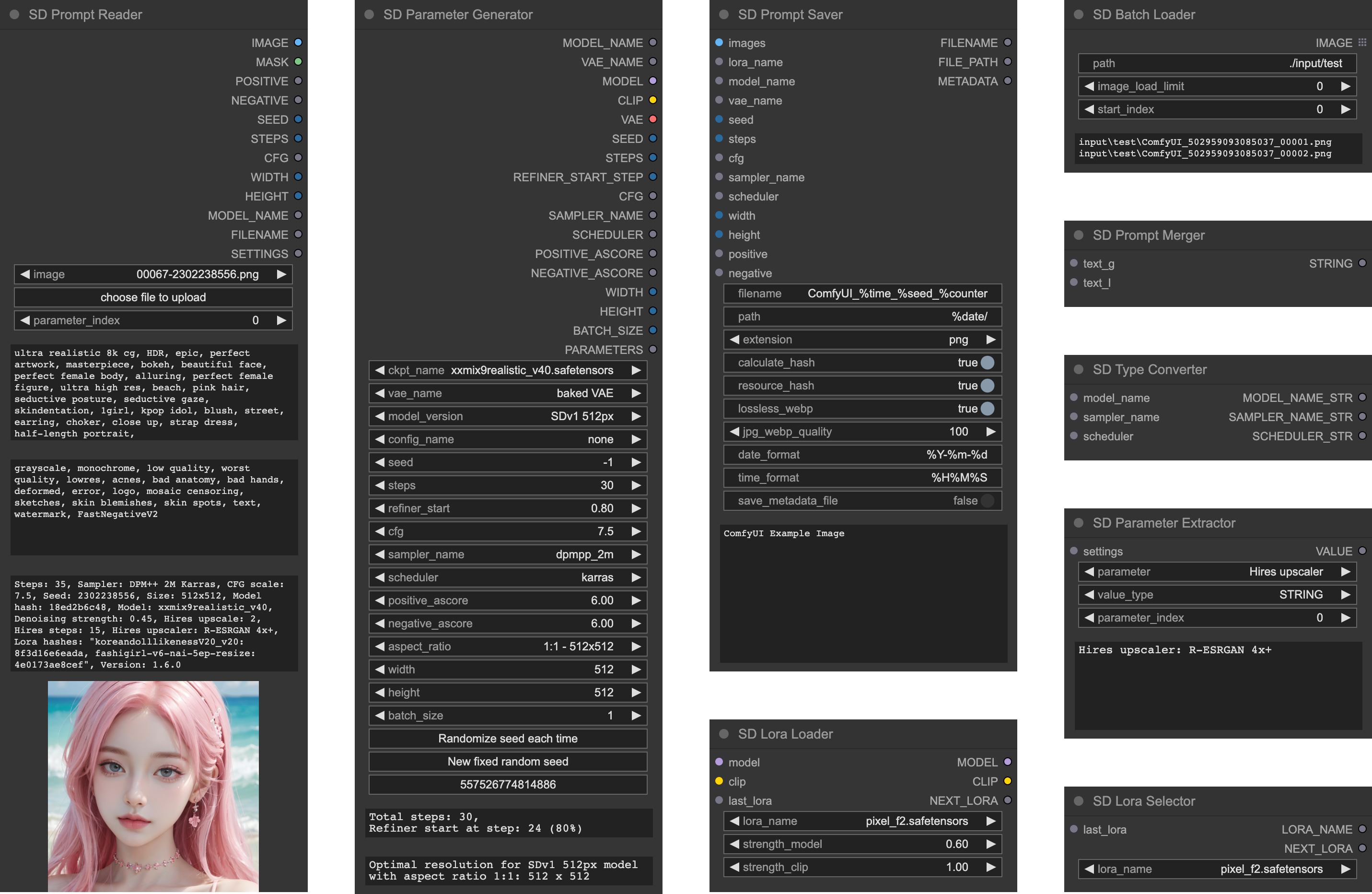
Prompt Saver Node and the Parameter Generator Node are designed to be used together.Prompt Saver Node will write additional metadata in the A1111 format to the output images
to be compatible with any tools that support the A1111 format,
including SD Prompt Reader and Civitai.Tip
Since it's not possible to directly extract metadata from KSampler, it's necessary to
use the Parameter Generator Node to generate parameters and simultaneously output them to
the Prompt Saver Node and KSampler Node.
file.png, file_1.png, file_2.png.calculate_hash is enabled, the node will compute the hash values of checkpoint, VAE, Lora,
and embedding/Textual Inversion, and write them into the metadata. After the server restarts, or a new checkpoint,
VAE, Lora, or embedding/Textual Inversion is loaded, the first image generation may take a longer time for hash calculation.
The hash value will be stored in temporary storage without the need for repeated calculation,
until the server is restarted.resource_hash is enabled, the resource hashes will be written into the metadata to support auto-detection
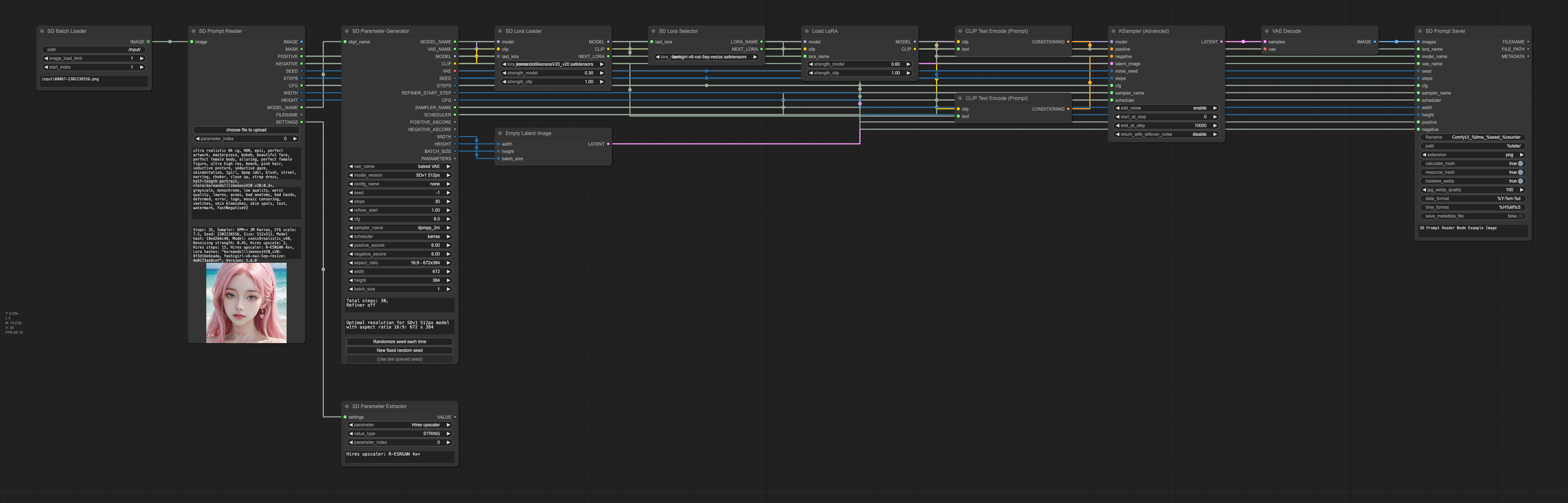
on Civitai. This function will only run when calculate_hash is enabled.Lora Loader Node or the Lora Selector Node.
The hash value of the embedding/Textual Inversion will be automatically detected from the prompt.save_metadata_filesave_metadata_file is turned on, the metadata will be saved as a TXT file with the same name
alongside the image.date_format & time_formatdate_format and time_format, please refer to
strftime.org or www.strfti.me.filename & path%counter cannot be used for path, it can only be used for filename. This %counter is slightly different
from the %counter in the built-in Saver node, it will count all image files in the path.
Please refer to the following table for placeholders supported by the filename and path.
| %seed | %date |
| %steps | %time |
| %cfg | %counter |
| %model | %extension |
| %sampler | %quality |
| %scheduler |
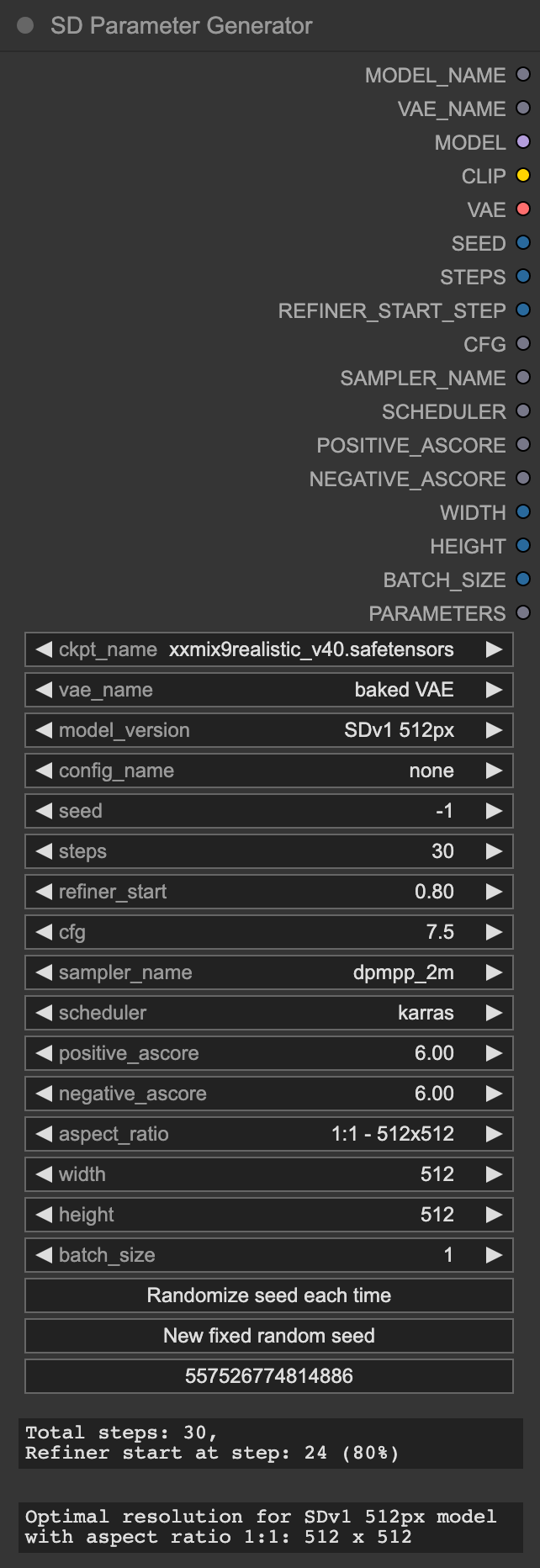
KSampler, it's necessary to
use the Parameter Generator Node to generate parameters and simultaneously output them to both
the Prompt Saver Node and KSampler Node.Tip
The Parameter Generator Node can also be used as a control panel for complex ComfyUI workflows, just like the AP workflow.
model_version and aspect_ratio are used only for calculating the optimal resolution of the selected
model version under the chosen aspect ratio. The calculation method is based on the
Stability AI development documentation
and the StableSwarmUI source code (developed by Stability AI).refiner_startrefiner_start refers to the proportion of steps completed when the refiner starts running,
i.e., the proportion of base steps to total steps. This is used to calculate the start_at_step (REFINER_START_STEP)
required by the refiner KSampler under the selected step ratio.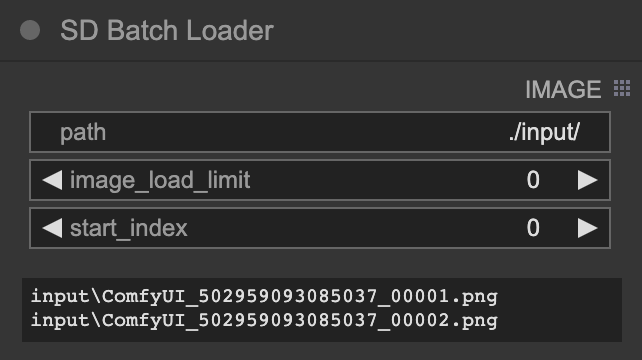
Batch Loader Node is specifically designed for the Prompt Reader Node to batch-read image files in a directory
and cannot be used with other custom nodes.IMAGE output of the Batch Loader Node to the image input of
the Prompt Reader Node.
pathpath supports relative paths such as ./input/ or absolute paths like C:/Users/receyuki/Pictures. and / are acceptable.path,
in which case the image_load_limit and start_index will not function.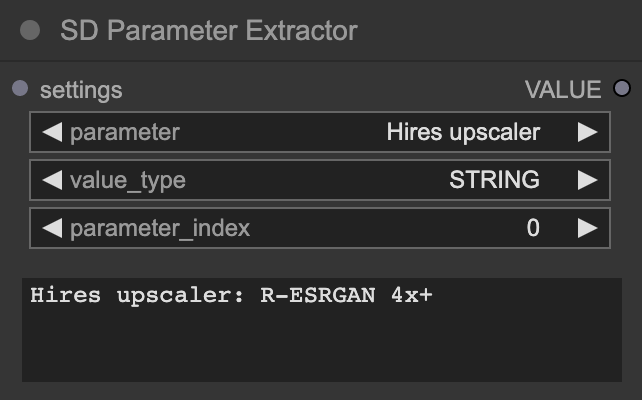
Parameter Extractor Node is an extension of the Prompt Reader Node, designed to retrieve the values
of all parameters in the settings (including those parameters that the Prompt Reader Node cannot output).
e.g. Hires upscalerSETTINGS of the Prompt Reader Node to the settings of the Parameter Extractor Node.
After the first run, the parameter list will be loaded.
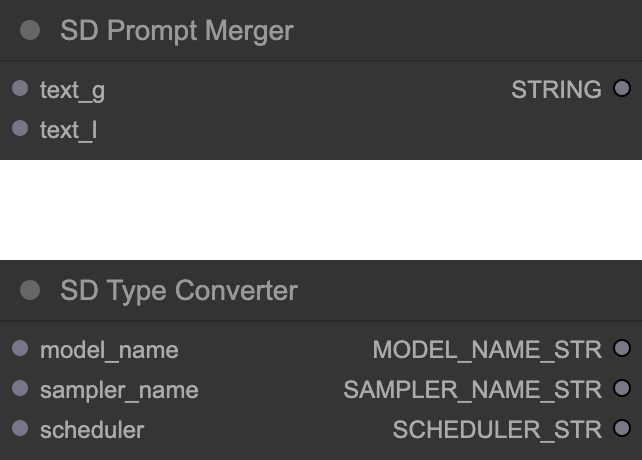
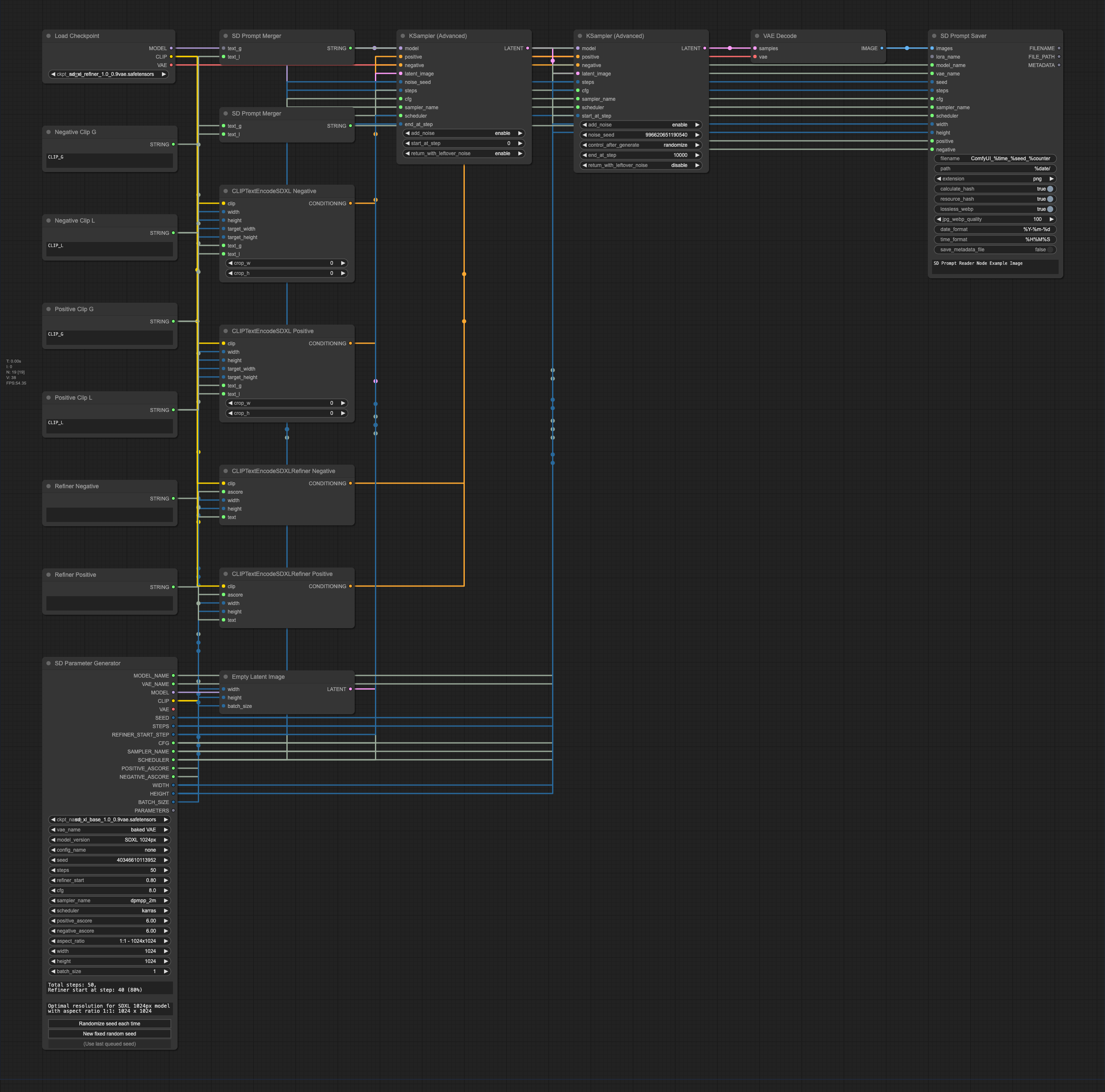
text_g and text_l separately, SDXL users need to use
the Prompt Merger Node to combine text_g and text_l into a single prompt.model_name, sampler_name, and scheduler are special types
that cannot be directly used by some other nodes,
You can use the Type Converter Node to convert them into STRING type.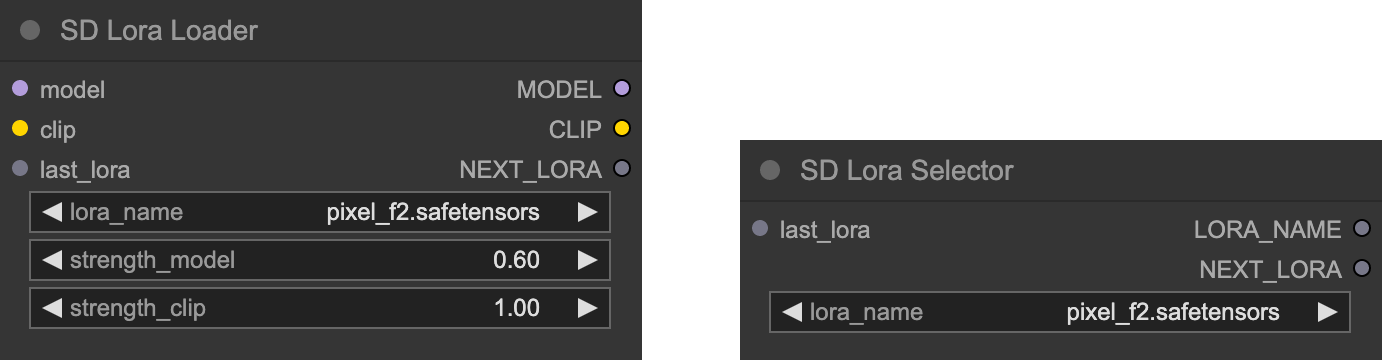
Lora Loader Node and Lora Selector Node are used to write Lora data into metadata and support auto-detection
on Civitai.Lora Loader Node, or connect the LORA_NAME output of the Lora Selector Node
to the lora_name input of other lora loaders (built-in or custom), and link the NEXT_LORA output to the lora_name
input of the Prompt Saver Node. Both of these nodes have the same function, please choose according to your needs.Lora Loader Node or Lora Selector Node head to tail
through last_lora and NEXT_LORA, and connect the NEXT_LORA at the end of the Lora chain to the lora_name input
of the Prompt Saver Node.