ask redis blogs
1.0.0

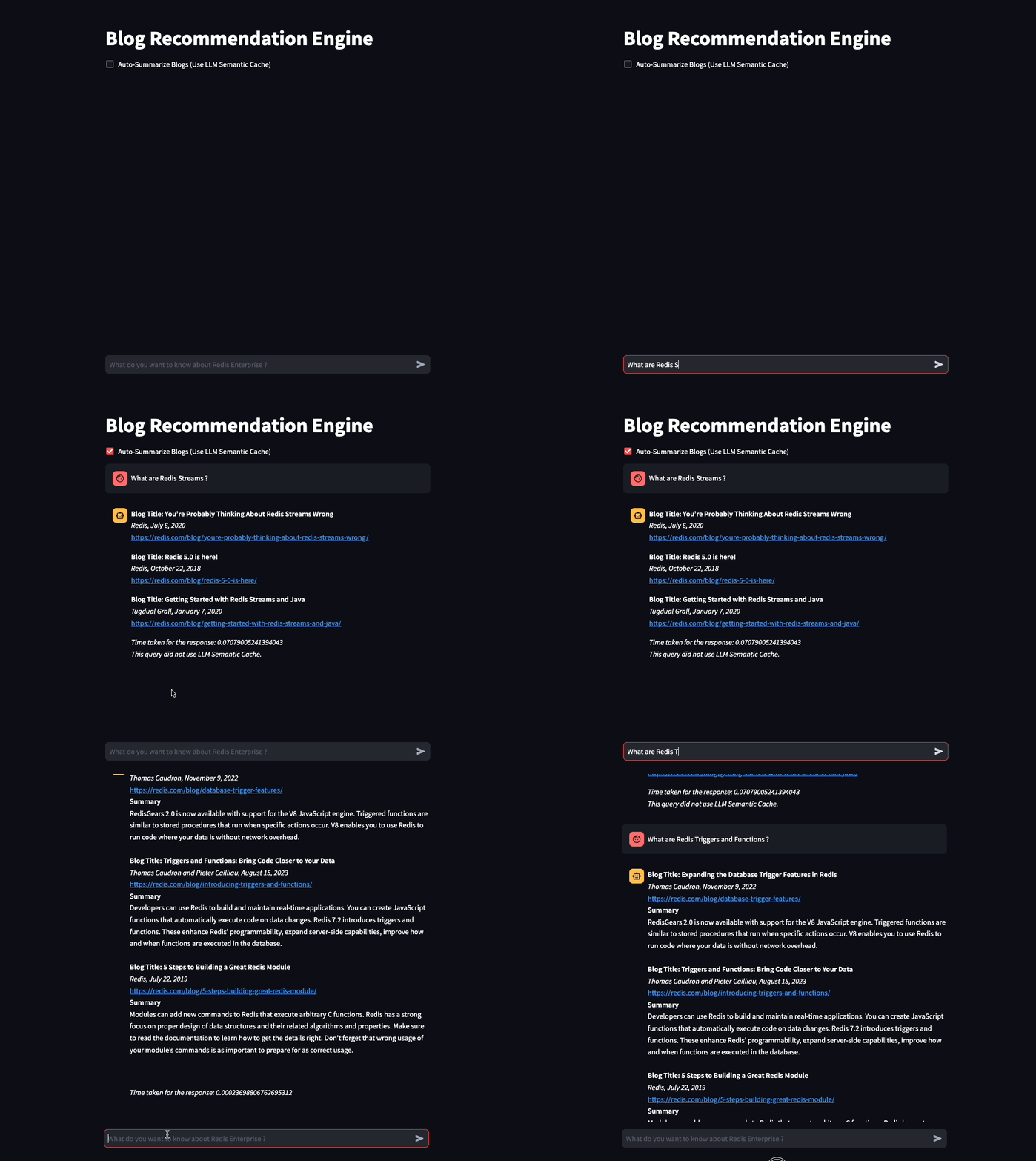
We build a chatbot which can summarize and recommend blogs on Redis.com website based on the user query.
This small project uses 2 AI models
In this project, we aim to demonstrate
The easiest way to is to use a docker image using the below command
docker run -d -p 6379:6379 -p 8001:8001 redis/redis-stack:latestIf you do not want to use a docker image, you can sign up for a free Redis Cloud subscription here.
Download the repository
git clone https://github.com/mar1boroman/ask-redis-blogs.git && cd ask-redis-blogs
Prepare and activate the virtual environment
python3 -m venv .env && source .env/bin/activate
Install necessary libraries and dependencies
pip install -r requirements.txt
We have extensive knowledge base at Redis Blog Lets run the first script which is a webscraper, this script will scrape the website and create a CSV file containing the data of all the available blogs.
python 0_ext_redis_blogs.pyNote This repository already has the blogs updated till 19 September, 2023, running this script will only download the new blogs. The csv file is saved at redis_blogs.csv
In this step, we generate the embedding for text content of each blog and store them in a HASH format
python 1_load_redis_blogs.pyYou can explore the content of your Redis Database in RedisInsight on your browser at http://localhost:8001
Now that we have stored the blogs and their embeddings in Redis, its time to see the chatbot in action!.
streamlit run 3_ui.py
Lets run a simple Vector similarity search over our blogs.
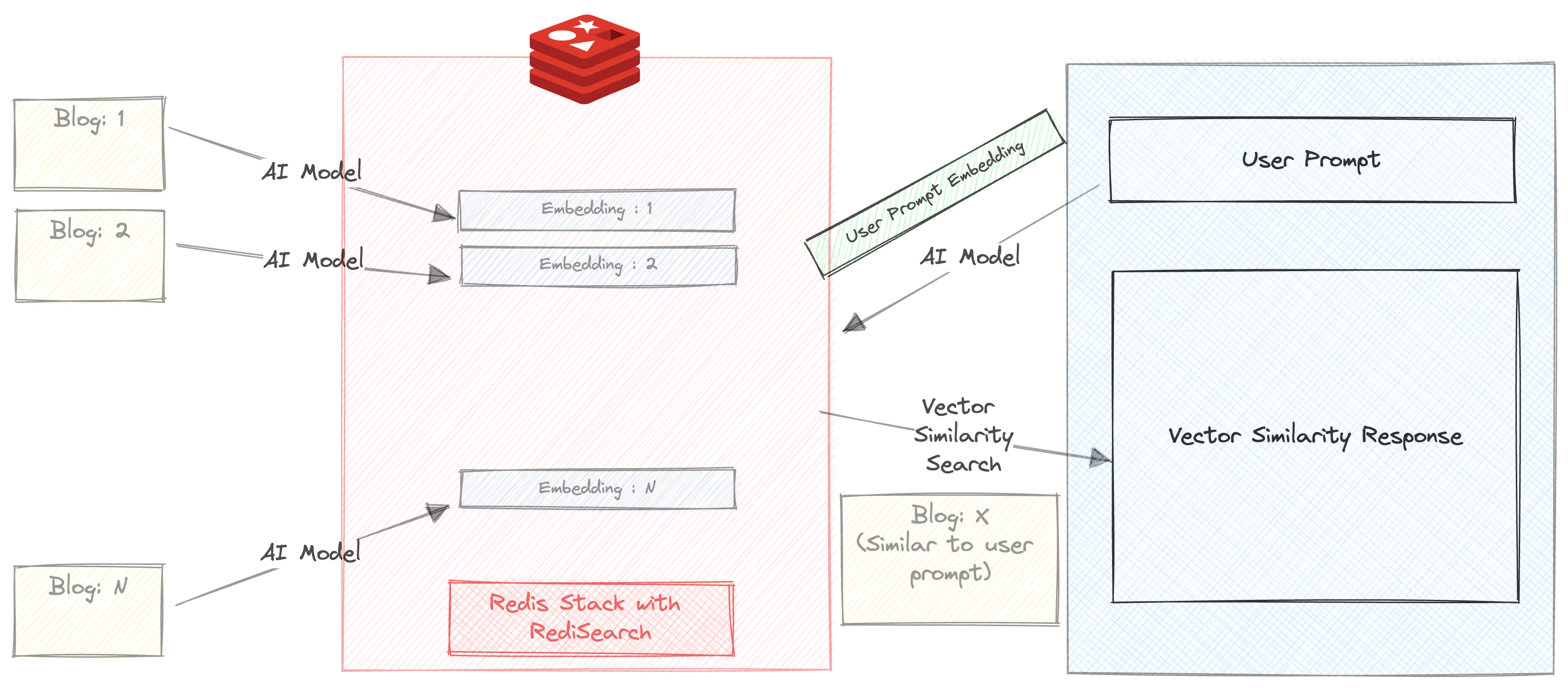
Make sure the 'Auto Summarize' checkbox is unchecked
Enter a prompt. For e.g.
Triggers and Functions
You will get 3 blog recommendations within milliseconds. The response also includes the time taken to return the response. In this case, the search happens entirely in redis, except that the prompt is run through all-mpnet-base-v2 before running the similarity search
Lets get a little more advanced.
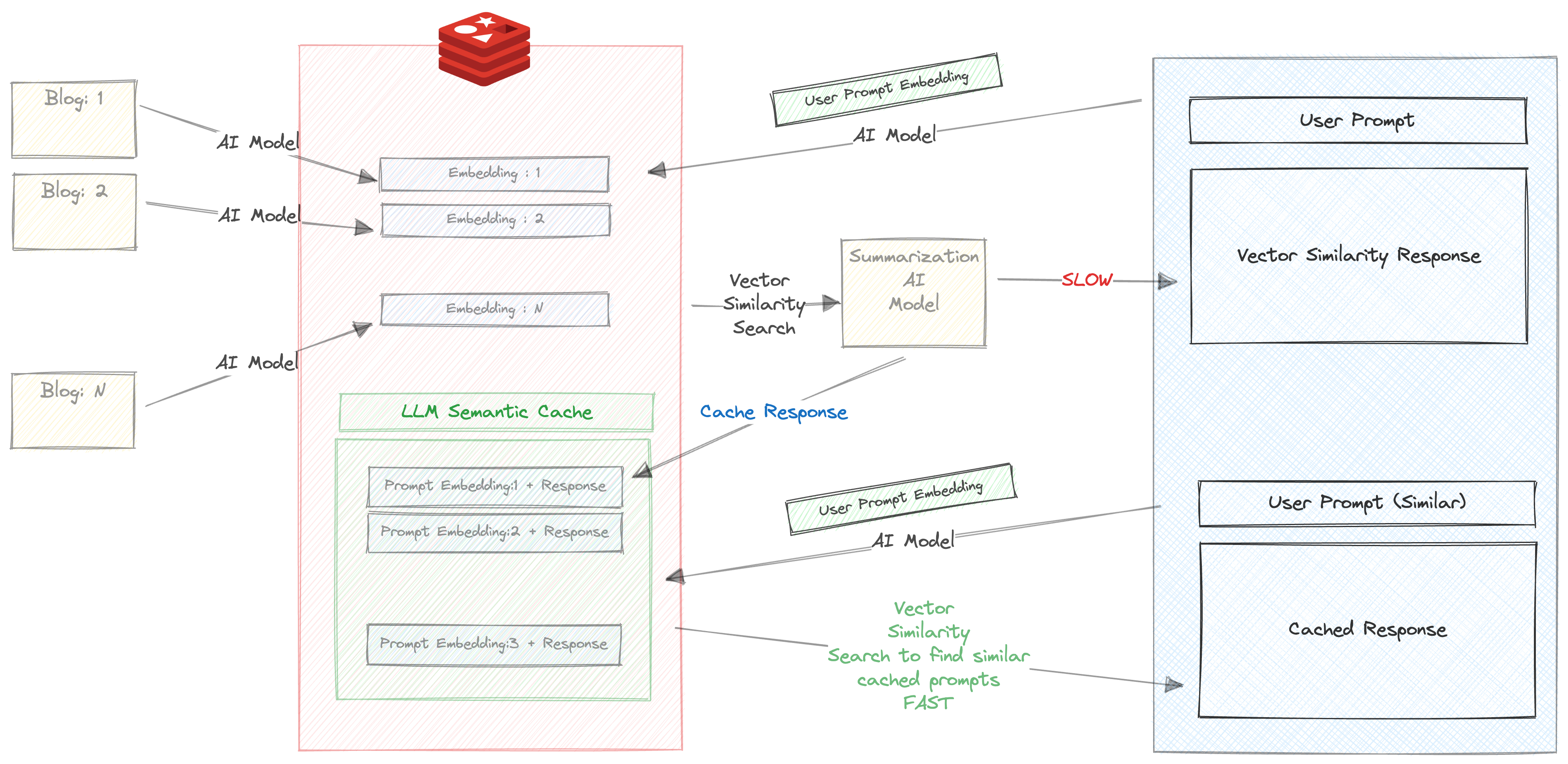
Make sure the 'Auto Summarize' checkbox is checked
Enter a prompt. For e.g.
Triggers and Functions
When you enter this prompt for the first time, the following things will happen
This takes a considerably long time, about 30 s
Hence, we store the response and the prompt in redis. Check your RedisInsight in browser and you will see a key created with the prefix llm_cache
Once the response it returned, the prompt and response are cached, and more importantly The prompt is run through all-mpnet-base-v2 and its corresponding embedding is also cached
Now try running the same prompt (or similar prompt again). For e.g.
About Triggers and functions
You will get the cached response based on the blazingly fast vector similarity search between the prompts embedding and the response that was cached in the previous step.
We can clearly see the benefits of using Semantic Caching here
A version of the chatbot is available in CLI version
python 2_vecsim_redis_blogs.py




